Search  for anything...

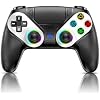
Gamrombo LED Wireless Controller for PS5, Compatible with PS5 Pro/Slim/PC, Dual Vibration, Macro/Turbo Function, 3.5mm Audio Jack, 6-Axis Motion Control Gamepad with Speaker

  • Based on 1,885 reviews
Condition: New
Checking for the best price...
$39.99 Why this price?
Save $5.00 was $44.99

Buy Now, Pay Later


As low as $9 / mo
  • – 4-month term
  • – No impact on credit to apply
  • – Instant approval decision
  • – Secure and straightforward checkout

Ready to go? Add this product to your cart and select a plan during checkout.

Payment plans are offered through our trusted finance partners Klarna, Affirm, Afterpay, Zip, Apple Pay, and Google Pay. No-credit-needed leasing options through Acima may also be available at checkout.

Learn more about financing & leasing here.

Selected Option

Free shipping on this product

FREE 30-day refund/replacement

To qualify for a full refund, items must be returned in their original, unused condition. If an item is returned in a used, damaged, or materially different state, you may be granted a partial refund.

To initiate a return, please visit our Returns Center.

View our full returns policy here.


Availability: 15 left in stock
Fulfilled by Amazon

Arrives Friday, Sep 11
Order within 18 hours and 57 minutes
Available payment plans shown during checkout

Protection Plan Protect Your Purchase
Checking for protection plans...

Color: Black


Features

  • Usage NotesWhen using the gamepad for the first time, it needs to be connected to the PS5 console via a USB-C cable(It must be the data cable included in the package or the original data cable), and then press the Home button to activate it. The gamepad is only compatible with PS5 series consoles and Windows PCs, and it is not compatible with PS4.
  • One-click wake-upAfter completing the first connection, you only need to press the HOME button on the controller to turn on the PS5 console. It also supports use on computers with Windows operating system.
  • Controller with Sound The controller is capable of producing sound, providing an immersive gaming experience. Please note that the controller is only equipped with a speaker and has no microphone. If you want to use the microphone fuacnction, please use an external headset. It is equipped with a 3.5mm TRRS headphone jack(not compatible with Apple headphones.)
  • Customizable ColorsPress the Lighting button to switch colors and light effect modes with one click. It features a color memory function, ensuring that the next time you use it, it will still be the color you prefer.
  • High - Precision JoysticksEquipped with upgraded joysticks, these effectively reduce the joystick dead zone and extend the controller's service life.
  • Multiple Functions10 times/second Turbo function can be set, supporting up to 16 keys programming, making your gaming experience even better
  • Immersive Gaming ExperienceFeaturing dual - vibration function and paired with a high - precision 6 - axis gyroscope, this product elevates your gaming experience to a whole new level. It's an ideal choice, whether for personal use or as a gift.

Description

Gamrombo 5189 Controller Gamrombo 5188 Controller Gamrombo 5188 Controller Gamrombo 5188 Controller Gamrombo 5188 Controller Gamrombo 5188 Controller Gamrombo 5188 Controller How should the controller be connected to the PS5 console for the first time? (Step 1) Step 1: Connect the PS5 console and the controller with a USB-C data cable that comes with the package(OR PS5 original data cable ). Please note that there must be a USB-A interface at the rear of the general PS5 console. How should the controller be connected to the PS5 console for the first time? (Step 2) Step 2: After the connection is completed, press the Home button on the gamepad. If you see the light flashing slowly, it means the pairing is successful, and you can use a wireless connection to the PS5 console subsequently. What hosts can the controller be compatible with? It can compatible with PS5/PS5 Pro/PS5 Slim and Windows PC, NOT For Mac, PS4 and Phone. Cannot charge at charging stations The controller does not work with the charging station and only supports USB-C charging How to calibrate the triggers and joysticks -for joystick drift and trigger problems 1. Enter Calibration Mode: Power off the controller(after connecting to PS5), hold Share + Menu, press Home. Wait for rapid Home button flashing. 2. Calibrate: Press triggers 3-5 times, rotate joysticks 3-5 circles, confirm with X. Done.

Compatible Devices: Playstation 5, Windows


Controller Type: wireless


Connectivity Technology: wireless


Additional Features: Wireless


Button Quantity: 21


Hardware Platform: Playstation 5


Power Source: Battery Powered


Compatible Video Game Console Models: Sony PlayStation 5


Color: Black


Brand Name: Gamrombo


Model Name: PS5 Controller


Manufacturer: Gamrombo


Item Weight: 0.35 kg


Package Quantity: 1


Frequently asked questions

If you place your order now, the estimated arrival date for this product is: Friday, Sep 11

Yes, absolutely! You may return this product for a full refund within 30 days of receiving it.

To initiate a return, please visit our Returns Center.

View our full returns policy here.

  • Klarna Financing
  • Affirm Pay in 4
  • Affirm Financing
  • Afterpay Financing
  • Zip Pay in 4
  • Financing through Apple Pay
  • Financing through Google Pay
Leasing options through Acima may also be available during checkout.

Learn more about financing & leasing here.

Top Amazon Reviews


  • Great Controller
Color: Black
For the price it does what it says. Easy to link up with my ps5. No issues whatsoever. I player astrobot and gta5. Everything is perfect. And the controller is noticbly lighter than the ps5 original.
Reviewed in the United States on August 4, 2026 by Jack Calhoun

  • GREAT CONTROLLER better than brand name ones
Color: Black
I went through 3 PS5 controllers due to stick drift in less than 2 years. Ive had this controller for 10 months so far and all buttons work and NO stick drift.
Reviewed in the United States on August 28, 2026 by raulfblink

  • Review in progress will update-There is hope
Color: Black
I received the controller this morning, charged it up, and logged into work. As work was wrapping up for the day, I went ahead and turned on the PS5 and connected the controller to sync. So far, there were no issues. Based on the look and feel of the controller, I would give it a solid 5. The initial startup of GTA Online also received a score of 5 for the responsiveness of the keys. At this point, I completely agree that this controller is better than Sony's own. I even reached out to my sister-in-law to find out when her husband would be home so I could show him this amazing controller. However, after about 30 minutes of use, the vibration suddenly turned on at full intensity. It felt like I was using an adult personal time toy for a controller in my hands. At the worst moment in the game, the controller became unresponsive. Just as I was griefing other player the control went into freak-out mode locking up all keys so my character jumps out of the car and runs up a mountain. I couldn't do anything and ended up letting a low lvl player get their revenge on me 3x times then sent a nasty message about how trash I was...It was the controller!!! :) I decided to start the refund process and discovered there was a troubleshooting manual that listed the exact problem I was having..lol So there is a very small and I mean small reset button on the back that you need to hit. This must be a common problem if its in the book and for it to happen within the first 30 minutes of use is definitely a red flag at the very start. I was initially leaning toward giving it a solid 5, but due to the reset issue within 30 mins of using, I'm now rating it about a 3.5. I really want to give it a higher score of 5 so I'm going to update the review based off it's performance over the weekend. As of right now, I would say if you need a replacement and can’t afford the $80 for Sony's controller like me, even if you work full-time and make good money, but still struggle and don't have that 80 then this is the best option. Maybe I just got a defective device out of the case and this controller really is a solid 5 or perhaps it has some issues that you just need to be prepared by keeping a tiny needle handy to hit the reset button whenever you’re gaming. Updated Review will be posted by Monday afternoon :) ... show more
Reviewed in the United States on September 5, 2025 by Bryan Hollows

  • Ok for light gaming, but not recommended for serious play.
Color: Black
I've had this controller now for about 1-1/2 years. I like the controller for its comfort, vibration intensities, and for everyday use. I play an MMORPG daily, including intensive PVP, and dungeons. What I do not like about this controller is the accuracy, noise levels, and sensitivity in the buttons. The buttons many times do not fire unless you press down really hard on them. You cannot simply light attack anything, or the unit will not fire. After about a year, the R2 button started making a clicking noise like something was catching behind it. I tried contacting the mfg but no response. For everyday light play, this controller is fine for the money, but if you are playing any type of harder game that requires greater levels of accuracy, then do not buy it. The lights are an added bonus, and the fast buttons on the back are ridiculously easy to set, so they are a plus as well. ... show more
Reviewed in the United States on August 18, 2026 by daniel dawson

  • Fine PS 5 replacement , but might be slightly jank on macOS
Color: Black
The controller itself is well built with buttons that feel high-quality. It’s impossible to verify the claims of a hall effect sensor without taking it apart which I don’t wanna do for fear of breaking something but I will take them at their word here. It works as expected on a PS5, as far as I can tell. As a replacement controller for a PlayStation five, this seems to serve its purpose just fine, however I don’t have a Windows computer to test with so I couldn’t really test that part of the capability but I did have some bizarre behavior on my Mac where I couldn’t get rumble or gyro to work . I’ve had a few of these china origin knock off controller types before and they are a bit hit and miss with compatibility outside of the targeted system. Also of note is that it comes with an instruction manual that suggests there might be a software update available , but the link is dead . So if this controller doesn’t work out of the box for some reason , I would not count on this company for any long term support . It either works as-is or you return it with this type of thing . Is it worth buying over a stock controller ? Probably yes to save a few bucks and for the macro functions , assuming you have a toddler who likes to destroy things in your house like me :) . However this may not be for everyone.. the original sony controller might be a better fit for maximum compatibility with PCs. ... show more
Reviewed in the United States on May 22, 2025 by Adam Lesser

  • You gotta try it out
Color: Black
I’ve had this controller well over 3 months and I can truly say this is one of the best ps5 controller replacements I’ve bought and I’ve tried several. The only thing that has happened to this controller in the three or so months I’ve had it is, l1 got sticky and kind of wouldn’t move but that’s still on me you know why!!! I’ve dropped it several times and it still works aside from that one problem. ... show more
Reviewed in the United States on July 30, 2026 by Rosemary Kindell

  • Very good controller alternative to actually branded controllers.
Color: Black
To say the least, the product works. If you are looking for a cheaper alternative to an actual Playstation branded controller, look into something like this. it feels like a playstation controller and honestly has better gripping. My controller came with back paddles which I did not expect whatsoever. It is a plastic feeling product, feels very cheap, but the sticks are very good. The only single thing I don't like about it is how the buttons feel (R1/L1/RB/LB). They feel completely fake and when you gaming, it can be hard to tell when you are pressing it. I normally use a ps4 controller when playing games like Rocket League. I have boost and drift bound to my bumpers, so when I want to boost and press the buttons, it doesn't feel like anything, so in my head it's almost like I am not pressing it at all. Other than that, great product. ... show more
Reviewed in the United States on September 17, 2025 by Ansh Patel

  • It works, it's cheap. Expect $40 quality
Color: Black
Works as advertised but a little cheap. It connects to ps5 just fine. It also seems to work well. The paddles are not in a great place / poorly designed. The turbo function works well. I'm assuming the macro also works well. There's noise on a lot of the buttons. The triggers feel.... Not smooth. That's the best I can say right now. I'll update after a month or 2 of use ... show more
Reviewed in the United States on May 12, 2026 by Keith

Can't find a product?

Find it on Amazon first, then paste the link below.
Checking for best price...