Search  for anything...

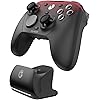
GameSir G7 Pro Wired Controller for Xbox Series X|S, Xbox One, Wireless Gamepad for PC&Android with TMR Sticks, Hall Effect Analog Triggers, 1000Hz Polling Rate, 3.5mm Audio Jack - Black

Based on 5,454 reviews
Condition: New
Checking for the best price...
$79.98
Save $20.00 was $99.98

Buy Now, Pay Later


As low as $13.33 / mo
  • – 6-month term
  • – No impact on credit to apply
  • – Instant approval decision
  • – Secure and straightforward checkout

Ready to go? Add this product to your cart and select a plan during checkout.

Payment plans are offered through our trusted finance partners Klarna, Affirm, Afterpay, Zip, Apple Pay, and Google Pay. No-credit-needed leasing options through Acima may also be available at checkout.

Learn more about financing & leasing here.

Selected Option

Free shipping on this product

FREE 30-day refund/replacement

To qualify for a full refund, items must be returned in their original, unused condition. If an item is returned in a used, damaged, or materially different state, you may be granted a partial refund.

To initiate a return, please visit our Returns Center.

View our full returns policy here.


Availability: 20 left in stock
Fulfilled by Amazon

Arrives Sunday, Nov 1
Order within 13 hours and 58 minutes

Available payment plans shown during checkout

Protect Your Purchase

Easy claims online, fast replacements, no fees

Checking for protection plans...

At a glance

Condition
New
Color
Black
Model
GameSir-G7 Pro
Dimensions
3.9 x 7.01 x 7.13 in
Weight
272 g
Controller Type
Gamepad
Additional Features
Wireless
Warranty
1 Year Manufacturer
Works with
Android, PC, Xbox One, Xbox Series S, Xbox Series X

Features 7

  • Tri-mode Connectivity: Wired for Xbox, 2.4G & Wired for PC, and Bluetooth for Android. The G7 Pro supports seamless connectivity across Xbox, PC, and Android. Effortlessly switch between modes using the convenient physical mode switch.
  • TMR Sticks: The G7 Pro features GameSir's Mag-Res TMR sticks, combining Hall Effect durability with traditional potentiometer performance. This advanced technology delivers stable polling rates for smooth, drift-free gaming with low power consumption.
  • Hall Effect Analog Triggers: The GameSir precision-tuned Hall Effect analog triggers provide unmatched smoothness and linear input for precise control. Featuring clicky Micro Switch trigger stops, gamers can easily switch based on their preferences.
  • 1000Hz Polling Rate on PC: Experience ultra-responsive gaming with a 1000Hz polling rate on PC, available through both wired and 2.4G wireless connections. This ensures instantaneous input registration, reducing lag and optimizing your performance for the most competitive gameplay.

Description

JUST IN GAME Bluetooth Mobile Game Controller for Switch & iOS & Android & Tablets, with Hall Effect Joysticks/Hall Trigger Transparent Wired Controller for Xbox Series X|S, Xbox One,Windows 10/11 & Steam, with Hall Effect Joysticks/Hall Trigger Type C Mobile Controller with Hall Effect Sticks and Hall Trigger, Magnetic Swappable Faceplates. GameSir wants to empower every individual and group to expand the boundary of joy

Specs 16

Controller Type Gamepad
Connectivity Technology USB
Additional Features Wireless
Button Quantity 16
Hardware Platform Gaming Console
Compatible Video Game Console Models Microsoft Xbox One
Item Weight 272 g
Package Quantity 1

Frequently asked questions

If you place your order now, the estimated arrival date for this product is: Sunday, Nov 1

Yes, absolutely! You may return this product for a full refund within 30 days of receiving it.

To initiate a return, please visit our Returns Center.

View our full returns policy here.

  • Klarna Financing
  • Affirm Pay in 4
  • Affirm Financing
  • Afterpay Financing
  • Zip Pay in 4
  • Financing through Apple Pay
  • Financing through Google Pay
Leasing options through Acima may also be available during checkout.

Learn more about financing & leasing here.

Top Amazon Reviews


Top-notch controller at a great price
Color: Golden
After noticing some stick drift on an Xbox Elite Series 2 controller after just a few months of use, I decided to find a controller that solved the issue of stick drift. After researching several options, including controllers by Razer, Scuf and Flydigi, I landed on the Gamesir G7 Pro. Initially, the first G7 Pro I received had to be returned as the right thumbstick did not register any inputs. After receiving a replacement G7 Pro and putting it through its paces, here are my thoughts: - The sticks feel response and snap back to zero consistently and after several long play sessions, show no issues. - It will take some time to get used to the placement of the view/menu buttons and two programmable buttons near the bumpers, but once it clicks they feel fine. - The controller has several premium features (four programmable buttons, TMR sticks, four programmable custom layouts, remap programmable buttons on the fly) that make the $80 price tag feel like a bargain. - I purchased the Gamesir thumbstick pack as I like a taller right thumbstick and the replacement was easy and feels great. - While it worked fine, the D-pad feels slightly loose and clicky, but this was remedied by placing a few small rubber O-rings on the D-pad housing to stiffen it up a bit. Works great and feels even better. - If you must have a wireless controller on Xbox, choose the more expensive wireless option. For me, the included wire is plenty long, stays well-connected to the controller and has plenty of length to reach the couch comfortably. When you consider functionality, price and quality, I have to say the Gamesir G7 Pro is clearly the best option compared to other modern third-party controllers. While others might have additional features at a better price, the thumbsticks on the G7 Pro are the best on the market that I've experienced. This controller is a steal at $80. NOTE: I did have some issues with the Xbox Guide button bringing up the power off menu rather than the guide, but that turned out to be a setting in TV and Display Options>Device Control. Deselect 'Switch TV input using controller' and the Guide button works as intended. I will update this review if/when any issues arise. ... show more
Reviewed in the United States on August 19, 2026 by Ryan Sparks

Buy it.
Color: White
Unexpected how great this controller is. I was looking to get a new Xbox controller because all my controllers have stick drift and are old, but they were always sold out. I'm a busy person and did a quick Internet search to see what controller to get. I was navigated to this controller. The price was decent so I bought it. I didn't even realize all the things I was getting with this controller. Charging station does radio connection, so you don't have to use Bluetooth and therefore can use your BT for something else, dope. Controller has headphone jack for my headset, dope. Works seamlessly in windows, dope. I did not like the extra buttons on the bottom/back because my grip and big hands kept clicking them, well guess what, there are lock switches that allows you to lock those buttons solid, dope. The thing seems well built, dope. A long USB cable, dope. Extra dpad layouts, dope. I liked this controller enough to make a review, very happy with my purchase. ... show more
Reviewed in the United States on October 7, 2026 by Cox

Best Value in Gaming
Color: Black
I bought this after going through 3 Microsoft Elite Controllers over the last few years. There weren't many options in the past. It was nice to finally have more choices. This controller has impressed me. The buttons are clicky so there haven't been any missed presses so far. There are plenty of configuration options. I play COD and the super short trigger pull is great. The only complaint I have is the extra buttons between the triggers. It's just not a good location for me. More times than not I press the wrong button between the extra and the left and right buttons above the trigger. ... show more
Reviewed in the United States on October 9, 2026 by Parnone

Really worth the upgrade from G7 SE?
Color: Golden
I bought this as an upgrade to my Gamesir G7 SE, which performed like a beast: no drift, great feel, extra-buttons, multiple profiles... It got to the end of the line after a lot of years of service. So I thought: since I liked the G7 so much, the G7 Pro must be pretty much the same thing with a couple extra features... NO! I was wrong. VERY WRONG: Buttons: Almost ALL buttons are sitting in switches, so all buttons presses feel clicky (like that same feel you get when pressing the LB/RB buttons in the G7 SE), but now in EVERY button. Not sure if this made for buttons to survive more presses, but it just feels weird to get this feel on every button (including D-PAD), it makes it feel cheap. G7 SE feels way more natural. Gripping: The controller itself feels more sturdy than the G7 SE, it feels way more like a real PRO controller. It has a nice grip finish, I would say it would be really hard for it to slip away. So G7 Pro beats G7 SE. Functionality: Here is where the UPGRADE part really shines when comparing SE vs PRO. The G7 SE it's JUST a wired controller which you can connect to an PC and an Xbox (that's all I tested with), but that's it, you either plug it to any of these and play on them. G7 Pro, on the other hand, allows wireless gaming in PC, Bluetooth for Android and wired PC/Xbox gaming, it REALLY feels like an upgrade. If you care about wireless gaming and android connectivity, this upgrade really makes a difference. If you play wired regardless, then it offers you the same as G7 SE. App: This is the other piece of upgrade that moves the scale to G7 Pro side. G7 SE used GameSir Nexus Legacy which serves it's purpose: it lets you configure the controller profile and set the button bindings. The G7 PRO app (Gamesir Nexus) is way more complete as it allows you to tweak deadzone, SET KEYBOARD AND FUNCTION BINDINGS INTO THE EXTRA BUTTONS (this is huge) Bottom line: I'm having a hard time getting used to the top extra buttons positioning, and the feels of clicking each button is really annoying, however it might also be worth to give a try if you think you the upgrades are worth it. I've only have it for less than a week so I hope it's just a small curve before getting used to the clicky buttons. ... show more
Reviewed in the United States on July 19, 2026 by Neisan

Buy it. Don’t buy anything else just get this.
Color: Black
Seriously my fav Xbox shell controller of all time. I use mine on PC, I don’t notice much latency but I use the 1,000 polling rate. Wired of course is extra snappy. Stick drift actually happened but the controller just needed a software rest on the app and BOOM no more drift (magnetic sticks so the drift was a software issue). Battery could last longer but it’s good. I’m not on an optimal desk so I don’t have room for the dock which would negate charging every three to four days. Now, the only true negative is if you follow the websites instructions it’s not 100% clear, at least at the time I got my controller, which app is specific to your controller and you might download the wrong one. Once you download the right one the app is pretty easy to use, and button mapping is clutch. The controller itself is dope, though I wish the back buttons were more like paddles but that’s splitting hairs at this price point. Easy W. ... show more
Reviewed in the United States on October 7, 2026 by Derrick Barnes

Quality and Performance, Amazing Price Point
Color: Golden
By far, one of the best controllers I've used to date. I'm a PC gaming and I've always used official xbox controllers for their reliability and joystick configuration. I've always wanted to try more of what's conssidered a "performance" controller; better joystick, extra buttons, profiles, etc. most are really expensive and have mixed reviews and when I heard companies like "PowerA" and "Gamesir" who were typically known for cheap knockoff's started making affordable "performance" controllers, I was interested. After doing some research I settled on this Gamesir G7 Pro.. I've found your getting quality where it matters: joysticks. buttons, rumble feature and software everything else is just extra in my opinion. Some of the reasons I really like this controllers: First, you can feel the quality out of the box, the face buttons feel like mouse clicks, the joysticks are anti drift TMR, which u can replace without any tools! and the hall effect triggers feel amazing. Rumble motors in the controller AND triggers, 4 profiles with a dedicated button for switching (no need to switch using the pc app) Instead of 4 extra buttons in the back you get 2 extra at the top and 2 in the back that are placed better then any other controller i've seen yet, a very sturdy charging base and lastly this wonderful bracket that helps protect the USB cable if and when you need to plug it in. Its clear a lot of thought went into creating this product and at a price points of $79 you can't beat it! ... show more
Reviewed in the United States on August 5, 2026 by BaltimoreActual

D-pad feels squishy, but everything else is great 9/10
Color: Black
Quick tip with the USB dongle and charging base. If you are plugging the base directly into your PC, you do not need to plug the dongle into the PC as well. Just leave the dongle plugged into the base, and it will operate correctly. This is a great controller, and I've used a lot of them. I was previously using Gamesir's G7 HE. I think the only thing that the HE version did better, was their d-pad. The d-pad on this Pro controller just feels wobbly and squishy, whereas the G7 HE had a d-pad that was stiff yet responsive. Pro controller just feels like I'm going to accidentally press in the wrong direction with how squishy it is. I'm not going to mark the Pro controller down for this, as I think I'll eventually get used to it, just wanted to note the one thing I didn't like about the controller. I will say that you even though this controller has a 1000Hz polling rate, you will probably want to stick with 250Hz or 500Hz. When turning it up to 1000Hz, the controller seems to suffer from stick inaccuracy and struggles with re-centering. 250 and 500 will work fine for most people though. The lower you keep the polling rate, the longer your battery will last. Speaking of battery, the battery life is great. I have not run out of battery once as of yet. Though the longest continuous play session was about 6 hours (on 250Hz polling rate), and the software showed my battery at 41%. I'm not sure how accurate the software is on showing how much life is left in the battery, but this should be sufficient battery life for most people. Just don't forget to put it on the dock when you are taking a break after a long play session. The settings in the software for this controller are top notch. You can add custom response curves, adjust deadzones, bind the extra buttons, etc. A couple of features in the software that surprised me were the anti-deadzone and the X/Y sensitivity scale. The anti-deadzone essentially reduces the deadzone that you might encounter being forced by certain games. When turning this feature up, you suddenly have much more responsive sticks in these games. The X/Y sensitivity scale allows you to provide less sensitivity to one side if you are one who likes having a lower vertical sensitivity as compared to the horizontal. I turned mine to 36/100, which is perfect for a 16:9 ratio monitor. I have never really like or used the back paddle/buttons on any controller I've used. I prefer the additional shoulder buttons. Being that I never used the buttons on the back, I appreciate the feature to lock these buttons. They lock in place well, and I haven't even noticed any wobbling from these buttons as I hold the controller. ... show more
Reviewed in the United States on February 22, 2026 by Lerch Lambert

Gamesir G7 pro or Xbox elite series 2
Color: White
After many hard hours with this controller (primarily Warzone on Xbox series X), I have found it to be a great controller, but not perfect. After chewing through, not 1 but 2 Xbox elite controllers, I was in need of new Tech that stands up to hard competitive gameplay, and at a minimum has TMR sticks. So I discovered the Gamesir G7 pro controller. Firstly, don’t be like me and misread it and think it’s wireless for console. *I can’t read sometimes.* Not a big deal for me since I hardwired my Xbox elite controller for max polling rate of 125hz anyways (62hz wireless). Consoles cap at 250hz and cannot achieve the advertised 1000hz polling rate of the Gamesir G7 pro. Consider that if you are a console player just reading numbers. The Gamesir G7 pro is noticeably quicker/responsive than the Xbox elite controller. Secondly, either the Gamesir G7 pro is slightly smaller than an Xbox elite controller or the grips are less angled. With that being said after a couple hours of use I find myself wanting to pick back up my Xbox elite controller. But the grind is worth it for the speed alone. My hands aren’t huge but if you have smaller/average hands I have no doubt the Gamesir G7 pro will be more than comfortable for you. Thirdly, the back/paddle buttons are in a peculiar spot compared to the traditional elite/scuff paddle style buttons. After getting used to it you’ll be able to slide cancel, wall jump and bunny hop all day long. The claw grip/top buttons are new to me, but I do find them useful for non emergent things like map and start buttons, which are also oddly placed on the face. No biggies. Lastly, the magnetic faceplate. Some of the ABXY button holes were just barely too small causing the physical buttons to rub and squeak when pressed (possibly a one off thing). No biggie, small piece of rolled up sand paper and light sanding means no more squeak. The Gamesir app on the Xbox is very intuitive and a really nice touch to not a need a PC to calibrate and remap things. The mechanical/mouse click buttons are lightning quick and satisfying. Overall a great controller especially for the cost. If you’re looking to get into the market of “pro” controllers the Gamesir G7 pro is a great place to start. Plus my daughter got to customize the magnetic faceplate for me. *Tip* TMR sticks have like a 1-2% stick drift naturally. Download the Nexus Gamesir app and calibrate the dead zones accordingly, then set the in game deadzones to zero on warzone. ... show more
Reviewed in the United States on September 15, 2026 by SwoleSanta25
Checking for best price...