




Buy Now, Pay Later
As low as
$30.83
/ mo
Learn more
- – 6-month term
- – No impact on credit to apply
- – Instant approval decision
- – Secure and straightforward checkout
Ready to go? Add this product to your cart and select a plan during checkout.
Payment plans are offered through our trusted finance partners Klarna, Affirm, Afterpay, Zip, Apple Pay, and Google Pay. No-credit-needed leasing options through Acima may also be available at checkout.
Learn more about financing & leasing here.
Selected Option
Free shipping on this product
30-day returns
Learn more
30-day refund / replacement
To qualify for a full refund, items must be returned in their original, unused condition. If an item is returned in a used, damaged, or materially different state, you may be granted a partial refund.
To initiate a return, please visit our Returns Center.
View our full returns policy here.
Availability:
In Stock.
Arrives
Monday, Sep 7


Configuration: with Alexa Voice Remote Pro
Features
- This bundle contains Fire TV Cube (3rd Gen) and Alexa Voice Remote Pro
- Our fastest-ever streaming media player - Brings lightning-fast app starts with an octa-core processor and is 2X as powerful as Fire TV Stick 4K Max.
- Hands-free Alexa with built-in mic and speakers - Control your compatible TV, soundbar, and receivers with your voice, even from across the room.
- Seamlessly navigate between your entertainment - Connect compatible devices and easily go from streaming to your cable box, game console, or webcam.
- Picture quality that puts on a show - Feel every scene with true-to-life, cinematic 4K and support for Dolby Vision, HDR, and Dolby Atmos audio.
- Alexa, find my remote. - Use a device with Alexa, the Alexa app or Fire TV app and Alexa Voice Remote Pro will emit a ring. No searching cushions.
- Backlit for your convenience - Navigate movie night with motion-activated buttons that illuminate in dimly-lit rooms.
- Two customizable buttons - Create your own shortcuts to favorite channels, apps, or many Alexa commands.
Frequently asked questions
If you place your order now, the estimated arrival date for this product is:
Monday, Sep 7
Yes, absolutely! You may return this product for a full refund within 30 days of receiving it.
To initiate a return, please visit our Returns Center.
View our full returns policy here.
To initiate a return, please visit our Returns Center.
View our full returns policy here.
- Klarna Financing
- Affirm Pay in 4
- Affirm Financing
- Afterpay Financing
- Zip Pay in 4
- Financing through Apple Pay
- Financing through Google Pay
Learn more about financing & leasing here.
Similar Products




![[aarooGo] Remote for Apple-TV 4K / HD Gen1 2 3 4 w/Audio Support (No Voice & NO Siri)](https://m.media-amazon.com/images/I/51KS21drIRL._AC_US500_.jpg)


Top Amazon Reviews
Configuration: with Alexa Voice Remote Pro
installed and worked great
Reviewed in the United States on April 13, 2026 by Ronald B.
Configuration: with Alexa Voice Remote Pro
I upgraded all my firesticks to this cube... I am so happy! There is no buffering or lagging and all the other issues I was having with my outdated firesticks! I love that when I walk into the room I just tell Alexa to turn the TV on. The setup out the box was so easy as it was already set up to work with my existing products. I also love how my ring shows up on the TV when someone rings the doorbell. Overall, I am very happy with this product!
...
show more
Reviewed in the United States on May 23, 2024 by S Powell
Configuration: with Alexa Voice Remote Pro


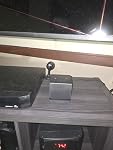
Had the Amazon Firrsticks on my TV's throughout the house. I loved when I purchased this for the living room. I like the ease of changing things such a channels and volume with just my voice and not needing a remote. Purchased another for the Master Bedroom and Family room. As you can see it is not a large bulky item it is easy to put on a shelf near tv. Then a box containing a new one. I use the firestick's for when we travel now.
...
show more
Reviewed in the United States on December 21, 2025 by Rose1780
Configuration: with Alexa Voice Remote Pro
MUCH faster and stable than the FireSticks so less time waiting and more time watching 📺 Also has much more storage than the sticks
Reviewed in the United States on April 9, 2026 by Ryan Thayer
Configuration: with Alexa Voice Remote Pro
I bought this Fire Cube on a whim, based on the hardware specifications and I'm glad I did. Pairing this up with a 65-in LG OLED TV 2 Amazon echo studio first generation and one echo sub and I've got one heck of a nice looking and sounding setup. My ultimate goal is to get true Dolby Atmos via a 13.1 surround sound system my currently have not set up but I'm confident the fire cube will work fabulously. I would generally say this device is easy to use, if you can use a fire stick you can use the fire cube. My problem is however when I pay full price for an item I should have an option to turn off ads. Granted they are not full screen but make the main menu / home menu seem very cluttered. I should be able to turn the ads and the recommendations off so I can only see what I want. Additionally the limitation on the number of favorited apps is kind of lame. With everything going to streaming apps and still coming out cheaper than cable or satellite I should have more space to have my apps on the home screen rather than ads or even more infuriating ads for the apps I can't add to my favorites because I already have the favorites bar filled. Why not let us customize the home screen? Voice commands tend to work really well and I've gotten used to Alexa + and apparently it's gotten used to me. The only issue I have there is no matter what I choose for the wake word it randomly will pause whatever I'm watching because it thought it heard the trigger word even if I said it to Ziggy. I mean how many freaking conversations can you have that involve any words that come close to saying Ziggy? It's a minor nuisance and it's rare. Outside of that with Alexa + any of my other devices can also control the fire cube which is nice because if I'm in the other room longer than I expected I can tell the nearest echo to pause the TV. Volume control has become a little bit wonky the last couple weeks. Somehow it switches to try and control the television volume rather than the home theater setup with the Echo Studios and Subwoofer. Something that was quite surprising to me is it's range with IR control. I have a really expensive Logitech remote that I have not had to use once since getting the fire cube as the fire cube seems exceptionally capable of controlling any nearby devices. This may change as the surround sound unit that is currently being set up for full theatrical style Dolby Atmos is in the room behind the living room. This may require me either simply get the additional IR blaster extension device or go back to the Logitech remote. And while the remote that comes with the fire cube is quite nice, the pro version of the remote is much better in function and actually feels a lot more sturdy and just seems like it has a much better build quality. Totally worth the price and definitely worth the addition to the fire cube. I'm picking up a second fire cube to hook up to a really nice computer gaming monitor for my bedroom, since I don't have a TV in there and I can play Xbox game pass games, in addition to the fact that the fire cube supports higher frame rates adaptive frame rates and other game related features, I see it as a great inexpensive way to play Xbox series X games without buying another Xbox or moving the Xbox into my bedroom. The additional HDMI in is fantastic because I can plug in the Apple TV and verbally I can just tell the fire cube to switch to HDMI and Bob's your uncle Apple TV. I find a lot of times I switched to the Apple TV because of its home screen layout and customizable folders so you can sort all your apps nice and neat, but the downside is just keeping track of that tiny remote from Apple. To be clear I'm not a fanboy of Apple or Alexa so the only comparison I will make between the two is the fact that Apple had the foresight to allow you to put all of your apps out there on one screen, let you move them around and sort into folders that you can put custom titles on such as games, streaming services, etc. And no ads none. So quick summary, the Amazon Fire Cube is a really nice device. Hardware wise it seems to be very well thought out and implemented, and some of the updates have brought cool features like being able to set up a home theater using the studios, the downside is the clutter of the home screen. It's not like a fire tablet where I pay an extra fee to not see ads on the lock screen, I'm paying full price right out of the gate and once it's set up you're greeted with ads for shows that a lot of times you can't watch because you don't subscribe to that service ads for apps you may already use and it can't get rid of, or ads for apps You have no interest in. And if you have a Fire TV recast, it is a nice addition and works fantastically, it's the only part of the home screen that makes any sense. It shows you the last channels you watched to quickly switch to them or you can go to the guide. Outside of that Amazon should let us turn all these ads off, or give us a discount for renting the movie or downloading the app or heck a discount on a purchase from Amazon but I'd rather be able to just simply not see the ads especially the bar ads that decide the home screen. Grapes aside, I still really recommend the Fire Cube over the sticks simply because the Cube is still and Echo device when the TV is off. Two in one.
...
show more
Reviewed in the United States on January 31, 2026 by TheRevenite
Configuration: with Alexa Voice Remote Pro
Good product fast shipping.
Reviewed in the United States on April 26, 2026 by Teno smith
Configuration: with Alexa Voice Remote Pro
This cube and the one purchased in 2020 did not last very long. Started having buffering issues.
Reviewed in the United States on March 4, 2026 by Rstok
Configuration: with Alexa Voice Remote Pro
My old fire tv cube was lagging and just running sluggish in everyway. I decided to retire it to the bedroom tv that does not get used as much and by this newer version. I can say it was money well spent. everything is now running great. Lag issues have disappeared along all of the other quirks. I am guessing they have done some improvements with the processor and other components in the cube. It is still funny with voice recognition at times, but nothing that makes it a deal killer. use the Alexa app and it becomes your hub for all of your smart devices like lights, thermostat, door bell camera, security camera etc. Great but at a reasonable price for what it does.
...
show more
Reviewed in the United States on February 12, 2023 by Ken Hiscock