
Search  for anything...

fifine D6 RGB Macro-Keyboard with 15 Programable Buttons for Multi-Tasking

Based on 879 reviews
Condition: New
Checking for the best price...
$64.98
Holiday Deal · 45% off was $117.98

Buy Now, Pay Later


As low as $10.83 / mo
  • – 6-month term
  • – No impact on credit to apply
  • – Instant approval decision
  • – Secure and straightforward checkout

Ready to go? Add this product to your cart and select a plan during checkout.

Payment plans are offered through our trusted finance partners Klarna, Affirm, Afterpay, Zip, Apple Pay, and Google Pay. No-credit-needed leasing options through Acima may also be available at checkout.

Learn more about financing & leasing here.

Selected Option

Free shipping on this product
This item's return window has been extended for the holiday season: FREE refund/replacement until Jan 31, 2027

To qualify for a full refund, items must be returned in their original, unused condition. If an item is returned in a used, damaged, or materially different state, you may be granted a partial refund.

To initiate a return, please visit our Returns Center.

View our full returns policy here.


Availability: In Stock.
Fulfilled by Amazon

Arrives Sunday, Nov 15
Order within 7 hours and 40 minutes

Available payment plans shown during checkout

Protect Your Purchase

Easy claims online, fast replacements, no fees

Checking for protection plans...

At a glance

Condition
New
Color
Black
Model
D6
Weight
7.52 oz
Instrument Key
Any
Supported Software
OBS/Discord/Games/Editing Software
Connector Type
USB-A to USB-C, USB-C to USB-C
In the box
Stream Controller*1USB CableUser Manual
Works with
Laptop, PC

Features 5

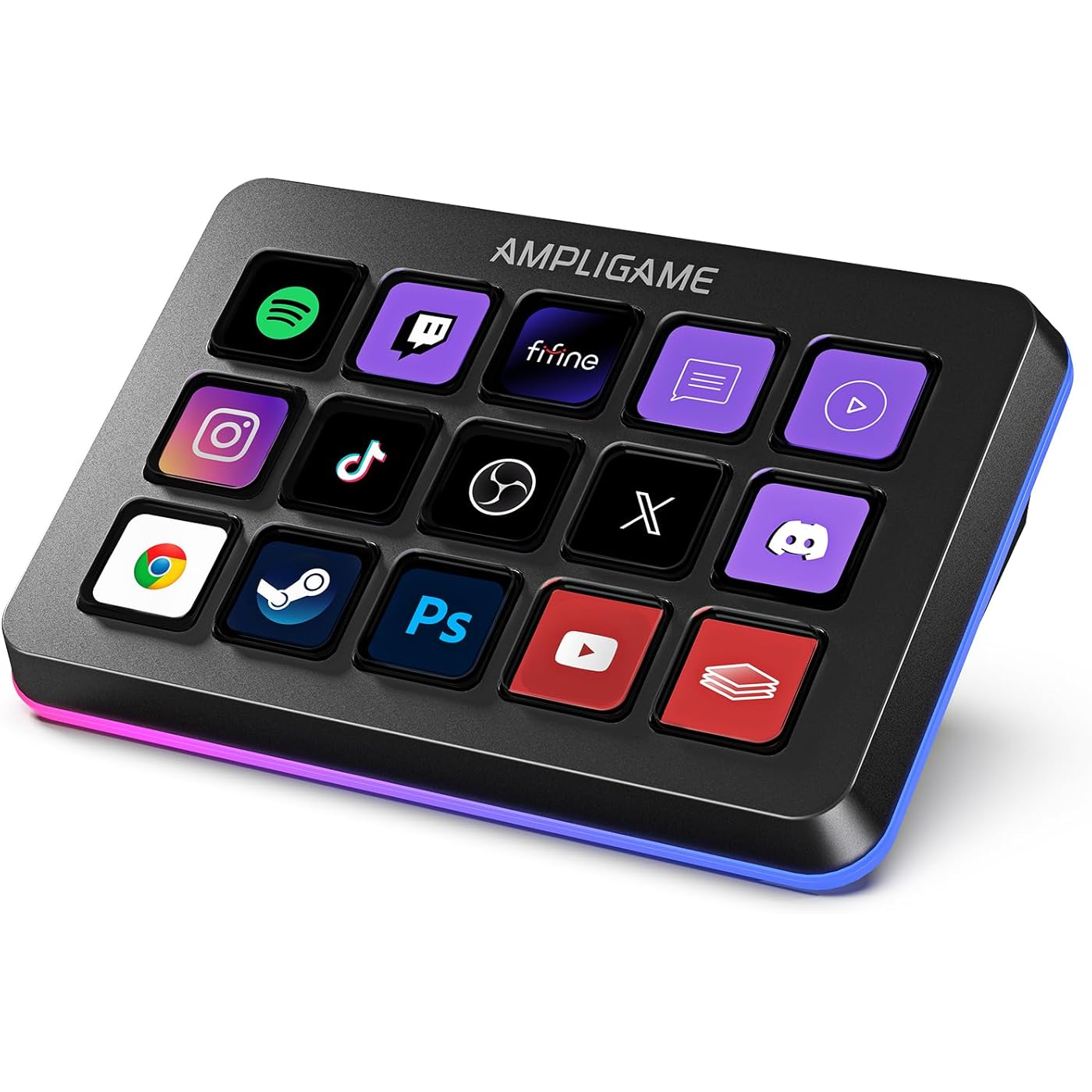
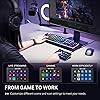
  • [Customizable LCD Macro Keys] Ampligame D6 stream controller features a total of 15 customizable macro keys , allowing you to create and assign different operations according to your live stream needs. Launch the software or application through a simple finger press, and switch your OBS scenes, control your audio levels, which is very easy and convenient to use.
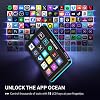
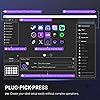
  • [Wide Application Compatibility] This OBS stream controller for PC has a wide range of software, applications and plugins options whether in the store or download from the computer. They work with OBS Studio, Streamlabs, Twitch, YouTube and more in the Fifine D6 stream controller. This contoller for content creators lets you customize your setup effortlessly. You can also drag-and-drop, set up and download from the console's store, with a very large number of plugins and icons to fill your streaming.
  • [Visual Operation Keypad] After setting and customizing your keys, you can see the application on the touchscreen of stream controller and press to control directly. No need to open plenty of windows/app interfaces on the PC screen one by one, the Fifine D6 macro keypad streamlines your workflow and improves the work efficiency. Let you know your demands having been satisfied with a visual feedback. (Tip: Please ensure both firmware and software are updated to the latest versions prior to initial use.)
  • [Vivid RGB Lighting] Brighten your gaming setup with customizable RGB effects on stream controller for gaming. There is a glowing RGB ring around the twitch stream controller, with a total of 9 different controllable and changeable modes. Matching the shortcut buttons look and gaming aura according to your personal preferences, dynamic RGB on video stream controller will give your viewers a more vivid game impression.

Description

Does Fifine D6 stream controller work with consoles? No, this stream controller is designed to work with PCs and laptops. It is compatible with Windows and Mac OS. Can D6 stream controller be programmed for specific software applications? Yes, It has a wide range of software and plugins options, suitable for various scenarios such as music, games and live streaming. It works with OBS Studio, Streamlabs, Twitch, YouTube, and more. Is it a wireless stream controller? No, this stream controller is not wireless. It connects to your PC or laptop via a USB cable. Does it have cutomizable RGB lighting? Yes, It has a glowing RGB ring around the controller with a total of 9 different controllable and changeable modes.You can long press the button to turn on/off the RGB light. Does D6 stream controller work without the software running? No, the D6 stream controller requires the software to be installed and running for full functionality. Keep Leveling Up for Your Game Victory

Specs 28

Brand AmpliGame
Number of Keys 15
Connectivity Technology USB
Special Feature 15 Customizable LCD Macro Keys, Compatible with PC/Laptop, Programmable, RGB Lighting, Work for gaming, office, streaming
Model Name D6 Black
Additional Features 15 Customizable LCD Macro Keys, Compatible with PC/Laptop, Programmable, RGB Lighting, Work for gaming, office, streaming
Instrument Key Any
Supported Software OBS/Discord/Games/Editing Software

Frequently asked questions

If you place your order now, the estimated arrival date for this product is: Sunday, Nov 15

Yes, absolutely! This item's return window has been extended for the holiday season: FREE refund/replacement until Jan 31, 2027.

To initiate a return, please visit our Returns Center.

View our full returns policy here.

  • Klarna Financing
  • Affirm Pay in 4
  • Affirm Financing
  • Afterpay Financing
  • Zip Pay in 4
  • Financing through Apple Pay
  • Financing through Google Pay
Leasing options through Acima may also be available during checkout.

Learn more about financing & leasing here.

Top Amazon Reviews


Great hardware once configured - Linux / OpenDeck fix included
Color: Black
Really happy with the performance and functionality of the FIFINE AmpliGame D6. Keypresses are responsive, and it handles my daily workflows without issues. I can launch and close any application I need, and Home Assistant integration works great for triggering local entity routines. OBS Studio (via Flatpak) works great with it as well. Quick note for closing Flatpak apps cleanly without getting error prompts: driving a simple wmctrl command via script handles closing gracefully. For Linux / OpenDeck Users (Fix for Rev 2 / PID 0060): Out of the box on Linux, the OpenDeck plugin might not communicate with the controller if your unit reports as Product ID 0060 (3142:0060 / HOTSPOTEKUSB). Here is how to get it working: 1. udev rule: Add a rule in /etc/udev/rules.d/99-fifine-d6.rules so you don't need root access for the HID nodes: SUBSYSTEM=="hidraw", ATTRS{idVendor}=="3142", ATTRS{idProduct}=="0060", MODE="0666", GROUP="plugdev" KERNEL=="hidraw*", ATTRS{idVendor}=="3142", ATTRS{idProduct}=="0060", MODE="0666", GROUP="plugdev" Reload with: sudo udevadm control --reload-rules && sudo udevadm trigger 2. Flatpak access: If running OpenDeck in Flatpak, give it device access: flatpak override --user --device=all me.amankhanna.opendeck 3. Rebuild the plugin binary: The pre-packaged opendeck-ampgd6-linux binary from the github plugin only checks for PID 0007. Clone rafaelbiasi/opendeck-ampgd6 from GitHub (the source already includes AMPGD6REV2 / 0x0060), run cargo build --release, kill OpenDeck, and swap the newly compiled binary into ~/.var/app/me.amankhanna.opendeck/config/opendeck/plugins/st.lynx.plugins.opendeck-ampgd6.sdPlugin/opendeck-ampgd6-linux. It took a bit of command line troubleshooting to get everything tied together on Linux, but once set up, it has been solid. Worth every penny. ... show more
Reviewed in the United States on August 4, 2026 by MuttMutt Outdoors

I wish I got one sooner!
Color: Black
I’ve been using the FIFINE D6 Stream Controller for my gaming and content creation setup, and it has quickly become one of the most useful pieces of gear on my desk. The 15 programmable buttons make it incredibly easy to launch apps, switch scenes, control audio, and automate tasks with a single press. Setup was straightforward, and customizing the buttons was much easier than I expected. Everything feels responsive, and the screen icons are bright and easy to recognize. It’s helped streamline my workflow whether I’m recording videos, streaming, or just using my PC day to day. If you’re looking for an affordable stream controller that offers a lot of functionality without breaking the bank, I can definitely recommend the D6. ... show more
Reviewed in the United States on July 22, 2026 by FarmSim25Builds

Reliable and well worth the price.
Color: White
I have been loving this. I originally got it to have a few extra buttons for playing Star citizens because you never have enough extra for that game. Launching programs, being able to set macros extremely easy and using them in games, such a simple quality of life improvement has been a game changer, (pun intended). The tactile feel of pushing the button, having to push the button just enough that you're not going to have any accidental button pushes, It's been great. The build quality is good, it's heavy enough that it doesn't slide around on my desk, and being able to choose icons for my buttons has made looking at a glance to remember the macro I'm hitting awesome! With the ability to add a next and previous screen buttons you can add layouts for different games, applications, or just an extra screen for more macros. The only con I can give, and to me personally, and it's not a big one, is sometimes the buttons can have just a little wobble due to how much travel distance there is on a button push, but again for me it's worth it to not have accidental button pushes, and once I learned to push the button straight down instead of being in too much of a hurry I don't notice. I don't normally take the time to leave a lot of reviews, but this has made more than a difference than I expected it to and well worth the price. ... show more
Reviewed in the United States on January 3, 2026 by Skyhopper2029

Solid & a decent value, but definitely a budget product
Color: White
The FiFine D6 is a budget streamdeck that does the job okay enough but doesn't particularly impress. It's a very convenient though in my opinion non-essential tool for streamers or people who use hotkeys a lot who want a visual macro interface to do things like manage apps, system monitoring, and streaming software like OBS. While the D6 has decent software which lets you do many things, it directly competes with the flagship that Elgato makes. It has larger buttons but unfortunately suffers from inconsistent tactile feedback and some mushy key presses (I think I got a unit with a defect). Personally while I think the D6 is a solid value and does its job well enough, I think you could have a more reliable experience with the Elgato Stream Deck series, even if it requires a higher investment. ... show more
Reviewed in the United States on June 18, 2026 by Maaku

Outstanding Value Compared to the Competition
Color: Black
I was honestly surprised by how good the FIFINE AmpliGame Stream Controller is, especially for the price. It offers so much of the functionality I was looking for without costing nearly as much as other options. The buttons are responsive, the display is clear, and setting up shortcuts for apps, media controls, and everyday tasks was quick and easy. It has become a useful part of my desk setup, whether I’m working or using it for streaming-related tasks. What really stands out is the value. When you compare it to an Elgato Stream Deck with a similar number of keys, it’s hard to ignore how much money you can save. While the Stream Deck is still an excellent product, this controller delivers a great experience at a much more affordable price, making it an easy choice for anyone who wants the functionality without paying a premium. Overall, if you’re looking for a capable stream controller that performs well and offers excellent value for the money, I highly recommend giving the FIFINE AmpliGame Stream Controller a look. It’s one of the best budget-friendly tech purchases I’ve made. ... show more
Reviewed in the United States on July 5, 2026 by Cody M

This thing is pretty amazing!!
Color: Black
I'm not a streamer, but this thing is very useful to gamers as well. This can basically be a PC button box with endless pages. You can configure each button to keyboard keys or mouse buttons and can make it do macros with keys and mouse clicks together! I have two old school button boxes for my racing/flying rig. This little thing just replaced them both and more. You can configure this thing and have a dedicated page (or pages) for each of your games. This is especially good for simulation games with many controls. I can setup a custom profile for a game like Star Citizen and have page after page of controls that you can just cycle through. The deck is also beautiful with vibrant little screens that can take text or icons. It has weight and feels really well made. It's really pretty slick. At $60 it is a steal with standard button boxes now running around $100. My only complaint (but I just couldn't remove a star for it) is the lack of angle adjustability. I had to buy a separate universal stand to get it at the angle I want. ... show more
Reviewed in the United States on February 17, 2026 by R. Lee

Excellent Stream Controller for Gaming & Content Creation
Color: Black
I’ve been using this stream controller for my gaming and PC setup, and it’s been great. The buttons are responsive, the display is bright and easy to customize, and setting up shortcuts for apps and macros is simple. It helps speed up my workflow while streaming, editing, and everyday use. The build quality feels solid, and everything works smoothly. Definitely recommend it if you want an affordable stream controller with plenty of features. ... show more
Reviewed in the United States on July 17, 2026 by Rango

Must have for work and play.
Color: White
The FIFINE AmpliGame Gaming Control is an absolute game-changer ,Setup is super easy—plug it in and you’re good to go in minutes. The controls are smooth, responsive, and intuitive, making it effortless have seamless transitions between apps. The RGB lighting adds a sleek, modern look to any gaming setup without being over the top. Build quality feels solid and durable, especially for the price, which makes this an incredible value compared to more expensive alternatives. Overall, the FIFINE AmpliGame Gaming Control delivers professional-level performance, great design, compatible with any laptop and user-friendly features in a small compact size at an affordable price. Highly recommended for gamers, streamers, and content creators who want reliable app window control. ... show more
Reviewed in the United States on February 11, 2026 by Carl M.
Checking for best price...