Search  for anything...

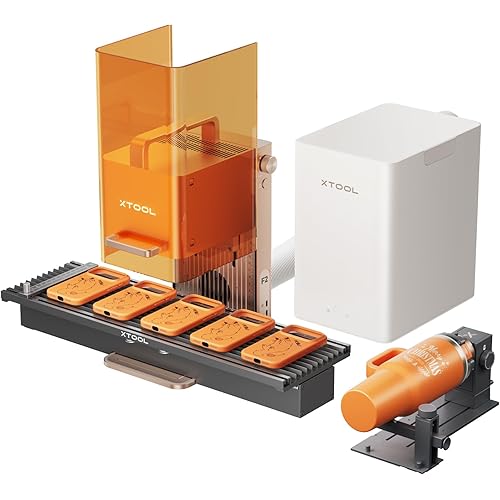
Falcon2 Pro 40W Enclosed Laser Engraver with Air Assist, Pilot Technology, Built-in Camera, Class 1 Laser Cutter and Engraver Machine for Wood, Metal, Batch Prodcuction, Engraving Area 400 * 415mm

  • Based on 4 reviews
Condition: New
Checking for the best price...
$1,199.00 Why this price?
Holiday Deal was $1,209.00

Buy Now, Pay Later


As low as / mo
  • – Up to 36-month term if approved
  • – No impact on credit
  • – Instant approval decision
  • – Secure and straightforward checkout

Ready to go? Add this product to your cart and select a plan during checkout.

Payment plans are offered through our trusted finance partners Klarna, Affirm, Afterpay, Apple Pay, and PayTomorrow. No-credit-needed leasing options through Acima may also be available at checkout.

Learn more about financing & leasing here.

Selected Option

Free shipping on this product
This item's return window has been extended for the holiday season: Returnable until Jan 31, 2026

To qualify for a full refund, items must be returned in their original, unused condition. If an item is returned in a used, damaged, or materially different state, you may be granted a partial refund.

To initiate a return, please visit our Returns Center.

View our full returns policy here.


Availability: Only 10 left in stock, order soon!
Fulfilled by Amazon

Arrives Wednesday, Dec 24
Order within 17 hours and 36 minutes
Available payment plans shown during checkout

Protection Plan Protect Your Purchase
Checking for protection plans...

Color: Pro 40W-red


Features

  • Laser class 4, the power output level 40000mW.
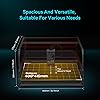
  • Exceptional Cutting Power: The Falcon2 Pro 40W laser engraver boasts a powerful 40W laser module capable of cutting through 20mm basswood, 30mm black acrylic, and even thin metal sheets up to 0.15mm stainless steel sheet, ensuring high efficiency and precision for various materials.
  • Advanced Built-in Camera: Equipped with an integrated top camera, the Falcon2 Pro offers precise positioning, real-time preview, and batch processing capabilities. The camera automatically recognizes material type and thickness, optimizing laser settings for each project.
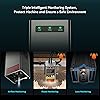
  • Comprehensive Safety Features: The machine includes triple intelligent monitoring systems that adjust airflow, detect flames and dust, and feature an emergency stop function, ensuring a safe and clean working environment.
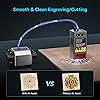
  • Enhanced Air Assist: The Falcon2 Pro's air assist system cools the material and laser path, removes debris, reduces fire risk, and improves cutting quality by eliminating molten material, resulting in smoother and cleaner cuts.

Product Dimensions: 4.72 x 4.72 x 4.72 inches


Item model number: Creality Laser Module(40W)


Item Weight: 54.9 pounds


Date First Available: December 4, 2023


Frequently asked questions

If you place your order now, the estimated arrival date for this product is: Wednesday, Dec 24

Yes, absolutely! You may return this product for a full refund within 30 days of receiving it.

To initiate a return, please visit our Returns Center.

View our full returns policy here.

  • Klarna Financing
  • Affirm Pay in 4
  • Affirm Financing
  • Afterpay Financing
  • PayTomorrow Financing
  • Financing through Apple Pay
Leasing options through Acima may also be available during checkout.

Learn more about financing & leasing here.

Top Amazon Reviews


  • Solid, Pre-Assembled Engraver That’s Great for Beginners
Color: Creality Falcon A1 10W
Solid Build and Easy to Use — Love That It Comes Fully Assembled The Creality Falcon A1 came completely assembled right out of the box, which was a big plus. Setup was quick and easy — we were able to start engraving within minutes. The build quality feels sturdy and well-made, with a solid metal frame and smooth operation that gives it a professional feel. It’s also fairly easy to use once you get the hang of the software, and it’s much more beginner-friendly than some other engravers. You can tell some thought went into the design and layout. Overall, a great machine in terms of build and ease of use. Having it arrive pre-assembled really makes a difference, and it feels like a high-quality product that’s built to last. ... show more
Reviewed in the United States on November 10, 2025 by Brandon Emery-Martin

  • Love it
Color: Creality Falcon A1 10W
It’s a great little machine. Super easy to use
Reviewed in the United States on November 6, 2025 by Amber

  • Great for beginners or advanced users
Color: Creality Falcon A1 20W&Assist
Works awesome!! Great 20w laser! Engraves, cuts, self leveling and great safety features. For beginners or advanced users!
Reviewed in the United States on October 29, 2025 by R_schleich

  • Good start, very little helpful information
Color: Creality Falcon A1 10W
New to laser engraving, and had been watching and reading a lot of posts about engraving. This went on sale, so I grabbed it. The good: - Easy to setup if you've watched some video's beforehand and have an idea of what you're doing. - Software is easy to use and get engraving quickly, well for basic engravings. - There appears to be loads of free templates/projects you can download and use. The Creality website has many, once you figure out how to register, and you can download right from the burning software. Some notes: - This only comes with one sheet of wood and that's used during setup. Have supplies on hand , or just keep burning over what you've already done and learn how things work. I did go out to a local shop and grab some wood shapes, a small packet of painting canvas boards and even a square of felt to play with. All did very well! - If you're going to work on metal, it's going to take awhile to learn the settings and many burn repeats (like 10 for each item). REMEMBER TO START WITH LOW POWER AND FASTER BURN AND ADJUST AS NEEDED! (you'll learn that 😉) - If you're going to burn photo's (B&W) on wood, it's going to take 'hours' for a 5"x6" (ish) photo. If you started low power and fast, you'll probably reburn once or twice over your project. - DO NOT MOVE YOUR ITEM UNTIL IT'S THE WAY YOU WANT. You can keep burning over to make lines darker/deeper, but once you've moved your item, good luck getting it back to exactly where it was. The bad (or 'needs improvement'): - The thick instruction manual is multiple languages, there's only like 25ish pages in English and they aren't really helpful. - The manual also points out several areas which need 'regular maintenance' but doesn't say anything about how to do it. I haven't found what really needs to be done for some items such as the laser unit. - Nowhere does it tell you how to get the software to run on your computer to allow burning. Hint, go to the Creality Wiki page, select 'Falcon A1', 'Software Operation Tutorial', and 'Craftseek - Free Laser CNC Files, Graphic Designs, Craft Maker Hub'. From there you can download the Falcon Design Space, install it and get fully setup. - This item doesn't include a 'honeycomb', to protect your base. You'll engrave random lines on the base without it, trust me 😒. If you don't have a honeycomb, use the board they included as a base for your projects. - I wasn't really able to find how high project items can be, but it's somewhere around 1/4" tall or less max by default. You can remove the bottom plate with 4 VERY SMALL screws (another gripe, couldn't they be bigger so you can grab them?) and raise the whole device. They sell legs for this, or use something that holds the device higher. - They are proud of the camera, however it's 'still image' only (at least as far as I've been able to find). You have to click a button and it takes a photo. Not very practical to use for project alignment, move, snap, move, snap... Overall, it's cheap enough to allow you to get into laser engraving and play around. If you're going to get serious into engraving, you'll probably want to upgrade at some point. ... show more
Reviewed in the United States on July 14, 2025 by Mike

  • Pretty awesome for the price point!
Color: Creality Falcon A1 10W
I can't complain about this at all. It's so good that I bought the pro model and will be gifting this one to my niece who needs a camera in her laser and built in fume extraction. Pretty epic, hats off Creality!
Reviewed in the United States on November 25, 2025 by Matt B

  • Don’t bother. Waste of money
Color: Creality Falcon A1 10W
Don’t bother. We had it a month before Tyne software started glitching and now it won’t engrave and gets stuck at home. Tried calling customer service- also useless, they tell you over the phone to email your problem rather then help you over the phone. It’s slow, not very user friendly and a waste of money. We have asked for a replacement to fix the defective one or a refund with no success. ... show more
Reviewed in the United States on December 10, 2025 by Travis

  • Consistent quality
Color: Creality Falcon A1 10W
Works great
Reviewed in the United States on December 5, 2025 by Anon

  • The first and affordable laser engraver!
Color: Creality Falcon A1 10W
The media could not be loaded. K here’s my thought on this. This thing is one of then coolest things I have ever bought. When it arrived I didn’t even need to to the camera calibration! I love the size and the quality of it. The app is so easy to use. People said the app would crash but I never had a problem. This is so good I am going to buy the pro version of it ... show more
Reviewed in the United States on August 26, 2025 by Spencer kelsey

Can't find a product?

Find it on Amazon first, then paste the link below.
Checking for best price...