Search  for anything...

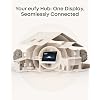
eufy Security eufy Smart Display E10, Smart Home Hub, 8" Control Panel

Based on 465 reviews
Condition: New
Checking for the best price...
$249.99
Holiday Deal · 37% off was $399.98

Buy Now, Pay Later


As low as $41.67 / mo
  • – 6-month term
  • – No impact on credit to apply
  • – Instant approval decision
  • – Secure and straightforward checkout

Ready to go? Add this product to your cart and select a plan during checkout.

Payment plans are offered through our trusted finance partners Klarna, Affirm, Afterpay, Zip, Apple Pay, and Google Pay. No-credit-needed leasing options through Acima may also be available at checkout.

Learn more about financing & leasing here.

Free shipping on this product

FREE 30-day refund/replacement

To qualify for a full refund, items must be returned in their original, unused condition. If an item is returned in a used, damaged, or materially different state, you may be granted a partial refund.

To initiate a return, please visit our Returns Center.

View our full returns policy here.


Availability: In Stock.
Fulfilled by Amazon

Arrives Nov 18 – Nov 19
Order within 11 hours and 5 minutes

Available payment plans shown during checkout

Protect Your Purchase

Easy claims online, fast replacements, no fees

Checking for protection plans...

At a glance

Condition
New
Model
T87A0
Dimensions
78.4 x 54.6 x 6.43 in
Weight
2.46 lb
Color
Black+White
Batteries
1 AAA batteries required. (included)
Style
64GB
In the box
1×5V/2A Adapter1×Charging Station1×Smart Display E101×Type-C Charging Cable1×Wall Mount

Features 5

  • Instant Hands-Free Door Alerts: When someone rings the doorbell, unlocks the door, or is detected by the camera, the display automatically lights up with a live feed and a voice alert. Know who's there instantly, hands-free.
  • See Everything with Four Views on One Screen: View your entire property at a glance through four simultaneous live feeds while maintaining full control and near-instant access to live video streams. The moment something happens, you're instantly in the know.
  • Instant Playback, No Waiting, No Buffering: Historical events are automatically downloaded to local storage so you can replay past moments instantlyno delays, no buffering.
  • Smart Daily Reports with Key Security Events: Using advanced facial and package recognition (powered by HomeBase 3), the display intelligently compiles daily summaries, including stats and video recordings for quick insights.

Description

Anker is a global leader in tech lifestyle, spanning charging, power, smart home, creative tools, and audio & video. As part of One Anker brand upgrade, eufy is now unified as Anker: same products, same quality. In the smart home, Anker eufy offers whole-home security, health-first deep cleaning, and trusted care for families. Our technology brings you expert protection and wellness for body and mind. Everything is built with care for you. With a dedicated physical button, quickly trigger an emergency alarm with a single press for immediate response. Heading out or coming home? Arm or disarm your system in seconds with just a single click. Experience faster speeds, greater stability, and enhanced connectivity with full Wi-Fi 6 support. Access all features without hidden costs or interruptions—just seamless security, all the time. eufy Smart Display E10 eufyCam S4+Display E10 Doorbell E340+Display E10 HomeBase S380+Display E10 Indoor S350+Display E10 FamiLock S3 Max+Display Floodlight E340+Display What devices does eufy Smart Display support? The eufy Smart Display E10 supports most eufy outdoor cameras, indoor cameras, video doorbells, and smart locks. For a detailed list, please refer to the User Guide (PDF) in the "Product guides and documents" section below. Is eufy Smart Display E10 compatible with third-party devices? eufy Smart Display E10 currently does not support compatibility with third-party devices and only allows control and management of eufy Security products. Why does eufy Smart Display E10 need to support local storage expansion? eufy Smart Display E10 proactively backs up event videos and playback recordings from the internal storage of the HomeBase or cameras to local storage, enabling ultra-fast playback of historical videos. Can Smart Display E10 be managed on the eufy app? It's not currently supported. Future software updates will add support through the eufy app. Are the wall-mount bracket and the charging dock included? Yes.

Specs 11

Manufacturer eufy
Part Number T87A0
Item Weight 2.46 pounds
Product Dimensions 78.4 x 54.6 x 6.43 inches
Item model number T87A0
Batteries 1 AAA batteries required. (included)
Color Black+White
Style 64GB

Frequently asked questions

If you place your order now, the estimated arrival date for this product is: Nov 18 – Nov 19

Yes, absolutely! You may return this product for a full refund within 30 days of receiving it.

To initiate a return, please visit our Returns Center.

View our full returns policy here.

  • Klarna Financing
  • Affirm Pay in 4
  • Affirm Financing
  • Afterpay Financing
  • Zip Pay in 4
  • Financing through Apple Pay
  • Financing through Google Pay
Leasing options through Acima may also be available during checkout.

Learn more about financing & leasing here.

Top Amazon Reviews


Great Eufy E10
I have 12 eufy cameras. Including 8 battery cameras, 3 plug ins, and 1 doorbell. Again all eufy. This is basically a 8 inch screen of your phone app, but it does a few more extra things that makes it worth it. The group interface shows 4 cameras on the screen. Swipe up to see the next group of 4 cameras and swipe up again and see the next group of 4 cameras. You can arrange the cameras to put in any spot in any group. The first thing I noticed is how fast everything loads. Live view, events. Reviewing your events is lightning fast with no delays. Comparing the app on the iPhone to the smart display, the smart display makes the iPhone app appear slow. But it really isn't. especially when loading events. I use 5G on my phone 15 pro and 5G on the smart display. The smart display display, is crystal clear. On the phone app you can use the pan & tilt icon or swipe with your finger to rotate the camera. On the smart display you only have the pan and tilt icon option. You cannot tell the smart display to do anything, but that's probably coming in the future. I got the unit, went through a few steps, logged in to my eufy account and it automatically loaded all my 12 cameras. It is eufy proprietary. No junk, no advertisements, no nothing, just pure cameras. The homepage you can arrange to your own specifications. It has a few other things that you will just have to discover on your own. You can shut the notification off for each individual a camera on the smart display. You cannot do that on the Phone app for some odd reason, or maybe I just can't figure it out. The Phone app has many more selections to adjust the camera settings. Whereas the smart display has very few. I think the price was a little high, but it's new. I think Improvements and upgrades are on the way. But when? Update; 10/27/25. It doesn’t have a video record option for any camera. Only the app has that. It also doesn’t have a settings wheel/button for each individual camera. Only the app has that. ... show more
Reviewed in the United States on October 4, 2025 by Windsurfed

Eufy has a Tablet?
This touchscreen tablet has been a great addition to my eufy security setup. I have it paired with four eufy S4 cameras and an S3 Max, and it gives me a convenient way to check on everything throughout the day. I especially like being able to view four cameras at once, which makes monitoring different areas of my home much easier. The daily recap feature is also useful for quickly reviewing what happened while I was away. You can disable the alarm directly from the touchscreen, and I like being able to customize the quick-view button to bring up a specific camera when I want to check it quickly. I keep mine on the charger, so battery life hasn’t been an issue for me. Overall, it’s a well-rounded and convenient piece of equipment that makes managing my eufy cameras much easier. ... show more
Reviewed in the United States on August 20, 2026 by Tyrone

Great & very useful but...
This is a very useful and easy to use display for the eufy security cameras. It is very easy to set up and use. I just need a software update to make it work better when displaying multiple cameras (more than two) so as not to not have connectivity issues. When live streaming two cameras at the same time, the display is great but there can be connectivity issues when it comes to live streaming more than two cameras at the same time; at least that is my experience. Otherwise, it is a very useful and easy to use display for the eufy security cameras. ... show more
Reviewed in the United States on April 5, 2026 by Ahmad Jerow

Review of the Eufy Homebase3, 4 cameras and E10 Monitor. Great system once you understand it!
Style: 64GB
We are both in our 70's and wanted a new security system without a monthly fee. My husband found this system at Amazon on sale, understanding that his knowledge of a smartphone is limited. (We both have Tracfones!) We bought the system, and we very quickly worked together to get the system up and running. He put the 4 cameras around the house and we both agreed that it was smart, took beautiful videos and we loved it. But, we had to use our cell phones to access it. I was at the gym one day and I actually received a notification of the neighbor’s pet in our yard. HOWEVER, my husband is not a fan of the smart phone, so we purchased the Eufy E10 monitor. That's when things got really, really tricky. When we received the monitor, it was a very easy set up, it immediately "talked" to the Homebase 3, and was not hard to get it running properly, and doing what we wanted, or so we thought. It took some time to understand the settings between the smart phone and the monitor. We thought we could watch all four cameras (live streaming) 24/7 on the monitor. And you can! BUT using just solar charging, we found out immediately we started to seriously deplete the batteries. My husband wanted to "watch" the front of the house 24/7 and was content to just use the other three cameras around the house on a notification basis, not live streaming 24/7, but periodically if the system detected activity. With the touchscreen monitor, it takes just a few clicks to watch any camera on full streaming. So, he then used a USB cable/cord and attached it to the camera for the front of the house and plugged it manually into an outlet. Then, we recharged the other batteries on the other three cameras which had depleted dramatically (like to 20% on a sunny day), and he reinstalled them back around the house; while they show on the monitor, we turned off the live streaming for them -- but keeping them online, and active on the monitor for instant notification if a person/pet came around the house. It took a bit to set the cameras properly, and to understand how the monitor worked in conjunction with the cameras. We now have it running exactly the way we want it. It was a bit glitchy last night with all the Canadian smoke, but the quality of monitor and the videos is phenomenal. I did reach out to tech support twice. The first time was during business hours and the associate was patient and helpful - which is how we figured out how the settings worked/and why the batteries were depleting. We still have an issue at night with a black screen out on the monitor/that fluctuates between light and dark. It is the weekend, so I'll wait for normal business hours to ask Eufy about this. We have good wifi, but like all systems, it gets a bit glitchy, but all in all, we love this system and have been impressed with the service/quality. There was no manual, and I spent a lot of time googling questions - with AI - and I was mostly able to get answers. We have NO previous experience setting up a system like this: You don't have to be a genius to set this up, but you need a bit of patience since there are so many different options/set up decisions. And, you have to know what you are looking for. Obviously, all four cameras can be charged with USB cables for 24/7 use with the monitor. Using just a smart phone, solar worked just fine, because we weren’t watching the house all day on our phones. For the price, and because we don’t have a monthly fee, this system with the 4 cameras/Homebase 3, and the E10 monitor works perfectly for us. The phenomenal color screen, with beautiful video is amazing. ... show more
Reviewed in the United States on July 19, 2026 by TheBossLady

At this point Eufy needs a class action lawsuit.
Style: 64GB
I am a dedicated Eufy user with a suite of cameras that experiences the same connectivity and buffering issues that render their cameras useless that are reported by the majority of Eufy users. Bought this device due to the claims of instantaneous camera feeds. It is EXACTLY the same as the phone app as far as connectivity, slowness, almost non-functional. At this point Eufy needs a class action lawsuit. Nothing else will get their attention to STOP ENDLESSLY CREATING NEW DEVICES AND DEVOTE TIME TO R&D TO FIX THEIR PRODUCTS. Viewing a camera feed quickly is not a high bar to set, it's basic functionality. No, do not buy. ... show more
Reviewed in the United States on July 25, 2026 by Cool Beans

Complete Your Eufy System
Since my wife works from home, I wanted a simple, reliable way for her to access all of our Eufy cameras and locks, and this device absolutely nails it. Setup was incredibly easy, and because it connects directly to your existing Eufy app, all of your Eufy devices show up automatically—no extra pairing or configuration needed. You can view four cameras live on the screen at once, tap any one of them for a full‑screen view, and jump into recorded events or individual camera feeds with zero hassle. The form factor is great too. It works like a tablet—fully rechargeable and portable—so you’re not tied to a power cord. Just drop it into the base when it needs a charge, then pick it up and take it anywhere in the house or even outside. Super convenient. The E10 is packed with customization options and performs incredibly well. I had been using an Amazon Echo View for my camera setup, but this completely outclasses it. The picture is crisp, the response time is fast, and the live streaming is smooth. Plus, there are tons of extra features that make the whole experience feel more polished and powerful. If you’re already invested in Eufy cameras or doorbells, this combination is hard to beat. ... show more
Reviewed in the United States on March 22, 2026 by Bill

Nice to have a live view display for 24/7 recording cameras, but the execution is pretty poor
I appreciate the ability to have a live view device but the execution is pretty poor. I hope they can improve things with future software updates but I am not terribly hopeful. Eufy seems to focus almost all its energy on pushing out other devices and slightly improved revisions of existing solutions and then quickly dropping support / updates to existing devices. Hopefully they prove me wrong here. I've only used the display for a week or so and already it's crashed several times, including specific process crashes that clearly show it's just an android tablet. I don't know what the underlying SOC/CPU is but it's pretty slow. You'd think they could spring for something a bit more performant. This means the UI is very sluggish. It reminds me of one of those old touch screens in cars from 15-20 years ago where you can't really tell if it registered your gesture or touch because it takes so long to respond. I've been kicked out of the live view group screen so many times and I haven't a clue why. Even when I'm in the live view screen, all my 24/7 recording cameras frequently drop connection and present me with an annoying "connecting..." screen. Often the reconnect is quick but it's pretty annoying when all my cameras report full signal strength to their respective wireless connections. Overall, I like having this capability but the execution is bad. I also can't think of a good reason why Eufy can't just let you have this functionality in the app so you can use your own tablet to do the same thing, possibly with a bigger / better screen and better UI performance to boot. My guess is that selling a $25 android tablet for $200 has a high margin. ... show more
Reviewed in the United States on August 8, 2025 by Amazon Customer

Easy Integration and
What a unique and brilliant device. I have nine Eufy cameras, seven of them in the Apple HomeKit environment and two additional that only function in the Eufy app. I was very concerned about having to on-board all of these cameras again one-by-one, some of which are mounted high up on the gutters. I was very surprised that all I had to do was log into my Eufy account and all the devices were brought over auto-magically into the E10 monitor. Nice. In use it's easy to set up camera groups which allows you to see clusters of your cameras at the same time. Sometimes adjustments can be made on the E10 display and some require the phone app but once everything was up and running the GUI was simple to use and very functional. A quick update thru the phone app and the system was running fine. The feel of the tablet and charging base are very good but not excellent, let's say good value for the money. The screen resolution is very good and plenty bright, and audio sound quality is OK. I do which the interface's beeps and bloops were better. There is a small but perceptible lag as the operating system responds but not too bad. The "killer app" for me is the big red button on top which sets off the sirens across all the cameras. That's a very nice touch. I'd love to see a dedicated "panic" button sold but until then this makes for a good bump-in-the-night response device. If you're using the Eufy cameras already this is a super addition to the system. ... show more
Reviewed in the United States on August 12, 2025 by Paul C.
Checking for best price...