Search  for anything...

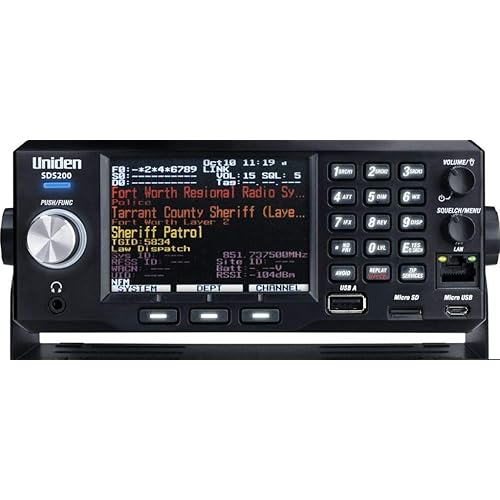
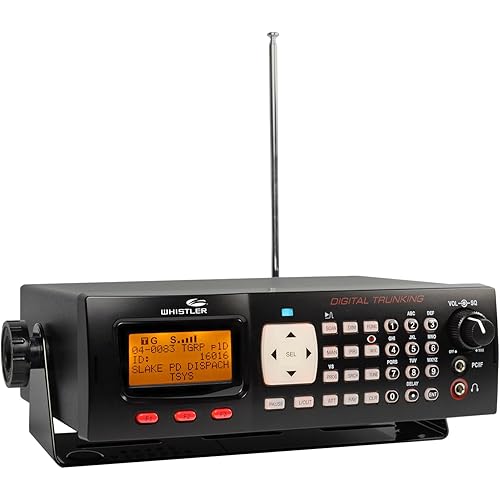
Uniden BCD436HP HomePatrol Series Digital Handheld Scanner. TrunkTracker V, Simple Programming, S.A.M.E. Emergency/Weather Alert, Covers USA and Canada

  • Based on 3,441 reviews
Condition: New
Checking for the best price...
$525.00 Why this price?
Save $24.99 was $549.99

Buy Now, Pay Later


As low as / mo
  • – Up to 36-month term if approved
  • – No impact on credit to apply
  • – Instant approval decision
  • – Secure and straightforward checkout

Ready to go? Add this product to your cart and select a plan during checkout.

Payment plans are offered through our trusted finance partners Klarna, Affirm, Afterpay, Zip, Apple Pay, and Google Pay. No-credit-needed leasing options through Acima may also be available at checkout.

Learn more about financing & leasing here.

Selected Option

Free shipping on this product

FREE 30-day refund/replacement

To qualify for a full refund, items must be returned in their original, unused condition. If an item is returned in a used, damaged, or materially different state, you may be granted a partial refund.

To initiate a return, please visit our Returns Center.

View our full returns policy here.


Availability: 13 left in stock
Fulfilled by Amazon

Arrives Sunday, Sep 20
Order within 17 hours and 39 minutes
Available payment plans shown during checkout

Protection Plan Protect Your Purchase
Checking for protection plans...

Color: BCD436HP


Style: Base/Mobile Scanner


Features

  • The BCD436HP is the first scanner to incorporate the HomePatrol-1 ease of use in a traditional handheld scanner. Plus, Uniden's exclusive Close Call RF Capture feature, GPS Connectivity, Extra-Large Display, Radio System Analysis and Discover Modes put the most advanced scanner features ever right in the palm of your hand.
  • Simple to operate, no programming needed. Simply turn it on, enter your zip code, and TrunkTracker V does the rest.
  • This user-friendly digital scanner will immediately begin receiving communications used by Public Safety, Police, Fire, EMS, Ambulance, Aircraft, Military, Weather, and more.Scan Speed - 85 channels per second
  • This functionality is made possible by combining the rich radio system database from Radio Reference with Uniden's patented radio system selection methods to correctly identify and monitor only nearby systems in the USA/Canada.
  • Whether it is across town or across the street, the BCD436HP keeps you informed. Now with the largest display on the market and more advanced features, the BCD436HP makes a superior unit for the scanner enthusiast..Instant Replay Plays back up to 240 seconds (4 minutes) of the most recent transmissions..Custom Alerts You can program your scanner to alert when you receive, a Channel or Unit ID, a Close Call hit, an ID is transmitted with an Emergency Alert, or a Tone-out hit. For each alert in the scanner, you can select from 9 different tone patterns, 15 volume settings, 7 colors, and 3 flash patterns.

Description

"The BCD436HP is the first scanner to incorporate the HomePatrol-1's ease of use in a traditional handheld scanner. Plus, Uniden's exclusive Close Call RF Capture feature, GPS Connectivity, Extra-Large Display, Radio System Analysis and Discover Modes put the most advanced scanner features ever right in the palm of your hand. The LCD backlit keypad elluminates the keys and screen helps you make favorite lists quick and easy to setup. The department/site Quick Keys makes for a quick call or tagging the system/channel number. There are five different frequencies that are covered with the BCD436HP (25-512 MHz, 758-824 MHz, 849-869 MHz, 894-960 MHz, 1240-1300 MHz). Other features: TrunkTracker V, APCO 25 phase I and phase II, X2-TDMA, CTCSS/DCS rapid decoding, P25 NAC decoding and simple-to-use Sentinel PC software to keep your scanner's database and firmware up to date. Receives conventional and the following types of trunked channels: •Motorola Type I •Motorola Type II •Motorola Type IIi Hybrid •Motorola Type II Smartnet •Motorola Type II Smartzone •Motorola Type II Smartzone Omnilink •Motorola Type II VOC •LTR Standard •Project 25 Standard •Motorola X2-TDMA •P25 Phase I and Phase II •EDACS Standard (Wide) •EDACS Narrowband (Narrow) •EDACS Networked (Wide/Narrow) •EDACS ESK On the following frequencies: (25-512 MHz) (758-960 MHz) (excluding cellular telephone bands) (1.24 – 1.3 GHz) ". Favorites List, System, and Department/Site Quick Keys. Range control – lets you set how far out from your current location the scanner will search for channels in favorites lists and the database.

Specs & Other Info

Specification Details
Product Type: Document Scanner
Craftsmanship by: Uniden
Model: BCD436HP
Available Interfaces: USB compatible
Product Size (LxWxH): 3.8 x 2.4 x 9.02 inches
Optimum Resolution: 1200 dpi
Product Weight: 1 pound (16 ounces)
Paper Handling Capacity: 10 Sheets
System Compatibility: Windows 7 and above
Power Source: 3 AA batteries required
Availability Status: Currently not discontinued
Availability Date: From January 28, 2014
Department: Suitable for Adults
Manufactured in: Vietnam

Frequently asked questions

The TrunkTracker V feature allows the Uniden scanner to follow conversations on both analog and digital trunked systems. This technology ensures that you never miss transmissions, even when the frequencies change between the call and response. It covers EDACS, LTR, Motorola, P25 Phase I and II, X2-TDMA types of trunked systems used by law enforcement, fire departments, and other services.

Yes, the Uniden BCD436HP has a Simple Programming feature. This function allows users to enter their city or postcode, and the scanner will automatically load the frequencies for local services in that area. It's an easy way to get started, particularly for users who might be new to scanning.

S.A.M.E. stands for Specific Area Message Encoding. This feature of the Uniden scanner allows it to receive weather and other emergency alerts specific to your area, providing you with timely and localized updates. It's particularly useful for staying informed during severe weather or other emergencies.

The Uniden BCD436HP scanner does cover frequencies beyond USA, specifically in Canada as well. While its pre-programmed database primarily includes channels within the United States, it can also access Canadian frequencies making it useful in both countries.

Top Amazon Reviews

🚀 Abunda's Overview

This is our summary and key points to consider based on customer reviews.


The product, Uniden BCD436HP Base/Mobile Scanner, boasts a multitude of beneficial features but requires a steep learning curve to fully optimize. The scanner stands out in its excellent range, quick scanning, and advanced capabilities such as its recording feature, playback, and programed trunking. Users laud its large display, light weight, and considerable value as a device that seems 'future-proof'. However, criticism is firmly centered on the complexity of its setup, even for those with significant experience in scanner usage.

Pros

  • 🌐 Extensive range and scans quickly
  • 💻 Advanced features such as recording, playback, and programmed trunking
  • 👍 Large screen display
  • 🌟 Future-proof technology

Cons

  • 🔧 Complex setup and operation, especially for beginners
  • 📑 Instructions provided are not helpful
  • ⏳ Requires a significant time investment to fully understand
  • 💡 Screen display can be hard on the eyes for some

Should I Buy It?

If you're willing to invest the time needed to understand its functions, then yes. The Uniden BCD436HP Base/Mobile Scanner is a purchase that can return significant value, given its wide range of features. This scanner is better suited for technologically inclined users who don't mind grappling with complex setups and intricate operational details.


  • Great Unit & Future Proof
Color: BCD436HP Style: Base/Mobile Scanner
Make sure you read the review item next to the name of the user. Amazon mixes reviews of different units in one. Before I get into the scanner I would like to address some complaints in general on scanners and the frustration of programming and using them and resulting in a bad review and complaints about a scanner be it a simple scanner or a complex one. Radio systems (simplex, trunking, digital, etc) and all the frequencies assigned worldwide is a complex matrix. It's not a simple as scanning every frequency under the sun to find some activity, its more complex. And truth be told 95% of scanner enthusiast like the complexity as it adds to the hobby. Learning and gaining knowledge and always figuring out new tricks, etc. If it was simple it would not be a fun. But there are some who want quick and easy. So you must to 1 of 2 things. 1: Make sure any scanner you purchase you can hook up to the computer (some use serial so be patient) and use FreeScan software (free) and subscribe to a frequency database. It's cheap and worth it. I paid 30 a year that's pennies a day to have an awesome database at your fingertips. This will load and label all the systems in your area and put them on the scanner. 2: Purchase a more expensive with a built in database and other features (like this Uniden 436HP). Even if you do #2 it's always good to do #1 also. And be patient. While watching TV or hanging out, mess with the scanner nightly and learn little things as you go. Watch some videos on YouTube like Scanning 101, etc. Enjoy the process and do not get frustrated. On to my quick review of the BCD436HP. I had purchased the BC346XTC and used it for a week. Great unit highly recommend if you want analog with trunking. I wish the display was bigger so you can see more of the 3 areas system, dept and channel. But it worked great and I rated it 5 stars. But I wanted something digital with a larger display so I plunked out more than double the price of the BC346 for the BCD436HP. Love the large display, it really shows a lot. A separate line for the system, department and channel which you can hold each one and scan subs of them. When I first turned it on I entered my postal code and was scanning in minutes. The BC346 I had to manual scan or load it with FreeScan to get it really working. I have not hooked the BCD436HP to the computer yet but will this week to load detailed databases. This has a ton a features and essentially has unlimited channels (no cap). Firmware will future proof this unit. It pretty much does everything (trunked, digital, etc). The Micro SD card is a great feature to load a ton of databases and this unit will record and playback transmissions. Some users commented on the cheap feel of the unit. That's a slippery slope with a lot of opinions. Its light weight and feels good to me, the plastic is not super tough industrial but Uniden most likely weighed the pro and cons. Example: A Motorola VHF 2 way 99% of the time will be used in a work environment and be dropped, thrown on a dash or ledge, etc. That is why they also do not put displays on most of them for durability. Now a scanner is typically a hobbyist device and I can imagine 95% of the time it would not be used in a rugged work environment, so to me Uniden chose well with light weight plastic. The display screen plastic seems like it may get scratched easy but I have not had it long enough determine that. Some people do not like the Uniden clip on the back since it sticks out, but if you see why they did that it nice. It's basically the same CB mic mount to when you take the clip off it slides real nice into a CB mic mount. I bought a CB mic mount and use it in my van. Very nice feature. Battery life is dependent on processing, led, etc. I have not used it long to determine but if I had to charge it every night no big deal. Bottom line with anything you buy there is always things some people like and others do not. Is this unit a little pricey, probably but then it has a lot of R&D in it and they do not sell tons of them so there has to be a price point to make money. So I am ok with the price. You basically have a little computer in your hand ready to scan the RF Spectrum and should be future proof for a long time. If your trying to figure out if you like scanning buy a smaller Uniden or Whistler and program it via your computer and check it out. If you want to move up into the full spectrum (trunking, digital, etc) then you need something like this. I would recommend this to someone who knows what they want and ready to shell out a few bucks. For a beginner maybe start smaller. I had a chance to mess with hooking this up to my computer. Turns out the FreeScan does not support this unit. BUT Uniden makes free software for this called Sentinal which has a real good database with it. Its all installed on the 436 already so you really do not need to use the software unless you want to make easy edits or import stuff from freescan, etc. Sentinal software may not be as in depth for the hard core seasoned scanner users but for me its good. So in reality the BCD436 is a unit that will have you scanning in minutes with little to no programming and has the capability for the seasoned users to program till the cows come home. Update: I love this scanner. The screen showing all the info is great. The hold for each area is awesome I cannot say enough about that. I have NOT needed software like on other scanner I have used. Maybe I will one day but Uniden shipped this will ALL the frequencies in my area and nationwide for the most part! ... show more
Reviewed in the United States on February 26, 2015 by Raven

  • Works like it is stated, has a lot of features, but expect a little technical issues and learning curves and exercise patience.
Color: BCD436HP Style: Base/Mobile Scanner
I like this little scanner. Was a little concerned because of price. But found on Amazon as a open box return with a great price. Went ahead and pulled the trigger. Received very quickly and out of the box no problems. Did find out that it didn't ship with batteries as it would have as new, but Amazon made that right so I was very happy. Used the software and found out there was at least one update for the scanner database. Performed that with no issue from home. Listened for a couple days with not one problem. At work a few days later wanted to work on customizing channel lists. Once again logged onto the software to do that. Hooked up the cable and the device was immediately recognized and downloaded the drivers. But after I tried to write to the scanner with the customized lists it kept giving me errors, disk not readable or something to that effect. BTW, when this happens the scanner becomes a brick. Did a lot of google research, found this is a common problem, lot's of suggestions how to fix but wouldn't work for me. Had multiple memory cards at work so tried others. Long story short, never did get to work from my work computer. Don't know if it a windows issue, cable issue, or what, but finally after another couple of days from the home computer followed all the technical troubleshooting steps again, if this didn't work it was going back to Amazon,it downloaded all the database back on the original memory card. I actually took another memory card and formatted it and taped it inside the battery cover as recommended by another tech suggestion as this does brick your device for any scanner functionality. Since then have tried again from work but it just doesn't work. But that is ok, still like the scanner and would recommend but not for the original listed price. The entering zip code is just so easy when you travel and so very handy. ... show more
Reviewed in the United States on May 6, 2015 by Tinman

  • Good product, worth the purchase and cost
Color: BCD436HP Style: Base/Mobile Scanner
The last scanner that I purchased was in the 80’s. Man they’ve come a long way! The ease of use for basic features like zip code scanning is really simple. I didn’t need the book to tell me. You can choose the type of services that you want to receive press zip code entry set distance and sit back and enjoy. As you receive a freq that it stops at you can store it in a bank that you name yourself and if that isn’t enough you can temporarily avoid that one and move on. A huge upgrade to less functional scanners is that the 436 tells you what the freq belongs to, no more book or internet lookups for what it’s for. That’s basic features I have yet to delve into the complete features that the 436 is capable of. It’s very intimidating. Purchasing a longer range antenna, a Bluetooth transmitter as this scanner does not have Bluetooth built in. I don’t like to use corded ear phones and much prefer Bluetooth. Purchase 3 extra rechargeable batteries and a battery charger so that you have extra batteries to install when others die. The unit has a built in charger but it’s major downfall is that the scanner doesn’t charge when the unit is on. I hate built in chargers anyway. Don’t bother with non rechargeable batteries, even the best brand will die quite rapidly. The quality of the casing is of poor quality, if dropped it will surely break. Buy a leather covering for protection, I’ve already inadvertently knocked it over. The base is very small so it does not provide a substantial surface to stand up very securely fortunately it’s of good weight so it stands adequately. I’ve ran the buttons and knob through there paces and they’ve upheld well. UPDATE: The channel knob is failing. It loosened up and is so sensitive in the functions it’s used for that it has a mind of its own so the screen selection jumps anywhere it feels like it. Again the features are beyond my scope of knowledge. I’m looking forward to learning all of them. I’m glad that I waited to submit this review. I purchased the home base equivalent of the 436. It operates the same functionality with just a few button location mods. I also purchased the upgrade handheld, the SDS100. It’s a hundred dollars more than this one and it’s being returned. The SDS does not have the speaker quality the differences is water proofing, I don’t use them under water, the battery is unique of course so you’re pressured to purchase the exact battery. I just can’t get around the sound quality. I mentioned that the selection knob is failing which led me to the SDS. But I don’t like the SDS so I bought another 436. If you enjoy scanning and beyond features that this one has the I highly recommend the 436. The price is right for what it has to offer. ... show more
Reviewed in the United States on September 19, 2020 by Kyle and Michelle

  • An advanced scanner for advanced scanning
Fair warning: This is not an easy scanner to use. It's complicated because it's trying to do complicated things. If you're up for it and you need the absolute best scanner for capturing complicated digital trunk radio systems, this is your scanner. It has almost every feature you could want in a portable package. If you're familiar with trunked radio then you know the alphabet soup this scanner is capable of receiving so I won't repeat it here. I would say the biggest advances in this scanner versus say the HomePatrol-1 has to do with organization. This scanner allows multiple layers of "quick key" organization that makes it easy to select systems, departments and sites in just about any combination you could imagine. IT IS NOT EASY TO GRASP INITIALLY. But once you get the hang of it you really start to see how powerful the features are. There are also multiple startup configurations you can program to activate combinations of systems and departments for different purposes. Reception has been excellent and sensitivity I've found has been on-par with other scanners I own (396XT and HP-1). Volume from the built-in speaker is as loud as I need. I'm a little bummed that it didn't come with some sort of case option. I'm giving it 4 stars for a couple of reasons. One - I'm not wild about the display. The pale blue color doesn't do it for me - the jet-black of the HP-1 or even the green from the 396XT are far more pleasing. I really wish they'd made background color choice a programmable option. The other problem with the display is it's just a little too compressed because everything you could possibly want is displayed on the screen ALL THE TIME. By necessity it means the letters get small to fit all of this information on the screen. Don't plan on using this for any mobile applications because the screen just isn't readable at very much of a distance. I'm hoping that they come out with a simplified-but-larger-type display option in later firmware releases. The other reason I'm not giving it 5-stars has to do with the early version software. As of this date 3/4/14 the software is just a bit sluggish. Keypresses sometimes take a second or so to register, and some of the menu options are a bit tedious. There are very occasional problems with monitoring certain P25 systems although with the systems in my area I've found the performance quite acceptable. The scanner forums are reporting a firmware update is forthcoming that will hopefully address these issues. The third reason it doesn't get 5-stars has to do with the battery charging and power setup. This scanner DOES NOT COME WITH A CHARGER. You have to buy one separately. It's a commonly available USB charger but it's just a cheap low-rent move. The scanner should come ready-to-go. They include 4 rechargeable batteries but no charger. Buy it as a gift and you have to buy someone a charger just so they can use it. Really cheap move. WARNING: The USB socket on the scanner is the much older MINI-USB connector NOT the more modern micro-usb connector. When buying cables and chargers make sure you know which one you're buying. Another annoyance with the power setup has to do with charging and powering the scanner. Just like the HomePatrol-1 the scanner obnoxiously asks you if you want to charge the batteries every single time you plug it in and it won't shut up until you choose. I don't understand why Uniden has to ask this question when every other electronics manufacturer on the planet has figured out how to do this function automatically. The other annoyance associated with power has to do with line-powering the scanner. If you power up the scanner connected to a USB charger to listen for a long time without draining your batteries, the scanner stupidly asks you the question "Select USB Mode - Mass Storage or Serial Port". While this question is important when hooking to a computer it has NO relevance when hooking it to a charger. To power the scanner from the charger you have to answer "SERIAL PORT" to this question (press the period "." key). But the annoyance doesn't stop there. When you are in this mode - scanner powered up and plugged into the wall charger - you can run forever BUT you are NOT charging your batteries (!). Again this is unlike ANY OTHER ELECTRONIC DEVICE I have in my arsenal. If I'm powering my tablet from a USB wall charger it's charging the batteries while running the display, but not with this scanner. Then when you power the scanner down it asks you whether you want to charge the batteries. Again it's easy to work with but it's really annoying. I would recommend this scanner for anyone who is an experienced scanner listener who wants a lot of capability in a hand-holdable package. If you're more of a beginner I'd stick with the HomePatrol-1, or if you need a home scanner I'd think about the mobile/desk version of this scanner the 536HP (note:Early 536HP's had headphone jack problems - wait awhile if you go this route). Even with the quirks and annoyances I'm glad I bought it and I plan on keeping it for quite some time. ... show more
Reviewed in the United States on March 5, 2014 by dave818

  • Great unit, even with the scary price tag.
Color: BCD436HP Style: Base/Mobile Scanner
It's a weird feeling to spend so much money on a handheld scanner. I can recall buying them for around $100, and knowing they'd be quality. Now, $300 doesn't guarantee that you'll love the product. But sometimes it does. I absolutely love this scanner. I truly thought that some of the features were gimmicky, and might not work well. For example, one function allows you to search for nearby frequencies. On older units, this was a guaranteed way to find the nearest drive-through, since the radios they use tend to be highly powered, and stomp other frequencies. This unit has changed the way the function works, and without explaining it in detail, I can say that I'm ecstatic with the functionality. "Why is this better than an app on your phone?" I have a scanner app on my phone, and I use it regularly. I also have an old Radio Shack handheld unit, and this new unit. The app is amazing, truly. However, the app is limited to your cellular signal, and it doesn't give you the control to fine-tune your frequencies. You're locked into a bank of nearby channels, pre-selected for you. The Uniden gives you an incredible amount of control, as well as thorough information on the channels. ”OK, but it's going to take weeks to program properly!” Not at all, actually! The included software has the majority of channels, organized by state and county, and allows you to pick and choose. Learning the software can be a bit tricky at first, but I found a video online that helped me to figure it out in minutes. Once I knew the functions, I was off to the races, and had my scanner working and receiving traffic within 15 minutes. I have since fine-tuned, and even added my own channels. There are some great online resources for frequency lists, and you can find some great and obscure channels. I carry this scanner everywhere with me, which is not typical. I don't like carrying things with me all the time, and do it with very few items. This has become one of those, because it is a wonderful piece of technology. I have gone to rechargeable batteries, however, because this unit can eat batteries if you run it constantly. "Is it worth it?" Without question, if you have the money to spend, you'll love this unit. It has quirks - I'm not a huge fan of the squelch/volume control, since you have to press a button to change the mode of a single rotary switch, rather than having dedicated switches. That said, I don't change the squelch every 5 minutes, and it isn't enough to make the unit terrible. I'd buy it again without hesitation. ... show more
Reviewed in the United States on September 30, 2016 by Jordan Dietz

  • What a over complicated nightmare not practical or convenient in anyway!
Color: BCD436HP Style: Base/Mobile Scanner
This is a new revision of my first thoughts about this migraine inducing device! After a few hours of trying to setup this thing to work the way I want all I got was everything being broadcast in my state and 3 others around me!!! Trying to figure out how to tell it only to scan a few local agencys has pushed me almost to use it for target practice! There is no way to simply set it up using the ZIP code method! I tried the Included Sentinel software but it's a joke! Then I tried a trial of Butel ARC pro that's another story all together it's doesn't read the scanner the same way it does my 996p2! The way this was designed is so different from the non Home patrol scanners you have to take a course just to learn how to program it past the ZIP code method! If you want to hear everything out there then this is for you! If you want just your local PD and Fire forgot about it!!! I thought the 996p2 was difficult but I'm better off just taking that scanner with me on my vacation and keep a radio reference account active! And use my Hotspot and laptop to program it when I want to scan something local! And the other thing is this scanner is not road ready unless you buy a case of AA batteries because it need extra hardware to plug it in to your vehicle! And not use the batteries! This scanner has so much potential but whoever signed off on it's final design was out of there minds if they thought it was going to Appel to the general public! It's going back I am done pulling my hair out over it! I don't need portablilty this bad!!! And it's not portable out of the box in any way!?! Don't waste your money on this for the "misleading convenience" of the Home patrol it's a very bad implitation of a good idea! I am a retired network administrator and have owned scanners in the past this is not for the general public! At best it's a specialty item for hardcore enthusiast!!! I'f you don't understand The thinking behind the way it was designed you will be spending hours, days ,weeks maybe months trying to learn how to use this in a practical way. ... show more
Reviewed in the United States on December 15, 2017 by Ken R.

  • Be prepared for a big learning curve.
Color: BCD436HP Style: Base/Mobile Scanner
It does what it says it will but it is complicated to set up and program what you want. The Database is huge and is definitely a great option but trying to narrow down the exact agencies and traffic you want to listen too is very time consuming. Tried to add an external speaker but it will not work. It has a limiting Capacitor and will only work with headphones. Their recommendation is use PC Speakers with built in amp but you can not use the same power supply for both. I will update my review after using for some time. It seems like a decent quality radio. Has a little weight and. There is no Battery indicator to show what the level is. ... show more
Reviewed in the United States on August 11, 2026 by Eric

  • Best thing since sliced bread.
Color: BCD436HP Style: Base/Mobile Scanner
Best ever!! buy it!! it comes with cable you need nothing special the computer program is free and updated along with radio freqs and you can scan for even more ** do have 3 AA bat ready , rechargeable is best ! has belt clip has like 7 led colors to set for call ie red fire , blue cops, yellow med ... ect or however u want it the screen is just pain white high med low lots of tones or beeps if u want for many things i love how the memory and setting are . more computer like than old school radio -- kind of like files on a computer, each "folder" has different "abilities" and they are grouped with alike so the settings for ? trunking will be in that "folder" / menu? with the setting for just that under it way nice yes it is "new" and you have to learn something new and that sucks but its great on your 3-5th day using it!! day 1 play with cool toy / down load the new software and firmware and update the data base, that's 3 different things! day 2 learn what u can do / play be nosy day 3 find extra channels ps turn ON auto save new freqs . ! way nice day 4 learn how to efficiently use the menu and search and save. day 4.5-5 use the program and re organize the big mess you made in the radio with the soft were program !! typing on the comp is way better than spinning the knob per ea letter in a word and gets old fast - i do "00A S" or "1 S A" person code, then when i sink my radio i type it in for real. love this thing and it does every thing. I had a buddy let me hot mic his radio for 5 sec and bam found and copied his info and i was in listening too... something most ppl should not be ...but know i know whats going on. ps it helps to know what type of radio and what area of mhz their in. also great sound and LOVE the Zip code and distance feature, especially if you are out of your normal area - All truckers and driver should have this thing and get the gps antenna !!! Any questions ask ill try to help. its simple just play around (give it at least 3 days) with it and watch some YouTube videos. ... show more
Reviewed in the United States on November 13, 2015 by RP

Can't find a product?

Find it on Amazon first, then paste the link below.
Checking for best price...