Search  for anything...

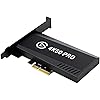
Elgato 4K60 Pro MK.2, Internal Capture Card, Stream and Record 4K60 HDR10 with ultra-low latency on PS5, PS4 Pro, Xbox Series X/S, Xbox One X, in OBS, Twitch, YouTube, for PC

  • Based on 4,105 reviews
Condition: Used - Very Good
Checking for the best price...
$376.00 Why this price?

Buy Now, Pay Later


As low as / mo
  • – Up to 36-month term if approved
  • – No impact on credit
  • – Instant approval decision
  • – Secure and straightforward checkout

Ready to go? Add this product to your cart and select a plan during checkout.

Payment plans are offered through our trusted finance partners Klarna, Affirm, Afterpay, Apple Pay, and PayTomorrow. No-credit-needed leasing options through Acima may also be available at checkout.

Learn more about financing & leasing here.

Selected Option

Free shipping on this product

This item is eligible for return within 30 days of receipt

To qualify for a full refund, items must be returned in their original, unused condition. If an item is returned in a used, damaged, or materially different state, you may be granted a partial refund.

To initiate a return, please visit our Returns Center.

View our full returns policy here.


Availability: Only 2 left in stock, order soon!
Fulfilled by Used Selection JP

Arrives Jan 24 – Feb 7
Order within 19 hours and 26 minutes
Available payment plans shown during checkout

Protection Plan Protect Your Purchase
Checking for protection plans...

Style: Capture Card


Features

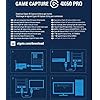
  • Input: HDMI (unencrypted)
  • Output: HDMI (lag-free pass-through). Supported resolutions: Up to 2160p60
  • HDR 10-bit: Pass-through and recording. Encoding: HEVC/H.265 HDR, AVC/H.264
  • Country of origin : Taiwan

Description

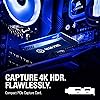
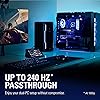
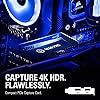
4K60 Pro equips you to capture immaculate 4K60 HDR10 content. Power your workflow with ultra low latency Instant Gameview technology and stream to Twitch or YouTube while recording 4K HDR10 footage to your hard drive. Simultaneously access your video feed in multiple apps and enjoy up to 240 Hz passthrough support for your dual-PC setup. A compact PCIe interface packing massive performance, 4K60 Pro gives you the power to share the most stunning content on the planet. Period. Perfect for- Xbox one x, PS4 pro, twitch, YouTube.

Brand: Elgato


Hardware Interface: PCI Express x4, PCI Express x8


Video Capture Resolution: 4K


Operating System: xbox series x


Recommended Uses For Product: Video Recording


Product Dimensions: 2.2 x 4.76 x 0.75 inches


Item Weight: 3.7 ounces


Item model number: 10GAS9901


Batteries: 1 Lithium Ion batteries required.


Date First Available: August 20, 2019


Manufacturer: Elgato


Language: English


Frequently asked questions

If you place your order now, the estimated arrival date for this product is: Jan 24 – Feb 7

Yes, absolutely! You may return this product for a full refund within 30 days of receiving it.

To initiate a return, please visit our Returns Center.

View our full returns policy here.

  • Klarna Financing
  • Affirm Pay in 4
  • Affirm Financing
  • Afterpay Financing
  • PayTomorrow Financing
  • Financing through Apple Pay
Leasing options through Acima may also be available during checkout.

Learn more about financing & leasing here.

Top Amazon Reviews


  • Very happy with this!
Style: Capture Card
I am sure that there are better capture cards available but this was within our price range. I trust Elgato products as I have quite a few of them for our gaming setup for example StreamDeck Plus and a Wave 3 microphone. Video quality is good for capturing our consoles and functionality is superb. Setup was very easy plug and play into an available PCIE slot ... show more
Reviewed in the United States on July 16, 2025 by Marc Pierce

  • Needs more software support and some false advertisement. (updated from 1 star to 5)
Style: Capture Card
Money wasn't an issue so I got this to be able to record at 4k 60FPS so I believe that's what it meant. I have two computers both with a 3090RTX but OBS doesn't do a well job to record smooth. It can only record at 4k but only at 30fps so not sure why this product was named 4k60 what is the 60 stand for? i thought it was FPS I don't like using OBS that's the only reason i got this for I have all the tools that I need to be able to use this capture card at it's best potential but simply it won't work for what i need it for. Does record 2k at 60FPS really well though so i'm stuck at that so far 4k 30fps it's useless to me. The software it's very simple and not so many options there are many times OBS will detect a signal for this card but their VERY OWN PRODUCT WON'T. I search for help on this and they are countless videos on how to fix this issue so bottom line you have to use settings that their own software is comfortable with. This important part doesn't work for me in any setting which was a downfall. If you tried to clone your monitor with this capture card it won't work. I may be wrong but i'll keep on searching for help on this and that's the sad thing about it. Why the company won't provide us with tools and help and why we have to search ourselfs? Now the card is sitting in a box just collecting dust to me it was useless. Update:: After a while i forgot that i had this in here. I'm going to change it to 5 stars. Best most smoothest recording I can ask for using OBS. The software that comes with this records at a much higher Quality but it's not easy friendly and takes lots messing around. OBS quality not bad but not as good while using this card but nonetheless it's amazing. ... show more
Reviewed in the United States on December 7, 2021 by I play overwatch

  • Still the best capture card
Style: Capture Card
The Elgato 4k60 pro MK.2 is still my preferred capture card. I use it to do live streaming with my Xbox and PS5. Software is user-friendly and i have not picked up any issues with it.Best feature for me is the passthrough 4k60 . I run it on my Gigabyte B450 AORUS Elite ATX Motherboard (AMD Ryzen). It is small and fits right into my case. ... show more
Reviewed in the United States on October 13, 2025 by Telthezard

  • Suprisingly Amazing
Style: Capture Card
I had initially bought the regular HD60 Pro capture card and prepared for war. Setting it up to work with console streaming seemed to entail hours of complicated setup. As I waited for it to ship I came across an article about capture cards where it marked the 4k60 Pro as a seamless experience when connecting to consoles like PS4 and Switch. I tried to find some guide on how the 4k is setup but couldn't find much which seemed strange. I decided to wing it and canceled my HD60 Pro and opted for the 4k capture card. Installing it into the PC was very easy. Once I had everything plugged in and the software downloaded. I powered on my connected Nintendo Switch and bam. It worked flawlessly and instantly. Beautiful perfect streaming, no audio issues, no connecting issues. It just worked instantly. I immediately started up OBS Studio to sync my capture card and wow. Again it was picked up immediately and worked with a click of a button. I had my brother and friend jump into my Twitch stream and they immediately commented on how good the quality was. I was very impressed by how seamless the setup was. I have yet to try it on PS4 and don't have plans for any 4k streaming for sometime but I can confirm the Nintendo Switch at 1080p was working as good as it gets. No input lag, no fps issues, no audio issues or configuring for me. I just plugged in my headset to my computer and it worked. Thanks ElGato ... show more
Reviewed in the United States on May 1, 2020 by Peter

  • Hardware works great, Capture Software can crash occasionally
Style: Capture Card
This hardware works great but it took me a week to sort out the gremilins with setting this up on my recording PC. I am using a (2) PC setup with a RTX 2080 ti in my recording PC and have found that this HEAVILY taxes your CPU and it will crash your PC if you don't have at least a I7 6600 or better. Be warned if you find your PC crashing a lot or the Capture software crashing, monitor the CPU usage while this is recording and see if high CPU usage is occuring and High Temperatures. If so, you will have to upgrade your CPU or increase its clock speed in the BIOS if that is Safe option for you and / or Increase your cooling until you bring down to within in the low 70's or less Celsius temperatures. ... show more
Reviewed in the United States on December 6, 2021 by joe

Can't find a product?

Find it on Amazon first, then paste the link below.
Checking for best price...