Search  for anything...

Drawing pad, 8.26×5.5 inches, ergonomically Designed, Equipped with an 8192-level Passive Pressure-Sensitive Pen, Compatible with Windows, Mac OS and Android Systems.

  • Based on 271 reviews
Condition: New
Checking for inventory...

Notify me when this product is back in stock

$29.99 Why this price?
New Year Deal · 94% off was $469.99

Buy Now, Pay Later


As low as $7 / mo
  • – 4-month term
  • – No impact on credit
  • – Instant approval decision
  • – Secure and straightforward checkout

Payment plans are offered through our trusted finance partners Klarna, Affirm, Afterpay, Apple Pay, and PayTomorrow. No-credit-needed leasing options through Acima may also be available at checkout.

Learn more about financing & leasing here.

Selected Option

Free shipping on this product

FREE 30-day refund/replacement

To qualify for a full refund, items must be returned in their original, unused condition. If an item is returned in a used, damaged, or materially different state, you may be granted a partial refund.

To initiate a return, please visit our Returns Center.

View our full returns policy here.


Availability: Unavailable
Fulfilled by Amazon
Available payment plans shown during checkout

Color: Black - Red (Fifth generation).


Features

  • Compatibility LetSketch drawing pad connects to the computer via USB. It is compatible with Windows 7 and above versions and Mac OS 10.0 and above versions. Mobile phones/tablets with Android 6.0 or above versions are also compatible. It is not suitable for Chromebook.
  • Smart drawing boardThis drawing pad for computer adopts passive electromagnetic induction technology and is equipped with an intelligent chip. It has 8192 levels of pressure sensitivity, 5080 LPI pen resolution, almost no lag, and a 10mm pen reading height, providing you with ultimate precision and control for digital drawing. There are also 3 additional replacement nibs at the end of the tablet drawing pen. A digital sketch board with real and smooth strokes allows you to restore the real hand-painting feeling.
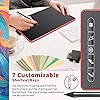
  • 7 customizable shortcut keys The 5 shortcut keys on the electronic drawing board can be customized into any shortcut combination you like, unleashing your creativity and optimizing your workflow. There are 2 customizable buttons on the side of the tablet drawing pen, which can be set with more functions according to your needs.
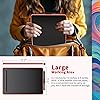
  • Large working area This electronic drawing board is 11.7*7.5 inches in size, the working area is 8.26*5.51 inches, and the thickness is 2.4 inches. It is a bit smaller than A4 paper and is a convenient size for carrying. The front of the product is black and the back is red.
  • Humanized design This electronic drawing board can be set to left-handed or right-handed mode, with the default setting being right-handed mode. It can also adjust the working area size on the panel and the pressure sensitivity of the pen. Let child artists and professional teachers easily control it.

Brand: LetSketch


Connectivity Technology: USB


Pressure Sensitivity: 8192 Levels


Operating System: Android 6.0 or above., Mac OS 10 and above., Windows 7 and above.


Special Feature: 60° Tilt Support, Electromagnetic Resonance, Ergonomic, Programmable Press Key, Shortcut Key


Product Dimensions: 12.8 x 8.5 x 0.1 inches


Item Weight: 1.5 pounds


Item model number: WP9620C


Date First Available: July 20, 2024


Manufacturer: LetSketch


Frequently asked questions

This product is currently out of stock. Please check back later for shipping info.

Yes, absolutely! You may return this product for a full refund within 30 days of receiving it.

To initiate a return, please visit our Returns Center.

View our full returns policy here.

  • Klarna Financing
  • Affirm Pay in 4
  • Affirm Financing
  • Afterpay Financing
  • PayTomorrow Financing
  • Financing through Apple Pay
Leasing options through Acima may also be available during checkout.

Learn more about financing & leasing here.

Top Amazon Reviews


  • Love it!!
So how it is there, is exactly how it comes! I have a MacBook and wanted a way to get through college without having to write in a notebook. Well let me tell you!!!, this was the best decision ever and a super good deal. After you get used to it, it’s super easy to use. I personally used this for college but this can work for anything, drawing etc. now one flaw is that the instructions are so wack!! And hard to understand but you can figure it out yourself. ... show more
Reviewed in the United States on October 4, 2024 by Lenice Garcia

  • I LOVE IT
The media could not be loaded. i am absolutely in love with this drawing tablet! Its very easy to use, and so much bugger than i expected! The fact that the extra nibs are in the pen is perfect, because i lose everything smaller than a pen. The only thing i wish was different is the feature where i hover the pen. Id like to see where im about to start drawing, and i can but its just a tad laggy/not as big as a distance as id prefer. Still recommend this to any beginner whos looking for an actual affordable tablet. I will use this in college for taking notes and any art projects ill face in the future! ... show more
Reviewed in the United States on July 26, 2024 by Sage

  • does it work
I am an engineering student and i use lot of paper to work question that includes mostly math and circuit drawing .i found out at one point that I used about 1000+ sheets of paper so i got the graphic table to work question and take note which is does well and is cheaper than getting a tablet for the most part and has less delay for actual tablets .I think it works well for taking notes and working long question that would take about 3-5 pages or so . ... show more
Reviewed in the United States on March 22, 2025 by Jab gre

  • Destroyed my expensive computer
If I could give zero stars I would. The janky, suspicious chinese driver that you’re forced to download in order to use this tablet contains a virus that destroyed my $1200 computer. It stops your keyboard and mouse from working so that you can’t even uninstall it. And all this after already having to get the tablet itself replaced because the first one they sent me arrived in a destroyed box with no packing material covered in scrapes and scratches. And their customer service is an international number where nobody speaks english. Worst money I ever spent. I can’t believe Amazon is allowing them to sell this. ... show more
Reviewed in the United States on July 17, 2025 by Lorna L Lay

  • 10/10 Exelente compra
Muy cómoda, de muy buena calidad y versátil en dispositivos y manejo
Reviewed in the United States on July 11, 2025 by June_Jun

  • READ THIS, I promise it will save u the stress and the half an hour trying to figure this out
The media could not be loaded. For anyone looking through reviews for tips on how to use this, read this I promise this will help if u haven't tried what I have listed here 1.) YOU DO NOT NEED TO DOWNLOAD THE DRIVER IT TELLS U TO DOWNLOAD Why? - If u plug in a charger wire u have for your smart phone, IT WORKS, If u get ur phone charger and plug it into the drawing tablet and your pc, Mac, or phone IT WORKS, it shows up on ur screen as a mouse and when u go on a drawing website or app like I did it, it registers it as a drawing styles 2.) You don't need the wire they provide it just makes things more complicated, I tried downloading the driver and using the wire they provide, but ya idk why, but that thing is useless unless u try and sit through who knows how long trying to figure it all out 3.) If u do use the charger wire like I said instead of the wire they provide, the short cut keys may not work or u just have to set the shortcuts up and see. This the first drawing tablet I've ever bought so idk exactly how the short cut keys work yet 4.) The OTG adapter thing they mention in the guide book is just the little port thing u would plug the wire they provide into to use on ur phone, but if you have a phone charger that has the same type plug on both sides like on my photo I show, it works simpler, and there's no process u have to look for when u do it 5.) I think u have to charge this? Idk it mentions 2-pin charger a couple of times in the guidebook but I think it's just referring to a regular phone charger, maybe sometimes charge it, just to be sure 6.) This isn't as important as everything else but if ur looking for where the extra tips are, try unscrewing the middle of ur pen, that's where the other 3 extra tips should be It is a little bit of work adjusting to the pen cuz its super light and honestly doesn't really have any weight to it But once you get thru the process of setting up the drawing tablet like how they say or how I said, it's pretty good for a tablet under $30 dollars. If your a beginner that just wants to try drawing with a drawing tablet this is a good place to start for it's price, but not giving it a higher rating bc of the guidebook being confusing as heck and not very helpful tbh ... show more
Reviewed in the United States on March 24, 2025 by Izuu Izuu

  • Disclaimer- Im not a serious artist
Im not a serious digital artist, so take my opinion with a grain of salt. From my Prospective this is affordable, easy to use (plug and play), intuitive, and fun! As someone who wanted to try digital drawing this has been a great product.
Reviewed in the United States on May 19, 2025 by James

  • Great for drawing!
This I purchased for my son who is an artist. For the price it is a very good device and has helped him a lot with drawing! Highly recommend!
Reviewed in the United States on February 11, 2025 by The Story Teller of Reviews & Recommendations!

Can't find a product?

Find it on Amazon first, then paste the link below.
Checking for inventory...