Search  for anything...

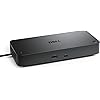
Dell Pro Thunderbolt 4 Smart Dock SD25TB4 – USB-C Station 130W, 4 Displays 4K, 2X DP 1.4, HDMI 2.1, 2X Thunderbolt 4, 2.5GbE, Wi-Fi, Sustainable Design

  • Based on 0 reviews
Condition: New
Checking for the best price...
$225.00 Why this price?
New Year Deal · 7% off was $243.20

Buy Now, Pay Later


As low as $37.50 / mo
  • – 6-month term
  • – No impact on credit
  • – Instant approval decision
  • – Secure and straightforward checkout

Ready to go? Add this product to your cart and select a plan during checkout.

Payment plans are offered through our trusted finance partners Klarna, Affirm, Afterpay, Apple Pay, and PayTomorrow. No-credit-needed leasing options through Acima may also be available at checkout.

Learn more about financing & leasing here.

Free shipping on this product

FREE refund/replacement until Jan 31, 2026

To qualify for a full refund, items must be returned in their original, unused condition. If an item is returned in a used, damaged, or materially different state, you may be granted a partial refund.

To initiate a return, please visit our Returns Center.

View our full returns policy here.


Availability: In Stock.
Fulfilled by Focus Camera LLC

Arrives Monday, Jan 12
Order within 6 hours and 56 minutes
Available payment plans shown during checkout

Protection Plan Protect Your Purchase
Checking for protection plans...

Features

  • POWERFUL MULTIDISPLAY SUPPORT: Up to 4 4K monitors per HDMI 2.1, DP 1.4, USB-C and Thunderbolt 4 ideal for creative, data, or AI work.
  • 130W USB-C CHARGING PERFORMANCE: Up to 130W for Dell and 96W for others fast, efficient, no cable mess.
  • THUNDERBOLT 4 SPEED AND CONNECTIVITY: Dual data port, dual 4K video and chain up to 6 devices.
  • REMOTE WI-FI MANAGEMENT: Manage docks without PC with Dell Console and Intel AMT, via Wi-Fi.
  • BUSINESS LEVEL SECURITY: WPA3 encryption, PXE boot, MAC filtering, DMA protection, and secure enclosure.
  • SUSTAINABLE AND COMPACT DESIGN: 65% recycled plastic and 100% recycled packaging. Ambidextrous design.

Description

Boost your productivity with the Dell Pro Thunderbolt 4 Smart Dock SD25TB4. Supports up to 4 4K displays, offers 130W charging and advanced connectivity with Thunderbolt 4. Manage remotely over Wi-Fi with business security. Its eco-friendly and compact design makes it ideal for demanding professionals.

Brand: Dell


Color: Black/White


Hardware Interface: DisplayPort, Ethernet, HDMI, Thunderbolt 4, USB, USB Type C


Compatible Devices: Laptops, tablets, smartphones, and other portable devices with USB-C, Thunderbolt 4, HDMI, DP 1.4


Total USB Ports: 6


Product Dimensions: 1.39"L x 3.54"W x 8.07"H


Number of Ports: 12


Item Weight: 580 Grams


Total HDMI Ports: 1


Wattage: 180 watts


Product Dimensions: 1.39 x 3.54 x 8.07 inches


Item Weight: 1.28 pounds


Item model number: SD25TB4


Date First Available: June 23, 2025


Manufacturer: Dell


Frequently asked questions

If you place your order now, the estimated arrival date for this product is: Monday, Jan 12

Yes, absolutely! You may return this product for a full refund within 30 days of receiving it.

To initiate a return, please visit our Returns Center.

View our full returns policy here.

  • Klarna Financing
  • Affirm Pay in 4
  • Affirm Financing
  • Afterpay Financing
  • PayTomorrow Financing
  • Financing through Apple Pay
Leasing options through Acima may also be available during checkout.

Learn more about financing & leasing here.

Top Amazon Reviews


  • Works well
Super fast connection and ports.
Reviewed in the United States on October 25, 2025 by Chris H.

  • Excellent Performance
Arrived on time, in good shape. Dell Pro Thunderbolt 4 Smart Dock works great with my Dell Laptop. Also have two monitors attached as well as keyboard and mouse USBs.
Reviewed in the United States on November 7, 2025 by Amazon Customer

  • Provides flexibility and speed
I've owned all the docking stations and travel companions that Dell has made including the original laptop dock that had a proprietary plug/bus on the bottom of the machine (my favorite). This Dock is really great too! The speed of the two Thunderbolt ports is really great and I've had Windows tell me that I should be using a Thunderbolt when I plugged into a USB-C port on the computer that was not similarly equipped. Its a difference maker. I have not yet used the dock as a power supply for any peripherals or the machine but it seems like a no brainer that I will forget a cord or have one die some years from now and will be a life saver! The dock was easy to setup and it alerted me that it was updating its firmware without any intervention or work on my part. Full disclosure, the laptop connected to it is also a Dell system. Overall, I am not sure how a laptop user would get along without this dock if they are plugging in at home and not working mobile each day I would need two of these! My recommendation is to leave room in the budget for this product if you are considering a laptop purchase. You'll thank me later! ... show more
Reviewed in the United States on October 14, 2025 by Rick G

  • Dock Fails to Negotiate Above 100Mbps Speeds And Needs Device Reset to Restore
Recommend that you not purchase this item until Dell fixes the firmware. I am running this dock with a Dell XPS-15 laptop which is one of their supported devices as it does have a Thunberbolt 4 USB port. My main two uses of this dock is to have convenient access for a single USB-C to have the needed XPS power passed to the laptop and full ethernet speed of my network (2.5 Gbps). I continue to run into a difficult to reproduce issue that the network adapter keeps reverting to 100/100 Mbps. After verifying that all drivers and firmware on the dock are up to date, Dell told me a procedure to "hard reset" the dock. After this is completed, the full 2.5 Gbps speeds are possible and it works great. However, after something I can't put my finger on happens, the dock rolls back to only negotiating at 100 Mbps speeds (not even 1 Gbps). Hopefully, there will be a firmware update at some point that will correct this network card negotiation issue. Until, then if you want faster than 100 Mbps speeds, you might want to look elsewhere. ... show more
Reviewed in the United States on November 11, 2025 by Brian

  • Ease of use and getting ready - even while using a KVM switch
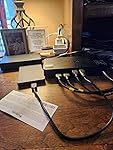
Ease of use - just plugged it in and go - purchased two Display Port to HDMI as I run two monitors. I also use a TESmart 4 Dual Monitor KVM 2 switch to run two computers at one time. My new laptop and my 6 years old tower. Drives my wireless keyboard between two units, the sound system and a removal drive. Definitely heavy gauge wires and the one thing that I don't like is the power cord plugs into the front of the docking station, vice I think should be in the rear. I do have only one question - on the bottom of the SD25TB4 there are two female threaded connectors, have no clue what they are used for? See Photo attached ... show more
Reviewed in the United States on October 28, 2025 by Barbmurfa Barbmurfa

  • Best docking station
This is the best of the best
Reviewed in the United States on December 13, 2025 by Align

  • Perfect Dock for Precision
Shipping was fast and part was genuine Dell. Works great on my Dell Precision
Reviewed in the United States on October 24, 2025 by C. Fox

  • Plug and Play
Plug and play works better than I expected. Runs super quiet.
Reviewed in the United States on October 7, 2025 by Rubaiat Ali

Can't find a product?

Find it on Amazon first, then paste the link below.
Checking for best price...