




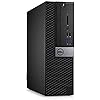
Dell OptiPlex 5050 SFF PC Desktop Computer, 3.4GHz Intel i5-7500, 16GB RAM, 256GB SSD, Windows 11 Pro 64 bit (Renewed)
Condition: Refurbished - Excellent



$175.00
Save $33.79
was $208.79
Buy Now, Pay Later
As low as
$29.17
/ mo
Learn more
- – 6-month term
- – No impact on credit to apply
- – Instant approval decision
- – Secure and straightforward checkout
Ready to go? Add this product to your cart and select a plan during checkout.
Payment plans are offered through our trusted finance partners Klarna, Affirm, Afterpay, Zip, Apple Pay, and Google Pay. No-credit-needed leasing options through Acima may also be available at checkout.
Learn more about financing & leasing here.
Selected Option
Free shipping on this product
90-day returns
Learn more
FREE 90-day refund/replacement
To qualify for a full refund, items must be returned in their original, unused condition. If an item is returned in a used, damaged, or materially different state, you may be granted a partial refund.
To initiate a return, please visit our Returns Center.
View our full returns policy here.
Availability:
18 left in stock
Arrives
Oct 31 – Nov 1
Recently Viewed


At a glance
- Condition
- Refurbished - Excellent
- Size
- Standard Keyboard
- Model
- Optiplex 5050
- Storage
- 256 GB
- Memory
- 16 GB
- Dimensions
- 18 x 14 x 6 in
- Weight
- 58.41 oz
- Works with
- Keyboard, Mouse, Monitor
Features 4
- Dell OptiPlex 5050 Small Form Factor High Performance Business Desktop Computer.
- Intel Quad Core i5-7500 up to 3.8GHz.
- 16GB RAM, 256GB M.2-NVMe.
- Windows 11 64 Bit Multi-language supports English/Spanish/French.
Specs 68
| Brand | Dell |
|---|---|
| Operating System | Windows 11 Pro |
| CPU Model | Core i5-7500 |
| CPU Speed | 3.4 GHz |
| Cache Size | 16 GB |
| Graphics Card Description | Dedicated |
| Graphics Coprocessor | Intel HD Graphics 630 |
| Memory Storage Capacity | 256 GB |
| Specific Uses For Product | Business |
| Personal computer design type | Computer Tower |
| Color | Black |
| Additional Features | Optical Drive |
| Optical Storage Device | DVDRW |
| Hard Disk Description | SSD |
| Hardware Interface | DVD-RW |
| Item Dimensions | 18 x 14 x 6 inches |
| Item Weight | 58.41 Ounces |
| Specification Met | True |
| Video Output Interface | HDMI |
| Hard Disk Interface | Solid State |
| Style Name | Professional |
| Cooling Method | Air |
| Power Plug Type | Type B - 3 pin (North American) |
| Total Expansion Slots Quantity | 1 |
| Security Features | Basic security features (e.g., TPM, Secure Boot) |
| Video Output | HDMI |
| Graphics Description | Dedicated |
| Graphics Ram Type | DDR3 SDRAM |
| Graphics Card Interface | Integrated |
| Processor Series | Core i5-7500 |
| Processor Speed | 3.4 GHz |
| Processor Socket | LGA 1151 |
| Processor Count | 4 |
| CPU Model Speed Maximum | 3.8 GHz |
| Total Usb Ports | 4 |
| Total Number of HDMI Ports | 1 |
| Number of Component Outputs | 1 |
| Human-Interface Input | Keyboard, Mouse |
| Keyboard Description | Wired |
| Keyboard Layout | QWERTY |
| Model Number | Optiplex 5050 |
| Model Name | Optiplex 5050 |
| Built-In Media | Keyboard |
| Processor Brand | Intel |
| Model Year | 2016 |
| CPU Model Number | 5050 |
| Video Processor | Intel |
| UPC | 825633525665 |
| Unit Count | 1.0 Count |
| Manufacturer | Dell Computers |
| Cache Memory Installed Size | 16 GB |
| RAM Memory Installed | 16 GB |
| RAM Memory Technology | DDR4 |
| Ram Memory Maximum Size | 16 GB |
| Memory Speed | 3.8 GHz |
| RAM Type | DDR3 SDRAM |
| Memory Clock Speed | 2400 MHz |
| Memory Slots Available | 4 |
| Display Resolution Maximum | 3840x2160 |
| Display Type | LCD |
| Aspect Ratio | 169 |
| Resolution | 3840 x 2160 |
| Native Resolution | 3840 x 2160 |
| Connectivity Technology | LAN |
| Wireless Compability | Bluetooth |
| Wireless Technology | Bluetooth |
| Wireless Network Technology | Wi-Fi |
| Speaker Type | External Speakers Required |
No specs match.
Frequently asked questions
If you place your order now, the estimated arrival date for this product is:
Oct 31 – Nov 1
Yes, absolutely! You may return this product for a full refund within 90 days of receiving it.
To initiate a return, please visit our Returns Center.
View our full returns policy here.
To initiate a return, please visit our Returns Center.
View our full returns policy here.
- Klarna Financing
- Affirm Pay in 4
- Affirm Financing
- Afterpay Financing
- Zip Pay in 4
- Financing through Apple Pay
- Financing through Google Pay
Learn more about financing & leasing here.
Similar Products


Top Amazon Reviews
An incredible value. Highly recommend for a great workstation or home computer!
I love this deal. Includes a USB WiFi-N 300 adapter and a new mouse and keyboard! Factor that $25 value in and you're getting a nice, fast PC with tons of RAM, loaded and ready to go for a super low price! I took the Windows 10 that came on it and immediately upgraded it to Windows 11 (using the 'setup.exe /product server' command). Runs 11 like a champ. One of the bonus deals here is that the two I got are actually 7050's which have the USB-C port on the front. Can't say you'll get the 7050, though. The only CON I have is the lack of a hard drive caddy - that would have been perfect as I'd like to add a 1TB hard drive for backup and data storage - but that's minor. I picked some up on Ebay for $3.00 each so once those get here I'll be all set.
...
show more
Reviewed in the United States on November 18, 2024 by G
Seems good...maybe great!
Received earlier today. Bought this simply as a backup for another Dell refurbished PC I bought 3 years ago from Amazon. Still works great. Just wanted an instant backup w/out any down time (in case the power surge or whatever abruptly dies out). So far, I've been very content w/ Dell refurbished PCs bought from Amazon. For my specific needs just no need to spend $100s more simply for getting 'brand new'. It's all about having specific specs. & reputation of the seller/manufacturer for me. Upon opening the box & doing a full visual inspection, packaging etc...if I didnt know this was 'refurbished' would actually think this was brand (or close) to brand new. Very clean, sleek looking, packaged very well & professionally. Nice keyboard & lots of USB ports. Nothing appears 'flimsy'. Didn't see any blemishes or signs of any wear & tear. The final & most important test/determination of whether or not it's worth 5 stars will be when I plug this in to use it. I'll update accordingly if there's anything noteworthy to say. But so far def. looks promising!
...
show more
Reviewed in the United States on June 4, 2025 by jamiko1230
Works like a computer
Worked great until I threw it out the kitchen window last week. For all I know, it might still work just fine, but no way in hell I’m bringing it back in my temple. Computer = good… ? OCD with extreme paranoia = bad. What even is an IP address and who is causing unusual traffic to come from mine? ALAS, I return to the dark ages.
...
show more
Reviewed in the United States on April 26, 2026 by Elliot Resek
Title: Disastrous Experience with Dell OptiPlex 5050 SFF and Green Tech Computers – Buyer Beware! Title: Disastrous Experience with Dell OptiPlex 5050 SFF and Green Tech Computers – Buyer Beware!


Purchasing a new computer should be a straightforward and satisfying experience, especially when buying a pre-configured system from a well-known brand like Dell. Unfortunately, my recent purchase of the Dell OptiPlex 5050 SFF from Green Tech Computers via Amazon has been anything but. What was supposed to be a reliable mini-server for my home office turned into a costly and frustrating ordeal filled with endless troubleshooting, unhelpful customer service, and a product that remains completely unusable. Below, I’ve outlined my entire experience in detail to ensure others are aware of the challenges I faced and can make an informed decision before purchasing from this seller. Initial Impressions and Setup When I first received the Dell OptiPlex 5050 SFF, I was optimistic. The compact design and reputation of the OptiPlex series made it a great fit for my intended use as a mini-server for home projects. However, my optimism quickly faded once I powered on the machine. From the start, I encountered a critical issue: the system was completely non-functional for basic tasks. I was unable to open browsers, download files, or install any updates. This wasn’t a minor glitch or software hiccup—these are basic functions that any modern computer, let alone a Dell-branded device, should be able to perform right out of the box. Troubleshooting and Escalation Recognizing that this wasn’t a typical setup issue, I began an extensive troubleshooting process to identify and resolve the problem. Below is a detailed timeline of my efforts: 1. Initial Troubleshooting Steps I started by testing the system with standard diagnostics: Ran Dell Diagnostics: The diagnostics tool reported no hardware issues, which suggested that all components were functioning as intended. However, this was contradicted by the ongoing problems. Reinstalled Windows: Thinking the issue might be related to the pre-installed OS, I performed a clean installation of Windows 10. Unfortunately, the problems persisted. I couldn’t open browsers, download files, or install updates even after a fresh OS install. Tested with Linux: I attempted to install Linux as an alternative operating system to bypass potential Windows-related issues. To my shock, the system wouldn’t even proceed to the installation stage, halting abruptly without any clear explanation. The live environment also failed to load. Ubuntu versions16.04, 22.04, 24 and PopOS were used. 2. Communication with Green Tech Computers Frustrated, I reached out to the seller, Green Tech Computers, for assistance. This began a long and fruitless exchange, documented as follows: Initial Contact (Dec 21, 2024): I informed them of the 0x80010105 error I was encountering and detailed the issues I was facing. Their response was to apologize and suggest replacing the hard drive, implying that the device had shipped with defective hardware. This was alarming—why would a new product require immediate hardware replacement? Follow-Up Responses: Over the next several days, I provided them with screenshots of error messages and explained my troubleshooting efforts, including reinstalling Windows and attempting to update drivers. Their replies were repetitive and unhelpful. They insisted that the issue was a missing driver and suggested steps like installing updates via the store or resetting Windows Update components. None of these worked, as the system wouldn’t allow driver installations or updates to proceed. Contradictory Advice: After reporting the continued failure of their suggestions, they shifted their diagnosis to a "defective system file" or a "Windows activation error." They advised me to download and reinstall Windows from Microsoft’s website—a step I had already performed multiple times without success. 3. Hardware Replacement Attempts At their suggestion, I replaced the hard drive and memory with new components. I then performed another clean installation of Windows using verified installation media. Despite this, the exact same issues persisted, proving that the problem was not related to the hard drive, memory, or installation media. This confirmed that the root cause was likely a fundamental flaw in the system’s hardware or firmware. Escalating Frustration Poor Customer Service from Green Tech Computers One of the most frustrating aspects of this experience was the lack of accountability or meaningful support from Green Tech Computers. Their responses were generic, dismissive, and showed little regard for the time and effort I invested in troubleshooting their faulty product. Even after replacing hardware and documenting every step of my process, their only advice was to repeat steps I had already tried or refer me back to Amazon. Warranty Denial To make matters worse, they refused to honor the warranty, claiming that the system was outside the 90-day warranty period. This was particularly upsetting as the delay in addressing the issue was due to customs clearance, which was beyond my control. I explained this to them and requested some leniency given the circumstances, but they flatly refused to provide any assistance, leaving me with an unusable system and no recourse. Key Issues with the Product and Seller 1. Defective Hardware The core problem with this system appears to be a defect in the hardware or firmware. Despite extensive troubleshooting, including replacing components and reinstalling operating systems, the system remains non-functional. This raises serious concerns about the quality control standards at Green Tech Computers. 2. Misleading Support Throughout my correspondence with Green Tech Computers, their advice was inconsistent and unhelpful. They repeatedly blamed the issue on missing drivers or corrupted files without offering a concrete resolution. Their unwillingness to escalate the issue or take responsibility was unacceptable. 3. Warranty Limitations Refusing to honor the warranty due to a minor delay caused by customs is an example of poor customer care. Given that the system was clearly defective from the start, Green Tech Computers should have taken ownership of the issue and offered a replacement or refund. 4. Financial Loss In addition to the cost of the system itself, I incurred additional expenses for replacement hardware (hard drive and memory) and hours of lost time trying to resolve the issue. The total financial and emotional toll of this experience far exceeds the value of the product.
...
show more
Reviewed in the United States on January 14, 2025 Reviewed in the United States on January 14, 2025 by IT101
Great value but... Great value but...


Yes, it's a decent Dell/windows PC for $108 and I didn't expect anything more but the things that kinda annoyed me were 1) the lack of literature - no book, startup guide, etc. just a single piece of paper with some basic instructions. 2) the case was beat all to h*ll - chips and scratches galore. Good thing it's going under a desk where it won't be seen. 3) headphone jack on the front had a male end broken off inside of it. I was able to pull it out with tweezers but it still doesn't work. 4) none of the windows software is free - it's all short term trial use then you have to purchase the expensive bundles. 5) the included mouse and keyboard are about the cheapest/flimsiest I've ever seen. Two of the letters on the keyboard don't work and the mouse is perpetually on super sensitive mode despite changing it in settings. They're also not Dell so you have to use two USB slots to plug them in. Overall it's a great middle of the road home PC - school papers, internet browsing, checking emails, and light child game usage
...
show more
Reviewed in the United States on December 28, 2024 Reviewed in the United States on December 28, 2024 by Vin
Perfect for home student. Could use more ram, but works fine
Arrived with a mouse and keyboard. Pleasant surprise. I bought two of these for my kids. Although the descriptions states wifi, it's not onboard, but a small USB plug in. If you're on wifi 6 - the include usb wifi will not give you the speed you need. The system maxes out on ram at 64 GB but comes with 16GB - 4 X 4 GB. This is perfect for the home student and upgraded to Win 11 now that Win 10 is officially end of life / support for home users. Did come with Win 11 pro which is a plus. Everything works as it should and still has a slim line DvD drive. Comes in handy from time to time.
...
show more
Reviewed in the United States on October 20, 2025 by Viper123
Great Deal For Most
The computer didn't come with a power cord, Wi-Fi adapter, or hard drive caddy, but I'm still pleased with its specs. The only issue I ran into was getting stuck while installing the GPU because I didn't realize I needed to go into the BIOS to disable the Intel graphics. Aside from that, I'm happy with the value it offers. I just need to wait for a Wi-Fi dongle to fully test it
...
show more
Reviewed in the United States on November 29, 2024 by Sandra Domenech
It has the fast M.2 NvME drive & space for an additional HDD, in my case anyway
Yes, I was able to install a 22TB HDD into the PC, right after the PC arrived, just now. It had a caddy and all the wires for it. It was strange to me, since M2 NvME SSDs are very small, about the length and width of an USB stick but much lighter because it’s only a little thicker than an envelope. So you don’t plug the wires (STAT 22 pin in this case) into the M.2 NvME SSDs, you just simple put the NvME SSD onto the motherboard and they are basically invisible because they are so small. They are lighter, smaller than a USB stick (weighs about less than 10 grams) yet they can hold 8TB (wth?)? Anyway, so the SATA 22 Pin (7+15) Pin is not used at all in this case. And a SFF PC can hold AT LEAST ONE HDD. So it was very strange me that when this PC does not have a large SSD or a HDD plugged in or any other visible, traditional hard drive disk (only a tiny M.2 NvME drive, unnoticeable, slotted onto the mobo), and yet, it’s out of space for drive (as some reviews may suggest). It doesn’t have any hard drive disks installed and it’s also already full and no longer than space for hard drive disks? So it turns out, as I thought, its one and only HDD SATA wires are completely unused, left hanging (it’s so out of place for them not to be used for this PC they didn’t even tie them down). I immediately put the 1-22TB HDD into the metal caddy, screwed it in tight (just a couple of screws enough for normal use since it’s not like a laptop or anything protable), and it sees the HDD and runs very fast. Then I tested its speed. I wanted to make sure that it really has a M.2 NvME drive and not a M.2 SATA (also just as light and small as NvME dicks) disk. And sure enough, its speed ranges from 1.7GB/s to 2.7GB/s, now for sure only M.2 NvME can achieve this speed. A common comparison: a HDD usually has a sequential read/write speed of 150MB/s, a traditional, large SSD has a sequential read/write speed of 250-300+MB/s (M.2 SATA runs at similar speed to this), and M.2 NvME drives go anywhere from 1,500MB/s to 10,000MB/s (but over 8000MB/s requires PCIe # to be bigger than 4 it seems; my fastest PC only reached at 7900MB+/s read speed). So if it’s well over 1000MB/s, then it has to be a M.2 NvME. Normal SSD can hardly break 300MB/s Based on some reviews, it seems that a few buyers have received the PCs without the M.2 NvME SSD but a traditional one. That was also why I wanted to test and make sure it is an M.2 NvME in there. So it is possible you don’t get the M.2 NvME slotted onto the mobo but a large SSD that takes up the only space for the HDD. If that were you, I’d say get a replacement, but if you have a bunch of NvME drives lying around, then just plug one in as I probably would do that as it’s easier, I’d say that it’s still worth
...
show more
Reviewed in the United States on February 6, 2024 by Shuwei Wu