Search  for anything...

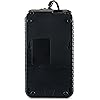
CyberPower EC650LCD Ecologic UPS Battery Backup and Surge Protector, 650VA/390W, 8 Outlets, ECO Mode, Compact, UL Certified

  • Based on 11,115 reviews
Condition: New
Checking for the best price...
$96.95 Why this price?
Save $13.00 was $109.95

Buy Now, Pay Later


As low as $16.16 / mo
  • – 6-month term
  • – No impact on credit to apply
  • – Instant approval decision
  • – Secure and straightforward checkout

Ready to go? Add this product to your cart and select a plan during checkout.

Payment plans are offered through our trusted finance partners Klarna, Affirm, Afterpay, Apple Pay, and PayTomorrow. No-credit-needed leasing options through Acima may also be available at checkout.

Learn more about financing & leasing here.

Selected Option

Free shipping on this product

FREE 30-day refund/replacement

To qualify for a full refund, items must be returned in their original, unused condition. If an item is returned in a used, damaged, or materially different state, you may be granted a partial refund.

To initiate a return, please visit our Returns Center.

View our full returns policy here.


Availability: Only 5 left in stock, order soon!
Fulfilled by Amazon

Arrives Saturday, Jun 6
Order within 7 hours and 53 minutes
Available payment plans shown during checkout

Protection Plan Protect Your Purchase
Checking for protection plans...

Style: 650VA LCD


Pattern Name: UPS


Features

  • 650VA/390W Ecologic Battery Backup Uninterruptible Power Supply (UPS): Uses simulated sine wave technology to provide battery backup power to safeguard workstations, networking devices, and home entertainment equipment
  • MULTIFUNCTION LCD PANEL: Displays immediate, detailed information on battery and power conditions; UL SAFETY CERTIFIED: Product has been tested in a UL certified lab and listed with UL as meeting or exceeding safety standards
  • 3-YEAR WARRANTY INCLUDING THE BATTERY; $100,000 Connected Equipment Guarantee; FREE PowerPanel Management Software (Download)

Description

A compact UPS with standby topology, the CyberPower Ecologic EC650LCD provides battery backup (using simulated sine wave output) and surge protection for desktop computers, workstations, networking devices, and home entertainment systems. During power interruptions, the EC650LCD offers reliable power protection and battery backup. When the battery backup detects that the computer is off or in sleep mode, computer peripherals connected to the ECO Mode, surge protected outlets will be automatically turned off, reducing power usage and lowering energy costs—USB connection required. The EC650LCD comes with a three-year warranty (including coverage of batteries) and a $100,000 Connected Equipment Guarantee.

Specs & Other Info

Specification Details
Brand CyberPower
Composition of Battery Cells Sealed Lead Acid
Dimensions of the Product 10.6 x 5.9 x 3.1 inches
Voltage 120 Volts
Appearance Black
Product Weight 6.4 pounds
Manufacturer CyberPower Systems
Model Number EC650LCD
Required Batteries 1 Product Specific battery required. (included)
Availability Status Not discontinued by the manufacturer
Date of First Availability June 10, 2013
Place of Origin China

Frequently asked questions

ECO Mode is an energy-saving feature of the CyberPower EC650LCD. When enabled, it automatically turns off power to your connected equipment when your computer is shut down or goes into standby mode. This helps to reduce power consumption and save on energy expenses.

The CyberPower EC650LCD UPS System comes with a power capacity of 650VA/390W. This means it can handle a maximum load of 390 watts. It's designed to provide emergency power to small electronics, allowing you time to save your work and safely shut down your devices during a power outage.

The CyberPower EC650LCD Surge Protector offers eight (8) outlets. It provides both surge protection and battery backup for your connected devices. Four of these outlets provide battery backup and surge protection, while the other four provide surge protection only.

The CyberPower EC650LCD is capable of providing backup power for desktop computers, networking devices, home entertainment systems, and other electronics. However, it's not recommended for high-power devices such as laser printers, space heaters, or appliances that contain motors.

Top Amazon Reviews

🚀 Abunda's Overview

This is our summary and key points to consider based on customer reviews.


The product in question is a UPS that has been largely well-received by customers. Many users have found it to be highly effective in dealing with short power disruptions, with it allowing the continuation of Wi-Fi and other electronic operations, providing a substantial convenience for work or during storms. The product is also praised for its compatibility with Linux and the good amount of power it can supply, handling even laser printers. However, a few reviewers noted that the battery life might be subpar, with the UPS working excellently for short power losses, but running out of battery in approximately 5-10 minutes in the case of a complete power cut from the grid.

Pros

  • 🟢 Effective for short power disruptions
  • 🟡 Compatible with Linux and has command line monitoring
  • 🔵 Can handle a substantial amount of power
  • 🟠 Some versions provide exceptional continuous use for up to 5 years

Cons

  • 🔴 Limited battery life in cases of complete power cut from the grid
  • ⚫️ Some confusion regarding the ECO mode
  • 🔵 Certain users faced issues about the product failing after many years, resulting in direct plugging to the wall

Should I Buy It?

If you reside in an area where short power disruptions are a common occurrence and you rely on your electronic devices for work or entertainment, then this product could provide you with a good solution. However, keep in mind that in case of a total grid power outage, it may not sustain for more than 10 minutes. Therefore, weigh your needs and circumstances before making a decision.


  • I wouldn't have believed it if I didn't see for myself
Style: 650VA LCD Pattern Name: UPS
I recently bought the CyberPower EC650LCD Ecologic 650VA/390-Watts, and I am extremely impressed with it. I have my Computer and Oculus rift plugged into it now. I would have my 32" flat screen plugged in as well, but my outlet layout and length of HDTV cord prevents me from doing that. I mainly wanted this for my computer and I had my doubts if this would satisfy my computers lust for energy. I have an i5 3570K overclocked to 4.5GHZ, GTX 670 2GB video card, 8GB DDR3@1600 (2) Hard drives and (1) SSD, an X-Fi PCI-e sound card, OCZ 850 Gold modular power supply. DVD burner, (4) case fans ranging from 120 to 250mm and roughly 6 USB devices depending on which controller I'm using.. Oh and the Oculus Rift. This is my power requirement and this device supplies it for me big time. Playing my flight sim with all the graphics turned up, so it is using massive CPU and GPU power, the average pull was roughly 230 Watts, giving me a nice 6 minute buffer to shut down in case of power outage, and about another 160 watts buffer until I've maxed it out. When I am just browsing the net though, I'm only pulling 85 watts, which gives me close to a ½ hour. This thing is awesome, and I shouldn't have to worry when the power cuts on and off five times in a row like it's known to do at times....Just thrashing my computer. I seriously doubted if this would be enough, but it is perfect. It would probably fare pretty well even if I scored another GTX 670 to put in SLI, but it would be tapped after that. But that is awesome for the price and quality of this item. **EDIT** So I bought another video card on impulse because the auction price was good and I didn't really think I would win. Well now I have 2 GTX 670's in SLI and I didn't even think about my power situation before ordering the card. Everything still works ..AMAZINGLY, but one thing has me baffled. When I fly my sim and there's graphically heavy stuff going on, the cards get pretty hot and I start to exceed 400w, and when it does, the system lets out a constant audible alarm. This doesn't happen the whole time I'm playing, but only in specific heavy spots, and I can tell it's going to happen because those video card fans start making lots of noise. I've changed the settings to never sound alarms but it still does. Does anybody know how to shut this thing up? And what does that really mean for the system anyway? Is it leeching off the battery to make up for the power deficit? I would just assume that it offers me ZERO backup time while I'm playing, and I totally accept that. I'm not playing the thing all day, so I'm protected most of the time anyway. Oh and I bought another SSD just for flight sim stuff, but I doubt that adds much to my power requirements. This device is still amazing! With an additional video card and SSD I still have a 12 minute window of backup power when doing light work like browsing. I'll be purchasing an upgrade from Cyberpower in the near future. I just need to quiet down the alarms with what I currently have if possible. [...] ... show more
Reviewed in the United States on January 15, 2014 by Sylas

  • piece of mind
Style: 650VA LCD Pattern Name: UPS
I have it connected to my laptop and other devices. And it performs great. It is a good piece of mind to know my Laptop and other devices are protected from power surges. Thank you.
Reviewed in the United States on April 10, 2026 by D Meeker

  • Works great with manufacturer's software on Linux
Style: 650VA LCD Pattern Name: UPS
This works great on Linux. When I googled the manufacturer's software for linux before I received the item, the links said it was discontinued, so I loaded apcupsd from the linux distribution. I charged the unit overnight and hooked it up, but it locked when trying to boot the computer with the USB cable connected. That was a scare! But the manual gave a link to the software downloads, and it had one for linux that works flawlessly. It even has command line monitoring. I have it hooked up to two computers, with USB shutdown control for one and only the UPS function for the other. This give me six minutes of run time after a blackout, which is fine since our blackouts are usually under a minute. In case of a full fledged blackout, the second computer will crash, but for that one a graceful shutdown is not critical. With only one the first computer hooked up, I would have had 17 minutes. Great deal. ... show more
Reviewed in the United States on September 26, 2023 by Brutus

  • Good UPS, but ECO feature not quite right
Style: 650VA LCD Pattern Name: UPS
I've been using this a little over a year now, and it has been performing well. I've taken a star off for the PowerPanel software and ECO controlled outlets. The ECO controlled outlets are supposed to shut off power to secondary devices (such as computer speakers) after the computer shuts down. The problem I have is that when my computer is in the process of shutting down or going to sleep, the ECO outlets will shut off and turn back on repeatedly (there's a noticeable click). This happens several times until the computer has fully powered down and then the ECO outlets stay off. I contacted CyberPower about this and was told that my computer is probably turning the USB port off and on. It was recommended that I disable the ECO feature. In any case, it seems like it would have been a logical design to build a time-out of a few seconds into the ECO controller: Don't immediately shut off ECO outlets if the USB connection to computer is interrupted, and don't turn the ECO outlets back on immediately after turning them off if the USB connection is restored, so as to avoid the potentially harmful off-on behavior. Without the ECO feature the PowerPanel software is a bit useless in my situation. You can configure it to shut down the computer automatically after it runs on the battery a certain amount of time or when a certain amount of estimated battery run time is remaining, but the minimum time you can select for either option is 5 minutes. Connected to my battery is the PC tower, one monitor, and two external harddrives (which are powered off most of the time), and whenever the power goes out, I typically have only 5 minutes of power. If I'm home to do things manually, 5 minutes is plenty of time to save my work and shut down, but if I rely on the automatic processes, the battery will most likely run out of power while initiating the shutdown process. I thought I would leave the PowerPanel software in place, as it also provides statistics and diagnostic tools, but I kept getting system notifications that I had 5 minutes or fewer of power remaining. This got annoying fast, so I finally uninstalled the software. Would I buy again? Well, I think I'd prefer something with more battery-supported outlets, and the next time I buy a UPS I'll probably splurge for something with a larger charge capacity, but this has been a very good better-than-nothing budget home UPS. We get a lot of brownouts where I live, so this UPS has already saved me several times. A better CyberPower UPS recently went on sale, and I was tempted to buy it, but decided I didn't need it since my needs haven't outgrown my current UPS and it's still relatively new. Update: 2023.08.24 I bought this UPS in December of 2014, and today it failed while I was sitting at my computer. I think the battery is dead, so I need a replacement, but 8 and a half years has been a been a really good run since quick research suggests 5 years is the median lifespan for a UPS battery. ... show more
Reviewed in the United States on April 4, 2016 by Wally Waffles

  • Great solution for small office home office.
Style: 650VA LCD Pattern Name: UPS
I now have three of these installed in my home office. These have been in place for a few months now. Logistically and by the budget a large single power backup was not a viable solution for us. We use one to backup our cable modem, network router, and one PC with monitor. We use one to back up a high power PC with monitor. And one backs up our server and it's associated monitor. For the most part, the run time from full charge in any one of these units runs between 20 minutes and 35 minutes. With the worst case time be 15 minutes. We do not plan to use these to continue working in the event of a power loss. We use these to ovoid the annoyance of short power interruptions and restarting everything. Also this allows us time to properly save files and shut down the PCs and then server in the event of a longer down time. Tips: I recommend plugging them into a computer with a USB cable. Install the appropriate software. This allows you to access the options and easily view the current conditions of the UPS unit. The screen on the UPS unit can be difficult to read at certain angles and considering most people won't place it where it is easily seen, the on monitor display is great. The software installed to the computer is not a resource hog at all. A very small program to monitor and interface with the UPS. Also, our systems have multiple monitors, however we only plug one monitor into the UPS for power backup. This really helps to save on the battery and increase available run time when the power goes out. I highly recommend these. ... show more
Reviewed in the United States on November 13, 2017 by Amazon Customer

  • A great item for home use.
Style: 650VA LCD Pattern Name: UPS
It has worked well for several years and it was a replacement for the same item that lasted 10 years.
Reviewed in the United States on March 28, 2026 by Sam Powell

  • Good Backup Power System
Style: 650VA LCD Pattern Name: UPS
This is an off-line backup, meaning your electronics run on street power until there’s an outage. This kept my router/fiber modem running about 2 hours in a 3 hour power fail.
Reviewed in the United States on May 9, 2026 by CMTGeorgia

  • It lasted for only one year or maybe it was only the ECO function..
Style: 650VA LCD Pattern Name: UPS
My EC650LCD worked fine for one year and then something went wrong because the ECO light was blinking all the time and there was not power coming out from the ECO controlled outlets. I contacted CyberPower and described the situation and they sent me a replacement UPS unit with no questions asked. After I received the replacement UPS unit, I plugged it not the wall and let it charge for 8+ hours. Then I pressed the power button and the unit turned on. However the ECO light was off. Then I followed the steps to activate the ECO feature and was able to activate it but the ECO light was blinking same as on my old unit. I read the instructions more carefully, so I turned off the UPS unit and unplugged it from the wall, then I connected my computer and the monitor to the ECO controlled outlets, then I plugged the UPS unit to the wall, then I pressed the UPS unit power switch and attempted to power on my computer and monitor but neither of them responded. I read the instruction further and they indicated that if the ECO light was blinking, it meant that the UPS unit did not detect the computer. At this point I stopped and scratched my head. How could the UPS unit detect my computer if the ECO light was blinking? If the ECO light was blinking it meant that there was not power coming out from the ECO controlled outlets, so how could I turn on my computer so that the UPS unit detected it if there was no power on the ECO controlled outlets? I have to mention that I kept the UPS’ unit USB cable connected between my computer and the UPS unit so that it could “detect” my computer but that did not help. After going through this entire ordeal with the new UPS unit, it made me wonder if my original CyberPower unit was still good and that it stopped detecting my computer because at some point in time, I powered my computer off. So I connected the old unit to the wall, powered it on and ran it through “Power Panel Personal” and the old unit came out excellent. So I repeated the same steps with the old unit, and I had the same results than with the new one. The old unit was good but it could not detect my computer because it was off because the ECO light was blinking and therefore there was no power on the ECO controlled outlets. Is this issue an EC650LCD design flaw? Am I following the steps wrongly? As a bonus, I tried something not so elegant to get ECO control system to work. I connected my monitor and computer to the UPS unit surge protector outlets, I powered on my computer on and when it was just beginning to boot, the UPS ECO light switched from blinking to steady, I quickly unplugged the computer form the surge protector outlet and swapped it to one of the ECO controlled outlets and was able to get my computer and my monitor running under ECO controlled mode. As you may understand, I do not recommend the CyberPower EC650LCD UPS unit. I’ll keep both UPS units as surge protectors. As for the Lead Acid Batteries, they might still be useful for something else since they are fully charged and are expensive. ... show more
Reviewed in the United States on May 20, 2023 by AL G

Can't find a product?

Find it on Amazon first, then paste the link below.
Checking for best price...