Search  for anything...

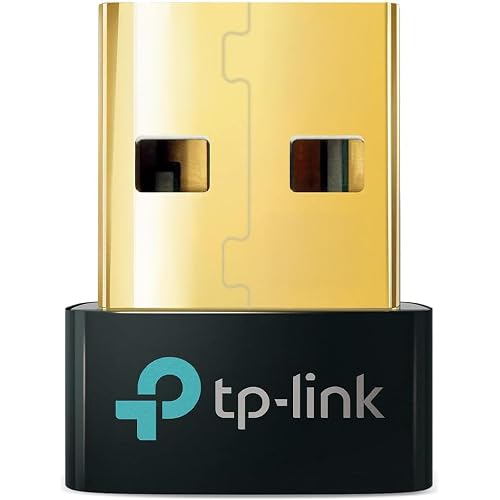
Cudy AC1300 Dual Band USB 3.0 Mini WiFi Adapter PC Mac Dongle WU1300S | Windows 11/10/8.1/8/7 macOS; 867Mbps 400Mbps; 802.11ac; WPA2 Encryption; Internal Antenna; Laptop Desktop Wireless Upgrade

  • Based on 4,120 reviews
Condition: New
Checking for the best price...
$12.90 Why this price?
Save $10.09 was $22.99

Buy Now, Pay Later


As low as $3 / mo
  • – 4-month term
  • – No impact on credit to apply
  • – Instant approval decision
  • – Secure and straightforward checkout

Ready to go? Add this product to your cart and select a plan during checkout.

Payment plans are offered through our trusted finance partners Klarna, Affirm, Afterpay, Apple Pay, and PayTomorrow. No-credit-needed leasing options through Acima may also be available at checkout.

Learn more about financing & leasing here.

Free shipping on this product

FREE 30-day refund/replacement

To qualify for a full refund, items must be returned in their original, unused condition. If an item is returned in a used, damaged, or materially different state, you may be granted a partial refund.

To initiate a return, please visit our Returns Center.

View our full returns policy here.


Availability: In Stock.
Fulfilled by Amazon

Arrives Wednesday, Jul 15
Order within 7 hours and 33 minutes
Available payment plans shown during checkout

Protection Plan Protect Your Purchase
Checking for protection plans...

Features

  • AC1300 802.11ac Wireless Speed & Fast USB 3.0 Interface: Delivers 867Mbps over 5GHz and 400Mbps over 2.4GHz; high-speed port ensures maximum data transfer rates for lag-free video streaming
  • Selectable Dual Band Network & Built-In Internal Antenna: Supports 5GHz and 2.4GHz frequencies to avoid signal interference; integrated design ensures stable reception across your workspace
  • Broad OS Compatibility & Advanced WPA2 Encryption: Supports Windows 11/10/8.1/8/7 and macOS natively; secure protocols actively protect your personal networking data from unauthorized access
  • Ultra-Compact Mini Form Factor & Simple Setup Process: Space-saving footprint avoids blocking adjacent USB ports; straightforward driver installation ensures quick deployment for instant internet
  • Portable Wireless Upgrade for Home Office & Travel: Instantly enhances older laptop or desktop networking capabilities; reliable hardware solution built for remote work and daily entertainment

Description

Create Unique Everyday Cudy provides Wi-Fi routers, 4G/5G routers, gateways, switches, PoE devices, and fiber equipment to more than 80 countries worldwide. Cudy is committed to delivering high-performance, user-friendly communication technology that enhances everyday life with purpose and ease. Cudy products are easy to set up. Cudy's official videos guide you step-by-step during setup, and most Cudy home devices support Cudy app Wi-Fi speed affects not just how fast data streams but also the range. A faster speed router allows for more degradation before disconnect as you move farther from the router. Cudy recommends placing the router at the center of your place, ensuring no more than two wooden or brick walls, or one concrete wall, between it and each room. With the WU1300S, you can turn your desktop or laptop's wired internet connection into a Wi-Fi hotspot, allowing devices like smartphones and tablets to easily connect and get online. With built-in drivers, the network card automatically adapts to your system and installs itself. Simply plug in, and enjoy seamless internet access with ease. Experience blazing-fast data transfer with the latest USB 3.0 standard. Offering speeds up to 10 times faster than traditional USB 2.0, with a maximum transfer rate of 5 Gbps. Its bidirectional data flow and backward compatibility ensure a faster, more stable connection. The WU1300S's sleek, compact design makes it easy to carry anywhere. Its small size won't block neighboring USB ports, providing hassle-free compatibility for all your needs. The Wi-Fi adapter supports a wide range of operating systems, including Windows, macOS, and Linux, catering to the needs of all users. Enjoy stable and fast internet connections across various platforms.

Brand: Cudy


Hardware Interface: USB 3.0


Color: Black


Compatible Devices: Desktop, Laptop


Product Dimensions: 1.48"L x 0.67"W x 0.33"H


Data Link Protocol: USB


Data Transfer Rate: 867 Megabits Per Second


Item Weight: 4.8 Grams


UPC:


Compatible Operating System Family: Linux, Windows


Hardware Interface: USB 3.0


Compatible Devices: Desktop, Laptop


Data Link Protocol: USB


Data Transfer Rate: 867 Megabits Per Second


Compatible Operating System Family: Linux, Windows


Minimum Required Operating System Version: Windows 7


Item Dimensions L x W x H: 1.48"L x 0.67"W x 0.33"H


Item Weight: 4.8 Grams


Color: Black


Brand: Cudy


UPC: 644925515111


Manufacturer: Shenzhen Cudy Technology Co., Ltd.


Mfr Part Number: WU1300S


Model Number: WU1300S


Warranty Description: 2-Year Warranty


Built-In Media: Installation Guide, WU1300S


Frequently asked questions

If you place your order now, the estimated arrival date for this product is: Wednesday, Jul 15

Yes, absolutely! You may return this product for a full refund within 30 days of receiving it.

To initiate a return, please visit our Returns Center.

View our full returns policy here.

  • Klarna Financing
  • Affirm Pay in 4
  • Affirm Financing
  • Afterpay Financing
  • PayTomorrow Financing
  • Financing through Apple Pay
Leasing options through Acima may also be available during checkout.

Learn more about financing & leasing here.

Top Amazon Reviews


  • Perfect For Linux !!!
**UPDATE** . I still feel this is an awesome adapter and perfect for Linux, the commendations in my original post, ( see below ), have not changed. I'm updating this in order to add some context and info for folks who may be wary of purchasing this based on comments that the adapter has "stopped working", or that it no longer connects. . A note \ observation about Operating Systems in general, and specifically Linux installations. . . Operating System "updates" can have serious negative side effects on 3rd party devices, including causing them to stop working. Even Windows updates do this sometimes, that's why you'll see lots of Windows KB Articles regarding 'broken' devices after an update. Linux is no different, and in fact, it may be less forgiving. . Windows and Mac operating systems have more of a "...let's try to do everything for the user because the vast majority of 'typical' users don't really know what's going on under the covers anyway...". However, Linux is, generally speaking, for the more geeky crowd, it's not always a good OS choice for the faint of heart, and sometimes requires messing with the system to get things to work. . . That said, and to that very point, I *just* had an Ubuntu Update take place on my PC, and after reboot, my Cudy WiFi adapter no longer worked, in fact, Ubuntu didn't even recognize it existed. Does this mean the adapter is garbage and no longer works? Absolutely not, ( I'm using it right now to type this ), does it mean that Cudy produces low quality equipment or drivers? Again, no. What it *DOES* mean is that the Ubuntu Update removed the previous installation of the Cudy WiFi driver. That is **NOT** Cudy's fault, Ubuntu \ Linux removed the drivers. . . Why? When Linux distros update, they sometimes take stock of what's been installed, particularly drivers. If the drivers aren't recognized by that Linux distro, it might think the drivers are old ones that have been deprecated and are no longer needed, hence it will actually uninstall the drivers, which can also remove the entries for the driver in the system config files for the network adapter. At that time, rebooting the system will come up with a completely missing WiFi adapter. . The remedy for this is incredibly quick, simple, and painless. Re-Run steps 5 and 6 in the installation manual. Those are the "sudo make" and "sudo make install" commands, then, reboot. Once you do that, the WiFi adapter will "probably", ( your mileage may vary depending on your distro ), be alive and well and you'll be back online. . Again, Linux isn't for everyone, it's VERY easy to have things "stop working", that doesn't neccesarily mean that thing is bad, it very often simply means that thing's drivers are no longer installed. . ** Here's my Original Post ** . I got this adapter a couple weeks ago, and It works perfectly with Ubuntu 18.04 & 20.04, Mint 19 & 20, ( both Ubuntu and Mint are Debian based ), as well as Fedora 33, ( which is Red Hat's desktop fork of Linux ). . One thing to note is you need to extract the driver and build/install it, ( using the make commands ), in order to use it. For people unfamiliar with how to do this, or who may be unsure that they are technically capable, the adapter has very good documentation in the folder on the included disc, ( you can also find the driver and documents on Cudy's website for those who would like to view it before purchasing ). . I whole-heartedly recommend this adapter, even for people new to Linux. 🙂 ... show more
Reviewed in the United States on January 1, 2021 by BTJ

  • Great Value!
Pluged in the adapter and my wifi immediately became available. My wifi is 5G and sometimes can be a problem, this Cudy Adapter had no problem and my download/upload speeds are better than my laptop wifi. I am running Linux Mint as my OS and it works great. It also worked on the computer when it was running Windows 11 before I swtiched it over to Linux Mint. I should also add that I did make sure to plug it into a USB 3.0 port to get the faster speeds. The computer is also a couple of rooms/walls away and about 30ft. from the wifi. Overall a great adapter for the money. ... show more
Reviewed in the United States on May 9, 2026 by Kevin Smith

  • Needs Attention/Updated Support
With the cable companies upgrading to dual band 2.4/5 ghz, I decided it was time to upgrade my Wifi adapter to match these needs. The previous adapter I had was also only a USB 2.0. That being said, I had high expectations for this Cudy adapter. Was grateful that the overall completeness of the product (the installation, extra user-friendly LAN utility program, the driver download location) was seamless. However, for a 3.0 USB adapter at this price (which I've used many of in my work setting), I was hoping for a better range capability. Fast forward a month and Microsoft rolls out their Windows 10 Cumulative update January 5th 2021. With this update, several hours over the last two days troubleshooting, and then later discovering the Cudy's updated 2020 driver for this product, coupled with the Windows update renders the whole adapter undiscoverable, not to mention the Windows update restricts certain website proxy situations (which Cudy uses, boy was that a struggle just to get the driver download to finish before being labeled "forbidden") I've come to two conclusions about this product: 1. For the price, there should be continued, vigilantly updated driver support from their website that coincides with all system updates and also from a shared file hosting link within the Amazon description. There should also be a secure weblink from which to download these drivers so that people wont have to compete with proxy issues 2. The product overall is probably better suited for laptops and hotspots or desktops/TVs that are within a 10 foot radius of the router (I'm in the next room down the hallway but it's still only about 15' max). Because cable companies are offering two-in-one gateways with a forced dual band auto-connect function, most people are going to want to be close enough to ensure they remain on the fastest signal (not the most reliable). And for that reason, you need an adapter that is responsive enough, reliable and strong enough to keep you from being kicked to the lower ghz signal. In summary, I would probably recommend this product to someone who needs an adapter just to get by with a decent connection, or a user that is on-the-go. But not to someone who intends to remain system updated, or in a business setting where reliability is key. It's a solid product and at a decent price, but I do feel there might be a couple better options out there. ... show more
Reviewed in the United States on January 17, 2021 by Ellohymn

  • Fantastic accomplice to internet connectivity!
These little things are magical. I have a DELL XPS 13 from around 2018, and its wifi adapter, for whatever reason, conked out a couple years ago. Not a problem with this doodah; it plugs in, and, after an initial disc setup, seemlessly connects me to wifi after thirty seconds or so of being logged into the PC. I have tried other solutions in the past (a taller usb antenna, Ethernet-to-usb plug-in, rebooting x10000 times), and this dongle’s consistency is second only to the Ethernet cable. Plus, it’s wireless! Now, a couple complaints. 1: the size makes it simultaneously small enough to lose AND, strangely, also big enough to potentially snap off into your usb port haha. My XPS happens to only have two usb ports, and one of them is right next to the usb-C, so when I have this wifi dongle plugged in next to that usb-C port, it makes for some clunky finagling. 2: it does take a bit for it to connect to the internet. For someone like me who has concentration issues, this can eventually be too frustrating to be worthwhile. But, friends— it is all a perspective game. I certainly appreciate being even *able* to connect to the internet, and this price is great for the reliable product that this has been so far. I got my first one in December, and it served me fantastically until a couple weeks ago when I lost it. Not to worry: I bought a new one and use that, and then just a couple days ago I discovered my first one! I saw in other comments the recommendation to have two anyway (since apparently they die every couple years). Worth. It. ... show more
Reviewed in the United States on July 8, 2023 by E ^ L

  • Update - this products performance with Ubuntu is great until in stops working in a few weeks.
1st update. When the device was working, it worked really well. But... After about 2ish weeks the adapter disappears from settings, the wifi tab is just gone. The only way to get it to work again is to completely reinstall the device. This last attempt to reinstall, it failed completely. I run a standard Ubuntu 20.04 LTS installation with no mods. This most recent time I ran lsusb and the device is listed, but it's not showing up in a fashion to be used. I added the driver name to /etc/modules to make sure the driver loads at startup, still stops working after a few weeks. Bus 001 Device 007: ID 0bda:b812 Realtek Semiconductor Corp. 802.11ac NIC Response from Cudy was fast, but ultimately useless. The last communication they told me to test it on a Windows PC, pretty useless since I don't use Windows. Their solution from their support was to check Github for a solution. Cudy says they offer linux support, they obviously copied their installation instructions from somewhere else and have zero idea about how to support Linux. And the return window expired a week before I last contacted them again trying to get this resolved, which is just great! /s Cudy support is responsive, but useless if you're expecting Linux support. I'll be digging for a solution on my own just because I can't let it go. If you're not adept at troubleshooting USB device issues in Linux, AVOID Cudy. If your device works for a few weeks and then just stops, your device is a big fail. If you say your device is supported by Linux, then darnit have someone on staff that knows how to troubleshoot these kinds of things, and not just say check somewhere you're on your own. First, this is not plug and play. 5 minutes of CLI work and you're in business. Go to the manufacturers website. Got to Support > Downloads center > Adapter > WU1300S Click on the Driver link. Go to the bottom of that page, download the the driver and guide files and follow it exactly. For my Ubuntu 20.04 LTS install it was spot on. Speedtest for ping, upload, and download are the same as wired tests. If I remember I'll give updates over time. Almost no reviews give review updates for 1 year+ of product use. Those are the most useful IMHO. ... show more
Reviewed in the United States on April 11, 2022 by Ydoz

  • PLUG-AND-PLAY!
Honestly, I bought this thing over a year ago and forgot I had it! When Amazon asked me to rate it, I was like "what, did I never receive that or something?" But nope - it was in my tech drawer. I guess I had just ordered it as a backup and never had a use-case for it until now, but I'm certainly glad it was on hand. I needed it to connect my main machine, which is ethernet only, to a secondary router I'm using on a hidden network which acts as a private NAS - you know, the kind you hide in the cupboard no one uses. I wanted to be able to access the NAS on this network, as well as the separate one on my other network, with the simple click of a button in the WiFi selection area. This way, I could have access to both but a guest who will be staying with me can only have access to one. Well, I plugged it in, and literally before I knew it the Network Selection popup on Windows 10 was up and showing me all available networks. I didn't even have to wait for any drivers to install, and I certainly didn't have to try and find a way to play that mini disc that comes with the package. Just popped it in, and it figured out the rest. Nice when products can still workout this way in the modern age. Wanted to give them a shout-out while I was thinking about it, so here I am. Works as intended and with considerable range for its size. ... show more
Reviewed in the United States on January 24, 2025 by SMITH

  • Cuddy Wireless USB 3.0 Adapter works better than others - Great for the Price and FAST
First, this Cuddy USB Wireless Adapter is amazing, I would recommend it to everyone. I bought another brand of Wireless Adapter + Bluetooth (with antenna) that failed immediately. The Cuddy Wireless USB 3.0 Adapter has been working since Dec 2020. It is great. Fast, reliable, and low cost. I have this about 25 feet away from the Router and through a wall in a basement to a PC. I use it for several PC's and Laptops. Easy to install in Windows 10. Followed directions provided. Pretty sure Windows 10 does its own thing with drivers anyway. My Linksys 2.0 Wireless Adapters have been working strong for 8 years, I hope this one has the durability of those, and much faster. NEW: Added 3/15 - Still running great. I was asked an Amazon Question about "if this would improve speed." The answer is yes for me. It did make an older desktop PC I have faster to upload, download and it really was as fast or faster than wired - ethernet cable. Very impressed. A word of warning: I have a popular freeware Driver Updater and it suggested an update for my Realtek Wireless Driver. I selected Yes, and that was a mistake. Be sure to use the driver provided on the disk, and not an updated one - it will shut-off the Wireless USB Adapter very quickly. So if your having trouble with Windows flagging the Wireless in Device Manager, try going back to the "original" driver from the disk for your particular Windows OS. ... show more
Reviewed in the United States on January 5, 2021 by Lewis Carver

  • This one acts wierd and mostly just does not work.
UPDATE: After trying several different drivers I was able to get this working, though I have not tried it on all my test platforms. It does what I wanted so I'll be keeping it. Hard to get working though so only 3 starts. I have tried to get this one working using 3 different windows machines. Two did not work, connected disconnected repeatedly. It did work on one machine (a desktop others laptops) for some reason not sure why. Windows sees the adapter tries to connect then disconnects after a 3 of 4 seconds. Repeats this over and over. Tried on 2 linux boxes using a recommended driver from github, cudy driver does not compile. Same thing on laptop but on the 1 desktop it works. Basically I would not recommend this at all, real hit or miss even on windows. I have another 88x22BU based adapter that works great everywhere, with the github driver. Unfortunately the cudy was a waste of money. ... show more
Reviewed in the United States on November 26, 2022 by Amazon Customeryyt u sid no ergo

Can't find a product?

Find it on Amazon first, then paste the link below.
Checking for best price...