Search  for anything...

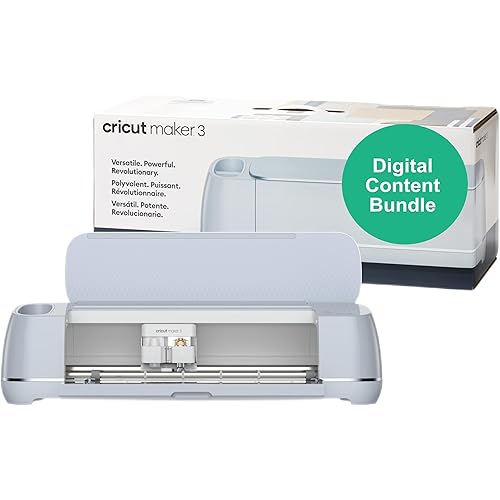
Cricut Maker® 5 Essential Bundle + Digital Content, Slate Blue

  • Based on 16 reviews
Condition: New
Checking for the best price...
$399.00 Why this price?
Save $200.99 was $599.99

Buy Now, Pay Later


As low as / mo
  • – Up to 36-month term if approved
  • – No impact on credit to apply
  • – Instant approval decision
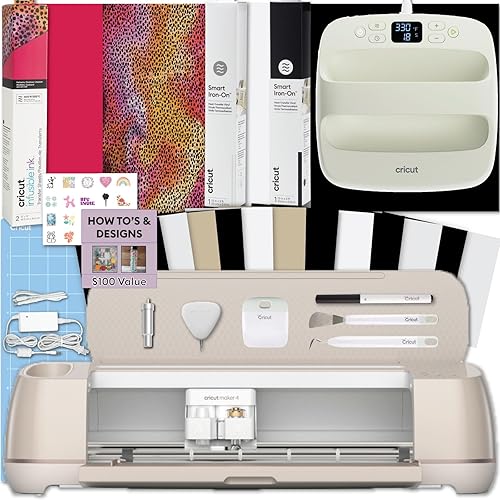
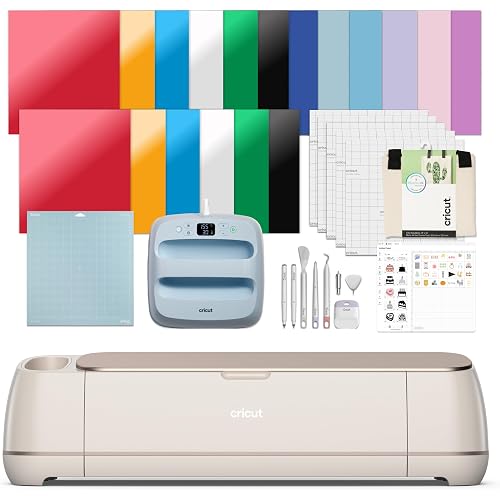
  • – Secure and straightforward checkout

Ready to go? Add this product to your cart and select a plan during checkout.

Payment plans are offered through our trusted finance partners Klarna, Affirm, Afterpay, Zip, Apple Pay, and Google Pay. No-credit-needed leasing options through Acima may also be available at checkout.

Learn more about financing & leasing here.

Selected Option

Free shipping on this product

FREE 30-day refund/replacement

To qualify for a full refund, items must be returned in their original, unused condition. If an item is returned in a used, damaged, or materially different state, you may be granted a partial refund.

To initiate a return, please visit our Returns Center.

View our full returns policy here.


Availability: In Stock.
Fulfilled by Amazon

Arrives Sunday, Sep 27
Order within 19 hours and 6 minutes
Available payment plans shown during checkout

Protection Plan Protect Your Purchase
Checking for protection plans...

Size: 65 Project Bundle


Features

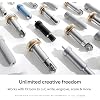
  • MAKE WITH 300+ MATERIALS - Precision-cuts popular materials like vinyl, iron-on, cardstock, and fabric plus, thicker materials up to 3 mm, including leather and foam core board. It also engraves materials up to 3 mm like metal, acrylic, and more.
  • WORKS WITH 13 TOOLS - This Cricut machine cuts, engraves, writes, draws, foils, scores, debosses, and more (specialty tools sold separately). Plus, it features a new hassle-free snap-in pen holder.
  • EFFORTLESS DESIGN EXPERIENCE - Easily turn your ideas into ready-to-make designs with Design Space, our free easy-to-use app.* Our ever-growing content library includes a total of 1.8 million+ images, 1,500+ fonts, 300,000+ projects, and 50,000 templates and it's all yours with a Cricut Access Subscription.*
  • INCLUDES SUPPLIES TO MAKE UP TO 65 PROJECTS* - Take on a variety of crafts and save! This Cricut bundle includes must-have tools like the Premium Fine Point Cutting Tool, Scoring Tool, and Engraving Tool along with popular materials, Printable Vinyl, Insert Card Sets, and more Cricut accessories.
  • BONUS DIGITAL CONTENT - Bundle also includes 25 additional premium-quality images with purchase, plus 1 font.*
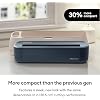
  • SLEEK, MODERN DESIGN - 30% more compact than previous models, Cricut Maker 5 features a new look and simplified making experience all with the same dependable 12 in (30.5 cm) cutting performance.

Description

Introducing Cricut Maker® 5, the ultimate smart cutting machine that works with more tools and materials than any other Cricut® machine. Cut everything from delicate fabric and paper to thicker materials like wood – plus, engrave metal, deboss leather, and more.\ Take on the widest range of projects including full-color stickers, personalized apparel, signs, unique fabric appliques, and more. With our intuitive design app, it’s never been easier to bring your one-of-a-kind ideas to life. The Essential Bundle includes the Cricut Maker® 5 die cutting machine, along with all the materials and tools you need to take on a variety of crafts – enough supplies to make up to 65 projects\ right out of the box. It also includes additional premium-quality digital content with purchase.\ Cricut Maker 5 requires compatible computer or mobile device with Bluetooth® wireless and high-speed internet connection - system requirements may change. Average size of project is 4 in x 6 in (10.2 cm x 15.2 cm) using included materials. Digital Content not physically included, non-transferable, and available in Cricut Design Space app only to the first account after successfully registering machine. Compatible materials, tools & accessories sold separately. Full content library & certain software features requires paid Cricut Access™ subscription. Tools shown may differ in box. All machines include pre-installed cutting blade—either with metal housing or new Cutting Tool. Pens are water based, acid-free; conforms to ASTM-D4236. Limited Warranty - see Cricut website, or write to manufacturer or authorized region representative at applicable address, for full terms and conditions. Visit Cricut website for specific compatibility, details, terms and conditions, warranty information, and more. The Bluetooth® word mark and logos are registered trademarks owned by Bluetooth SIG, Inc. and any use of such marks by Cricut, Inc. is under license. Cricut Maker 5 is not intended for use by children 12 years and younger.

Brand: Cricut


Color: Slate Blue


Operation Mode: Automatic


Item Weight: 25 pounds


Print media: Card stock


Brand Name: Cricut


Manufacturer: Cricut


Item Highlight: Includes Supplies for 65 Projects + Bonus Digital Content - Works with 300+ Materials - Sleek, Simplified Design


Unit Count: 1 Count


UPC: 093573507144


Number of Items: 1


Included Components: Cricut Maker 5 Essential Bundle + Digital Content


Model: 8003318


Part Number: 8003318


Operation Mode: Automatic


Print media: Card stock


Item Weight: 25 pounds


Color: Slate Blue


Frequently asked questions

If you place your order now, the estimated arrival date for this product is: Sunday, Sep 27

Yes, absolutely! You may return this product for a full refund within 30 days of receiving it.

To initiate a return, please visit our Returns Center.

View our full returns policy here.

  • Klarna Financing
  • Affirm Pay in 4
  • Affirm Financing
  • Afterpay Financing
  • Zip Pay in 4
  • Financing through Apple Pay
  • Financing through Google Pay
Leasing options through Acima may also be available during checkout.

Learn more about financing & leasing here.

Top Amazon Reviews


  • Some small improvements over previous models
I have been using Cricut as my cutting machine for my small business products since 2020 and use it daily. I have tried the Joy, the Explore Air 2, and I currently have the Maker 3. As far as the models go I would say: The Joy is good for occasional hobbyists, those with small spaces that need to store their machine away, or those that are only cutting paper and vinyl for smaller items and designs (cards, mugs, labels, small custom name items, etc), small print and cut projects. The Explore is good for those doing a bit more than that and need to do larger designs but still primarily vinyl and paper. The Maker is what is going to really open up your options including using a rotary blade to cut fabric, embossing, cutting thicker materials, etc which is why I ultimately upgraded to my Maker 3 which was the latest one at the time. As far as the differences between this new Maker 5 and my current Maker 3: Design wise for the machine they really changed it this time. It’s not bad but I personally prefer the look of my 3. It had a nice glossy finish and more organization (pen and tool holder on the side) The new maker 5 has (in my opinion) a cheaper and plastic looking finish in a dark navy blue (unlike their usual soft pastel colors) and it now only has the bottom door (which does still have a storage compartment like previous machines) that opens and closes vs the top lid that covers the inside of the cricut when not in use. It is also slightly smaller overall. It also only has 2 buttons vs the 4 on my old machine. This machine now loads your mat and starts your project all in one go. You do not have to press start again after it is loaded. I cut the same project in both of my Makers and the Maker 5 does cut a bit faster. One of the big differences is that is does have a larger clearance under the roller bar, so you can load thicker materials for embossing, etc than you could before. As far as I can tell, there’s not a ton of other differences. They both cut the same amount of materials, the tools it can use are the same, there’s not really any new abilities, tools, etc from my maker 3. If you are new to Cricut and don’t own a machine already or you have a Joy or Explore but want to do more- this bundle pack is fantastic and the Maker 5 will give you the option of endless things to make. If you already own a Maker or only want to do a few little projects here and there, I don’t see much of a benefit in upgrading to this one. Definitely do research and compare each machine to decide what is best for you. As for the bundle, it really does have pretty much everything you need to get started. Weeding and other tools, vinyl to try out, cardstock, one light grip mat (good for paper but will want a standard grip for vinyl, firm grip for fabric). You will need to periodically change out the blade which is easy and inexpensive. I use it often and only need to change every few months when I notice it not cutting through detail as well. Set up for cricut is extremely fast and easy via usb or Bluetooth (*this one is now a USB C connect vs my 3 which is the old USB style) The Design Space software is mostly user friendly and easy to use, with some occasional annoyances. It includes lots of free or paid projects to use but I design all of my own and upload into design space. Video tutorials are very useful when learning to use these machines. Design Space is free to use with the option of a monthly paid version that has more things available but is absolutely not necessary. ... show more
Reviewed in the United States on September 15, 2026 by Sarah

  • Definitely an upgrade from the Maker 4 to the Maker 5 as someone who now has both!
I will start by saying this is not my first machine, nor is it my only machine. I currently have the Maker 4 AND the Maker 5. It has been fun seeing the differences and here is what’s new from the old one: 1. From 4 buttons down to two. The maker 5 has just two buttons now, the start/pause button and the mat release button. That is it. No more power button. If the machine is plugged in, it is powered on. It connects pretty easily too, I had no issues with it connecting via Bluetooth to my computer. It also comes with a USB-C if you want to wire connect it, which you can still do. 2. No more lid. The lid you lift before pulling the front down is gone. To me, this is a tiny bit concerning considering I have two VERY fluffy cats. If you keep it on a shelf or have a little cover for it then you won’t have an issue, but I do worry about dust. So far though it has been just fine. 3. No more scoring pen. Say goodbye to the stylus/scoring pen because it not longer fits the machine. It won’t fit in the pen slot, nor does it fit in the clamp slot. So the scoring stylus is gone. However, it comes with a new scoring tool that fits in the blade clamp you can use or you can also still use any of the scoring tools in the gear housing, so you do not lose access to those. 4. On that note, ALL of the previous blades and gear housing fits this machine. So the fabric blade, deep cutting blade, knife blade, and any blade in that specific gear housing fits. You just lose the scoring stylus. 5. Upgrade in thickness of materials! You are now able to cut some materials up to 3mm including soft woods like balsa woods, foam core board, crafting foam, and felts to name a few. The clearance really opens up more creative opportunities. 6. More compact. This machine is definitely smaller both in height and width making it much more compact and easier to take with you if you for projects on the go, or to store on a shelf between projects. You do lose the holders, but personally, I rarely used them anyway. 7. Still get storage! You do not lose storage, it is still in the same spot with plenty of room for all your tools. 8. Measure and go! I LOVE this! Say goodbye to having to press load mat, then once it is measured, press play. Now you just press play, and it will measure the mat and immediately start whatever process you set it to do. 9. Less multitasking, more changing out tools. If you look closely, you will notice the pen slot and the knife clamp no longer are separate in the meaning one will stay stationary while the other one moves up and down. They are the same unit. That means, if you accidentally forget to take the pen out when it tells you, as it is cutting or scoring, it will drag pen marks with it. Unlike the maker 4 where you can just leave the pen or the scoring stylus in and it because the two sides have separate up and down mechanisms, it won’t mess up your project. So you DO now have to really pay attention to what it wants you to keep in, and what you can take out. For example, if you are drawing, you can still keep the scoring tool or the blade in no problem. But the minute you are done drawing, you need to take that pen out. It will prompt you to do it, just pay attention. So no more scoring, cutting multitasking unfortunately. 10. Speed! This machine is actually faster despite having to change things out. I did a project combining drawing, scoring, and cutting on both the machines, starting them at the same time. The maker 5 was done at about 8 minutes, and the maker 4 was finished at just about 10 minutes so there is a definite speed difference. Is it a huge difference, not really, but it is enough of a difference to impress me and be thrilled with. I also did a balsa wood ghost and that was also faster. 11. You’ll need new pens. Unfortunately, you may need to get new pens for this. The maker 5 uses their new pen line with the thicker bodied pens that have the universal symbol on the pen. That means, the previous circuit pens will not work in this machine as it is. A little sad for me since I have a lot of original circuit pens. But bear that in mind. It does come with a black double sided pen. 12. The bundle comes with everything you need to get started including the pen, cardstock, smart vinyl, iron on vinyl, printable sticker sheets, transfer sheets, cards, and a set of tools such as the find point blade, new scoring tool, new engraving tool, and necessities like a paper trimmer, weeding tools, and a few more. You also get a two card mat for card making, and a light grip 12x12 cutting mat. 13. Still have access to all the smart cutting vinyls from iron on to permanent. Love smart vinyl. 14. Yes it can still do all the regular stuff from print and cut, to scoring, to engraving, and cutting to your hearts content. Overall, I love this machine, like love love. I love how compact it is so I can take it with me to work if I need to, I love how fast it is, I love how I don’t lose access to my blades and tools I already had with the exception of the scoring stylus and my collection of the old style circuit pens. I love that it comes with a great starting collection. I also love the auto start after measuring because that was the bane of my existence before. Some great upgrades in my book both cosmetically, and in speed. ... show more
Reviewed in the United States on September 6, 2026 by Ginger

  • Could have finished my project faster by hand with a craft cutter and pen
I was so excited about getting my first Cricut. That excitement didn't last very long after I opened the box. While I'm new to Cricut, I'm not new to technology and the setup and workflow of this machine is a huge time drain. It took 2 hours to set the machine up and to work through multiple critical errors. Unplugging, uninstalling, clearing caches... multiple times. The Cricut still makes a very loud banging noise when it starts up and the carriage moves to the right side. I cleaned it several times to remove dust and debris even though the interior looked spotless. I spent a good bit of time creating a simple pen and cut design, changed the font, attached the text to the shapes and then found I had to change to a different font. The workflow is ridiculously time-consuming. I could have finished this same project with a cutting board, craft knife, and marker in a fraction of the time that it took me to set it up, troubleshoot, set it up again, run into critical errors, restart the machine, and try again. I didn't give up. I kept working on it and finally decided to remove the text from the shapes to see if the machine would at least cut the simple rectangular shapes. After deleting the text and making sure everything was set up properly, I removed the pen and tried a simple cut function. After 2 more critical error messages, I ended a very frustrating day with hours wasted that I will never get back and a project that still isn't even started. Day 2: I left the Cricut unplugged overnight and tried again fresh on day 2. I deleted all of my files, cleared all caches, and tried a simple single cut design from the library. It worked. I then redesigned the cut version of my project from the previous day and it worked. I have not tried to add the pen layer as I felt I was pressing my luck. I'll try that later. I can definitely see why people are drawn to this machine, especially if they like to make a lot of crafts, but many of the simpler projects can be made more quickly by hand because of the lengthy workflows. I create a lot of collage art and wanted to use the Cricut to make precise cuts for certain repeating design items. I hope the problems with critical errors is resolved and I'll be able to use the machine without having to stop and restart constantly when I'm in the middle of a project. ... show more
Reviewed in the United States on September 19, 2026 by KEBJ

  • Absolutely LOVE this machine!!!
Upgrading from my Explore Air 2 to the Maker 5 feels like I traded in a polite little craft machine for a gremlin with a gym membership. My Explore Air 2 used to have a hard time cutting anything thicker than vinyl. Seems like the Maker 5 can do foam board, leather, and engraving metal with ease. I’ve already run it through wind spinners, baby room signs, vinyl, air‑fryer labels, hunting camp decals, and a couple engraving experiments just to see what it could do. It’s faster, smoother, and doesn’t make a stressed‑out noise the Explore Air 2 makes so it's definitely quieter. One thing I did notice is that the mechanism that holds the markers/tools and the cutting mechanism are different than the explore. They are separate now. The marker they sent is thicker than my old Cricut markers, so I'm not sure if the old ones will fit. I have universal attachments for my explore I might try to slip one on an old Cricut marker and see if that will work. The bundle has enough supplies to keep me busy until I forget what sunlight looks like. The tools snap in easy, the scoring tool is actually different from the one for the Explore. It’s not a scoring pen anymore....and the engraving tool is my new favorite “I wonder if this will work” toy. And the Maker 5 being smaller is true....by just a bit. Design Space still acts like Design Space, but the Maker 5 handles some pretty substantial materials without giving me issues. It’s basically the glow‑up version of the Explore Air 2....same Cricut energy, just way more capable and way less finicky. I still love my Explore Air 2 and will still be using it, this one is just more versatile for cutting materials. If your a craft gremlin (like me), this thing is a blast. ... show more
Reviewed in the United States on September 19, 2026 by angel briatto

  • Great cutter with lots of versatility
I've been into vinyl cutting for about a year now. I started with an old Cricut Expression, and then I upgraded to a small Cricut Joy and Silhouette Cameo 1. I've always been fascinated by the Maker series of Cricut devices. Being able to cut a wider range of materials opens the door to so many possibilities. Being able to cut and engrave thin pieces of leather or wood veneer holds particular appeal for me. This starter set contains everything you need to get started: weeding tools, a small sampling of materials, a pen, a sliding paper cutter, a scoring blade, and an engraving blade. Setting the machine up in Cricut Design Space was extremely easy. The app found the device right away. I did have some trouble loading the mat for the very first project though. For whatever reason, it wanted to feed crooked. Turning the machine off, gently pulling out the mat, and then gently guiding it in with both hands seemed to resolve that issue nicely. You don't need the paid membership in Design Space to use this machine. Design Space's paid membership gives you access to a vast array of premade designs and tools, but you can easily load your own designs from external sources too. The possibilities with this machine are endless. I'm currently using it to cut labels for my craft area, but I'm also planning on using it to make yard signs, cut homemade puzzles, make simple screens for screen printing, and make some home decor items. This is a terrific device. ... show more
Reviewed in the United States on September 16, 2026 by Loki

  • A Faster Maker Without Starting Over on Tools
I’ve been using the Maker 5 for a couple of weeks, and there are more noticeable improvements than I expected coming from the Maker 4. First, I love the slate blue color. Cricut also did away with the lid that lifts upward. I bought a raised stand for my Cricut years ago, and the Maker 5 now fits underneath it without needing extra clearance for the lid. This is huge for me because space in my craft room has become a premium. The cutting speed is noticeably faster, even compared with my Maker 4. More importantly, that extra speed hasn’t affected the results. My cuts have been clean and accurate, even on designs with small details. It’s also fairly quiet while it’s working. The “Load & Go” feature helps speed things up too. It didn’t sound like a big deal at first, but after cutting several different colors of HTV, I realized how much time it saves. I can load the material — even when it’s on a mat — and have the machine measure it and prepare to cut in one step. Setup was the fastest I’ve experienced with any Cricut. It now uses USB-C for a wired connection, but Bluetooth connected so quickly that I didn’t even need the cable during setup. Even the firmware update was fast. I normally have to connect a new Cricut by wire the first time, so this was a nice surprise. I also haven’t had any dropped connections or other Bluetooth problems since then. The Maker 5 can handle thicker materials as well. I haven’t tried anything close to the full 3 mm maximum yet, but it cut 1.8 mm basswood without any trouble. It also accepts Smart Vinyl up to the full 12-inch width instead of the 11.7 inch (or something like that) limit before. This bundle comes with a good selection of tools and materials. I already own more Cricut supplies than I probably need, but if this had been my first machine, I could have started making projects without immediately running to the store for weeding tools, paper, and other basics. The included digital content also has some designs I’ll actually use, rather than feeling like something added just to make the bundle sound larger. What I’m most relieved about is that nearly everything I’ve collected over the years still works with the Maker 5. The mat design hasn’t changed, so all my existing mats work. My blades, scoring wheels, engraving tips, debossing tools, and other Maker accessories also dropped right in and worked as they should. I’ve put a lot of money into those tools, and I was bracing myself for a redesign that would force everyone to start over. The exception is the pen system. Cricut redesigned it, so my older pens don’t fit the Maker 5. This isn’t a major issue for me because I rarely use the pen tool, and I still have my Maker 4 and Explore 4 when I need them. However, if this will be your only Cricut and you already own a large collection of the older pens, it’s something to know before upgrading. The only other possible downside to the open design is dust. I use my Maker regularly, so I’m not too worried about it, but someone who only uses theirs occasionally may want a cover. I wish Cricut had included a thin dust cover, especially with the bundled versions. It wouldn’t need to be anything fancy — just something to keep the dust out between uses. Not that anyone asked me, but since I’m writing a review, I’ll answer the question some people may have: Should you upgrade? If you already have the Maker 4, I’d say only if you want to work with thicker materials or the lidless design would solve a space problem for you. The speed increase is noticeable, but probably not enough by itself to replace a Maker 4. If you have an older Maker, I think you’ll be surprised by the difference in speed. If you’re buying your first Cricut, I’d also say yes. The speed, wider range of materials, and more space-friendly design make the Maker 5 worth it. ... show more
Reviewed in the United States on September 15, 2026 by Agent Squirrel

  • It's good with just a few tiny flaws
For the most part this is a solid cutter. I've only used one other Cricut cutter and I use a Cameo daily so that's what I compare it to. It comes with a lot out of the box to get you started with multiple projects. Design is nice. Its smaller than previous machines and fits on my workstation well in almost a quarter if the space of my Cameo. Only has 2 buttons on top, usb and power in the rear. When closed there is a open part up top. This was a negative for me because if you have pets or it's just dusty, this can affect the rollers. It was easy to setup. Used Bluetooth direct to my laptop. No cable needed. The entire setup was fast and it walks you through. Every single thing you print has a walk through so you can't get it wrong unless you just ignore directions. The machine is quiet when printing. If you own a cameo 4 this sound wins hands down. I tested vinyl, and non cricut vinyl. It cut both well with no issues. Only thing I don't like is you have to use a mat unless it's smart vinyl. That could become expensive. The blades have a image on them and during printing shows you which one to insert. I tested a small piece of cardboard and cardstock to test engraving. I wasn't impressed as both didn't come out that well. I need to test some metal instead but the 3mm space still isn't high enough for what I need it for. Overall its a solid cutter if this your first machine or you have something old. For me, it does really warrant an extra $400 to replace my cameo 4. I just like having new tech but that's different. ... show more
Reviewed in the United States on September 19, 2026 by Cornelius

  • Cricut Maker 5 Is Fast Like Lightning
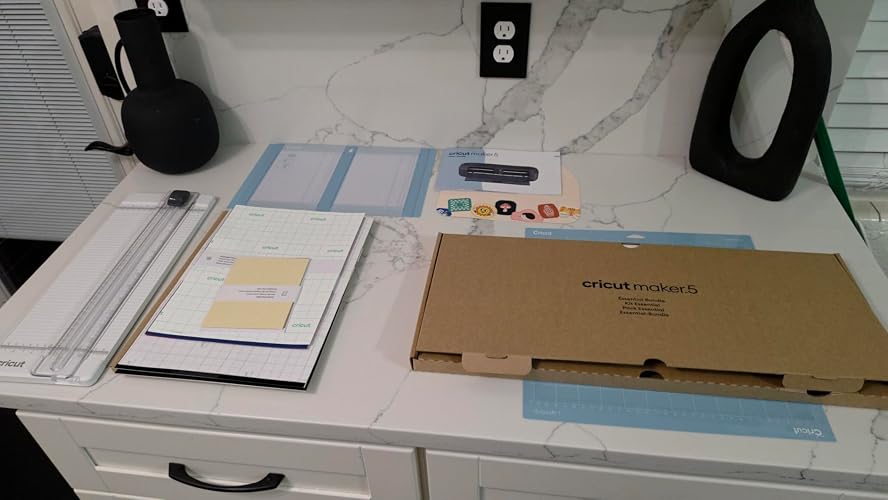
I upgraded from a Cricut Explore 3 and the Cricut Maker 5 is a different experience!! The first cut I ran was the kind of vinyl job that used to give me time to walk away, refill my coffee, and come back. On the Maker 5 it was done before I had finished checking the next design. The carriage moves REALLY fast instead of a stop and start rhythm I was used to, and it does it without shaking the table. It is also alot quieter than the Explore 3, which I did not expect from a faster machine. The cut quality matches the speed. Fine lettering and small interior pieces come out cleaner with no ragged corners, and the weeding is easier because the lines are crisp. The blade housing loads the same way as older Cricut machines, so there was nothing new to learn there. Setup in Design Space took a few minutes over Bluetooth and it connected on the first try. The Essential Bundle is a good starter kit. My set came with the weeder, scraper, spatula, tweezers, a trimmer, a ruler, and a good stack of materials, all packed in a separate branded box so nothing rattled around next to the machine. The slate blue color is muted and looks good on a desk instead of screaming craft room. The machine is 12 inches wide for cutting, same as the Explore 3, so this is not a wider format upgrade. And the Maker line runs on Design Space, which works best with a subscription if you want the FULL image template library. If you already own an Explore and only cut vinyl and cardstock occasionally, the speed alone may not justify the jump. If you make things regularly, the time savings add up fast and the Maker 5 can also handle the heavier materials like chipboard or leather, if you tested them while the Explore 3 cannot. ... show more
Reviewed in the United States on September 6, 2026 by Christi Reviews

Can't find a product?

Find it on Amazon first, then paste the link below.
Checking for best price...