Search  for anything...

Mate Mini-A for Mac mini M4 Dock, 80Gbps Aluminum Alloy Stand with Dual M.2 PCle SSD Solts 16TB(8TB*2,USB-C*1、USB-A 3.0 * 2、2.5G LAN*1、SD4.0 * 1、Type-C(PD3.0)*1,Computer Peripheral Devices

  • Based on 92 reviews
Condition: New
Checking for the best price...
$169.00 Why this price?

Buy Now, Pay Later


As low as $28.17 / mo
  • – 6-month term
  • – No impact on credit to apply
  • – Instant approval decision
  • – Secure and straightforward checkout

Ready to go? Add this product to your cart and select a plan during checkout.

Payment plans are offered through our trusted finance partners Klarna, Affirm, Afterpay, Apple Pay, and PayTomorrow. No-credit-needed leasing options through Acima may also be available at checkout.

Learn more about financing & leasing here.

Selected Option

Free shipping on this product

FREE 30-day refund/replacement

To qualify for a full refund, items must be returned in their original, unused condition. If an item is returned in a used, damaged, or materially different state, you may be granted a partial refund.

To initiate a return, please visit our Returns Center.

View our full returns policy here.


Availability: Only 5 left in stock, order soon!
Fulfilled by Amazon

Arrives Thursday, Jul 9
Order within 19 hours and 24 minutes
Available payment plans shown during checkout

Protection Plan Protect Your Purchase
Checking for protection plans...

Set name: mate mini A


Features

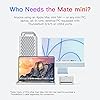
  • Max 16TB Expandable Storage: BEELINK EX Mate Mini-A features dual M.2 2280 PCle slots, can be expanded to 16TB(8TB X 2), unleash the full potential of Mac Mini M4. The dock supports M.2 2280 PCle 3.0/4.0/5.0 SSDs, Enjoy blazing 80Gbps transfer speeds of USB-C 5 Cable, easily handle large files, 4K editing, or backupswhile keeping your desk tidy (SSD not included)
  • Superspeed Data Transfer Up to 80Gbps Our Mac mini M4 dock supports new technology with up to 80Gbps bandwidth for ultra-fast data transfer ideal for high-performance drives and HDDs. Note: Actual transfer speeds may vary depending on your host devices version and system capabilities.2.5G Ethernet Port for Faster NetworkingEnjoy smoother online browsing and faster network speeds with the integrated 2.5G Ethernet port.Professional-Grade SD4.0 SlotDesigned for photographers, the SD4.0 card slot supports transfer speeds up to 300MB/s, enabling quick photo and video transfers with ease.
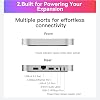
  • Multi-function PortsPorts: USB-C*1(80Gbps), 2.5G LAN*1, SD4.0*1(300MB/s), Type-C(PD3.0)*1. The Mac Mini stand also provides USB A 3.0*2 ports for connecting wireless keyboard and mouse. The laptop stand is equipped with two front and rear audio ports. The front port of Mac mini can be connected to headphones, and the rear port of Mate mini can be connected to speakers, so you can switch easily
  • Designed for Mac Mini M4: This docking station is designed to be as thin as 16mm, which improves functionality while perfectly fitting the size of Mac mini. You can place it above or below the Mac Mini M4 through the connection cable to ensure stability, perfect for anyone using an Mac mini M4 or any mini PC, laptop, all-in-one, desktop computer with a r USB 4 port. Note: Users of PCs other than Mac mini M4 may need to purchase a USB 4 cable separately for connection.
  • Power Convenient & Premium After-sales Service: Can be powered from Mac Mini, or use an external adapter. Note: All peripherals with a power below 15W can be powered directly by Mac mini, and the equipped Type-C port supports an external PD adapter to power peripherals with a power above 15W. We provide a one-year warranty, 24/7 one-to-one customer service, and lifetime technical support to give you peace of mind.

Description

Built for photographers, the SD 4.0 slot supports transfer speed of up to 300MB/s Supports USB-A devices like flash drives, external hard drives, wireless receivers and video capture cards with plug and play Boosts LAN speed with 2.5G connectivity. Enjoy faster networking and online surfing Use the Mac mini's front port for headphones and the Mate mini's rear port for speakers, so you can switch between them with ease

Brand: BEELINK EX


Color: Frost Silver


Hardware Interface: USB 3.0 Type A


Compatible Devices: Mac mini M4


Total USB Ports: 4


Product Dimensions: 1.64"L x 1.12"W x 0.75"H


Number of Ports: 7


Wattage: 15


Number of Items: 1


Smart Home Compatibility: Not Smart Home Compatible


Hardware Interface: USB 3.0 Type A


Compatible Devices: Mac mini M4


Total Usb Ports: 4


Number of Ports: 7


Wattage: 15


Smart Home Compatibility: Not Smart Home Compatible


Item Dimensions L x W x H: 1.64"L x 1.12"W x 0.75"H


Color: Frost Silver


Brand: BEELINK EX


UPC: 810180173339


Manufacturer: Shenzhen AZW Technology Co., Ltd,


Warranty Description: 3 Year


Frequently asked questions

If you place your order now, the estimated arrival date for this product is: Thursday, Jul 9

Yes, absolutely! You may return this product for a full refund within 30 days of receiving it.

To initiate a return, please visit our Returns Center.

View our full returns policy here.

  • Klarna Financing
  • Affirm Pay in 4
  • Affirm Financing
  • Afterpay Financing
  • PayTomorrow Financing
  • Financing through Apple Pay
Leasing options through Acima may also be available during checkout.

Learn more about financing & leasing here.
Top Amazon Reviews


  • Excellent (Update months later - TERRIBLE) Excellent (Update months later - TERRIBLE)
Set name: mate mini A
My old review is listed below in case you wanted to see it. Here is my new review a few months later: NEW REVIEW: I really wanted to like this thing but dear god is it annoying. There’s so many cases where the SSDs stop being detected by Mac, and it requires taking them both out, rebooting the Mac & Dock, powering all off, re-inserting the drives, and *hoping* that this time everything is detected. If you try to max out the 2.5Gbps Ethernet there’s a 50/50 chance your internet gets dropped after a few minutes of sustained loads as well. I wish I never purchased this thing. It’s so much hassle to use. OLD REVIEW: This was the only dock that could do 2.5Gbps Ethernet + dual M.2 drives. Make sure to use the included power adapter or it won’t work though!! Been giving this thing hell for the past 2 weeks, nonstop uhh “distributed networking” and high speed transfers from the SSDs via Ethernet, constant read/writes, no issues at all! Also a minor thing but the design is WAY more on par for the Mac mini than the other two docks I tried before this. The color, finish, and shape matches the Mac nearly identically. ... show more
Reviewed in the United States on February 5, 2026 Reviewed in the United States on February 5, 2026 by Yevheniy Shestopalko

  • Fast and Reliable M4 Mac Mini Dock with 2TB NVMe SSD Fast and Reliable M4 Mac Mini Dock with 2TB NVMe SSD
Set name: mate mini B 2TB
There are a lot of choices in the market when it comes to docks and external drives for the M4 Mac Mini. There are two reasons that won me over for choosing BEELINK EX's Mate Mini over competing docks. First, my past experience with BEELINK's customer support when I ran into a memory issue with one of their Mini PCs under warranty is a positive one. They were fast and responsive in resolving my issue with replacement parts, which isn't the case for a lot of the companies I've dealt with that produce products like these. Secondly, given the current cost of SSD drives at the time of my order, this Mate Mini with 2TB SSD storage pre-installed is probably one of the best bargains to be found when it comes to docks with internal storage. Setup is pretty straightforward. My personal preference would be to sit the Mac Mini on top of the Mate Mini; however, the placement of the M4 Mac Mini's power button at the bottom makes this unrealistic. I think most people will do as I do and place the Mate Mini on top of the Mac Mini. My USB-A peripheral devices that I connected to the Mate Mini have their own power supply, so I didn't need to worry about needing to use the PD port (although it's nice to see this as an option). It's very nice that this Mate Mini focused on providing ports that the Mac Mini doesn't have, including two USB-A 3 ports, a 2.5G Ethernet port, and the SD 4.0 card slot. As I use an external DAC to deliver audio to my speakers, I didn't utilize the headphone jack so I can't speak for the sound quality coming out of the jack. Once you have everything connected, the first thing you'll likely want to do is reformat the Mate Mini's SSD drive from FAT to Apple's preferred APFS file format. It is a little strange that for a device intended to be paired with an Apple product, it isn't formatted with APFS in the first place, but from a security perspective, it's good to reformat any new drive you introduce to your system anyway. When transferring files over to the Mate Mini's SSD drive, I did run into some initial file transfer errors. After I rebooted my Mac Mini, I didn't run into any issues, so it's hard to say whether this was an Apple issue or a BEELINK EX issue. The Mate Mini did get extremely warm when I transferred over 1TB of data at once to it, but since then, temperatures on the casing have been much more reasonable. If there was anything that I would change, it is perhaps the hard cased USB-C/Thunderbolt connector, which is perhaps too rigid and doesn't allow a lot of flexibility in movement between the Mac Mini and the Mate Mini. I know this stiffness is by design and intended to keep the two devices stacked on top of each other, but I'm somewhat worried about bumping the Mate Mini off the Mac Mini and severing the connection. Down the road, I plan to buy a short USB 4/Thunderbolt 5 "patch cable" and see if that is more to my liking. In summary, I really like this Mate Mini as it functions well and has allowed me to expand my Mac Mini's storage space from 0.5 TB to 2.5 TB. The appearance, fit, finish, and material used in the Mate Mini are all good design choices and come across as a device that appreciates Apple's DNA for product design that we all have come to like. I have no regrets of ordering the Mate Mini and highly recommend it to other M4 Mac Mini owners needing to expand both storage and ports in their system. ... show more
Reviewed in the United States on June 6, 2026 Reviewed in the United States on June 6, 2026 by Bryan R

  • Disappointed initially byt satisifed overall in the end, Disappointed initially byt satisifed overall in the end,
Set name: mate mini A
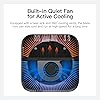
At first I got the Model A with two sticks, and performance speeds with Mac was just as expected, nothing great. But the reason I returned it was because one stick was SK Hynix P41 that ran hot (even with the in built heat sink but also deficient cooling fan etc). And more importantly the transfer speeds in between the two sticks was pretty bad as for NVME. If you have two cool sticks like Crucial T500 or also DRAMless Crucial P3 etc, they ran pretty cool overall and also if setup as RAID 0 you wont have issues transferring between sticks. In any case, I got the Model B with single stick and this one seemed an upgraded or revised model with two gaskets to improve the heat removal. I found the better sealing and reduce the recirculating of hot air. It does keep the case cooler than without but it doesnt cool SSD any cooler, so marginally better . If your model doesnt have these gaskets, easily replicated as DIY but not much difference if you dont , I think a faster fan would have more impact but on the other hand many previous models were criticized by being too noisy so I understand why they put a weak fan in here. Finally, I was obsesssed to confirm whether the products are as described and check if they can hit the max transfer speeds , initially disappointed but beelink support went beyond and finally after some more testing I was able to confirm it does hit does numbers at least. You need to format in APFS format (I used ExFAt for max compatibility , in Windows it makes no much difference between ExFat and NTFS but Mac peforms much better at APFS) and also there seems to be other differences with Windows, so you need to set test counts like 3 or 5 and larg file test size. And finally was able to get around 3400MBps read and 33000MBps writes so it works well for large file and sustained file transfer which is what I needed for . It is not 5 stars because cooling needs further improvement and also because for some reason (design or implementation ?) the transfer speeds between sticks in Model A is so low.. The material and craftmanship is top notch, with aluminum case CNC machined that matches MAC perfectly in size and looks except for their beeling logo..not all are same quality as I did get the Oarico too and this one is molded, cheaper and lower finish quality, not CNC machined as Beelink. This Model B also works well with Windows but probably you dont need it for windows. Overall, I nice and good looking alternative to replacing the Mac SSD yourself as myself since but I want to keep warranty and similar performance and original looks . Also another advantage is Orico is sealed unit, SSD not replaceable but this one is so you can upgrade it to 4TB later if you want. ... show more
Reviewed in the United States on October 3, 2025 Reviewed in the United States on October 3, 2025 by Matt

  • Beautifully Extends Functionality of MAC Mini M4 Pro
Set name: mate mini B
This is a great addition to the new Apple Mac Mini M4 Pro, reflecting its style and fitting above (recommended) or below the computer beautifully. It extends the functionality of the Mac Mini, adding an external SSD for more storage (I bought the SSD separately, but you can purchase the device with SSD pre installed) and additional ports for connecting external devices via USB-A, USB-C, and Thunderbolt 5 cables, plus there is a 2.5 Gb/s Ethernet connection and HDML connectors for monitor. The included Thunderbolt 5 connector works great, providing a lightening fast and tidy connection with your Mac Mini M4 Pro. I’m very pleased with this purchase and heartily recommend it. ... show more
Reviewed in the United States on September 16, 2025 by David E. Hansen

  • Disappointing performance and reliability for a dual-NVMe RAID enclosure
Set name: mate mini A
I spent way too long trying to get this drive to perform as expected. Even communicated with beelink support. In the end, it underperformed in RAID with two awesome WDBLACK drives compared to a single WDBLUE in a ZIKE enclosure. Oh, and if you don't use a high quality power supply, it gets flakey. So there were lots of challenges. LLM writeup below with all my testing: Disappointing performance and reliability for a dual-NVMe RAID enclosure I bought this Beelink dual-NVMe RAID enclosure expecting it to outperform a single-drive NVMe enclosure, especially when populated with two high-end WD_BLACK SN850X 2TB drives in a 4TB RAID0/software stripe configuration. Unfortunately, in my testing, it underperformed compared with a much simpler Zike single-NVMe enclosure using a lower-tier WD Blue SN580 2TB drive. Test setup: * Beelink enclosure: 2 × WD_BLACK SN850X 2TB, configured as a 4TB RAID0/software stripe * Zike enclosure: 1 × WD Blue SN580 2TB * System: macOS * Test method: 20GB sequential dd write/read test Results: Zike + WD Blue SN580: * Write: ~2.07 GB/s * Read: ~2.27 GB/s Beelink + 2 × WD_BLACK SN850X RAID0: * First run: ~1.52 GB/s write, ~1.87 GB/s read * Later run: ~2.16 GB/s write, ~1.95 GB/s read So even with two better drives in RAID0, the Beelink enclosure was inconsistent and generally did not beat the single-drive Zike setup in read performance. In one run, it was substantially slower. In another, the write speed was slightly better, but read speed still lagged behind the Zike. The bigger issue is reliability: the Beelink RAID volume has also fallen offline multiple times. That makes it unsuitable for the reason I bought it: active high-speed storage for large local AI/LLM model files. RAID0 is already risky because one dropped drive breaks the volume; an enclosure that intermittently disconnects makes that risk unacceptable. I understand that real-world throughput depends on the host port, cable, controller, thermals, and macOS behavior. But that is exactly the point: in real-world use, this enclosure did not deliver the performance or stability I expected. A single WD Blue SN580 in the Zike enclosure was faster for reads and more reliable than two WD_BLACK SN850X drives in this Beelink RAID setup. Bottom line: I would not recommend this enclosure for active model storage, scratch storage, or anything where reliability matters. It may be acceptable for casual use, but for dual-NVMe RAID performance, it was disappointing. ... show more
Reviewed in the United States on June 21, 2026 by Earl

  • Finally an M.2 setup that doesn't feel like an external drive
Set name: mate mini A
Bought this to get a real working SSD off my desk and into something more permanent under the M4 mini. Before, I'd been using a generic 10Gbps USB-C enclosure for project files (Final Cut scratch, a Lightroom catalog, the usual), and it was fine. But you always knew it was external. Little hitch when you scrub a 4K timeline. Catalog takes a beat to load thumbnails. This is different. The 80Gbps port on the back is the whole reason it's worth the money. With a PCIe 4.0 stick installed I'm getting numbers that, in actual use, are indistinguishable from the mini's internal storage. Scratch a timeline, no hitch. Open a 60GB catalog, instant. I don't run benchmarks for fun but I did do a couple of 30GB folder copies just to confirm I wasn't imagining it. Yeah, it's fast. The connection clip is the thing I almost docked it for. First time you slide the mini onto it, it feels too snug, like you're about to crack something. I went back and read the instructions twice. But once it's seated, the mini doesn't budge, and I like that you can run the dock either above or under the mini depending on your desk. I've got mine sitting underneath so the mini stays the visible part. Heat from the M.2 is a non-issue in my testing. Two weeks of daily editing, the case gets warm to the touch but not hot, no thermal throttling I can detect. The aluminum body actually does its job. Ports are plenty for me. 2.5G ethernet was a bonus I didn't even register when I bought this. SD slot too, which I'll use more than I expected to. One gripe — the included USB-C cable is short and stiff. If the dock is above the mini you'll be fine. Underneath, it bends sharper than I'd like, and I'm probably going to swap it. Would buy again. If you want the cleanest possible M4 mini setup with real working storage attached, this is the one. ... show more
Reviewed in the United States on May 16, 2026 by Richard

  • Dock is okay, but then connection wire is terrible Dock is okay, but then connection wire is terrible
Set name: mate mini A
The dock is okay overall. I used a Samsung 990 EVO Plus SSD in it. The speed is decent and matches the internal SSD speed of my Mac mini M4. I won’t be able to achieve Thunderbolt 5 speeds since the Mac mini M4 (non-Pro) doesn’t support it. However, I really don’t like the fixed USB port connection on the back. It lines up with the center port on the Mac mini M4, which is the DFU port that shouldn’t be used for installing macOS. I have to offset it to one of the two ports next to it. The fixed connector also makes me nervous when connecting other devices to the dock. I’m worried that I might accidentally disconnect my external system drive while plugging or unplugging something. Although it seems designed to hold the dock and the Mac together, the connection isn’t rigid enough to make them feel securely attached. I don’t like having the device supported mainly by the connector — it doesn’t feel stable or secure. Overall, it’s a good dock in terms of build quality and speed, but I really dislike the fixed connection cable, and it doesn’t work well for my setup. ... show more
Reviewed in the United States on February 16, 2026 Reviewed in the United States on February 16, 2026 by Blue

  • MateMini(B) Honest Review with Speed Tests MateMini(B) Honest Review with Speed Tests
Set name: mate mini B
Great Product! I bought this to expand a new M4 MacMini Pro, which I use for audio recording. I needed to replace a 2012 MacMini that I used for 13 years with no issues but it can't be upgraded higher than MacOS Catalina. I upgraded the new M4 MacMini with a 4TB disk and added this MateMini with a Crucial NVMe Gen5 - 4 TB SSD drive. I did a ton of research on the products before I bought them, and I contacted BEELINK support prior to purchasing, to make sure that I wouldn't have overheating problems with the Gen5 NVMe. I asked them if I could install a heatsink on the drive, but it is too compact to do so. The support team was prompt with responses and very helpful, and even asked me to send them the drive I was considering. They reviewed it and got back to me within 24 hours, and said they didn't anticipate any issues with overheating and I was most likely safe to install with no heatsink. The MateMini(B) arrived quickly and it was very easy to install the NVMe disk (get the right tool for the job). A couple design issues I encountered with this product: - You can either place the MateMini on top or below the MacMini depending on which configuration you choose. Beelink provides a solid type of Thunderbolt 5 connector with both the "A" and "B" models of this product. The problem with this is, there is no notch cut out of the corner of the MateMini (like I have seen on some other brands), so if you put it on the bottom of the MacMini, the power button of the MacMini is on the bottom (only god knows why) so it's very difficult to turn the computer on because there no "slack" when using the connector they give you. - If you put the MateMini on top of the MacMini, you can tip it sideways a little to press the MacMini power button, but it's risky because you may inadvertently bend the connector. If you use the connectors that come with it, be very careful! I resolved this problem by purchasing a braided Thunderbolt 5 Cable, and I set the MateMini off to the side of the MacMini. It works great! I would recommend to Beelink that they include a 1 foot braided TB5 cable instead of the solid connector to fix that problem. I'm using the TB5 port on the MacMini and the transfer speeds are insanely fast. (See the screenshots I have attached). I transferred about 350G of data to the MateMini drive in under a minute (yes you read that correctly, 350 Gig under a minute!) I am including speed test results for the 4TB Internal Drive that I installed in the MacMini, as well as speed results for the Crucial Gen5 I installed. The crazy thing is, the drive in MateMini is actually a little faster than the MacMini internal drive! (both are crazy fast). I also included a speed test screenshot of a normal SandDisk 2TB SSD external drive (not connected to the TB5 port since there is only one), just so you can get an idea of the difference. Overall, I highly recommend the MateMini(B) and would buy it again. The design issues were easily remediated, the product performs beyond my expectations. Also, the support team was excellent. Here's a link to the Crucial Gen5 NVMe I used in case you are interested - https://www.amazon.com/dp/B0C3KKY6TL?ref=ppx_yo2ov_dt_b_fed_asin_title ... show more
Reviewed in the United States on September 1, 2025 Reviewed in the United States on September 1, 2025 by Scotty

Can't find a product?

Find it on Amazon first, then paste the link below.
Checking for best price...