Search  for anything...

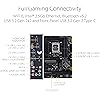
ASUS TUF Gaming Z790-Plus WiFi D4 LGA 1700(Intel 14th,12th&13th Gen) ATX Gaming Motherboard(PCIe 5.0, DDR4,4xM.2 Slots,16+1 DrMOS, WiFi 6,2.5Gb LAN, Front USB 3.2 Gen 2 Type-C, Thunderbolt 4/USB4)

  • Based on 634 reviews
Condition: New
Checking for the best price...
$214.07 Why this price?
Save $15.92 was $229.99

Buy Now, Pay Later


As low as $35.68 / mo
  • – 6-month term
  • – No impact on credit to apply
  • – Instant approval decision
  • – Secure and straightforward checkout

Ready to go? Add this product to your cart and select a plan during checkout.

Payment plans are offered through our trusted finance partners Klarna, Affirm, Afterpay, Apple Pay, and PayTomorrow. No-credit-needed leasing options through Acima may also be available at checkout.

Learn more about financing & leasing here.

Selected Option

Free shipping on this product

This item is eligible for return within 30 days of receipt

To qualify for a full refund, items must be returned in their original, unused condition. If an item is returned in a used, damaged, or materially different state, you may be granted a partial refund.

To initiate a return, please visit our Returns Center.

View our full returns policy here.


Availability: Only 3 left in stock, order soon!
Fulfilled by Amazon

Arrives Sunday, Mar 29
Order within 17 hours and 41 minutes
Available payment plans shown during checkout

Protection Plan Protect Your Purchase
Checking for protection plans...

Style: Z790-Plus|DDR4


Features

  • Intel LGA 1700 socket: Ready for 12thand13th Gen Intel Core processors, support PCIe 5.0 and out of box Windows 11 ready.Bluetooth : Bluetooth Version 5.2
  • Enhanced Power Solution: 16plus1 DrMOS, ProCool sockets, military-grade TUF components, and Digiplus VRM for maximum durability and performance
  • Comprehensive Cooling : VRM heatsink, PCH fanless heatsink, M.2 heatsink, hybrid fan headers and Fan Xpert 4 utility
  • Ultra Fast Gaming Networking : WiFi 6 AX201 (802.11 ax), Intel I225-V 2.5Gb LAN, TUF LANGuard and TurboLAN technology
  • Fastest Connectivity: 4x M.2/NVMe SSD, Front panel USB 3.2 Gen 2 Type-C header, USB Gen 2x2 Type-C and Thunderbolt 4 (USB4)header

Description

ASUS TUF GAMING Z790-PLUS WiFi D4 takes all the essential elements of the latest 13th Gen Intel Core processors and combines them with game-ready features and proven durability. Engineered with military-grade components, an upgraded power solution and a comprehensive cooling system, this motherboard offers rock-solid, stable performance for marathon gaming. Aesthetically, TUF GAMING Z790-PLUS WiFi D4 sports the new TUF Gaming logo, and incorporates simple geometric design elements to reflect the dependability and stability that defines the TUF Gaming series.

Brand: ASUS


CPU Socket: LGA 1700


Compatible Devices: Personal Computer


RAM Memory Technology: DDR4


Compatible Processors: intel celeron


Chipset Type: Intel Z790


Memory Clock Speed: 4400 MHz


Platform: Windows


Model Name: TUF GAMING Z790-PLUS WIFI D4


Memory Storage Capacity: 128 GB


RAM: ‎DDR4


Memory Speed: ‎4400 MHz


Wireless Type: ‎802.11a/b/g/n/ac, 802.11ax


Number of USB 2.0 Ports: ‎2


Brand: ‎ASUS


Series: ‎TUF GAMING Z790-PLUS WIFI D4


Item model number: ‎TUF GAMING Z790-PLUS WIFI D4


Item Weight: ‎4.2 pounds


Product Dimensions: ‎10.85 x 2.8 x 13.4 inches


Item Dimensions LxWxH: ‎10.85 x 2.8 x 13.4 inches


Color: ‎BLACK


Manufacturer: ‎ASUS


Country of Origin: ‎China


Date First Available: ‎September 27, 2022


Frequently asked questions

If you place your order now, the estimated arrival date for this product is: Sunday, Mar 29

Yes, absolutely! You may return this product for a full refund within 30 days of receiving it.

To initiate a return, please visit our Returns Center.

View our full returns policy here.

  • Klarna Financing
  • Affirm Pay in 4
  • Affirm Financing
  • Afterpay Financing
  • PayTomorrow Financing
  • Financing through Apple Pay
Leasing options through Acima may also be available during checkout.

Learn more about financing & leasing here.

Top Amazon Reviews


  • A Reliable Backbone for Your Rig
Style: Z790-Plus|DDR5
The ASUS TUF Gaming Z790 motherboard proved to be a breeze to install, making the initial setup process smooth sailing for any PC enthusiast. Its user-friendly BIOS interface offers seamless navigation, ensuring both novice and seasoned users can tweak settings with ease. One standout feature is its AI capabilities, which optimize system performance by intelligently managing various components to run more efficiently. This not only enhances gaming experiences but also boosts overall productivity tasks, making it a versatile choice for any PC build. The ASUS TUF Gaming Z790 motherboard lives up to its reputation as a reliable and high-performing option for gamers and professionals alike. With its easy installation, intuitive BIOS interface, and AI enhancements, it's a solid choice for anyone looking to elevate their PC experience. *Note* For those who are having issues with internet connectivity with WiFi or LAN, you have to update the drivers to install the WiFi capabilities. If you are installing Windows 10+, you have to skip connecting to the internet. Download the driver files (from the product website) to a USB drive and then install them on the device you have the motherboard installed in. It’s a tedious process, but works. ... show more
Reviewed in the United States on February 14, 2024 by Jesse Henderson Jesse Henderson

  • Excellent motherboard
Style: Z790-Pro|DDR5|AI Overclocking
This is an excellent and very practical motherboard, suitable for both gaming and everyday tasks. While it may not have a PCIe 5.0 x4 slot for an M.2 SSD, it does have a PCIe 5.0 x16 slot for graphics cards and other expansion cards. Since it was released before WiFi 7, it still has WiFi 6E, but since WiFi 7 and PCIe 5.0 SSD's are both very recent with very few devices on the market that can actually use these technologies, these trade-offs have very little impact. The included heatsinks for 3 of the 4 M.2 SSD slots are excellent. I have yet to see my SSD's rise above 32 degrees Celsius, even when gaming. It would have been nice if this model came with a Thunderbolt 4 port on the rear I/O panel, but they have to make extra money somehow. The motherboard includes a Thunderbolt 4 header and an extra USB 2.0 port to allow for one of their Thunderbolt 4 expansion cards. At least using one of these expansion cards in the second PCIe 4.0 x16 slot doesn't affect the bandwidth of the other expansion slots, but using a Hyper M.2 expansion card in the PCIe 5.0 slot causes the first PCIe 4.0 x16 slot to drop to x8 bandwidth and the second slot to drop to x4 bandwidth. With 4 M.2 slots though, there really isn't a reason to use one of the Hyper M.2 cards unless you feel you absolutely need a PCIe 5.0 SSD. Similarly, there isn't really any need for a Thunderbolt 4 expansion unless you need a DP-capable USB-C port or USB data transfer speeds of 40Gbps. The rear I/O panel provides plenty of USB ports as it is, ranging from 5 Gbps USB Type A to 20 Gbps USB-C. With this motherboard, I use an i7-13700K CPU and Intel XMP RAM that can go up to the processor's maximum 5600 MHz. Thanks to ASUS Ai Suite III, I was able to set up a stable OC profile with the CPU running at an average of 4800 MHz reaching up to 5900 MHz on the P-cores, and with the memory frequency set to the advertised 5600 MHz. However, since Ai Suite III requires Memory Integrity to be disabled, I followed the advice of someone on a forum and re-enabled Memory Integrity after disabling Run at Startup for Ai Suite. Thanks to that advice, I now have ASUS' AI overclock working with Memory Integrity enabled. I have updated the BIOS regularly without issue, keeping my overclock settings by saving a BIOS profile .CAP file to a USB drive before updating. After the update, I just load the profile and everything goes back to how it was. The Q-Slot has made removing my GPU so much easier. This is important because the only M.2 slot that doesn't have a heatsink gets covered by the GPU when it's placed in the PCIe 5.0 slot or the first PCIe 4.0 x16 slot. I briefly tried placing one of my SSD's in that M.2 slot, but I ended up moving it to a different slot because, as expected, the SSD got much hotter underneath the GPU than in one of the slots covered by a heatsink. If you want to use that slot, I would recommend getting an effective low-profile SSD heatsink. The Q-LED's have been very helpful with troubleshooting issues at startup. For example, the GPU LED kept coming on during startup for some time. After trying a few things, I discovered that Windows kept forcing the CPU to use its onboard graphics during startup, even if I had the onboard graphics disabled in BIOS, which is why the splash screen that allows you to enter BIOS at startup as well as the Windows loading screen never appeared through my GPU output. Thankfully, my monitor has several input ports, so I was able to connect both the onboard graphics and the GPU to my monitor, set the GPU output as the main display, and now I no longer have this issue. This really is a great motherboard, and I would buy it again. I just hope they make an equivalent of this motherboard in the future with the new BTF layout that ASUS announced so when I need a new motherboard 8 years from now, I can get the same kind of practical gaming motherboard for the BTF PC that I will inevitably build. ... show more
Reviewed in the United States on January 10, 2024 by Jacob N.

  • Works great besides from a small inconvenience at set up
Style: Z790-Plus|DDR5
Once it’s all set up it works well with no issues. Supports fast ddr5 ram speeds and 12-14th gen intel cpus and windows 11 out of the box. Only thing I didn’t like was having to install WiFi drivers when setting it up, so just have the correct drivers on a usb ready or something Check to see if all drivers and bios is up to date also ... show more
Reviewed in the United States on December 25, 2023 by Bentley Bentley

  • Defective out of the box - no replacement with $$$
Style: Z790-Plus|DDR4
ASUS support is essentially a bait-and-switch scam. I received the MB but was unable to get display output. None of the troubleshooting Q-lights were on, and even with RAM removed, no Q-lights illuminate. When I press the power button, the board Aura lights and power LED illuminate and the CPU fan turns on (powered by MB), so I know the power relay portion of the board is working. However, none of the USB ports have power, and there is (again) no display output - with or without a graphics card. I have a Core i7 13700k, which supports video output, so I should get display output either way. I tested the power supply and found all voltages and the PG output to be fine. Clearly, this board is a piece of junk. Now for why I claim bait-and-switch: I contacted ASUS support and was asked to perform a number of troubleshooting tests. I did those and reported back the same day. A couple of days later, I was asked to check some other stuff. I did. A couple of days later, I was asked to do some of the stuff I had already done, I told them those test had been completed but I would do them again. This continued from April 4th to May 1st. I was asked to do the same things over and over. At one point, I got no response for 5 days and had to contact support again to continue the troubleshooting process. After 3 weeks, I had enough. The latest was that I was supposed to once again check all the stuff I had already checked and, also, purchase a graphics card! A freaking graphics card! The motherboard can display video through its built-in HDMI and DP ports, as long as you have the correct CPU (and I do). I just wanted the motherboard to output video like it should. I have a graphics card, which did not help, of course. I am NOT going to purchase another non-returnable component for hundreds of dollars just to show that the obviously defective motherboard doesn't work with a second graphics card. Absolute incompetence on ASUS' side. On May 1st, they finally admitted the MB was defective. I got instructions for a RMA, and was shocked to discover that the customer pays shipping and is required to assemble very specific packaging that most likely do not have on hand. In previous experiences with defective (and expensive) electronics, the manufacturer supplied packaging and a return shipping label. ASUS wants you to purchase $25 ground shipping with 3-7 day delivery time, $55 2nd day, or $60 overnight. Then they take a week or so to repair/replace, then they send it back, which probably takes a week. In the end, to get what you paid for, you have to wait 2 months and pay an extra $20-60! Making someone pay more to get what they were supposed to get for the advertised price is bait-and-switch. Making them wait 2 months, when the item is depreciating in value the whole time, adds insult to injury. And their troubleshooting process makes it impossible to return the item to Amazon inside the rather evil 30-day return window (I don't know when the return window shrunk to 30 days - this is somewhat new). Also, beware the claims on the Amazon product Support page. They do not get replacement parts, as implied. They will help you contact the manufacturer - that's all. Don't get suckered like I did. I would strongly recommend NOT purchasing any ASUS product on the off chance you need to deal with their support team. If you purchase a defective product, you will have to pay to get it fixed or repaired. And you will not get to use your product for so long - due to the ridiculously lengthy troubleshooting process - that your product will depreciate in value before you even get to use it. Bait. And. Switch. ASUS should be ashamed for treating their customers this way. And Amazon should do better to prevent this type of abuse. Extending the return window when an item is defective out of the box seems like an easy way they could do so. But it took five agents arguing with me before I finally gave up and paid the $55 ransom - I mean "restocking" - fee. I don't think it actually costs Amazon any more to restock after 30 days, but what do I know? I thought they would return the item to ASUS for a full refund. They are still selling the same item. It's not like there's a new model out and this one is obsolete... ... show more
Reviewed in the United States on May 3, 2023 by J. Young

Can't find a product?

Find it on Amazon first, then paste the link below.
Checking for best price...