


Search  for anything...

ASUS ROG Strix GS-BE12000 WiFi 7 Tri-Band Router, 12000 Mbps, 20G Wired Capacity, 3,000 sq. ft. Coverage, 2.0GHz Quad-core CPU, Game Acceleration, Triple-Level Security, AiMesh Compatible

  • Based on 87 reviews
Condition: New
Checking for the best price...
$274.55 Why this price?
4th of July Sale · 31% off was $399.99

Buy Now, Pay Later


As low as $45.76 / mo
  • – 6-month term
  • – No impact on credit to apply
  • – Instant approval decision
  • – Secure and straightforward checkout

Ready to go? Add this product to your cart and select a plan during checkout.

Payment plans are offered through our trusted finance partners Klarna, Affirm, Afterpay, Apple Pay, and PayTomorrow. No-credit-needed leasing options through Acima may also be available at checkout.

Learn more about financing & leasing here.

Selected Option

Free shipping on this product

FREE 30-day refund/replacement

To qualify for a full refund, items must be returned in their original, unused condition. If an item is returned in a used, damaged, or materially different state, you may be granted a partial refund.

To initiate a return, please visit our Returns Center.

View our full returns policy here.


Availability: Only 3 left in stock, order soon!
Fulfilled by Amazon

Arrives Tuesday, Jul 7
Order within 20 hours and 37 minutes
Available payment plans shown during checkout

Protection Plan Protect Your Purchase
Checking for protection plans...

Style: 12.0 Gbps | Tri-Band


Features

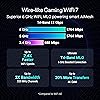
  • Blazing-fast WiFi 7 boosts tri-band throughput up to 12000 Mbps with 320 MHz channels of 6 GHz band, Multi-Link Operation (MLO) and 4K-QAM
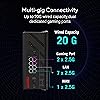
  • Powerful wired network capacity of up to 20G with one 2.5G WAN port and seven 2.5G LAN ports.
  • High-performance quad-core 2.0GHz CPU with robust cooling, 2GB RAM and eight internal antennas providing up to 3000 sq. ft. of range.
  • Smart Home Master makes it easy to set up functional subnetwork (up to 3 SSIDs) for IoT devices and VPNs
  • ROG-exclusive Gaming Network streamlines Triple-Level Game Acceleration setup and connections through convenient SSIDs
  • Commercial-grade Triple-level Network Security from Internet to every device with AiProtection Pro.

Description

The ROG Strix GS-BE12000 is a high-performance gaming router with tri-band WiFi 7, 12,000Mbps speeds, and 20G wired capacity. It features 4x4 MIMO, one- tap SSID game acceleration via the ROG Gaming Network, and Triple-Level Network Security for fast, low-latency, and secure gaming across all platforms.

Brand: ASUS


Model Name: GS-BE12000


Special Feature: AI-Boosted Smart AiMesh, Feature-Packed Smart Home Master SSIDs, Guest Mode, Network Standard WiFi 6 (802.11ax) WiFi 7 (802.11be) IEEE 802.11a IEEE 802.11b IEEE 802.11g IEEE 802.11n IEEE 802.11ac IPv4 IPv6, Parental Control, VPN, AiProtection, WiFi 7 Gaming See more


Frequency Band Class: Tri-Band


Wireless Communication Standard: 802.11.be, 802.11ax


Compatible Devices: Personal Computer


Recommended Uses For Product: Business, Gaming, Home


Included Components: GS-BE18000 tri-band gaming router, Power adapter, Quick Start Guide, RJ-45 cable, Warranty card


Connectivity Technology: Wi-Fi


Color: BLACK


Other Special Features of the Product: AI-Boosted Smart AiMesh, Feature-Packed Smart Home Master SSIDs, Guest Mode, Network Standard WiFi 6 (802.11ax) WiFi 7 (802.11be) IEEE 802.11a IEEE 802.11b IEEE 802.11g IEEE 802.11n IEEE 802.11ac IPv4 IPv6, Parental Control, VPN, AiProtection, WiFi 7 Gaming


Frequency Band Class: Tri-Band


Wireless Compability: 802.11.be, 802.11ax


Compatible Devices: Personal Computer


Antenna Location: Business, Gaming, Home


Connectivity Technology: Wi-Fi


Operating System: ASUSWRT


Security Protocol: Let's Encrypt, DNS-over-TLS, SSH, Security Scan, WPS, AiProtection, VPN, Firewall, WiFi Encryption WPA/WPA2/WPA3 Personal WPA/WPA2/WPA3 Enterprise Open System & OWE


Number of Ports: 8


Control Method: App, Push Button


Data Transfer Rate: 12000 Megabits Per Second


LAN Port Bandwidth: 2500 Mbps


Maximum Upstream Data Transfer Rate: 6000 Megabits Per Second


RAM Memory Installed: 2 GB


Smart Home Compatibility: Not Smart Home Compatible


Router Firewall Security Level: Maximum


Wi-Fi Generation: WiFi 7


Has Internet Connectivity: Yes


Connectivity Range: 3000 Square Feet


Is Modem Compatible: No


Connectivity Protocol: Wi-Fi


Coverage: 3000 sq. ft.


Frequency: 6 GHz


Brand: ASUS


Model Name: GS-BE12000


Built-In Media: GS-BE18000 tri-band gaming router, Power adapter, Quick Start Guide, RJ-45 cable, Warranty card


Model Number: GS-BE12000


UPC: 197105921399


Manufacturer: ASUS


Mfr Part Number: GS-BE12000


Unit Count: 1.0 Count


Warranty Description: 3 years warranty


Item Weight: 2.04 Pounds


Item Dimensions L x W x H: 8.9"L x 3.5"W x 8.9"H


Color: BLACK


Has Security Updates: Yes


Frequently asked questions

If you place your order now, the estimated arrival date for this product is: Tuesday, Jul 7

Yes, absolutely! You may return this product for a full refund within 30 days of receiving it.

To initiate a return, please visit our Returns Center.

View our full returns policy here.

  • Klarna Financing
  • Affirm Pay in 4
  • Affirm Financing
  • Afterpay Financing
  • PayTomorrow Financing
  • Financing through Apple Pay
Leasing options through Acima may also be available during checkout.

Learn more about financing & leasing here.

Top Amazon Reviews


  • The Best
Style: 12.0 Gbps | Tri-Band
I bought this router while upgrading my home network and smart home setup. My network includes Home Assistant, local DNS, monitoring tools, smart devices, streaming devices, cameras, phones, tablets, laptops, and the usual collection of electronics that somehow multiply when nobody is looking. Setup was straightforward. The web interface was easy to navigate, firmware updates were simple, and getting devices connected was painless. Within a short time I had everything online and started moving devices over from my old equipment. Coverage has been excellent. WiFi performance is strong throughout the house, and devices that used to occasionally complain about signal quality have been solid since the upgrade. Streaming, gaming, smart home devices, and general network traffic all run smoothly. One of the biggest improvements was stability. Local DNS, Home Assistant integrations, monitoring systems, and the growing collection of smart home gadgets have all been running without the random disconnects and strange behavior I was seeing on older hardware. The nine LAN ports turned out to be more useful than I expected. Being able to connect multiple wired devices without immediately reaching for another switch simplified the network and reduced cable clutter. The router also handled more advanced networking without fighting me. Static reservations, local hostnames, monitoring tools, custom DNS configurations, and smart home infrastructure all worked as expected. That's becoming surprisingly rare in consumer networking gear. The only downside is that buying a powerful router doesn't magically fix every networking problem. I still spent hours chasing issues that eventually turned out to be individual devices, software configurations, or vendors making questionable design decisions. The router was usually innocent while I was accusing it of crimes it didn't commit. Performance has been excellent, stability has been excellent, and it has handled everything I've thrown at it so far. If you're building a serious home network, running Home Assistant, managing multiple wired devices, or just tired of consumer routers having a nervous breakdown every time more than a few devices connect, this router is worth considering. The biggest problem now is that my network is stable enough that I have fewer things to troubleshoot. Apparently I paid good money to eliminate one of my hobbies. ... show more
Reviewed in the United States on June 17, 2026 by Dan

  • Great Solid Upgrade to WIFI7 - especially if you are a Asus router fan!
Style: 12.0 Gbps | Tri-Band
We recently upgraded our home internet to 2Gigs and it was pretty evident that our tried and trusted RT-AX86U wasn't quite able to handle the additional bandwidth which had me on the hunt for an updated router. I am a huge Asus router fan, and really wasn't interested in other brands - so I limited my search to some older 6E or new Wifi7 routers. If you follow some of the development scene, the reviews on some of Asus' initial WIFI 7 offerings have been a bit of a mixed bag in terms of stability and such, which made me hesitate on getting the RT-BE86 which is the "natural successor" to the RT-AX86. Before that I had the RT-AC86, so these are solid workhorses. Which led me to actually by happenstance come across the new ROG Strix GS-BE12000. I am familiar with Asus' gaming ROG line, but I'm not a huge gamer so didn't really dive too much into that series. This seems to be a brand new router, and seems to be a "lighter" version of the recently released GS-BE18000. There doesn't seem to be really any write-ups on the GS-BE12000 because it's so new, but what I can tell you that it definitely does the trick! On the initial setup of the router (I believe it does support the universal router config restore from other Asus routers if you are upgrading, but it's usually always a better idea to set up a new model from scratch) - I first was a little disappointed because the download speeds seemed to still be capped at around 900Mpbs on my 2Gig line. But interestingly during the Wizard setup, it mentioned there was a firmware update so I did that. Upon rebooting of the first firmware update, the speeds were still the same, but interestingly enough when I went to the Admin page to check for firmware updates, there actually was one more (so moral here is you may need to update firmware twice on the initial setup). After the second update, then I saw some magic and was getting my paid for 2Gig speeds!! As for the UI, if you are familiar with Asus routers, you should be right at home with the configuration. The GOG series changes the colors a bit and adds a few little extras like being able to adjust the light logo on the front of the box (which is kinda cool, not going to lie) - but otherwise easy to find all the settings you are accustomed to. In terms of the coverage and range, I was a little hesitant because my trusty RT-AX86U (and the AC-86U before it) had awesome coverage - needing only the one router to cover my entire house (2 floors) - and both of those previous routers have external antennas, whereas this GS-BE12000 only has internal ones. But I can say that the coverage easily matches my old workhorses easily. Now in terms of the features, what I have been able to figure out in terms of the differences with the GS-BE18000, is that the BE12000 does NOT support Automated Frequency Coordination (AFC) on the 6GHz band and the BE18000 does. If you have no idea what I'm talking about, then it probably isn't a feature you care about much at the moment ;) It's mostly if you have a lot of newer, high-end Wifi 7 devices. The other thing I don't believe the BE12000 has which some other newer Asus routers have is the support for the Virtual LANs (VLANs). Again, if you aren't really familiar with it, you probably won't miss it. The other cool thing, is that I love that this router (like most of Asus' other routers) has built in IPS security protection through the AIProtection component which is a partnership with Trend Micro. It doesn't cost any extra to use it, and it's saved my bacon a few times in the past! Finally, if you are a custom firmware fan - at the moment, it doesn't appear that ASUS Merlin supports this box yet. But judging by the firmware and the newness of both the BE-18000 and BE12000, I have a feeling it's a matter of time before it gets the support. But I'm a fan of the stock firmware, so not a big deal for me - but if you are a fan of Merlin, you may want to wait on this one. In terms of pricing, I got it on a good deal, and at the current price point, it's well worth the money in my opinion. TL:DR - if you are on an older router (especially an Asus) and you are looking for a solid upgrade to Wifi7 with stable and fast performance at a good price point - and you don't need certain bells and whistles (AFC & VLAN for instance) - the Strix GS-BE12000 is a great upgrade. In my case the upgrade from a RT-AX86U was perfect! ... show more
Reviewed in the United States on January 22, 2026 by Pinoymutt

  • It’s ok. (GS-BE12000)
Style: 12.0 Gbps | Tri-Band
Not great, but not terrible either. It’s an ok router. My connections are pretty reliable and maintain a consistent speed, it connects with P2P gaming fairly well (though it doesn’t appear to be as easy as simply turning on uPnP), has several ethernet ports of which are all 2.5G, and it has a decent, easily useable UI through the app or a browser. My only real complaint is that it sort of implies that it supports multiple networks and thus maybe has VLAN management. However, it does not. It just adds another WiFi SSID with connection compatibility settings set to the max for older/slower IoT devices that don’t like WiFi 6 or 7. That is to say that there’s no actual network segmentation and isolation going on here. Still, though, it’s pretty OK for the price. It doesn’t appear to overheat like the last ASUS router that I used (RT-66U or RT-68U or something) a decade ago, and it hasn’t bricked itself in the month or 2 that I’ve had it (the last Netgear I tried 6ish years ago bricked itself within 8-12hrs), I haven’t had any connection issues that were caused by the router or any of the devices connected to it, and it has stayed responsive so far. I have, however, not used this in a mesh setup. I haven’t felt the need to extend coverage yet, but everything that accesses it is either in the next room or the room right after that. I also still use WiFi 5 and 6 rather than 7 because next to nothing I have uses 7 yet, and lots of things that I do have get quite upset with 7 and may or may not be happy with 6–especially if the extra non-standard channels enabled. If you’re having problems with connection stability, I would start by looking there first. I would also suggest disabling the WiFi 7 antennas/radio under radio options if you disable 7’s networking features for best compatibility. But 7 was pretty good at my laptop about 20ft away and through 1 wall of standard drywall when I tried it. ... show more
Reviewed in the United States on April 27, 2026 by Gordon V

  • Great router, versatile setup options. As simple or in-depth as you need it to be.
Style: 12.0 Gbps | Tri-Band
I decided to replace my Eero router I got from my ISP with something that, you know...actually works. I wanted to avoid TPLink, so I went with an Asus instead. I have always liked Asus products but, recently, their stuff has started to go down in quality. So far I have been really impressed with this router. The setup is as simple or complex as you want it to be. With lots of controls, some AI stuff I don't care about and the ability to setup multiple networks, depending on their function, has been amazing. Definitely recommend this router for the money. We have a 2k sq ft home, but I have no issues with the wifi signal, even in my backyard. The speed is great and tops out all of my 2.5gbps connections. I really wish it had a 10gbps local port, but the 2.5s are enough to satisfy my needs. Definitely recommend it. ... show more
Reviewed in the United States on March 26, 2026 by walter

  • Great router with 2.4GHz problems in AiMesh configuration.
Style: 12.0 Gbps | Tri-Band
Pros: Love the wired connectivity options on the router (many 2.5Gbps ports). I noticed a significant peformance improvement for all wired devices. Wireless devices on the 6GHz, and 5Ghz, bands also performed much better. That said, 2.4GHz networks were a real challenge. 2.4 networks are still a necessity for IoT devices like smart outlets, etc. Transmit range seemed a bit stronger than my old router (RT-AX3000) as well. Cons: Using three GS-BE12000 routers in AiMesh (Ethernet backhaul), the 2.4 GHz networks would drop entirely or prove highly unstable. Restarts, recreating SSIDs, disabling WiFI 7, and adding an IoT 2.4Ghz network didn't help. NetSpot confirmed the 2.4 GHz radios kept dropping. I spent well over 8+ hours trying to find the root cause & solution, and I work in IT. Fix: Removed two nodes from AiMesh, configured them as standalone APs, manually set matching SSIDs for each Router/AP, and used NetSpot to select optimal channels for each router/AP. The 2.4 GHz networks immediately stabilized across all 3 GS-BE12000 routers. Suspected root cause: AiMesh forces all radios to use the same channel, which creates co-channel interference when routers are somewhat close together. I did not try reducing transmit power, which may have helped but may have had other undesired effects. Either way, the radios should not keep dropping due to co-channel interference. I suspect this is a software/platform bug in ASUS AiMesh Recommendation: If you only need a single router for your home, with no addtional accesss points, no worries. I'd give a strong "buy" recommendation. The setup wizard is pretty good for the non-tech savvy. If you plan to use multiple Routers/APs to create a mesh network... proceed with caution. Assuming you have Ethernet backhaul available, use one router in router mode and the others as APs with individually optimized channels to avoid the nightmare of AiMesh... or consider a different model (e.g., Ubiquiti Dream Router 7). I'm not sure whether AiMesh can be bypassed if you don't have Ethernet backhaul available, but I would expect similar 2.4 GHz stability issues in a fully wireless setup. FWIW, I also had AiMesh issues with my prior routers (RT-AX3000) and had to use a similar workaround. Strong hardware, with bad/limited Mesh software IMO. If the AiMesh would allow you to set a different channel for each AP, you could work around this bug/issue on the 2.4Ghz band. ... show more
Reviewed in the United States on April 6, 2026 by David Norwood

  • Great router with plenty of bells and whistles Great router with plenty of bells and whistles
Style: 12.0 Gbps | Tri-Band
I have to say that this is the best router I've had. I've tried, TP- Link and Netgear. It has true wifi 7 connectivity with no drops. Very stable. Initial setup via the phone app was flawless. Seven 2.5 GB lan ports. And the RGB lights on the router are an added bonus. Amazon offers monthly payment option, so it's very affordable in that regard. You won't be disappointed. ... show more
Reviewed in the United States on April 4, 2026 Reviewed in the United States on April 4, 2026 by Scorp1170

  • This thing has more processing power and memory than some older laptops. This thing has more processing power and memory than some older laptops.
Style: 12.0 Gbps | Tri-Band
The GS-BE12000 comes with a quad-core 2.0 GHz CPU and 2 GB of DDR4 RAM, tri-band WiFi 7 (rated up to 12 Gbps), and a very generous set of ports: one 2.5G WAN plus seven 2.5G LAN ports, two of which are dedicated gaming ports that automatically prioritize traffic. It’s not just “pushing WiFi” — it’s actually managing a ton of simultaneous connections, traffic prioritization, security, and features without choking. Think of it like upgrading from a cheap office PC to something that can actually multitask without freezing when you open more than three tabs. Setup was quick and painless with the ASUS Router app — I had everything up and running with custom settings in under 15 minutes. I also like the RGB lighting. It’s a fun, subtle touch that gives the router a bit more personality without being over-the-top ;) For the price I paid, it’s a strong performer with excellent wired capabilities and solid WiFi 7 performance. If you have multiple devices and care about stable, fast connections, this is a good choice — even if it is a little ridiculous for most normal setups. I’m happy with it. ... show more
Reviewed in the United States on June 30, 2026 Reviewed in the United States on June 30, 2026 by Review Master

  • Strong signal & throughput; deep customization
Style: 12.0 Gbps | Tri-Band
As a standalone router (not in a mesh setup), the Asus GS BE12000 works well for a small 1600 sq ft home. On a 1-gigabit connection to my isp, I get 500-980mbps throughout my 2-story house when on wifi. The most remote room, which is about 50 feet away passed some walls gets 350-400 mbps. (This is about 20% better than my old router: TP-Link Archer AX6000.) All the LAN ports are 2.5gbe capable and that’s great for my NAS - allowing for faster file transfers across my network. I’ve been using this router for a few weeks, and it has been stable and reliable so far. Set Up Using the web browser interface, it only took 10 minutes to get this router up and running thanks to the set-up procedure. (There is also a phone app that can be used to configure the router.) This is a tri-band router, and I could set up several SSIDs with combinations of 2.4ghz, 5ghz, and 6ghz signals. It can also have a dedicated IoT network to isolate devices that are typically less secure (smart plugs, cameras, smart appliances, etc.) There are many more settings allowing for deep customization, and monitoring of network traffic. Security Among other security features, Asus includes “AiProtection Pro” which can block malicious websites, block outbound and incoming suspicious traffic, and can attempt to quarantine infected devices on the network. These features are free, and can be turned on and off individually. QoS/ Prioritizing: Asus added 2 dedicated LAN ports for gaming PCs and consoles. When gaming QoS mode is activated, these two ports receive the highest priority, and lowest latency. Movie streaming, conference calls, and other activities can also be prioritized. RGB Lighting Since this is part of Asus’ ROG gaming line-up the router has rgb lighting which can be controlled through the web interface or via the smartphone app. Conclusion My only gripe with the router was an issue creating a custom password. It took about 3 attempts to change the default password, even though I was following the complexity rules. Also, the Asus app would send many notifications about the router’s status to my phone which became annoying. But this can easily be adjusted or turned off. Other than that, it’s been smooth sailing, even after updating the firmware. ... show more
Reviewed in the United States on January 19, 2026 by kunoh

Can't find a product?

Find it on Amazon first, then paste the link below.
Checking for best price...

