


Search  for anything...
APC

APC 1500VA/900W Back-UPS Pro UPS Battery Backup for Home Office Electronics

  • Based on 2,766 reviews
Condition: New
Checking for the best price...
$293.38 Why this price?
Save $22.86 was $316.24

Buy Now, Pay Later


As low as $48.90 / mo
  • – 6-month term
  • – No impact on credit to apply
  • – Instant approval decision
  • – Secure and straightforward checkout

Ready to go? Add this product to your cart and select a plan during checkout.

Payment plans are offered through our trusted finance partners Klarna, Affirm, Afterpay, Zip, Apple Pay, and Google Pay. No-credit-needed leasing options through Acima may also be available at checkout.

Learn more about financing & leasing here.

Selected Option

Free shipping on this product

FREE 30-day refund/replacement

To qualify for a full refund, items must be returned in their original, unused condition. If an item is returned in a used, damaged, or materially different state, you may be granted a partial refund.

To initiate a return, please visit our Returns Center.

View our full returns policy here.


Availability: In Stock.
Fulfilled by Amazon

Arrives Tuesday, Aug 25
Order within 2 hours and 23 minutes
Available payment plans shown during checkout

Protection Plan Protect Your Purchase
Checking for protection plans...

Size: BR1500G


Features

  • 1500VA / 865W RELIABLE BACKUP POWER: Delivers short-term battery power to keep essential devices powered during blackouts, surges, and unexpected power interruptions
  • STAY CONNECTED WHEN IT MATTERS MOST: Provides over 73 minutes of backup runtime at a 100W load-keeping computers, TVs, DVRs, Wi-Fi routers, modems, external drives, NAS systems, and smart home devices powered during outages
  • EXTENDED RUNTIME OPTION: Add supplemental battery pack BR24BPG (sold separately) to increase your runtime by 60%-90%
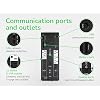
  • TEN PROTECTED OUTLETS: Power your entire setup with 5 battery backup outlets for essential devices, plus 5 surge-only outlets for peripherals-plus built-in coaxial and Ethernet surge protection for added peace of mind
  • AUTOMATIC VOLTAGE REGULATION (AVR): Corrects low voltage brownouts (88V+) and surges (+/-13%) without draining battery-boosts or trims to stable 120V. Extends runtime for blackouts; Active PFC compatible for gaming PCs

Description

This APC battery back up power supply offers guaranteed power and surge protection for wireless networks, computers, and other electronics in your home or business. Backup battery power supply is designed for use during outages and unsafe voltage fluctuations, and provides surge protector with battery backup in the event of damaging power surges and spikes. The APC Back- UPS PRO series of Uninterruptible Power Supply are the perfect battery backup for computer, external harddrive and routers to protect your data and keep you connected. This APC 1500VA UPS offers AVR, is active PFC compatible, and has a User-replaceable battery to prolong the life of your UPS by APC.

Brand: APC


Battery Cell Composition: Lead Acid


Product Dimensions: 15"D x 4.4"W x 11.9"H


Voltage: 120 volts


Color: Black


Voltage: 120 volts


Amperage: 6


Battery Charge Time: 8 hours


Form Factor: Tower


Input Voltage: 120 volts


Maximum Power: 1200 watts


Surge Protection Rating: 354 Joules


Output Voltage: 120 volts


Power Plug Type: Type B - 3 pin (North American)


Connector Type: NEMA 5-15R


Number of Outlets: 10


Output Wattage: 865 watts


Wattage: 865 watts


Frequency Range: 50 Hz or 60 Hz


Runtime: 3 minutes


Specification Met: Energy Star


Item Dimensions D x W x H: 15"D x 4.4"W x 11.9"H


Item Weight: 21 pounds


Item Dimensions: 15 x 4.4 x 11.9 inches


Battery Cell Type: Lead Acid


Enclosure Material: Information Not Available


Color: Black


Brand: APC


Model Number: BR1500G


UPC: 731304268772


Manufacturer: APC


Unit Count: 1 Count


Global Trade Identification Number: 72


Built-In Media: CD with Software, USB Cable, User Manual


Item Part Number: BR1500G


Mfr Part Number: BR1500G


Warranty Description: 3 years


Frequently asked questions

If you place your order now, the estimated arrival date for this product is: Tuesday, Aug 25

Yes, absolutely! You may return this product for a full refund within 30 days of receiving it.

To initiate a return, please visit our Returns Center.

View our full returns policy here.

  • Klarna Financing
  • Affirm Pay in 4
  • Affirm Financing
  • Afterpay Financing
  • Zip Pay in 4
  • Financing through Apple Pay
  • Financing through Google Pay
Leasing options through Acima may also be available during checkout.

Learn more about financing & leasing here.

Top Amazon Reviews


  • UPS is good as is the software and APC service
Size: BR1500G
I've owned one BR1500G for a few years and just bought a second one for another computer. The first one was bought directly from APC, as an upgrade, were the price included return shipping for disposal of the old unit. There was a significant software problem with that BR1500G. The computer thought the UPS was a battery as in laptop battery and Windows XP tried to manage the unit quite incorrectly. The problem was that the APC-supplied software needed to be installed BEFORE the battery control was connected to the computer via a USB cable. The kicker was that APC directions said to do things in the opposite order. This led to multiple telephone conversations with APC support to first return the computer to standard power management and second to properly install the control software. I want to report that the support was knowledgeable and outstanding. Once the battery was properly hooked up to the computer and the software properly installed I was quite impressed by the total setup. That software (a minor version earlier than their current software) does several good things: 1) periodic self-test of the battery, 2) gives good and coherent options to mange problem power, 3) uses hibernate to shut down the computer in emergencies even on non-laptop machines, and 4) can remove/restore power to equipment when the computer suspends itself/wakes up. I was happy enough with the APC hardware and software to order a second BR1500G when it was time to replace another UPS. The software installation problems have disappeared and bringing up the second system took a total of ten minutes; the battery was shipped here charged. This UPS actually provides five functionally different sets of plugs: 1) the main component, i.e., your computer, is the sole user in the first set - the battery "knows" when it is powered up versus suspended of powered down - and power is supplied with battery backup; 2) there is a second set of components that are supplied with battery backup that are powered up when your computer is powered/woken up and powered down when your computer goes to sleep/is powered down; 3) another set of component are supplied with battery backup power independent of whether your computer is powered or not; 4) this set is powered or not as the computer but only enjoys surge protection, not battery backup; 5) this set is always powered but enjoys only surge protection, not battery backup. There is only one plug for set 1 and one plug for set 2. If you want to put more than one component in set 2 (don't think about more than one in set 1), use a splitter cable. This is a great arrangement to manage power sensibly. My computers go to sleep (S3 suspend) when not used for a while and proper usage of the plug sets can save the price of the BR1500G in about a year! (By my back of the envelope computations.) Here are some examples of components that would properly be plugged in to each plug set: 1) your computer, 2) the monitor on that computer, 3) your network router - the network shouldn't be cutoff just because one computer is off, 4) a printer connected directly to your computer, and 5) a printer on your LAN. The hardware works; the software has some very good control features and some very informative sub-applications. I've now been using at least one BR1500G for several years and am delighted. All in all, I've been using multiple APC products for a decade or more (as well as trying competitors products) and have been very satisfied. A few new capabilities have been added in APC's latest products that are good for me, e.g., the plug sets and better energy/green tracking. Finally, when I had a problem, APC support was there and competent. ... show more
Reviewed in the United States on November 27, 2012 by Dragoneer

  • Works well with my imac and other gear, not loud at all imho!
Size: BR1500G
Have used APC for well over a decade and though I have tried others, I seem to keep coming back to APC. Solid, reliable, expensive (unfortunately), but well wirth the price. My config is a 27" imac (late 2011 vintage), pair of Lacie 2 TB Firewire 800 drives, a few other varied items. Not a heave load for the likes of this size of UPS. I saw the display saying I had an estimated 120 mins of run time on battery, so I decided to test it. BTW, you can silence the alarm when it is running on battery. I pulled the ups power plug and was shocked to see that that the run time estimate wasn't falling faster than real time, so their estimate appeared like it might actually be real. Then I let it go and decided to check in on it periodically. When I cam back 30 mins later, the estimated time was up to like 188 mins? What? how did that happen? So I looked over at my imac and realized it had gone into sleep mode (it is set to do that after 20 mins in power management on the imac), so the power draw fell and hence the run time estimate went up. Ugg, I wasn't going to wait 3 hours to see how accurate the time estimate was so I decided to increase the load. I plugged in my Canon MX850 into the UPS, put unless it is printing it doesn't draw much either. So I put in a dvd and let it roll at full brightness. All that finally got the runtime down to about 90 mins. I came back after 75 or so mins to see if it was still on track to shut down in about 15 mins and it was. I let it go down to about 4 mins and then I shut down the imac and kept cycling the power on the printer and the usb drives to cause them to keep drawing as much as possible. I finally got it down to about 1 min and thought great, I am close now. However the unit just kept going and going. I am sure it is because my load dropped so much that it the time estimate was to tough to get right. So after about 5 minutes of watching the 1 minute run time estimate stay on the ups, I decided to see if I could kill this zombie like undying ups, so I plugged in an 1800 hair dryer my wife uses. About 20 seconds of that finally killed the 1 minute of life. In summary, I am impresses, very impressed. As long as the load on the ups stays relatively consistent, the time estimate is very good. All my gear ran happilly on the battery power and the unit is quiet while idle, relatively quiet while on battery and quiet while charging. The only minor complaint (and it is minor) is that they don;t have powerchute software for the mac os x. This isn't a big thing since the mac will and does (in my case) talk with the ups and has its own built in battery management settings, but I would have hoped APC would have realized that not all their customer base uses Windows. Powerchute is a cool program and I would use it if it worked with Lion. ... show more
Reviewed in the United States on July 3, 2012 by J Z

  • BR1500G Pro w/active PFC power supply
Size: BR1500G
The APC/Schneider Electric UPS arrived quickly and was packaged well. It replaced an APC Back-ups ES 725 that was 7 years old and whose batteries recently failed. When I purchased this new UPS I did not know about the issue of running this simulated sine wave UPS with an active PFC (power factor correction) power supply. I have an Antec model CP-850 power supply which I have had for 18 months. My old APC back-ups ES725 ran this fine through the various short term black outs and electrical noise events we experience so I simply figured a similar and newer UPS would also work...and it has worked for me. However, I ran across comments about possible incompatibility issues with active PFC power supplies and simulated sine wave UPS systems like the BR1500G Pro after I had ordered the unit. This issue is not covered in the documentation of the UPS but both APC/Schneider and Antec advise that there could be compatibilty issues. The fact that there has not been a problem on my system I view as fortuitous but I would advise to buy a UPS that is advertised as compatible with an active PFC if you want to be sure that you won't have issues. I have exchanged many E-mails with APC/Schneider over this simply to better understand the potential issues. It is not clear to APC/Schneider why it has not been a problem for me but speculation has been that the power draw from the Antec CP-850 is well below the capacity of the BR1500G. APC/Schnider had also said that the transfer time of 8ms for the UPS may not be fast enough for a system with active PFC and I don't doubt this but it has worked so far. I have had 4 blackouts and 3 electrical noise events in the 2 months I have had the UPS and have not had a problem. I have also simulated blackouts on 2 occasions by turning off the circuit breaker to the UPS and it has sustained my computer system perfectly. One nuisance problem I have had is that when the UPS runs its own autotest every 2 weeks through its software (PowerChute), it fails and says the battery is bad. But if I then run the manual test through PowerChute, it runs fine and shows the battery is good. Unfortunately, APC/Schnider says that there is no way to deactivate the autotest so I have to either run the manual test every 2 weeks before the autotest is due to run or wait for the autotest to run and tell me through its beeping that I have a bad battery and then run the manual test. I have wondered if the bad battery problem that some reviewers have reported with their new UPS is somehow related to the problem I have seen with the autotest running on an active PFC. When I first started the UPS it ran an autotest and it failed and indicated a bad battery. Running a manual test showed a good battery. The UPS runs an autotest whenever it is turned on or every 2 weeks if it is not turned off for that period of time. I never turn the UPS off. While I cannot be sure of this, I do wonder if the autotest protocol is somehow incompatible with the UPS supporting a power supply with an active PFC. But again, running the test manually works and simulating a blackout demonstrates that the system works. But to be clear, I would not have taken the chance with using this UPS with an active PFC power supply. Instead I would have bought the APC Smart UPS. You may wonder why I gave this 5 stars. APC/Schneider support staff have been very responsive to my questions even if their E-mails are in a version of English that makes communication sometimes difficult. But they follow-up and they persist until we understand each other. While I would have like some clear specifications on the unit and its advertising that stated that this system was not designed for a power supply with active PFC, it has worked fine in real world tests. While the autotest doesn't work I have worked around that and the system does run quietly under normal conditions. The fan noise when it is running on batteries is not nearly as bad as what I expected based on what I have heard others complain about. It may be that this issue has been corrected. In summary, I have been learning to lower my expectations in a lot of ways and so I am happier with things that would have irritated me previously. ... show more
Reviewed in the United States on February 10, 2013 by Aragon

  • Top grade UPS system no problem after years of use.. I love it
Size: BR1500G
This is my second 1500G+external battery pack setup I have bought. My first one I've had for about 4 years and I use it to backup my dsl modem, VoIP Vonage box, phone, a switch and Unifi pro AP. With the external battery I get over 4 hours of internet,analog DVR & 8 cameras, phone, cell phone charging, and web browsing via cell or laptop. Load is under 9% during the day, it jumps up a bit to around 15% after dark when the cameras switch to IR night vision. I just ordered a second set for my office where it will back up a Synology NAS, 2 POE switches, modem, AP, and 10-15 POE cameras, and a Vista 20p alarm panel. I haven't had the slightest issue in the time I've had the original set, I looked into the newer models and although they had some nice features like improved sine wave and data port connectivity but the lack of the external battery port is what made my decision, I'm going to try to make my own external pack with a couple 100ah solar deep cycle batteries with my original setup since its getting old and it's not a big deal about warranty. I haven't done the power consumption calls for my new setup but I'm expecting it to be fine. The 1500G is a super solid reliable unit and it has kept me online & with phone through even the longest outages (not more than 2 hrs, usually less) Also I have a ATS and 20kw generator at my office so the ups is mainly for power conditioning and holding over for the 30sec or so while the generator kicks in. I'll update if any of this doesn't go as planned. ... show more
Reviewed in the United States on February 22, 2019 by J C

  • works with my Active PFC PSU
Size: BR1500G
2017.07.28 update: Still works great! Have gone through many power outages and probably 2 brownouts without a single surprise, it just works! -------- 2016.12.08 initial review: First of all I want to leave a note that I am using the BR1500G for a computer with a Corsair AX850 PSU that has active PFC and can confirm that the BR1500G works fine. When i unplug the BR1500G from the AC wall outlet the computer, monitor, and stereo receiver continue to run off the battery. from Corsair's AX850 product page: Active Power Factor Correction (PFC) with PF value of 0.99 PROS: I've only had the UPS for about 48 hours, no issues yet and way too soon to give an accurate review. I expect to have very few or ZERO issues given my history with using APC units for PCs at work and home since 2001 or so. I really like the LCD display showing the power levels and stats, as well as the ability to turn it off. CONS: No USB charging ports on the front of the unit like a competitor's unit has but this wasn't enough to push me away from APC this time. It's probably the plastic housing of this new black style that makes the BR1500G feel cheaper than the old beige models and there was some cosmetic damage when the BR1500G arrived with 2 broken fins on the battery cover. None of the shipping boxes nor packing materials show any signs of damage or mishandling. The rubber buttons on the unit... the power button got stuck down under the plastic housing the first time i pressed it in. MISC: The power plug is a flat style such that the cable goes down (vertically) and to the right (less likely to block an adjacent outlet) rather than the older/usual style where the cord comes straight out from the plug (horzontally) and then curves down due to gravity. This is probably a pro but i don't have much of a preference here honestly since I never had an issue with the old style of power plug. This BR1500G replaces an older BR1500 (refurbished, beige, no LCD) model that I had purchased at a local retailer. The refurbished model lasted about 2 months before it developed a problem and I'll probably never go with a refurbished UPS ever again. I also have 2 really old APC BX1000 units - again the old beige models. Both of these old units have been in service 24/7 for over 10 years! One of the old BX1000 units developed a problem in October 2016 and has been retired. I have pretty dodgy power in my apartment building and the power flickers an average of once a month over the course of a year on top of the uncommon outages and more rare brownouts. ... show more
Reviewed in the United States on December 18, 2016 by videosean

  • So far, so good
Size: BR1500G
I bought this unit for a home office just a couple of weeks before Hurricane Sandy hit the East Coast. We didn't suffer any power outages, fortunately, but there were a few hiccups in the power that would have done a number on the electronics, but luckily the APC was up and running and protected the system. There's not much else to say about it so far; I just plugged it in to the wall, plugged in my devices, and we were up and running. It has all kinds of power management features if you want to use them. Eventually I will probably run a USB cable to the PC, which runs Linux, and install the apcupsd package to receive status information from the UPS as I have at work, but honestly to me such features are just a bit of fluff compared to the serious job of protecting the hardware. The main thing that would be considered an essential feature is to configure the software to shut down the PC during an extended outage, but since I work from home and I'm almost always around, I haven't felt the need. For those who need their systems up and running while they're away for extended times, this feature is necessary and they should definitely set it up. It's a heavy unit, and has a clearly lit LCD status display on the front, an alarm sound on/off button, and an ample instruction sheet. This is the nicest small-office UPS I've used yet. I wouldn't rely on it for more than a 10-15 minute outage, but it's nice to know that the equipment is protected for that amount of power glitch. FOLLOWUP: In late December 2012, we had a power outage and the UPS kicked in. The alarm beep can be silenced by pressing a button. The display indicates time remaining on battery; for my system (a PC and LCD monitor) it indicated about an hour. I shut down the PC right away, but probably could have left it running because power came back on in about 15 minutes. The UPS did its job perfectly and I remain pleased! ... show more
Reviewed in the United States on December 8, 2012 by Joe Tairei

  • APC claims this UPS is not compatible with Home Theatre applications
Size: BR1500G
This product may work, but not for the application it was bought for. A little background. I have used UPS systems extensively both personally and professionally, everything from small units to condition power for my home computer, to multiple large enterprise units to keep a broadcast TV studio running until the backup generator kicks in. The vast majority of the UPS's I have used were manufactured by APC and I have been extremely pleased with their quality and longevity. I have recommended APC products to others and have made the effort to seek them out for my personal use. If the Back-UPS BR1500G is an indicator of how far they have slipped in their quality, it is time to find a new prefered vendor. When I ordered the Back-UPS BR1500G I did so based on the following in the product description: The Back-UPS BR1500G offers guaranteed battery backup and surge protection for high performance computer systems, networks, external storage devices, game consoles and other electronics. When I installed the UPS in my Home Theatre system it worked fine for about an hour, then intermittently when the Home Theatre was on it would kick into battery power and a high speed fan noise would emanate from the unit. This fan noise was LOUD, louder than the fans on my DLP projection TV. It sounded like a small aircraft trying to take off. When the TV was shut off, the load removed, the UPS went back to quiet mode. I called APC to troubleshoot the issue and the nice lady at Customer Support informed me that this model was designed perfectly for computer applications. She repeated this mantra many times over our conversation, "designed perfectly for computer applications." We went through the various troubleshooting steps and verified that the input and output voltages were correct, the load was fine (less than 36% of capacity) the battery was charged. Finally she said that this UPS was not designed to supply power to a home theatre system. That is why it was kicking into battery mode at random intervals. Now I am not a electrical engineer, but power is power, and supplying power to a TV, or any other electronic device should not cause a UPS to fail over into battery mode. If it does, that is either poor design or poor manufacturing, period. The product description does not mention the words Home Theatre or Home Entertainment Center, so perhaps I should have not bought this product. However IF as APC claims, this product does not work with TVs or other home entertainment electronics, that should be noted in the product description, preferably in bold letters so others do not make the assumption that when reading "The Back-UPS BR1500G offers guaranteed battery backup and surge protection for high performance computer systems, networks, external storage devices, game consoles and other electronics," the other electronics would include home theatre items or TVs. I will be looking for another device to backup power to my home theatre, it will not be from APC. ... show more
Reviewed in the United States on June 22, 2015 by JDMIV

  • Fan noise is silent, run time is long.
Size: BR1500G
Like many, I was hesitant to buy this because I read about the fan noise problem. Let me say that I am rather particular about fan noise. I've replaced power supplies with quieter Zalman power supplies on past computers. As well as bought quieter aftermarket 60 mm and 80 mm fans for CPU and computer case cooling respectively. Before I bought the BR1500G, I was expecting the fan to run for 3 hours upon initial plug in and then be silent for the rest of the time. Much to my surprise, I plugged the UPS into the wall and heard nothing. It came about 90% charged. So I plugged in a 60 watt incandescent light bulb and unplugged the UPS from the wall. At this point, the fan turned on (running on battery). I then plugged in my large Vornado 750 fan and adjusted the (variable) fan speed. At lowest fan speed, the Vornado uses 30 watts. At full speed, it uses 100 watts. Add in the lamp and you've got 90 watts to 160 watts of power being run off the battery. The UPS fan noise goes up and down depending on load. It's rather neat to watch the watts used or estimated run time left go up and down depending on where I set the Vornado fan speed at. I bought the BR1500G for two reasons. 1) Hook up to my desktop computer. 2) Use for power outages as well as hurricanes. I went through Hurricane Ike here in Houston and used my portable power pack that I normally keep in my car to run a lamp, Vornado fan, and my alarm clock radio (to listen to news updates during Ike's power outage). The good news is that the BR1500G has a long run time. Max run time with nothing plugged in is 262 minutes. The BR models allow you to hook up an external add on battery too if you want. The identical looking BX models do not allow this. I haven't purchased the add on battery pack. But getting back to that fan noise. What fan noise??? is all I can say. The second I plugged it into the wall, it went silent. I've tried unplugging it with my computer tower, monitor, speakers/subwoofer, lamp, and printer all turned on. And running the battery down to about 20% capacity left. The fan does run when it's on battery mode. But the split second I plug it back in (even at 20% capacity left), the fan shuts off. Maybe it's a factor of the fan turns on when you're over 75% load and plugged into the wall. I don't know. My computer/monitor/speakers/printer all turned on use 60 watts (or 6-7% load according to the UPS). That's everything on and nothing in sleep mode. With the hard drives powered down, it's 50 watts. When booting Windows, it goes up to about 120 watts. Adding the lamp by my computer desk (a 17 watt LED, not the 60 watt incandescent mentioned above) runs the total wattage from 60 watts up to around 75 watts. Much to my surprise, my Klipsch ProMedia 2.1 speakers consume less than 1 watt when powered on. Ditto the printer. I really like the "leaf" mode option that this has. Basically glorified "switched" outlets. Prior to this, I had to manually turn my speakers on/off. And the power switch on the Klipsch is on the back of the subwoofer near the bottom of it. It was a stretch. Now it's powered on/off whenever my computer tower is turned on/off. Some have commented that APC UPS's have low joule ratings. Their answer is listed here: [...] I like the cold start feature. As it allows me to move the UPS from my bedroom to the living room during power outages and turn on a lamp to read by. I like the mute option because my desktop computer is in the bedroom. Sensitivity choices are: 78-142 volts (generators) 88-139 volts (default, recommended for computers) 88-136 volts (high sensitivity) I don't see much difference between default and high sensitivity. So I switched the UPS to the high sensitivity mode. It has yet to need to switch to battery. Power here seems to run 120-123 volts all the time. When unplugging from the wall, the UPS outputs power at 112 volts (I'm guessing to save battery usage). The lamp dims slightly. My only question about the BR1500G is why does it have a hz option for the LCD screen? It says 60.0 hz all the time whether it's on wall power or battery power. ... show more
Reviewed in the United States on April 22, 2012 by Gordon Law

Can't find a product?

Find it on Amazon first, then paste the link below.
Checking for best price...