Search  for anything...

Anker USB C Hub with Ethernet, 8-in-1 Multiport Ethernet Adapter with 4K 60Hz HDMI Port, 85W Power Delivery, 10Gbps USB C and 2 A Data Ports, microSD SD Card Reader, for MacBook Pro/XPS/iPad and More

  • Based on 14,812 reviews
Condition: New
Checking for the best price...

Buy Now, Pay Later


As low as $8.33 / mo
  • – 6-month term
  • – No impact on credit
  • – Instant approval decision
  • – Secure and straightforward checkout

Ready to go? Add this product to your cart and select a plan during checkout.

Payment plans are offered through our trusted finance partners Klarna, Affirm, Afterpay, Apple Pay, and PayTomorrow. No-credit-needed leasing options through Acima may also be available at checkout.

Learn more about financing & leasing here.

Selected Option

Free shipping on this product

FREE 30-day refund/replacement

To qualify for a full refund, items must be returned in their original, unused condition. If an item is returned in a used, damaged, or materially different state, you may be granted a partial refund.

To initiate a return, please visit our Returns Center.

View our full returns policy here.


Availability: In Stock.
Fulfilled by Amazon

Arrives Thursday, Mar 12
Order within 22 hours and 42 minutes
Available payment plans shown during checkout

Protection Plan Protect Your Purchase
Checking for protection plans...

Style: 8-in-1【4K@60Hz】


Features

  • Flawless 4K Video via HDMI: Enjoy crystal-clear visuals with 4K@60Hz output when using a DP 1.4 laptop, or 4K@30Hz with a DP 1.2 laptopperfect for high-definition presentations and entertainment. (Note: Only the HDMI port supports video output. The USB-C port is for data transfer only.)
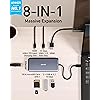
  • Massive Expansion: Equipped with a USB-C Power Delivery input port, a built-in 7.48 USB-C cable, a USB-C data port, 2 USB-A data ports, 1 HDMI port, an Ethernet port, and a microSD/SD card reader, giving you an incredible range of functionsall from a single USB-C port.
  • High-Speed, High-Def: USB-C and USB-A data ports provide file transfer at speeds up to 10 Gbps, while an HDMI port supports media display at resolutions up to 4K@60Hz for DP 1.4 laptops, or 4K@30Hz for DP 1.2 laptops.
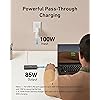
  • Powerful Pass-Through Charging: Compatible with USB-C Power Delivery to provide high-speed pass-through charging up to 85W.
  • Note: The hub requires 15W for operation. Please use a 100W Power Delivery charger and cable to ensure adequate power.
  • Compatibility: Supports USB-C, USB4, and Thunderbolt connections. Compatible with MacBook (macOS 12 and newer), Windows 10 and 11, ChromeOS, and laptops equipped with DP Alt Mode and Power Delivery. Note: This device is not compatible with Linux.
  • What You Get: Anker 555 USB-C Hub (8-in-1) / PowerExpand 8-in-1 USB-C PD 10Gbps Data Hub, welcome guide, our worry-free 18-month warranty, and friendly customer service.

Brand: Anker


Color: Gray


Hardware Interface: Ethernet


Special Feature: Fast Data Transfer, HDMI™️, Heat Resistant, Portable, Powered


Compatible Devices: Laptops, Macbook Air, Smartphones, Tablets


Product Dimensions: 4.76 x 2.17 x 0.6 inches


Item Weight: 4.5 ounces


Item model number: A83830A1


Date First Available: April 27, 2020


Manufacturer: Anker


Frequently asked questions

If you place your order now, the estimated arrival date for this product is: Thursday, Mar 12

Yes, absolutely! You may return this product for a full refund within 30 days of receiving it.

To initiate a return, please visit our Returns Center.

View our full returns policy here.

  • Klarna Financing
  • Affirm Pay in 4
  • Affirm Financing
  • Afterpay Financing
  • PayTomorrow Financing
  • Financing through Apple Pay
Leasing options through Acima may also be available during checkout.

Learn more about financing & leasing here.

Top Amazon Reviews


  • Great 10gbps USB-C Hub, worked with Anker support through compat issues with PD4 iteration 1
Style: 8-in-1【4K@60Hz】
Original Review (updates below): ----- The moment I noticed this thing on Amazon, I bought it and it literally just arrived. Finally, 4K60 over just USB-C with other ports (including making up to 10Gbps available to them) for a reasonable price. Unfortunately, the first two things I've done with it were both disappointing. I'll cut to the chase, the power delivery pass through isn't working with one of their own chargers. The first device I tried connecting this with is my Anker PD4 with one USB-C cable as the only thing plugged into it so I can test the truly up to 100W (-15 for its own power) claims. I've tried connecting it with Apple's 2m USB-C charge cable (100w capable) and an equivalent CableMatters cable that also supports 100W. When plugged directly into my laptop, both of these cables immediately start charging it and show up as 100W power sources. When this Anker hub is plugged in and either of them is connected to the power delivery port on the side of it, the laptop does not charge (laptop is a 16" Macbook Pro, I've tried multiple ports just for the heck of it). My second complaint is that when absolutely nothing is plugged into it, it becomes fairly warm to the touch. Why, when it's doing nothing, is it hot? I'm clearly not running data or even power through it so I have low hopes for it under load. The fact that it doesn't work in exactly the scenario they want it to most (a MacBook Pro with one of their own chargers) seems like a pretty big fail. I've got lots of USB-C things though so I thought I'd grab a couple and try those. Using an Apple 96W USB-C charger, the device does pass through power delivery properly. It shows up as providing 79W to the laptop (siphoning off 17W in this instance). I also have a 56W Aukey charger that splits power between a USB-A port and a USB-C port that can provide 45W of power delivery. When plugged into that charger it does appear to work as well and appears in macOS as a 30W power source. Maybe the problem is the Anker PD4? But it works fine providing power to the laptop directly. Would love to hear from Anker about these two products working together and what I should actually expect. Having it be unreliable for power delivery isn't great, but power and heat aside (it is getting a little bit warmer now that it's providing power from the Apple power adapter, but still definitely holdable), the hardware looks and feels good and the cable feels durable. Worth also noting that there's a white LED ring on the side of it that appears to be always on when it's plugged in. Don't know why it needs an LED. ----- Update, June 22, 2020: I've done some more testing and Anker has reached out to me to investigate what might be the issue. I can say that the hub works as I would expect from a quick test with my iPad Pro 11" with the above functioning chargers. It was able to pass through power with the 96W Apple Charger on the other end to both the iPad port as well as a Magic Keyboard port. The ethernet adapter showed up in iOS settings and an external drive was functional. When connected via the Magic Keyboard, which is a power only connection, as expected it provided only power. Still no power passthrough of any kind when connected to the PD4. ----- Update July 1, 2020: I've written back and forth with Anker and they've sent me a replacement hub. It also doesn't work with the PD4. I've tried multiple USB-C cables but they have also shipped a cable to test with it. For now I'm increasing the review from 2 to 3 stars because I am more and more suspicious about the PD4 and less about this hub. They claim that they have tested the setup I have separately without issue, and I've sent video showing the problems I've encountered, so the troubleshooting is ongoing. Have had a chance to use Ethernet on it without issue. Still need to try to test out its throughput when trying to use a 10Gbps USB-C enclosure and a 4K60 monitor at the same time (+ ethernet). More updates to come. ----- Update July 10, 2020: I've continued to talk with Anker support and they shipped me a replacement PD4. The one I had was labeled as "Iteration 1" on its barcode, the one I got back was labeled "Iteration 2". I tested it out and it works perfectly with this hub, passing through the correct amount of power to multiple Macbook Pros and fast charging an iPad Pro. Clearly the fault doesn't lie with this hub and is instead an issue with the first iteration PD4, so I'm updating my review accordingly. Working with Anker support was great. I've also been able to test USB-C throughput (without driving a display as well so far) and it properly utilizes 10Gbps. I've attached some extra images showing various devices connected to it (keyboard dongle, SD card, USB-C 10Gbps external SSD enclosure, USB sound card, ethernet). ... show more
Reviewed in the United States on June 19, 2020 by Aaron Aaron

  • Easy and reliable
Style: 8-in-1【4K@60Hz】
This is a great hub. I can use 2 external monitors, use USB drives, and also have a wired connection to my network and internet for better speeds. It was so simple to connect everything.
Reviewed in the United States on February 26, 2026 by Chuck K

  • I use its many ports almost every day.
Style: 8-in-1【4K@60Hz】
If it's Anker, it's quality, we default to Anker for our cord and adapter and charger and battery needs. Its port capacity fills my needs. It fits in my workspace. It makes it easy to add other cables to my laptop. It has never failed on me. If Anker makes it, is probably the best, yet affordable.
Reviewed in the United States on February 21, 2026 by David Daniels

  • Handy Little Tool Does Require Power Supply for all port functions.
Style: 8-in-1【4K@60Hz】
Great Device! Hub works well in Dell Laptops, HP Laptops, and Apple computers. Hub must be powered by the computers charger for use. Monitor display port will not work without it. Could be made better to be able to use it entirely without the additional Power supply requirement. If your computer requires more than 85W of power, it will not effectively charge your computer and work at the same time. Your computer may go into a lower Power mode to offset the Wattage difference. For example My MacBook Pro will not Charge effectively since it requires a larger Charger. ... show more
Reviewed in the United States on January 9, 2026 by Jon

  • Almost perfect, could use one more USB-C Gen 2 port and a metal case instead of plastic.
Style: 8-in-1【4K@60Hz】
Never really had any problems with Anker gear, I've come to trust the brand name. This little hub is almost perfect for use with my 2019 MacBook Pro, but where Anker really dropped the ball is by not adding one more USB-C port. I mean, there's two, but if one is dedicated to power devices only that doesn't really leave much room for expansion by only giving you one extra, I mean they were thoughtful enough to give you two USB-A ports. I do like that the USB-C and two USB-A ports are version 3.2 Gen 2 rated for up to 10Gbps transfer speeds versus Gen 1 at 5Gbps. The plastic casing does get hot, not sure if aluminum metal would be any better, but it would feel nicer, plastic just feels cheap. Also, a dark case with dark letter printing doesn't work because you can't see the writing, should have used lighter letter coloring. Otherwise, solid performer. I'll keep it along with my other one because having two hubs with a laptop is convenient so I don't have to always haul a hub around from place to place. PROS: • 1 USB-C port version 3.2 Gen 2 rated up to 10Gbps. • 2 USB-A ports version 3.2 Gen 2 rated up to 10Gbps. • Also includes, HDMI, Ethernet, SD and micro SD card ports. CONS: • Plastic casing, gets hot. • Should have one more USB-C port. • Port description lettering is too dark, gets lost against dark case color, should have used white or silver lettering instead. • No audio port. ... show more
Reviewed in the United States on May 7, 2024 by SamCat

Can't find a product?

Find it on Amazon first, then paste the link below.
Checking for best price...