




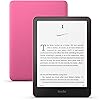
Amazon Kindle Paperwhite 16GB (2024 model) – 7" glare-free display and weeks of battery life – Raspberry
Condition: New



Buy Now, Pay Later
As low as
$33.33
/ mo
Learn more
- – 6-month term
- – No impact on credit to apply
- – Instant approval decision
- – Secure and straightforward checkout
Ready to go? Add this product to your cart and select a plan during checkout.
Payment plans are offered through our trusted finance partners Klarna, Affirm, Afterpay, Zip, Apple Pay, and Google Pay. No-credit-needed leasing options through Acima may also be available at checkout.
Learn more about financing & leasing here.
Selected Option
Free shipping on this product
30-day returns
Learn more
FREE 30-day refund/replacement
To qualify for a full refund, items must be returned in their original, unused condition. If an item is returned in a used, damaged, or materially different state, you may be granted a partial refund.
To initiate a return, please visit our Returns Center.
View our full returns policy here.
Availability:
Only 5 left in stock, order soon!
Arrives
Saturday, Oct 24
Recently Viewed



Color: Raspberry
Option: Without Kindle Unlimited
Offer Type: Ad-supported
Features
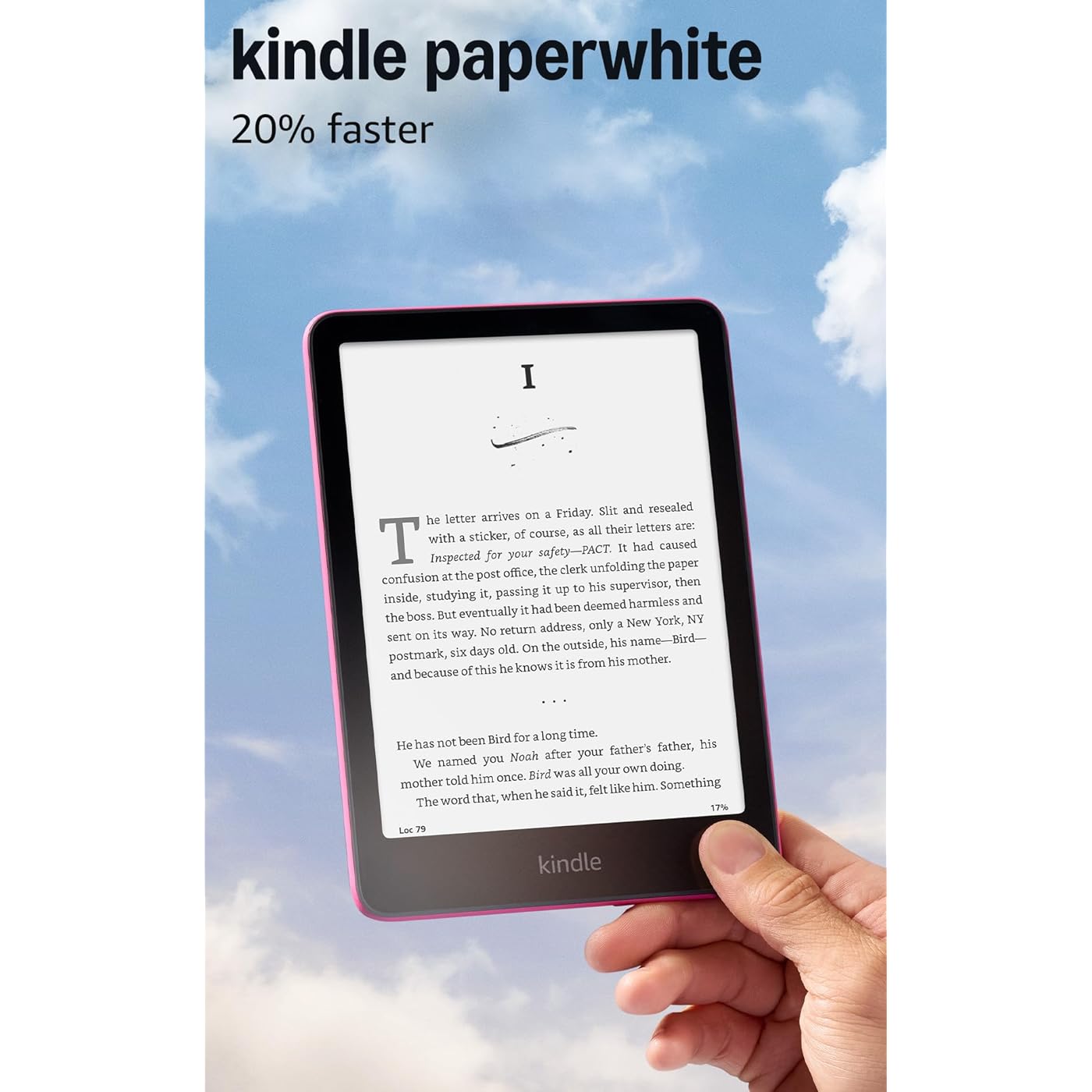
- Our fastest Kindle Paperwhite ever The next-generation 7 Paperwhite display has a higher contrast ratio and 25% faster page turns.
- Ready for travel The ultra-thin design has a larger glare-free screen so pages stay sharp no matter where you are.
- Escape into your books Your Kindle doesnt have social media, notifications, or other distracting apps.
- Battery life for your longest novel A single charge via USB-C lasts up to 12 weeks.
- Read in any light Adjust the display from white to amber to read in bright sunlight or in the dark.
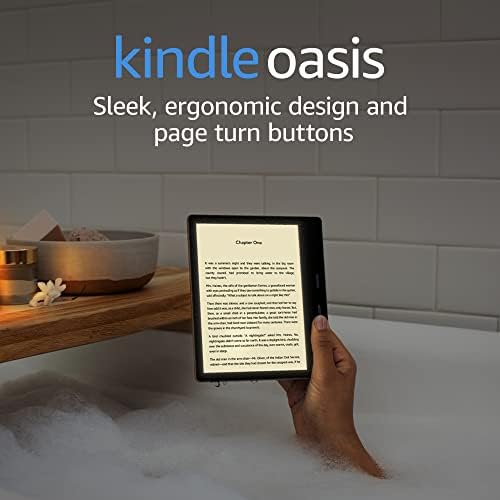
- Waterproof and worry-free Take your stories by the pool, in the bath, or anywhere in between.
- Massive selection Instantly access over 15 million titles in the Kindle Store worldwide, and add a Kindle Unlimited subscription for all-you-can read access to a catalog including best sellers.
Frequently asked questions
If you place your order now, the estimated arrival date for this product is:
Saturday, Oct 24
Yes, absolutely! You may return this product for a full refund within 30 days of receiving it.
To initiate a return, please visit our Returns Center.
View our full returns policy here.
To initiate a return, please visit our Returns Center.
View our full returns policy here.
- Klarna Financing
- Affirm Pay in 4
- Affirm Financing
- Afterpay Financing
- Zip Pay in 4
- Financing through Apple Pay
- Financing through Google Pay
Learn more about financing & leasing here.



Top Amazon Reviews
Color: Raspberry
Option: With 3 months of Kindle Unlimited
Offer Type: Ad-supported
I've had a Kindle Fire for years now and kept buying a new version when the old ones would give out. They seemed to not hold up super well (the Fire) but they are the cheapest Kindle option. Finally decided, since I wasn't really using the tablet feature of the Fire, to go with a Paperwhite instead and the difference has been very noticeable. The Paperwhite is definitely the better quality Kindle - more durable, not nearly as heavy as the Fire, which makes it much easier to carry around or hold for long periods of time. I got a Pop Socket for the back of mine and it's even easier to hold, especially when you've got an infant contact napping on you and only have one hand to use. The readability is great - it doesn't glitch out (so far) like the Fire often does. The backlight is great - I read with it in bed quite often and have no issues seeing the screen. The size is perfect - closer to a traditional paperback and very lightweight. The only issues with functionality would be that it does not support any apps, like Libby, but it's easy enough to download books from Libby using my phone, so that's not a big deal. Overall, I'm very happy with the Paperweight and wish I would have skipped the Fire altogether. For the price, I think the Paperwhite is probably the best option for what it does. The battery life is amazing on the Paperwhite - I usually only have to charge it once every 3-4 weeks with casual reading. The Color Soft option would also be nice, but I don't think it's necessarily worth the price increase, unless having color options is extremely important to you. Overall, a great option for someone just looking for a nice e-reader.
...
show more
Reviewed in the United States on August 4, 2026 by Ashley
Color: Jade
Option: Without Kindle Unlimited
Offer Type: Ad-supported
I absolutely love my Kindle Paperwhite! The screen is easy on the eyes and has that paper-like appearance that makes reading feel much more like reading an actual book than looking at a phone or tablet. The size is perfect for holding comfortably, and it’s so convenient being able to carry an entire library with me without having to pack multiple physical books. The 16GB of storage also gives plenty of room for keeping a large collection of books. It’s especially nice for reading in different lighting situations, and the battery lasts much longer than my phone would when I’m reading. If you love to read but want something convenient and portable, this is a fantastic device.
...
show more
Reviewed in the United States on August 17, 2026 by Haley
Color: Black
Option: Without Kindle Unlimited
Offer Type: Ad-supported
I received my Kindle PW (Paper White) 2024 yesterday! My Kindle History Up to Current: I was using the previous PW which I loved until losing it on a flight - so I dusted off my 2018 PW, popped on a new case and have been using it again for the past 2 years again. Initially I was holding out for the Colorsoft version. However, when it finally came out the reviews were mediocre to poor. The clincher against my buying the Colorsoft was reading that even in B&W mode, the resolution wasn't as crisp as the standard Kindle PW products. So given the choice between mediocre resolution + mediocre color vs excellent B&W I opted for the 2024 PW. From reading reviews on it across the spectrum here, I admit I had the return already prepared. However, my unit arrived in beautiful condition. Color: The chief thing I was looking for was the complaint regarding predominantly yellow screen with the bottom ‘yellower’ band. Not sure if these were faults with the earlier units. On mine, if I have warmth at 0 and the brightness turned up, the color while not being cool, is about as neutral as possible against physical paper. Dimming to 0 relying on ambient light exaggerates the warmth on the Kindle device especially in my place which uses 2700K warm white light sources. The uniformity on the page is perfect - I have not been able to create the darker color band on the lower screen that several reviewers have reported. I haven't yet taken it out into sunlight. I still find the page color at all spectrums is well within my comfort for reading as with paper books where there are also many variations of white color on the pages under different light sources. Resolution: Before ordering I researched the difference between eink and eink carta as my 2018 PW also has 300 ppi. I can't say there is a noticeable difference in the clarity between the 2018 and 2024 unless I look at it under magnifying glass side by side. The difference is nowhere near as detectable as when I upgraded from my 1st gen Kindle to the 2018 PW. In any case both are acceptable and the 2024 resolution is crisp and beautiful as I expected. EDIT: I finally used this at night in the dark with the brightness set at 8. During the day, the resolution to my naked eye looked about the same as my 2018 PW. At night though, the 2024 PW looks far neater and crisper than the older model, even though both are 300 points (the eink Carta difference at work) Performance: This area is where I could really feel the upgrade. I had no complaints on reading the 2018, but starting, inputting my pin or typing anything in the search area, there was noticeable lag that I was accustomed to since using my first Kindle device. The 2024 has almost no latency; if it does I have a hard time noticing it. Whether keying in my PIN or typing a search, it is now as instantly responsive as typing on my phone or tablet. The page turning is as crisp as advertised, and I’m enjoying the animation. Size, Weight, Etc . Form Factor - I'm still in love! Size - I loved the compact size of the 2018 - almost same as small paperback. While the 2024 is a hair larger, I know I'll acclimate with no problem. It's now about the same as a larger paperback - but much lighter in most cases. I also use it with the Cobak Jade color case - while I love the minimalism of the naked Kindle device, having the stand for me is a must rather than having to hold it. Of course, I remove the case when I want to use it in the hot tub. Power Button Location Jury is still out on this. I really wish they'd move the power button to the top. On all the Kindles I have owned over the years, I'm annoyed when I hold the unit (even with the case) my finger tends to brush the power button putting the unit to sleep while I'm reading! On this 2024 PW, I'm noticing that with the increased width and offset position of the button, this may be enough for me to avoid the problem as I typically hold the unit on the bottom dead center, so I'll reserve judgement until I have used the product more. Overall, while I could have used my 2018 a few more years, the improvements in the 2024 made upgrading completely worthwhile.
...
show more
Reviewed in the United States on February 12, 2025 by Antiochian
Color: Black
Option: Without Kindle Unlimited
Offer Type: Ad-supported
Really happy with the Paperwhite. The screen is easy on the eyes, it’s light enough to hold for a long time, and the battery lasts forever compared to a tablet. I also like being able to read at night without needing another light on. It’s just simple and convenient.
Reviewed in the United States on September 25, 2026 by Mavrick Grosscup
Color: Jade
Option: Without Kindle Unlimited
Offer Type: Ad-supported
I've owned several Kindles over the past 18–19 years, and that's saying something! Over the years I've tried the basic Kindle, but I always find myself coming back to the Kindle Paperwhite. The basic Kindle is a great device, but the Paperwhite's adjustable warm light is one of my favorite features. It makes reading much more comfortable, especially at night. I also love the larger screen. It's big enough to enhance the reading experience without feeling bulky, and I still take it with me everywhere I go. Storage has never been an issue for me. Even if your library grows, you can easily remove books from your device and download them again later whenever you want. Speaking of downloads, they're incredibly fast now compared to when the Kindle was first released. Being able to download books from almost anywhere is another huge improvement. There are so many e-readers available today, and I've looked into several of them. After doing my research, I can honestly say I don't see myself ever switching from Kindle. The e-ink display is one of the biggest reasons why—it looks and feels much more like reading a real book than reading on a traditional screen. The only Kindle I'm still tempted by is the Colorsoft. I'd love to have color book covers and the option to highlight passages in different colors, but I'm not sure those features justify the higher price for how I use my Kindle. If someone asked me which Kindle to buy, I'd recommend the Kindle Paperwhite every single time. It offers the best balance of features, comfort, and value. The only exception might be for younger children. In that case, I'd consider the Colorsoft because reading illustrated children's books in color would make the experience even more engaging. After nearly two decades of using Kindles, the Paperwhite remains my favorite, and it's the one I confidently recommend to anyone looking for an excellent e-reader.
...
show more
Reviewed in the United States on August 2, 2026 by Ann
Color: Black
Option: Without Kindle Unlimited
Offer Type: Ad-supported
I am very pleasantly impressed by this product. It is extremely portable, have a book-like feeling and most importantly, without distractions, hence functional. The simplicity of the product is actually what drew me toward it. It allows me to detach myself from the phone and all notifications, and have a more immersive reading. I would highly recommend the product. I have used Kindle before and it is very durable and the battery life is amazing. It has modes that are very reading-friendly. It can have a bit of technical glitches but that is rather rare.
...
show more
Reviewed in the United States on August 6, 2026 by SINJINI CHATTERJEE
Color: Black
Option: Without Kindle Unlimited
Offer Type: Ad-supported
Imagine holding a thousand books in your hand. Imagine wearing your jammies while getting that next book in your series, and starting into it a minute later. Imagine reading at night in bed without needing a lamp because your book is backlit (and the light doesn’t hurt your eyes). Imagine having your kindle read to you (even if you don’t have audiobooks) with text to speech while you drive or fold laundry. The 12th edition of the Kindle Paperwhite is a fabulous device and well-worth considering if you read a lot. It’s not too big, not heavy, waterproof, and easy to carry in your purse or backpack. Note that if you get a cover with it (highly recommended), when you open the cover the Kindle turns on automatically to the last page you were reading. With the cover open it feels like you’re holding a thin book -- or fold back the cover if you prefer. The Kindle E-reader is not a computer. It’s not a tablet or a phone. It is a gizmo that acts like a book with a black-and-white flat e-ink screen showing typed sentences and paragraphs. You turn pages one at a time, just like a book. There is no movement on the page and no distraction or advertisement*. It is just text, plus any images that the author has included to illustrate his book. *NOTE: The advertisements on the Kindle are on the main page not the individual book pages and just show books you might like. They are unobtrusive. The backlighting, unlike a computer, tablet, or phone, is gentle because the Kindle’s light is directed onto the screen, not into your eyes. You can change lighting level and add warmth (yellow lighting), decide on dark screen or light screen, and change the size of the print to make your reading experience “just the way you like it.” It’s super-simple to access your own ebooks or to find new ones either on your computer or directly on the Kindle. They load in less than a minute onto the Kindle, ready for reading. Keep in mind if you are a reader that ebooks tend to be half or less the price of the same books in print. You can even find FREE ebooks and audiobooks on Amazon and/or use the Libby app (libbyapp.com) to borrow LOCAL LIBRARY books. You may want to consider subscribing to Kindle Unlimited for $12/month so you can download an even wider selection of free ebooks, audiobooks, and magazines from Amazon to keep as long as you want. Can you tell I love my Kindle? I am wowed by having so many books so easily accessible — not like the time I took that 5-hour flight with one crummy poorly written book and nothing else to do. This 12th generation Kindle is fantastic. The battery lasts a long time. The screen is plenty sensitive for page turns and navigation. I go through one or two books a week easy with this little device. Ebooks have revolutionized the publishing industry, and if you are a reader, the Kindle may be exactly what you’re looking for. If you read many ebooks on your phone or a tablet, consider being kind to your eyes with a Kindle. If you are resisting because you aren’t sure you’ll like ebooks as well as print books, I say what the heck, the Kindle may be worth a try. It’s like driving a racing car rather than a horse and buggy. You might decide you love it. * NOTE: To enable TTS (text to speech) so that your kindle can read to you without audiobooks, turn on your wireless headphones or speaker. Then on your Kindle, tap the top of the screen, then hit the three dots on the right. Go to Settings. Hit Wi-Fi and Bluetooth, then Bluetooth Devices. Select your device so your Kindle will recognize it. Next, close the window and go back to Settings. Hit Accessibility, then turn on Voiceview screen reader. The Kindle should start talking to you. If it’s glitchy, just turn off your bluetooth device then turn it on again. Remember that you have to give double taps not single taps on the Kindle to navigate actions. If you want to change the volume or reading speed (I like 1.25x) just double tap on Voiceview screen to show and customize your settings.
...
show more
Reviewed in the United States on May 31, 2025 by Eclectic Reader
Color: Black
Option: Without Kindle Unlimited
Offer Type: Ad-supported
I’m a big reader (a PHYsical BOOK reader) and my husband bought my the Kindle Paperwhite as a gift. I am totally blown away surprised at how much I love this thing! I never thought I would enjoy an e-reader as much as this! The battery life is superb! I can read for hours a day and only charge up once a week. I also like reading outside and I am astounded at the screen in full sun. No glare, no eye squinting, it’s perfect. I did get the black and white version and while it may be nice to have a full color version of the book cover, it’s really not necessary unless you’re purchasing for graphic novels or kids books. It’s lightweight, easy to hold and fits in my hand nicely. The operations is great, but be aware this is not a regular tablet, no internet surfing. The home screen is the Kindle Library and I highly recommend having the Unlimited Subscription to go along with it
...
show more
Reviewed in the United States on August 4, 2026 by ABENTON