Search  for anything...

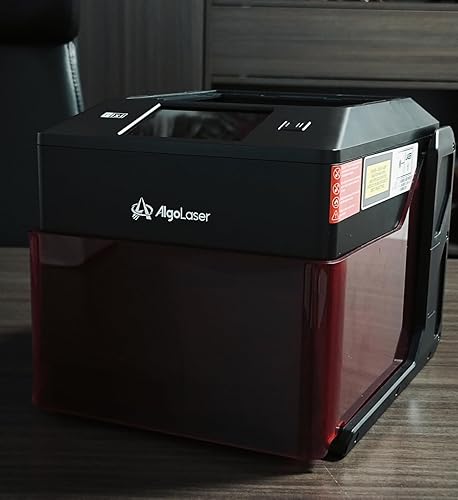
AlgoLaser 10W Portable Laser Engraver Machine: Smart Laser Engraver/Cutter with 3.5" Touchscreen & AlgoOS System - Hand Draw/Wireless Transmission/Offline - Laser Engraving for Wood,Metal,Glass

  • Based on 129 reviews
Condition: Used - Like New
Checking for the best price...
$270.44 Why this price?
Save $29.55 was $299.99

Buy Now, Pay Later


As low as $45.07 / mo
  • – 6-month term
  • – No impact on credit to apply
  • – Instant approval decision
  • – Secure and straightforward checkout

Ready to go? Add this product to your cart and select a plan during checkout.

Payment plans are offered through our trusted finance partners Klarna, Affirm, Afterpay, Zip, Apple Pay, and Google Pay. No-credit-needed leasing options through Acima may also be available at checkout.

Learn more about financing & leasing here.

Selected Option

Free shipping on this product

This item is eligible for return within 30 days of receipt

To qualify for a full refund, items must be returned in their original, unused condition. If an item is returned in a used, damaged, or materially different state, you may be granted a partial refund.

To initiate a return, please visit our Returns Center.

View our full returns policy here.


Availability: Only 1 left in stock, order soon!
Fulfilled by Amazon

Arrives Sunday, Jul 26
Order within 2 hours and 18 minutes
Available payment plans shown during checkout

Protection Plan Protect Your Purchase
Checking for protection plans...

Color: Deep Black


Features

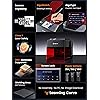
  • Smart Laser Engraving with No Technical Barriers Bring your ideas to life with the AlgoLaser Pixi 10w Laser Engraver Machine, powered by the advanced AlgoOS systemno computer or complicated setup required. Simply draw, write, or upload your designs directly on the intuitive touchscreen and start engraving instantly. This Smart Laser Engraver is perfect for small businesses customizing leather goods, logos, gifts, or home projects.
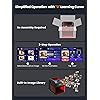
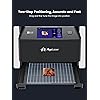
  • Unleash Your Creativity with Laser Engraver Anywhere/Anytime Pixi patented AlgoSketch captures hand-drawn artwork, while AlgoType produces crisp, professional text. With simple 3-step operationdrag, place, engravelaser engraving has never been easier, even for beginners. Reverse Engraving delivers high-contrast results on acrylic, glass, wood, and leather (colored backers recommended for transparent materials).
  • Built-In Safety and Professional Quality The Pixi Laser Engraver Machine is built for both professional precision and user safety. Its auto-pause safety door automatically stops the laser the instant the lid is lifted, preventing accidental exposure. The machine will not resume until the lid is securely closed, ensuring full protection during operation. A certified Class 1 laser system, password-protected lock screen, and real-time fault alerts add multiple safety layers.
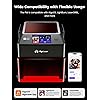
  • Professional-grade features Plug-and-Play Simplicity Get professional-grade results right out of the boxno assembly required. This Portable Laser Engraver connects via USB-C, WiFi, or accessory ports. It works seamlessly with popular design software, smartphones, and tablets, allowing for offline engraving or mobile control. With preloaded templates, multi-language support, and step-by-step tutorials, this lazer engraver is ideal for educators, entrepreneurs, DIYers hobbyists merchandise.
  • Grow Your Passion or Business Safely Perfect for DIYers, educators, and entrepreneurs. Whether youre using Pixi as a laser cutter, wood engraving machine, or for engraving delicate items, its backed by a 1-year warranty and 24/7 customer support for complete peace of mind.
  • Safety Tips: For best results and maximum safety, always wear protective laser safety goggles while operating the engraver along with all essential accessories. Keep your workspace well-ventilated, and never leave the machine unattended while running.

Description

AlgoOS redefines laser engraving—no computer, no complicated software. Create directly on the touchscreen, from idea to finished engraving in one seamless workflow. Import via APP/WiFi/USB/SD with ease. • Standalone system for instant creation • All-in-one workflow, no tool switching • Built-in tools for drawing and text editing • Smart controls: real-time adjustment Start creating the moment you power on. Visit the Store Visit the Store Visit the Store Visit the Store AlgoLaser is dedicated to making laser engraving smart, simple, powerful, and accessible. Empowering Creativity with Smarter Laser Technology From professionals and small businesses to educators, hobbyists, and beginners, we create tools that combine precision, reliability, and ease of use. That’s why every AlgoLaser product is designed to help you create faster, work smarter, and bring ideas to life with confidence. Turn your creativity into reality with built-in sketching tools. Whether it’s handwritten text, custom graphics, or quick design tweaks, AlgoSketch allows you to create directly on the screen and engrave with one click—perfect for beginners and fast-paced DIY projects. Effortless Customization for Any Project Easily adjust text size, spacing, and layout to match your design. Whether you’re engraving names, dates, quotes, or logos, AlgoType helps you create polished results in seconds, perfect for gifts, labels, and small business products. Designed for Precision & Professional Results With one simple setting, reverse your design without manual adjustments or file re-editing. This feature helps eliminate alignment errors and ensures clean, accurate results every time, even for complex or detail-sensitive projects. Smart Protection at Your Fingertips The Safety Lock Screen helps prevent accidental operation by locking the control screen when needed. With a simple lock and unlock action, it keeps your laser engraver secure—ideal for home users, classrooms, and shared creative spaces. Is Pixi suitable for beginners with no experience? Yes. Pixi is designed for beginners. It features a built-in touchscreen, intuitive tools, and supports offline engraving—no computer needed during operation. Setup is simple, and no prior laser engraving experience is required. Can Pixi cut wood or acrylic? Pixi is designed mainly for engraving, not heavy cutting. It can engrave wood, acrylic, leather and glass, and cut very thin materials with multiple passes. For frequent or thick cutting, a higher-power laser engraver (10W+) is recommended. Do I need a computer or special software to use Pixi? No computer is required for everyday use. Pixi supports offline engraving via its touchscreen and includes built-in tools like AlgoSketch and AlgoType. A computer is optional for importing external design files. Can Pixi use all AlgoLaser accessories and rollers? Pixi is compatible only with accessories designed for Pixi. Some accessories for larger or higher-power models (such as certain rotary rollers) are not compatible. Please check compatibility details before purchasing. What materials can Pixi engrave? Pixi can engrave a wide range of materials, including: Wood, leather, acrylic, plastic, coated metal, glass, and paper. Engraving results may vary depending on material type, color, and surface coating. Pixi 10W Laser Engraver Pixi 5W Laser Engraver Pixi 1064nm Infrared Pixi 10W Laser Engraver Pixi 5W Laser Engraver 10W Laser Engraver Kit Pixi 10W Laser Engraver

Product Dimensions: 10.5 x 8.5 x 7.7 inches


Item model number: Pixi-Black-10W


Item Weight: 8.53 pounds


Manufacturer: AlgoLaser


Date First Available: July 1, 2025


Frequently asked questions

If you place your order now, the estimated arrival date for this product is: Sunday, Jul 26

Yes, absolutely! You may return this product for a full refund within 30 days of receiving it.

To initiate a return, please visit our Returns Center.

View our full returns policy here.

  • Klarna Financing
  • Affirm Pay in 4
  • Affirm Financing
  • Afterpay Financing
  • Zip Pay in 4
  • Financing through Apple Pay
  • Financing through Google Pay
Leasing options through Acima may also be available during checkout.

Learn more about financing & leasing here.

Top Amazon Reviews


  • What A Great Little Friend What A Great Little Friend
Color: Passion Red
First Impressions What a great little friend to carry around. I absolutely love this engraver — compact, powerful, and thoughtfully designed. Pros Connectivity It was very easy to connect to my computer and load Lightburn. Most engravers — even newer or more expensive models — don’t always connect on the first try, so I was pleasantly surprised at how seamless this was. Screen The 3.5'' touchscreen is just perfect. The response is smooth, the animations feel polished, and the menus are intuitive. I actually spent 10 minutes just playing with the interface because it was that enjoyable to use. Build & Structure Every part feels solid. The materials resist stains and scratches, making it reliable for use at public events. The design is clean, minimal, and eye-catching — people are naturally drawn to it, which makes it a great conversation starter. Functionality I purchased the 10W module, which expands what this machine can handle. I’ve tested it on small metal business cards, wooden keychains, base wood, slate coasters, and more. With a fine 0.08 mm spot size and 317.5 lines per inch, it produces impressively detailed artwork. The machine came preloaded with 160 sample projects for engraving and cutting, which was a lot of fun to try out. I even cut out a small knife right away. One standout feature is the Algo operating system. You don’t actually need a phone, laptop, or PC — the onboard system is clean, responsive, and allows for basic engraving tasks on the go. Perfect for stalls, events, or minimal setups. I also appreciate the preset material parameters, which help beginners get started (though tweaking is often necessary for best results). The engraver can also be lifted to accommodate larger objects, making it flexible for different project sizes. Safety Safety features are well thought out. It has tilt and vibration detection with adjustable sensitivity, plus a sturdy safety door that feels solid (though not without flaws — more on that later). Cons Learning Curve The “zero learning curve” claim isn’t entirely accurate. While it’s approachable, results still depend on your laser wattage, material choice, and personal experience. Like any laser engraver, it takes testing and patience to achieve the best outcome. The built-in presets help, but I recommend keeping scrap materials around to experiment with different power/speed settings before committing to a final piece. Ventilation / Smell Do not use this in a small, closed space. Cutting wood, leather, or coated metals produces noticeable smoke and odor. The built-in fan and rear exhaust tube help, but don’t catch everything. Even at low settings, smoke can leak from under the safety door. For best results, keep airflow constant — open a window or move projects into a garage with ventilation. Safety Door The safety door sometimes fails to register as closed due to a slightly finicky switch. I’d also love to see a dampening system so it doesn’t slam shut — it has slipped from my grip a few times and closed too quickly. Base The two-sided base (engraving vs. cutting) works well, but swapping between sides requires removing screws and lifting the machine. Once you know the process it takes about 5–10 minutes, which isn’t a dealbreaker but does add some inconvenience. Also worth noting: the etched lines on the base are more for reference than precision. The actual engraving area doesn’t perfectly align with the markings, so I found myself engraving directly onto the base where the true workspace is available. It’s something to be aware of if you rely on visual guides for setup. Final Thoughts The Algo Laser Engraver is an impressive, versatile tool. Its sleek build, intuitive interface, and powerful output make it a standout in its class. While there’s a learning curve and some small design tweaks that could improve usability (ventilation, door mechanism, base setup), it has already exceeded my expectations. Overall: Highly recommended for both beginners and hobbyists who want portability without sacrificing performance. With some practice and proper setup, this engraver can definitely become a side-hustle machine for personalized products and creative projects. ... show more
Reviewed in the United States on September 8, 2025 Reviewed in the United States on September 8, 2025 by Perla Faz

  • Smart, Safe, and Beautifully Designed — The Laser Engraver! Smart, Safe, and Beautifully Designed — The Laser Engraver!
Color: Deep Black
The AlgoLaser Pixi arrived in a very professional package, with everything neatly organized and clearly labeled. The Class 1 safety certification and overall build quality gave me confidence right away — it feels like a solid and reliable machine. What really stood out is how easy it is to use. The 3.5-inch full-color touchscreen and the built-in AlgoOS system make the whole engraving process simple. There’s no need for a laptop or complicated software. You can pick a design, preview it, and start engraving directly from the screen. Wi-Fi and USB-C support also make file transfers quick and convenient. In actual use, the engraving quality has been excellent. Wood, leather, and even thin metal all come out clean and precise. The machine runs fast and surprisingly quiet. The fully enclosed design and the auto-stop lid add an extra layer of safety — the laser pauses immediately if the lid is opened. A couple of safety habits I recommend: wear goggles, don’t override the lid safety, keep the workspace clear, and make sure kids or pets don’t get too close. Basic things, but important. Overall, it’s truly plug-and-play. No assembly and no frustration. If you’re looking to make gifts, personalize items, or start a small creative workflow, this machine is very beginner-friendly and performs extremely well. ... show more
Reviewed in the United States on November 6, 2025 Reviewed in the United States on November 6, 2025 by Charlie

  • Chinese manufacturer, impossible to contact. Lid is different Chinese manufacturer, impossible to contact. Lid is different
Color: Deep Black
If something wrong and you contact Amazon, they can’t do anything. Buy directly from the seller…. would be the same thing cheaper!
Reviewed in the United States on June 2, 2026 Reviewed in the United States on June 2, 2026 by Tom

  • Couldn’t Be Happier with This Engraver! Couldn’t Be Happier with This Engraver!
Color: Deep Black
I’ve had the AlgoLaser Pixi 10W laser engraver for about a week now, and I finally tried it out on my new suede gray phone case. I engraved a set of fun emoji designs, and honestly, the results blew me away! The whole process was super easy. I just uploaded my design, lined up the case, and hit start. The machine did the rest. The lines came out crisp and clean, and the details are spot on. On the suede material, the contrast looks perfect What I really love is how straightforward it is to use. The touchscreen makes everything simple, even for someone like me who’s never used a laser engraver before. No complicated software, no confusing setup—just plug it in and go. The best part? My friends all thought I ordered a custom case online, but nope it was all done at home on this little machine. Definitely a proud DIY moment. Some other highlights I’ve noticed: 1. Easy to use, beginner-friendly 2.Super precise engraving (down to tiny details) 3.Works great on different materials—phone cases, wood, leather, etc. 4.Handy offline mode and wireless transfer—no computer required If you’re into DIY, personalizing gifts, or even thinking about starting a small side business, this engraver is a fantastic investment. Totally worth it! ... show more
Reviewed in the United States on September 5, 2025 Reviewed in the United States on September 5, 2025 by Chewy

  • Don't buy this it is dangerous
Color: Deep Black
I wanted an easy entry into laser engraving and the fact that there are no reviews on this little guy online other than people who got it for free was my first red flag. However, I thought I would still give it a try. Don't do it. This laser machine is dangerous. There is supposed to be an interlock when you open the shield that keeps it from firing. However, on more than one occasion I paused the engraver, opened the shield to check the work, and then started firing again with the shield up and the beam totally exposed. Had I been moving the object it could have hit my skin, or reflected into my eyes (Thankfully I was wearing goggles). Other than horrible safety, the app doesn't see the machine unless you connect to it via IP address. It does etch and cut, but the top cord got caught a lot making the gantry skip around where it should have been and start in the wrong place. It's just not worth it. It's a great size, but functionally it's not great, and just flat unsafe. ... show more
Reviewed in the United States on October 15, 2025 by J. Banks

  • I'm very happy with my engravings.
Color: Deep Black
The Pixi is a fantastic little machine for creative work. I love that it uses its own AlgoOS system — it’s stable, simple, and doesn’t require complicated software setup. I can draw directly on the screen or send files wirelessly from my tablet, which saves a lot of time. The safety door feature works instantly, and the machine pauses automatically if I open the lid.I've used it to engrave on glass bottles, wood, acrylic, and leather so far, and it's always worked great, and I'm very happy with my engravings. Perfect for small projects and anyone who wants a reliable, easy-to-use engraver. ... show more
Reviewed in the United States on November 7, 2025 by John Zhu

  • Beware - no app support
Color: Deep Black
The major problem with the Pixi is that it is new, and AlgoLaser has not yet released an app update (last updated in Aug 2024), which limits what you can do with it. I suspect that I'll raise this review to 4-5 stars once they address that major flaw, as otherwise, it seems like a good unit. I cannot fathom why they'd produce a new product (the Pixi) that has no app support. All of the YouTube reviews looked pretty good, but I didn't see any mention of this problem. With the current (old) app, you cannot add the Pixi, so the only way to control it is via the front panel. One other thing to note is that while it does include a 4GB SD card, that's really for internal storage, and cannot be used to directly upload files, e.g. That said, it does have a USB C port with an included USB A adapter, so a USB stick should work. So, with the current lack of app support, the only way to get files onto the device is via USB. My only other quibble is the vast number of foam packing blocks used. On the one hand, it probably helps the unit survive shipping. But, it is very easy to miss a bit of packing that is stuffed into odd locations. When I turned it on, it made a grinding noise as there was a small bit of packing between the laser head and the body that I missed. It was also difficult to unpack the many blocks. Surely it could have been packed a different way. ... show more
Reviewed in the United States on January 19, 2026 by Amazon Customer

  • Very User-Friendly for Creative Projects! Very User-Friendly for Creative Projects!
Color: Deep Black
I’ve been using the AlgoLaser Pixi 10W mainly for engraving leather patches and small wooden items, and it’s been a smooth experience overall. The touchscreen with AlgoOS is easy to understand, and I like that I can draw or type directly on the screen without using a computer. The machine came ready to use out of the box, which saved a lot of setup time. Engraving quality is clean on wood and coated metal, and the safety lid gives extra peace of mind when working at home. It’s a solid portable laser engraver for DIY projects and small custom orders. ... show more
Reviewed in the United States on February 9, 2026 Reviewed in the United States on February 9, 2026 by Sicai Zhao

Can't find a product?

Find it on Amazon first, then paste the link below.
Checking for best price...