Search  for anything...

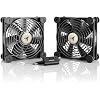
AC Infinity MULTIFAN S7, Quiet Dual 120mm USB Fan, UL-Certified for Receiver DVR PlayStation Xbox Computer Cabinet Cooling

  • Based on 36,620 reviews
Condition: New
Checking for the best price...
$21.99 Why this price?
Save $12.00 was $33.99

Buy Now, Pay Later


As low as $5 / mo
  • – 4-month term
  • – No impact on credit to apply
  • – Instant approval decision
  • – Secure and straightforward checkout

Ready to go? Add this product to your cart and select a plan during checkout.

Payment plans are offered through our trusted finance partners Klarna, Affirm, Afterpay, Apple Pay, and PayTomorrow. No-credit-needed leasing options through Acima may also be available at checkout.

Learn more about financing & leasing here.

Selected Option

Free shipping on this product

FREE 30-day refund/replacement

To qualify for a full refund, items must be returned in their original, unused condition. If an item is returned in a used, damaged, or materially different state, you may be granted a partial refund.

To initiate a return, please visit our Returns Center.

View our full returns policy here.


Availability: 15 left in stock
Fulfilled by Amazon

Arrives Thursday, May 21
Order within 21 hours and 37 minutes
Available payment plans shown during checkout

Protection Plan Protect Your Purchase
Checking for protection plans...

Size: S7


Features

  • Ultra-quiet UL-certified USB fans designed to cool various electronics and components.
  • Features a multi-speed controller to set the fans speed to optimal noise and airflow levels.
  • Dual-ball bearings have a lifespan of 67,000 hours and allows the fans to be laid flat or stand upright.
  • USB plug can power the fan through USB ports found behind popular AV electronics and game consoles.
  • Dimensions: 4.7 x 4.7 x 1 in. per fan | Total Airflow: 104 CFM | Total Noise: 19 dBA | Bearings: Dual Ball

Product Dimensions: 4.7"L x 1"W x 4.7"H


Brand: AC Infinity


Power Connector Type: 2-Pin


Voltage: 12 Volts


Wattage: 5 watts


Cooling Method: Air


Compatible Devices: Gaming Console


Noise Level: 19 Decibels


Material: Rubber


Maximum Rotational Speed: 1300 RPM


Power Connector Type: 2-Pin


Voltage: 12 Volts


Wattage: 5 watts


Cooling Method: Air


Compatible Devices: Gaming Console


Noise Level: 19 Decibels


Maximum Rotational Speed: 1300 RPM


Air Flow Capacity: 104 Cubic Feet Per Minute


Item Dimensions L x W x H: 4.7"L x 1"W x 4.7"H


Material Type: Rubber


Brand Name: AC Infinity


UPC: 854759004341


Manufacturer: AC Infinity


Number of Items: 1


Model: AI-MPF120A2


Part Number: ACAIMPF120A2


Included Components: item


Unit Count: 1.0 Count


Frequently asked questions

If you place your order now, the estimated arrival date for this product is: Thursday, May 21

Yes, absolutely! You may return this product for a full refund within 30 days of receiving it.

To initiate a return, please visit our Returns Center.

View our full returns policy here.

  • Klarna Financing
  • Affirm Pay in 4
  • Affirm Financing
  • Afterpay Financing
  • PayTomorrow Financing
  • Financing through Apple Pay
Leasing options through Acima may also be available during checkout.

Learn more about financing & leasing here.

Top Amazon Reviews


  • Cooling my modem and router
Size: S5
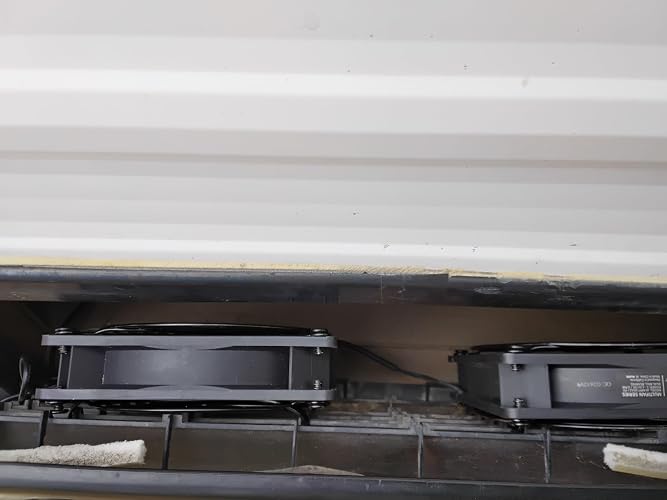
My last cable modem up and died after just one year, I'm pretty sure because it got so hot all the time. It was a modem+router so extra hotty-hot-hotness from all the circuitry packed into one case. My son thinks this is sort of normal lifespan for routers and modems - he expects only 3 to 4 years. Well I got 8 years out of one of my last modems and 10 out of the other (same modem, WTGS54 whatever that was, it was a very good modem for its time and I got more than enough throughput from it for my needs, including streaming video, I was still running one up until 2 years ago). So *I* was shocked at its short lifespan (especially given the cost, over $200) even if he wasn't. There is just more electronics involved in these tasks, packed into less space, than the older modems. They are GOING to get hot. So in order to keep that from happening again I bought this USB fan kit, comes with 2 fans hooked together, to replace the floor fan I had aimed at the new modem and separate router. I was getting some of these anyway to put on my LED grow lights to cool them (they will ALSO last longer if you keep them cool) so I took one of those and shoved it under the router (because its a flat design, give me vertical any day) and stood the other one up next to the cable modem (which is vertical). I've got them on low and they are cooling both devices very well. On low the router gets barely slightly warm, and the better design of the vertical case for the modem leaves it totally cooled down with this little fan. If I had it to do over I'd look harder for a vertical router as well, its easier to keep them cool. AND they take up a lot less space! I've got a bunch of old computer cases with fans going to waste, I will likely make some USB fans from all those old bits and pieces, but they are likely to be a lot louder. This fan is extremely quiet even on high. I can't hear it at all on low. Also these fans in particular are optimized for humid environments so I wouldn't use anything else in my grow room. A lot of people use the other dual fan kit with the larger fans but they are using them to move air over microgreens to cut down on mold and fungi, I don't have that problem, I just need to cool the lights to improve their longevity, so I'm trying these smaller fans (take up less headroom over the lights, giving me more space under the lights because I can move them further up). I highly recommend cooling your router/modem/game console whatever electronic devices you have sitting around generating heat with some kind of fan, and these are very quiet, easy to assemble (as in plug them in), and very effective. I've seen some people insist that you shouldn't do this because it might "blow dust into the case" - where do these guys live, in the middle of death valley? LOL! Just do it. I've had a floor fan blowing across my very very ancient laptop to keep it from overheating for about 5 years now (even laptop coolers can't cool it enough) and its still going strong. I can even play (very very old) games on it still. Heat will kill your devices WAY faster than whatever tiny specks of dust these fans probably won't blow into the cases anyway. Also, if you have one of those stupid refrigerator closet things where they've built an enclosure all the way around the fridge, that is trapping heat and shortening the life of your expensive stainless steel fridge - you can use these fans to draw hot air out of that too (though I'd go with the larger version for that). Personally I'd tear that crap out but failing that, install these in a side or back wall and pull that heat out of there. Your fridge will thank you. Your bank balance will be the better for it over the long haul. ... show more
Reviewed in the United States on October 31, 2022 by Flying Walrus

  • Excellent fan, very quiet, fixed my slow/overheated PC issues
Size: S1
Excellent product. I was honestly not expecting something that works so well for so cheap. I have my surface pro 4 and dock stuffed into a slim drawer at work, it powers 2 4k monitors and does a LOT of heavy computing so it gets very hot, even the dock gets hot. Of course it doesn't help that it's stuffed into a drawer. It was to the point where the CPU was being throttled and everything was running slow as molasses, and probably causing long term damage as well. I cut out a hole the size of the fan, got some #8 32 2" machine bolts and lock nuts and attached it to the bottom of my drawer. The long bolts were so I could use the rubber mounts. The fan blows outward, there is plenty of air coming in around the drawer. I immediately saw a difference in performance, PC ran as it should be running. In terms of noise, there is none. My office is fairly quiet, but I can't say it's funeral parlor quiet, but still I can't hear any noise at all. The fan is solid, no rattling, no ball bearing noise, and this is at full speed. Air output seems excellent, I can feel a strong output at about 4 inches or so away. My surface pro is cool to the touch so I know it's doing it's job. I also like that it comes with a daisy chain output USB port, so you can daisy chain multiple fans. I initially thought it was a USB bypass, but it doesn't work with peripherals such as a usb mouse. In the instructions it only references it as a fan daisy chain. I'm completely happy, but if I had a wish list I'd say consider making this a usb bypass because usb spaces are highly limited on my surface pro/dock setup. My only caveat, but this isn't the hardware's fault, is that when my PC is locked the fan stays on. That's just how USB works. I'm in search of a program that can allow me to change the hours the fan runs, as I don't need it to run when the PC is locked as it's not being used heavily. I also cannot put the PC to sleep because I need remote access to it, although I have considered wake on LAN as an option. My concern is I don't know how long the fan will last being used 24/7 like this, but even if I replace it once a year it's cheap enough. ... show more
Reviewed in the United States on March 20, 2018 by Kindle Customer

Can't find a product?

Find it on Amazon first, then paste the link below.
Checking for best price...