Search  for anything...

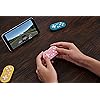
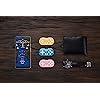
8Bitdo Zero 2 Bluetooth Gamepad Keychain Sized Mini Controller for Switch/Switch 2, Windows, Android (Pink Edition)

Based on 4,802 reviews
Condition: New
Checking for the best price...
$19.98
Holiday Deal · 33% off was $29.99

Buy Now, Pay Later


As low as $4 / mo
  • – 4-month term
  • – No impact on credit to apply
  • – Instant approval decision
  • – Secure and straightforward checkout

Ready to go? Add this product to your cart and select a plan during checkout.

Payment plans are offered through our trusted finance partners Klarna, Affirm, Afterpay, Zip, Apple Pay, and Google Pay. No-credit-needed leasing options through Acima may also be available at checkout.

Learn more about financing & leasing here.

Selected Option

Free shipping on this product

FREE 30-day refund/replacement

To qualify for a full refund, items must be returned in their original, unused condition. If an item is returned in a used, damaged, or materially different state, you may be granted a partial refund.

To initiate a return, please visit our Returns Center.

View our full returns policy here.


Availability: Only 1 left in stock, order soon!
Fulfilled by Amazon

Arrives Nov 20 – Nov 23
Order within 9 hours and 23 minutes

Available payment plans shown during checkout

Protect Your Purchase

Easy claims online, fast replacements, no fees

Checking for protection plans...

At a glance

Condition
New
Color
Pink
Dimensions
4.33 x 1.5 x 2.17 in
Weight
22.68 g
Controller Type
Gamepad
Additional Features
Wireless
Hardware Platform
Nintendo switch
Warranty
1 Year Manufacturer
Works with
Android, Nintendo Switch, Windows

Features 1

  • Compatible with Switch/Switch 2, Windows, Android.

Description

8BitDo is a premier 3rd party video game hardware company with a special focus on retro themed game controllers. Renowned for producing the highest quality retro controllers on the market, 8BitDo’s controller line has been referred to as, “a range of excellent retro-style game controllers” by The Verge. 8BitDo’s goal is to produce premium quality game controllers with ultra-compatibility at economical prices.

Specs 18

Controller Type Gamepad
Connectivity Technology Bluetooth
Additional Features Wireless
Button Quantity 16
Hardware Platform Nintendo switch
Power Source Battery Powered
Compatible Video Game Console Models Nintendo Switch
Item Weight 22.68 g

Frequently asked questions

If you place your order now, the estimated arrival date for this product is: Nov 20 – Nov 23

Yes, absolutely! You may return this product for a full refund within 30 days of receiving it.

To initiate a return, please visit our Returns Center.

View our full returns policy here.

  • Klarna Financing
  • Affirm Pay in 4
  • Affirm Financing
  • Afterpay Financing
  • Zip Pay in 4
  • Financing through Apple Pay
  • Financing through Google Pay
Leasing options through Acima may also be available during checkout.

Learn more about financing & leasing here.

Top Amazon Reviews


The Medical School Underdog
Color: Yellow
I bought the 8BitDo Zero 2 fully expecting it to be a novelty — something cute, unnecessary, and destined to live in a drawer. Instead, it has become one of the most used study tools I own. If you do Anki (especially if you’re a med student), this thing is dangerous in the best way. Here’s why: clicking spacebar 800 times a day is a fast track to wrist pain and existential dread. This tiny controller lets me lean back, dissociate slightly, and still absolutely demolish my reviews. No desk posture. No laptop hunch. Just buttons, vibes, and spaced repetition. It connects easily via Bluetooth, maps cleanly to Anki, and somehow feels shockingly responsive for something that could disappear into a coat pocket. Once it’s set up, it’s seamless — I forget I’m using it until I realize I’ve done hundreds of cards without wanting to scream. The size is deceptive. Yes, it’s small. Yes, your hands will question it for about five minutes. And then your brain adapts and suddenly this feels correct. I can review while standing, pacing, lying on the floor, or staring into the void after missing yet another “easy” question. If you’re thinking: “I can just use my keyboard” “This seems unnecessary” “I don’t need another gadget” That’s what I said too. And I was wrong. This doesn’t replace studying — it removes friction, which is half the battle. Anything that makes Anki easier to start, easier to finish, and less physically annoying is worth it. Tiny. Mighty. Joy-inducing. 5/5 — would absolutely buy again, and would recommend to anyone who lives in Anki. ... show more
Reviewed in the United States on February 9, 2026 by Linda

Adorable and effective!
Color: Pink
This is a really great, tiny controller! I got this specifically for Mariokart on my Switch Lite. It’s so nice to be able to play another way. I still need to figure out how to pair multiple controllers at the same time, but I do believe that it’s possible. The controller is so small that it fits inside my case for my Switch Lite, so it takes up almost no space at all. It’s just as easy to bring it with me on the go as it is to just bring the Switch. It’s very easy to pair, and it typically stays paired after you set it up. Despite its small size, I don’t think that it’s any more difficult to use than the controls on the Switch itself. It’s also a cute color, I have the teal one as well. It doesn’t have all of the controls that the Switch has, so it won’t work well with certain games, but it definitely works well for Mariokart. I would recommend this to anyone who loves gaming and wants a super portable alternative controller. ... show more
Reviewed in the United States on June 13, 2025 by Heron

Almost perfect for quick remote for drawing display! Great little controller for a great price!
Color: Turquoise
If you've ever tried to connect a switch joycon to a PC and dealt with the massive headache that that process is(disconnections and re-pairing every single time, weird driver issues and incompatibilities, etc) this little thing is a life saver. Connects smoothly and easily to a pc via bluetooth either as a keyboard device or a game controller and *stays paired* when the computer is restarted. I use this device(with the joytokey program) as a remote to replace the quick buttons on the side of my drawing display when I'm using photoshop and clip studio paint. I had been using a single switch joycon with a clip in charging adapter and the aforementioned software headaches were driving me bananas when my husband suggested one of these. As seen in my pictures it's smaller by a decent amount than the joycon even without the added adapter and the difference in shape prompted me to pull out some sugru to make grippy bits to help keep hold of it(and wiggly eyes bc who doesn't like those?) but once I got used to it its a pretty decent replacement. If I had one wish, it'd be for trigger buttons on the back or even just normal buttons back there to replace losing those two extra keys. Having as many key combinations as I can makes a huge difference in convenience and speed when navigating clip studio while drawing. If I magically got another wish it'd be for some kind of grippy case to hold it vertically like I do. *staring wistfully at all you 3d-printing geniuses out there* On the software side of things as I mentioned getting it connected is incredibly easy. There's even instructions printed on the back of the device itself to show which keys to press to connect in the different modes. I use it in controller mode with joytokey as I couldn't find a way to remap the keyboard mode keys to things that are more useful for me. It stays paired to my computer even after many restarts and turning bluetooth on and off for any reason. This is something the joycon struggled with so much I nearly launched it across the room several times in frustration. Overall I'm really really pleased with this little thing and highly recommend it. Especially for the price! Despite my mini wishlist of upgrades I went ahead and got a second one to have as backup for when I inevitably try unsuccessfully to take it apart again to modify. Did I mention they're built very solidly? No matter what I tried I couldn't get it to come apart with anything short of smashing it open or cutting into the plastic. Its impressive. Oh! And it comes with the cutest teeny tiny little micro usb charging cable I've ever seen. So so nice to not have another long cable to coil and tuck somewhere on my desk. Anyway I love this thing and I'm done typing walls of text about it. Hope it helps you decide. :) ... show more
Reviewed in the United States on May 10, 2023 by Mer

Does exactly what is advertised, which is enough for me.
Color: Turquoise
This controller is absolutely tiny. I say that right off the bat as if you've got larger hands, you might want to just look at the other controllers 8bitdo has, I'd recommend the SN30/SN30 pro series. If you've got trouble holding a sideways joycon, you will have trouble holding this. It's just a bit bigger than an airpod case, and pulling it out of the box made me realize just how small it is. I can clench my entire fist around it, and yet all the buttons for a default snes controller are here. It's quite impressive. It's light to carry around, but has a surprising weight to it. Again, to compare it to an airpod case, it's lighter than that, maybe around half it's weight. The controller comes with a wrist strap, a godsend as I fear if I sneeze while holding this it will go hurling across the room. No usb-c charging, unfortunately, it just comes with one of those android chargers, whatever they're called. The cable itself is also super tiny, no larger than 3-4 inches. I'm a little upset to see this, as the SN30 pro+ had usb-c charging and a nice long cable to boot. The buttons all feel nice to press, and the L and R buttons feel extremely clicky. Much better than the default joycon controllers. The dpad has a small issue detecting down forward diagonally, but the rest of the diagonals feel perfect, and even then the problem goes away as soon as I put just a bit more pressure than I'm used to. It might just be an issue with me. The front of the controller has a glossy finish, which always seems to get smudges and prints all over it. It's got a 1-2 hour charging time, and an 8 hour long battery life, supposedly. Again, a little sad, seeing that the SN30 pro+ can last me days, but comparing this controller to the premium controller 8bitdo has to offer is a bit unfair. This controller does what it advertises extremely well, and works on everything that has bluetooth. Switch, android, xinput, even ios, which I'm sure is perfect for people with a lot of different devices. If you're looking for a high quality third party controller, look at the SN30 models. They're extremely high quality, and one of my new favorites. But if you just want a small controller to take with you for travel, you absolutely can't go wrong with this. It's basically designed for NES, SNES, Gameboy, and Gameboy Advance emulators, and has been wonderful to use while on the road. It even has a keyboard functionality, so you can use it as a way to use hotkeys in drawing programs! The keys that are avaliable are, c d e f i j g h k m n o, pressing all of the buttons, the triggers, start and select, and the dpad. I'm sure someone much smarter than me could probably figure out how to remap the buttons to get what you need, and a video somewhere out there has to exist talking about this controller in that way. ... show more
Reviewed in the United States on January 31, 2022 by Amazon Customer

The controller was great...for a few days. BUYER BEWARE.
Color: Yellow
I recently purchased the 8BitDo Zero 2 controller for my daughter and I for a few reasons. First, we saw a YouTube video that showed it in use and we thought it would be a fun controller to have. Secondly, my daughter and I collect miniature toys and games, so when we saw this, we knew we had to have it. My daughter thought she would be able to use it on games like Fortnite, which happens to be one of two games she ever plays. She realized that it was impossible to do, so she is looking at our game library on our Switch to find out what can be played with the controller that she would enjoy. I knew the limitations going in. I wanted it for the novelty factor, and I knew what games I wanted to use it for. After a few days, I decided to try the controller on other platforms. I tried it on my Android phone and my laptop as both a controller and the optional keyboard function. I could not find something on my phone to use the controller with it, and on my PC, I downloaded a few SNK games to play using the controller. It wasn't easy to use, and I eventually decided just to use it on the Switch. This is NOT the reason I am rating it ONE STAR. When I went back to using it on the Switch, the X, Y, A, and B buttons had become flipped. Before you ask, I did not remap my controller. It did this on it's own, and would not right itself. Until I had a chance to email 8BitDo support, I remapped the controller and went ahead and played one of the games that I have had fun using the Zero 2 controller with. Today, I reached out to 8BitDo's support team to ask how to fix my problem. This was their response: "Hello. Thanks for the e-mail. I'm here to assist you. The new version of Switch system has the function of custom button layout. Sincere regards." There is no fix for my controller, and on top of it, their support team gave me an answer for a workaround of a defective unit instead of helping me to fix it. I liked 8BitDo's controllers in the past, and I liked the inventiveness of their controllers. In fact, before today, I was going to purchase a few of their other controller models in the near future. No longer will I buy an 8BitDo controller. I know this is what you get when you only spend $20 on a device, but you expect a level of support if there is a defective unit that only worked properly for TWO WHOLE DAYS. I am considering demanding a refund and using the money for something else, or hold onto the money for something better. But, I will definitely be returning it. I expected better from 8BitDo. I was wrong. ... show more
Reviewed in the United States on September 11, 2020 by Jason R. Wilson

Easy to set up with Pocketbook Verse Pro
Color: Turquoise
Fabulous little clicker. I find it easier to hold a clicker in one hand and an eReader in the other. The arthritis in my hands can make using the eReader's physical buttons tricky. Setting it up as a page turner for my Pocketbook Verse Pro was a little tricky, but not because of this device, because the instructions on the eReader side were not very detailed. This little clicker can be configured to work with a lot of different style Bluetooth devices. The key click combination is very important. I kept ignoring the second step (press select) and wondering why it wouldn’t pair. The key mapping is stored in the other device, so you can use it simultaneously with more than one type device; click the key combination, repair, and your key mapping definitions should be still there. For anyone else setting it up with a Pocketbook, you do the following steps: 1. Pair the device in Apps/Settings/Bluetooth 2. Go to Apps/Settings/Personalize/Keymapping/ and choose which type of documents to apply it to. Then tap Bluetooth keyboard 3. Press "Add a button" 4. Press the key on the clicker you want to define 5. Name it and save the name 6. Tap the word (none) next to the key name. (This is very important because none just changes the screen orientation which is kind of confusing when you are looking for it to change the page.) 7. There are a lot of choices, page turning is in "Move". 8. You should see the assignment in the list. I have not tried to figure out button clicker + KOreader if you have that installed. I suspect that’s inside a KOReader menu. ... show more
Reviewed in the United States on June 27, 2026 by Helen D.

It's so tiny!
Color: Pink
This little thing is adorable! It's only about 2 inches long, trust me it looks small in the pictures but it's even smaller than you're imagining. I took a picture with it next to a Nintendo Switch Joycon and a stick of Burt's Bees lip balm to show just how tiny this controller is. I can easily hold it in the palm of my hand and push all the buttons with my thumb, so I can even play some games with one hand (this is useful when you have three dogs who all demand lots of attention and scratches lol). I bought this for use with a retro game emulation handheld (the Retroid Pocket 3, to be precise) and it's great for retro games that don't require thumbstick controls. It was really easy to connect via Bluetooth, and now that it's paired with my handheld, all I have to do is turn the controller on and it automatically reconnects. Sometimes if I turn on the controller while I'm in the middle of a game, it won't register any inputs from this controller or from my handheld, but when that happens all I have to do is open the main menu then reopen the app and it works again. I'm pretty sure that's an issue with the Retroarch app and not with this controller, just figured it's worth mentioning. This controller seems well built and feels like it will be durable, though I haven't had mine very long to test that. This is a great option if you want a tiny controller for retro gaming, and it would also be a great cheap alternative to joycon if you have kids playing Mario Kart or something on Switch that doesn't require a full pro controller layout. ... show more
Reviewed in the United States on December 12, 2022 by Michael

It's good quality, just a niche product (either ornamental or a specific type of gamer)
Color: Pink
First off, it's not a bad controller by any means, provided you go into your purchase knowing that: 1. It only has limited buttons, so don't expect to play most games. 2. It's really small (fits in the palm of the hand) so it would work for kids, but probably not adults It was very responsive and was able to do what it says it's supposed to do. It has USB C which is fantastic for the price. I just don't see this device being very useful for most gaming since it's got limited buttons compared to current gaming consoles. ... show more
Reviewed in the United States on April 22, 2026 by useful_reviews_only
Checking for best price...