Search  for anything...
XFX

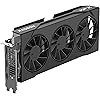
XFX Swift AMD Radeon RX 9060 XT OC Triple Fan Gaming Edition with 16GB GDDR6 HDMI 2xDP, AMD RDNA 4 RX 9060XT RX-96TS316BA

  • Based on 9,283 reviews
Condition: New
Checking for the best price...
$479.99 Why this price?
Save $50.00 was $529.99

Buy Now, Pay Later


As low as / mo
  • – Up to 36-month term if approved
  • – No impact on credit to apply
  • – Instant approval decision
  • – Secure and straightforward checkout

Ready to go? Add this product to your cart and select a plan during checkout.

Payment plans are offered through our trusted finance partners Klarna, Affirm, Afterpay, Apple Pay, and PayTomorrow. No-credit-needed leasing options through Acima may also be available at checkout.

Learn more about financing & leasing here.

Selected Option

Free shipping on this product

FREE 30-day refund/replacement

To qualify for a full refund, items must be returned in their original, unused condition. If an item is returned in a used, damaged, or materially different state, you may be granted a partial refund.

To initiate a return, please visit our Returns Center.

View our full returns policy here.


Availability: Only 2 left in stock, order soon!
Fulfilled by Amazon

Arrives Sunday, Mar 29
Order within 5 hours and 57 minutes
Available payment plans shown during checkout

Protection Plan Protect Your Purchase
Checking for protection plans...

Style: RX 9060 XT 16GB SWFT


Features

  • Chipset: AMD RX 9060 XT
  • Memory: 16 GB GDDR6
  • XFX SWFT Triple Fan Cooling Solution
  • Boost Clock Up to 3320 MHz

Description

The XFX AMD Radeon RX 9060 XT Series

Graphics Coprocessor: RX 9060 XT


Brand: XFX


Graphics Ram Size: 16 GB


GPU Clock Speed: 1900 MHz


Video Output Interface: DisplayPort, HDMI


Graphics Coprocessor: RX 9060 XT


Graphics Card Ram: 16 GB


GPU Clock Speed: 1900 MHz


Video Output Interface: DisplayPort, HDMI


Graphics Ram Type: GDDR6


Compatible Devices: Desktop


Display Resolution Maximum: 3840x2160


Graphics Card Interface: PCI-Express x16


Memory Clock Speed: 20 GHz


Brand: XFX


Video Processor: AMD


Antenna Location: pro gaming graphics


Built-In Media: Video Card, Quick Install Guide


Model Name: XFX SWIFT AMD Radeon™ RX 9060XT


Graphics Description: AMD Radeon RX 9060 XT with 16GB GDDR6, Boost Clock up to 3320 MHz, Base Clock 1900 MHz


Manufacturer: XFX


UPC: 840191503467


Warranty Description: 3 Year Manufacturer


Frequently asked questions

If you place your order now, the estimated arrival date for this product is: Sunday, Mar 29

Yes, absolutely! You may return this product for a full refund within 30 days of receiving it.

To initiate a return, please visit our Returns Center.

View our full returns policy here.

  • Klarna Financing
  • Affirm Pay in 4
  • Affirm Financing
  • Afterpay Financing
  • PayTomorrow Financing
  • Financing through Apple Pay
Leasing options through Acima may also be available during checkout.

Learn more about financing & leasing here.

Top Amazon Reviews


  • Great performance, excellent thermals, but the premium hurts (especially in hindsight)
Style: RX 9070 XT QICK RGB
I’ve been running the XFX Mercury RX 9070 XT OC Gaming Edition in my new Ryzen 9 9800X3D build for two months now. The card runs flawlessly on factory settings (no manual overclocking), delivering stable, high-end performance across modern titles. Thermals are excellent. Idle temps stay under 40°C, and even in Cyberpunk 2077 (Ultra settings, FSR 3 enabled), it stays around 60°C. The triple-fan cooler and massive heatsink from XFX do serious work here—quiet, efficient, and cool under pressure. The ARGB is clean, syncs easily, and doesn’t require any bloated software. Build quality is solid—this is a beefy card with real thermal headroom and a sturdy feel. It fits well into a high-performance build and doesn’t feel like it’s cutting corners. That said, the price is a real drawback. The MSRP for a standard RX 9070 XT is $599.99, but this OC version comes in at $899.99. That’s a $300 markup for a factory OC, bigger cooler, and RGB. On top of that, I bought through a third-party seller and paid an extra $60 shipping due to demand. While performance is roughly on par with the 5070 Ti, the value just doesn’t hold up at that price point. For contrast, I also picked up an RX 9060 XT (3-fan version) for my 2018 Intel system, upgrading from a GTX 1080. That only cost me $50 over its $349.99 MSRP—and honestly, it felt like a far better value for mid-tier 1440p gaming. Cool, quiet, and perfectly matched for that older rig. And yeah, I now regret skipping the RX 7900 XTX. Back in 2024, it dropped to $799—$200 below its official $999 MSRP. Now, in 2025, it’s floating around $1,200 due to limited supply and rising demand. For what I paid for this 9070 XT OC, I could’ve had a 7900 XTX with better raw performance and more VRAM—and still come out ahead. Sure, I’d be giving up FSR 4 support—but let’s be honest, most current games still run on FSR 3, so I’m probably not missing much. The real loss is just timing. Could’ve had flagship-tier raster performance for less money. That one hurts. At this point, I’m planning to hold out for the 9080 XT/X or 9090 XT/X, once RDNA 5 has matured and pricing normalizes. Maybe around 2027, when the dust settles and the early-adopter tax fades, I’ll make the next big jump. Bottom line: The XFX 9070 XT OC is a strong GPU—cool, stable, and well-built—but its $899.99 price tag drags it down. It pairs well with high-end CPUs like the 9800X3D and delivers smooth gaming out of the box, but performance-per-dollar just doesn’t stack up. If you can wait or catch a better deal, do it. I wish I had. That said, in the context of today’s market, it’s not the worst deal. We’ve seen this trend grow since the “RTX tax” hit with the 2080 Ti—what used to be a $500 premium card in 2012 now easily breaks $1,000. If you're eyeing a 5080 or 5090? You’re looking at $2,000 to $3,000 easily. Against that backdrop, the 9070 XT OC’s $899 doesn’t look quite as insane—just mildly painful instead of laughably brutal. ... show more
Reviewed in the United States on June 8, 2025 by Jon Chiu

  • Best "entry" level card on today's world
Style: RX 9060 XT 8GB SWFT
Yes, It's a 8GB card, so there are some limitations. Knowing this, the cars performs just as expected: powerful at 1080p, just as many video reviews shows online. As to this reference, the built quality is great, runs cool even at high ambient temperature where I live. Always under 70°C at 30ish °C ambient. XFX has done a pretty good job whit this card. Finally, I wish we live in a world where this tier of cards still costs $200 but here we are. The card is the best performer at this price range, so it's definitely recommended at a tight budget. ... show more
Reviewed in the United States on January 27, 2026 by Kevin González

  • This card is a beast. I'll leave it at that...
Style: RX 7900 XTX Black
As the title says. This card is a beast in every which way possible. I upgraded from the EVGA [RIP :< ] NVIDIA 1080Ti, which lasted me a good five years and was still pretty competent in running modern games, but was definitely starting to show its age with a 4K monitor and today's (poorly optimized) games. I decided to go AMD this time around, as the price/dollar ratio with AMD right now seems far better... especially with the 4080 costing on average $300 more, and the 4090 being off into space at double to above double the cost. That's not really cool when this card trades blows with NVIDIA's flagships in raster performance, and the focus of RTX/Radeon is for gaming, not for AI/Compute work. Not that AMD can't do those to be clear... ROCm is a thing, but just needs more developer support for it, and AMD still has some work to do in their drivers to unlock the full potential of these chips. The card itself is quite big, as shown in my photos, but it fits snug with my system configuration, the color scheme matches my system quite nicely, and the anti-sag retention bar is a nice addition to have with the card given its size and weight. Cooling-wise, the card operates at 60C when gaming under full load, with a 75C-80C Hot Spot Temperature, with the fans operating at about 30% duty cycle. The card power draw under full load is approximately 390 Watts. Gaming performance wise, I'm satisfied. Games such as Battlefield 2042 at 4K Native, 100% Render Resolution, Ultra Settings, HDR and Ray Tracing Enabled, push 70-100FPS. BattleBit Remastered does well north of 180FPS. Counter-Strike 2 runs at 170FPS+ at 4K Native, HDR and Max settings. Halo Infinite at 4K Native, HDR, Max settings, pushes approximately 90FPS. Overwatch 2, similar settings, similar frame rates. That's pretty much it. The card performs consistently well, and has the VRAM to handle demanding gaming loads (Halo Infinite for some reason needs 18GB of VRAM?!). I could get higher frame rates with AMD FSR3 or by turning off some settings like Ray Tracing, but, hey... these frames are already a huge upgrade from the 1080Ti, and can only get better in time. Video Performance Wise: Compared to NVIDIA, AMD does have a weaker video engine. This was something which worried me at first based on my past experience with AMD GPUs (The Vega 8 in my laptop, and the previous Radeon HD 5770 I used to have which would downclock the VRAM every time video accelerated content was played). However, it has not affected my day to day. 8K60 YouTube is handled and plays back with the AV1 Codec. VP9, H.264, AVC1, and H.265 decoding are similarly capable of smooth playback, and day to day use I notice no difference between the 1080Ti's NVDEC chip and AMD's VCE in terms of performance. Encoding wise, Handbrake was able to transcode VC-1 video (This AMD GPU does NOT support VC-1 Decoding in the Video engines, so some software limitations are at play!) to H.265 10-Bit with exceptional quality at 130+FPS, and did so without impacting the rest of the card's performance. AV1 Encoding performance is similarly quick, and for live streaming, is phenomenal, with a crisp picture produced at 14Mbps to YouTube at 1440p. The video engine seems to multi-task reasonably well, and I have yet to encounter any artificial limits imposed in the driver, unlike NVIDIA which limits encode/decode streams on their consumer GPUs... a limit I have bumped heads with many times when working with VEGAS Pro, and which has been responsible for NVIDIA's driver crashing. Driver wise: AMD does tend to release more frequent updates to drivers than NVIDIA. This tends to be due to AMD's Driver QA and refinement being less robust than NVIDIA's. I have certainly noticed a few more odd glitches in games like flickering hair or invisible vehicles. Some of these could be game engine bugs. None of these bugs have resulted in games being unplayable. CS2 for example had a stutter bug which specifically affected the 7900XTX and was fixed quickly by AMD, but I really didn't notice this personally. Battlefield 2042 occasionally has a colorful hair issue on some characters, but only at the end-of-game recap. Driver crashes have been extremely minimal - I've experienced one crash which was due to a bug AMD has since fixed with CS2, but that's not to say things have been exceptionally smooth for me. There are definitely some resource scheduling issues to work out in the drivers. When the GPU is under heavy (100%) load, you may find that stuttering occurs in other programs like web browsers and in the mouse when Alt-Tabbing at times. This hasn't resulted in the system being unusable. It's just annoying and is intermittent. I did not encounter mouse stuttering with NVIDIA, so they seem to do a better job with scheduling in that regard, but other programs (hardware accelerated Chromium apps) definitely took their time doing any sort of action with the NVIDIA card under full load. Things with this AMD card remain snappy even with the occasional stutters. The AMD Software suite is overall pretty good. Unlike NVIDIA, AMD includes automatic driver updates, game optimizations, game performance statistics, game streaming (AMD Link), live streaming, game clipping and background recording, performance monitoring as well as overclocking features directly in AMD Software, WITHOUT AN ACCOUNT BEING REQUIRED! That is on top of the usual GPU settings for Display color/resolution, software profiles, and global 3D settings. You just install the software and everything is right there in one control panel. Some settings like monitor arrangement and color calibration, AMD Software will defer to the Windows Control panel, and this seems to be only where Windows will do a better job. I have noticed my system no longer has this strange 3-4 second freeze on boot-up when the driver package loads like I did with NVIDIA when GeForce Experience was loading in, so that's a plus. Now for the fun bits. When I initially installed the GPU, everything was pretty smooth. Run DDU, shut down the system, pull out the old GPU, install the new GPU. Everything worked on the first go. Install the AMD Drivers, Reboot, and all is fine and dandy! Within a few hours however, I started noticing some odd behavior while running games. If I had a game running on my main monitor (a 4K 144Hz HDR display), everything would be fine... until I Alt+Tabbed to use an application on my secondary monitors (two 1080p 144Hz SDR displays), or touched any application based on Chromium (Steam, Discord, Google Chrome...) while a game was running. The driver would hang for a few seconds and then recover, but not hang in the sense that my game or any applications would crash out. My primary web browser, Firefox, didn't cause any sort of problem with the driver. Thinking this was the infamous "Chromium Hardware Acceleration" bugs that seem to plague AMD, I considered disabling hardware acceleration in Chrome, until I considered the fact that Windows itself is not exactly behaving right. My next troubleshooting steps involved disabling Resizable BAR (AMD Smart Access Memory), which was enabled on my Motherboard (ASUS PRIME X370 Pro) as this has been known to cause issues with NVIDIA RTX 3000 series cards, as well as the AMD RX 6000 series GPUs. Also, since I am using a Ryzen 7 5800X3D on an X370 board, it's very possible there's a strange board problem going on causing the driver to hang. So great! I turn off Resizable BAR, and the problems disappear... for about 12 hours. The problems then return with a vengeance! Simple actions like running VLC in Full Screen, full screening YouTube videos, trying to run games, basically anything an average person might do, would cause the driver to hang... and sometimes crash hard. Even more silly - mousing over the display in AMD Software was enough to hang it. To make matters worse, the system got so unstable to the point where simply loading color calibration profiles for my monitor would cause the entire video driver to hang hard just by logging into the PC! As part of troubleshooting with Windows becoming unusable, I continued to mess around in the BIOS by disabling IOMMU, SR-IOV, Resizable BAR at a Chipset level (rather than in AMD Software), and toggled between the two BIOSs available on this GPU using the BIOS toggle switch found towards the PCI Bracket. Nothing! But by chance, I happened across the solution. While troubleshooting, I discovered that the center DisplayPort port was misbehaving. It could detect AND sync my 4K display at HDR, RGB 4:4:4, 144Hz without an issue... as if nothing was wrong. But when I connected my 1080p displays to this same port, the monitors would detect but wouldn't sync (output video). Neither one of my external monitors would sync on this port. ONLY the 4K display. The other thing I noticed is, when I didn't use the center DisplayPort port... the GPU wouldn't hang! Windows would log in! Everything worked! My setup now avoids the use of the center DisplayPort port, with one 1080p monitor connected to the HDMI port, and the remaining two monitors connected to the left-most and right-most DisplayPort port. All of the monitors are being fully driven, and my GPU is now 100% stable... even with Resizable BAR (AMD Smart Access Memory) enabled, IO-SRV, IOMMU, you name it enabled. I don't know at this point if the problem is going to require me to RMA the GPU with XFX, but given the number of complaints I've seen online regarding "a particular port" (like the USB-C port) on other 7900XTX GPUs from other brands, it's sounding more like an AMD Driver bug. Some people were able to temporarily resolve their hanging/freezing problems with "a particular port" by using DDU only to have it crop up a day later. That sounds pretty similar, doesn't it? Since figuring out the initial stability headache, the GPU has been enjoyable to use, and I do not regret the move from NVIDIA (I have been a long time NVIDIA customer FWIW - RIVA 128ZX, GeForce 4400MX, GeForce 8800GT, GeForce GTX770, GeForce 1080Ti) to AMD. The only time the driver has crashed was when I was playing CS2 on launch day, while streaming the game via Discord. I chalked that up to Discord being the problem, as I also experienced similar driver crashes on NVIDIA when game streaming in Discord. Turns out that was an AMD bug which they fixed a week later... Overall, if you're switching from NVIDIA, or are unsure about this purchase, I recommend this card. If you encounter the instability issues I first encountered... definitely think outside of the box. It's rewarding at the end. ... show more
Reviewed in the United States on October 13, 2023 by SGCSmith6612

Can't find a product?

Find it on Amazon first, then paste the link below.
Checking for best price...