Search  for anything...

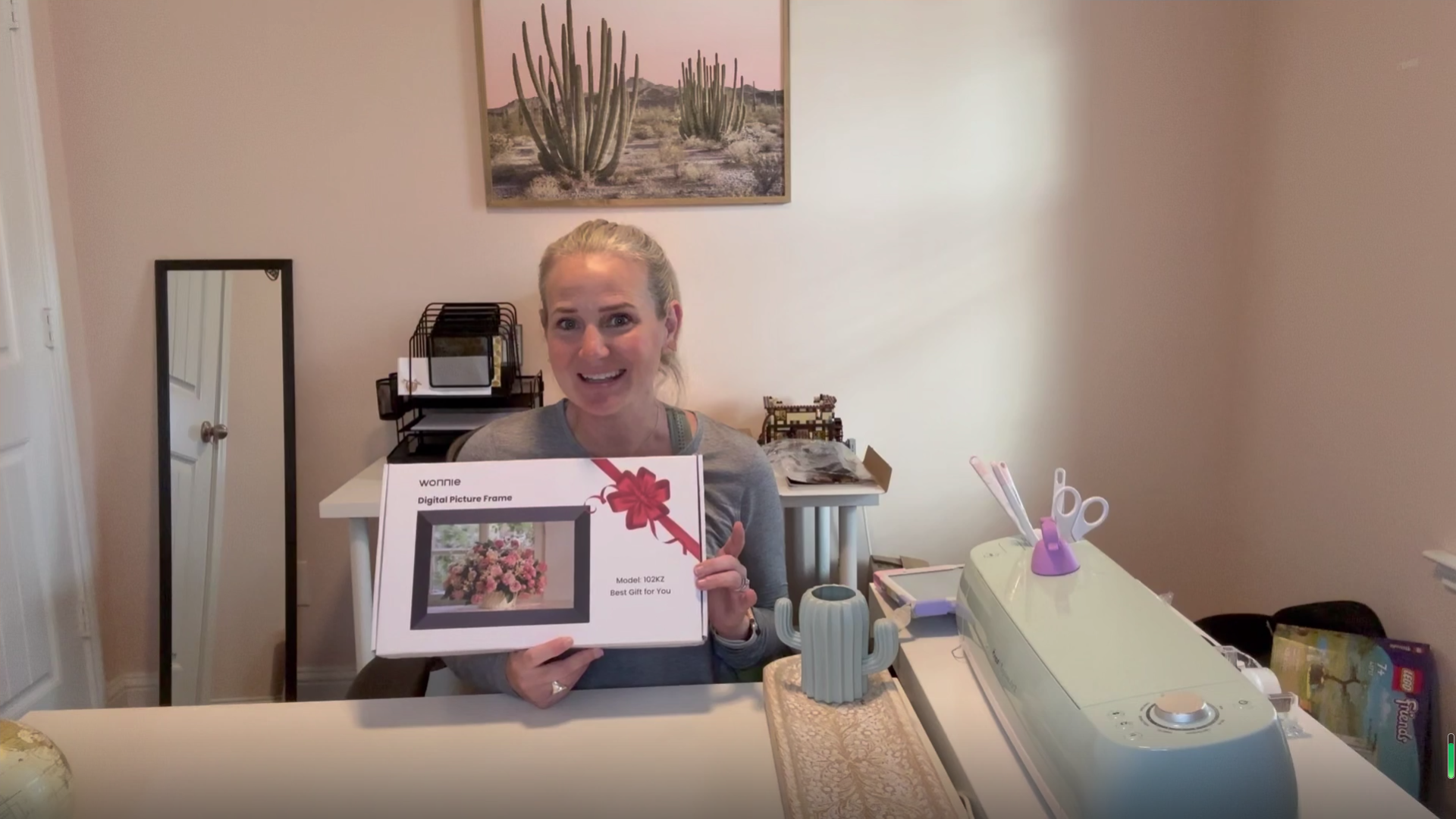
Uhale 10.1" Digital Picture Frame with 32GB Storage Support SD Card, Electronic Photo Frames with 1280x800 HD IPS Touch Screen, Instantly and Securely Share Memories, Send Wishes from Anywhere

  • Based on 1,460 reviews
Condition: New
Checking for the best price...
$59.99 Why this price?
Save $4.99 was $64.98

Buy Now, Pay Later


As low as $10.00 / mo
  • – 6-month term
  • – No impact on credit to apply
  • – Instant approval decision
  • – Secure and straightforward checkout

Ready to go? Add this product to your cart and select a plan during checkout.

Payment plans are offered through our trusted finance partners Klarna, Affirm, Afterpay, Zip, Apple Pay, and Google Pay. No-credit-needed leasing options through Acima may also be available at checkout.

Learn more about financing & leasing here.

Selected Option

Free shipping on this product

FREE 30-day refund/replacement

To qualify for a full refund, items must be returned in their original, unused condition. If an item is returned in a used, damaged, or materially different state, you may be granted a partial refund.

To initiate a return, please visit our Returns Center.

View our full returns policy here.


Availability: In Stock.
Fulfilled by Amazon

Arrives Sep 21 – Sep 22
Order within 20 hours and 25 minutes
Available payment plans shown during checkout

Protection Plan Protect Your Purchase
Checking for protection plans...

Color: Matte Black


Features

  • Instant and Private Photo-sharing:Download the fr-ee Uhale APP for Android or iOS mobile phones. After connecting the digital photo frame to wifi and pairing it with your mobile phone,you can use your mobile phone or computer to transfer photos and videos to the digital photo frame no matter where you are in the world.
  • Unlimited Users Connections & Send Wishes:With our electronic photo frames, You can transfer photos and videos with your relatives and friends to share happy moments. Additionally, our electric picture frame features a unique blessing-sending option, enabling you to send personalized greetings to your relatives and friends via the fr-ee Uhale APP for Christmas, Mother's Day, and Valentine's Day.
  • Auto-rotate & Large Storage Space:Our smart technology easily detects the digital frame's orientation to ensure your photos are displayed correctly. This digital photo frame wifi has built-in 32GB memory and supports 32GB Mirco SD card. You can store more than 100,000 photos (the average photo size is about 300KB). At the same time, you can also transfer photos through the SD card to meet your different needs.
  • Note: 1 Please ensure the micro SD card is formatted to "FAT32" before use. 2 For optimal compatibility, we recommend using a 32GB storage device, as larger capacities (e.g., 64GB/128GB) may not function correctly with this frame.
  • 10.1 inch IPS Touch Screen:This digital photo frame has a resolution of 1280*800. Through the high-definition touch screen, you can easily browse photos and videos, pause playback,adjust brightness, and volume, making these operations very convenient. Digital photo frame immerses you in the vibrant world of your photos, easily visible from any corner of the room.
  • Video Transhfer:WONNIE digital picture frame has video playback capability. You can play videos by inserting an SD card or importing videos to the digital photo frame through the SD card. Additionally, you can also upload videos through the Uhale app on your mobile phone to the digital frame.(Notice: There is no time limit for videos uploaded by SD card. Only 120s videos can be uploaded through Uhale APP)
  • One-Year Easy Replacement Policy: WONNIE place great importance on maintaining the integrity of our brand as we firmly believe that our reputation is the cornerstone of our success. As such, If you encounter an issue with a smart photo frame, our professional after-sales team will handle it properly within 24H.

Description

With over a decade of experience in the digital picture frame industry,WONNIE has built a reputation for excellence.Our products are highly regarded and widely sold across multiple countries.Seamlessly connect your smartphone or computer to effortlessly upload and share pictures in stunning clarity. Through your support,WONNIE can craft a product that not only fulfills your requirements but also surpasses your expectations. 10.1 Inch Digital Frame 15.6 Inch Digital Frame 21.5 Inch Digital Frame 21.5 Inch Digital Frame 32 Inch Digital Frame 4 Pack Digital Frame

Brand: WONNIE


Color: Matte Black


Resolution: 1280 x 800


Compatible Devices: Uhale APP


Screen Size: 10.1 inches


Resolution: 1280 x 800


Compatible Devices: Uhale APP


Connectivity Technology: Wi-Fi


Power Source: Corded Electric


Touchscreen: Touchscreen


Aspect Ratio: 169


Memory Storage Capacity: 32 GB


Control Method: App, Touch, Voice


Color: Matte Black


Frame Material: Plastic


Display Size: 10.1 inches


Item Dimensions L x W: 7.9"L x 10.2"W


Brand: WONNIE


Model Number: 102KZ


Unit Count: 1 Count


Manufacturer: WONNIE


Number of Packs: 1


Manufacturer Part Number: 102KZ


Warranty Description: 365 DAYS


Frequently asked questions

If you place your order now, the estimated arrival date for this product is: Sep 21 – Sep 22

Yes, absolutely! You may return this product for a full refund within 30 days of receiving it.

To initiate a return, please visit our Returns Center.

View our full returns policy here.

  • Klarna Financing
  • Affirm Pay in 4
  • Affirm Financing
  • Afterpay Financing
  • Zip Pay in 4
  • Financing through Apple Pay
  • Financing through Google Pay
Leasing options through Acima may also be available during checkout.

Learn more about financing & leasing here.

Top Amazon Reviews


  • Fantastic. Just fantastic.
Color: 21.5" Woodgrain
Originally I used an Amazon echo show 21. Mostly for a photo frame for my photos. The echo show 21 was terrible for photo frame, high reflections of room lighting, must use Amazon photo service to send photos to frame, and the endless ads interfering with photos being displayed. So many downfalls. Then I realized that I just needed a large sized digital photo frame 21 inch, and I found the UHALE 21 inch digital frame for much less than the echo show 21 inch and the UHALE frame does everything I needed. This large 21 inch frame is amazing. Absolutely no reflections of room lighting. Setup was easy. The only issue was understanding how to link my iPhone to the frame, which is optional, but a little tricky. The frame has 64GB internal memory and photos are uploaded to the frames internal memory via USB flash drive, SD memory card, or via your smart phone (and uploading photos from a tablet also works). By linking your smart phone you can send photos directly from your phone to the frame (or tablet). That works beautifully. You have so many nice settings to work with. Rotation speed of photos, playing video files and YES the frame has speakers for sound. Settings to auto crop that fill the screen with the photo, or not. Just soooo many great options to mention. But if it’s adjustable, then there is an adjustment for it in settings. Comes with a remote control. Can access the frame settings in the UHALE phone app, or by using the remote directly with the frame. Also, you can install the UHALE APP on a tablet and send photos from the tablet. Sharp, bright, clear screen. Wall mount bracket is included and a table top stand is also included. Fairly light weight, much lighter weight than an echo show 21 for sure. Remote control, power cord, 64 gb of internal memory storage. If you’re wanting to display digital photos, this is the best solution. Forget about an echo show 21 as a photo frame. The UHALE frame is Amazing. I love it, it works great. PS. As far as I can tell, the photos and video must be uploaded directly to the frames internal memory. The frame does not display photos directly from an external USB drive or external SD card. So all photos and video to be displayed must first be uploaded into the frames internal memory via USB flash drive or SD memory card, or smart phone or tablet. You can delete gallery photos from the frames internal memory via frame settings using the remote. Delete old, upload new. ... show more
Reviewed in the United States on March 7, 2026 by Randall M

  • Uhale 21” Digital Frame I think this is an excellent high quality digital frame See detailed review
Color: 21.5" Midnight Black
Uhale 21” Digital Frame Summary – I think this is an excellent high quality digital frame, with lots of storage, ability to manipulate the Photos for best appearance, and good customer service. This frame gets a 5 star rating from me. Because I was soo impressed I did a more detailed writeup. Packaging & Contents The Uhale 21” Digital Picture Frame comes well protected. The Frame and contents are inserted into a Styrofoam cut out case, which is then packed into external well taped up cardboard box. It comes with the Frame, sturdy plastic stand, wall mounting hardware, that allows for vertical or horizontal placement, Remote with 2 AAA batteries, (does not have a touch screen needs the remote,) Plug with power cord, and a user manual. Uhale App The Frame can be connected to a smart phone by downloading either the IOS or Google version of the App. More on this later. Storage The Uhale 21” frame comes with one of the largest storage capacities of any Digital Frame I was able to research. It has 64G of built in storage, of which approx. 6G is taken up by Operating system. In addition, you can add a 128G USB and / or an 128G SD card. These cards can be used for 1) Import Pictures or Videos 2) Export Pictures or Videos 3) Backup or Restore Pictures & Videos This allows for a restore after a reset or can be used to load onto a new Uhale Digital Frame. Note: Must use Fat32. If using SD card larger than 32G, need to format the card, using a program like Rufus, make sure you Indicate “no boot record” to be created. I purchased and plugged in a 12” USB Extender, so I can plug and unplug the USB without taking the frame off the wall. I also plugged in and left the SD card (after formatting for FAT32) in place. I use the SD card to back up the photos on the frame. Running a backup will overlay existing photos and only adds new pictures. Frame will also display last backup date. Settings It is important to understand that there are 3 sets of settings impacting the use of the Frame. 1) The iPhone (Smartphone) Settings for the Uhale app – When you first link (referred to as Binding) your Phone to the Frame via the App, it will ask you if you want to allow all Photos, select photos or None) I selected all and it loaded into the Uhale app “Gallery tab” everything I have in my Photos collection including documents. These do not get automatically loaded on to the frame. You have to select the ones you want to be sent. However, I didn’t want them in my Gallery at all. Emailed C.S. and told me how to fix in settings. I kept looking on Frame and on Remote and did not see the options they were referring to. I happened to access the iPhone Settings for the App and found the ability to allow all photos, be able to select which I want in Gallery or not allow any to gallery. 2) There are settings you can access from your phone, when you go into the actual App itself. These are pretty limited. 3) Then there are the majority of the settings you can access on the frame by use of the remote. The manual lists them all. It allows you to Delete, Import, Export, or back up restore Photos. In addition, has a default when uploading Photos, do you want them to fill the frame or not. Uploading photos to frame by using: A) Smart Phone 1) Using the Uhale App – by clicking on one or more photos in the “Gallery” tab of App. 2) Going into your smart phone’s own Photo Album, tapping on one or more pictures in your Photos, pressing the upload icon that appears as an option and select the Uhale App to upload to frame. Note: Up to 100 Pictures can be uploaded at a time. B) Using the USB and or SD card – Plugging either in, will cause a prompt to pop up, asking if you want to Import, export or actually play from the USB or SD card (even if not uploaded to frame). Can support a 128G USB or SD. C) The Uhale Website – Utilizing your PC or laptop access the site, and can drag pictures to the site for upload. Note: Does not have an option to upload via email. Manipulating pictures being sent to frame or even after they have been sent to frame. The manual is not always very clear, but playing with the Remote helped me figure out what to do. One of the most useful buttons on that remote is the MENU Button (3 lines) or the Home button (House) which is very similar. Pressing the Menu button, brings up a number of different functions you can use to manipulate the Photo. It allows you to select a photo, and if the image is blown up too large, clicking on the blow-up button, will bring it to a more manageable size and (based on a setting option chosen), will either blur the sides, add white or black bars. In addition, it will also allow you after a few clicks, to also move the image up or down, if a head is cut off etc. so don’t have to make it smaller. Customer Service I sent them 3 separate emails a few days apart. Each time they responded within 2 days, with either a “How To” link or description of how to do something. That is impressive. Miscellaneous Can display Time and Temperature in right corner, as part of photo display. Frame can be turned off via remote or placed in sleep mode with wake up and sleep time. Can also display Time, Time and Date, when Frame is placed in sleep mode. There are 4 different displays you can choose (See menu (3 lines) on remote – Lower right icon) What I would like to see added to this frame 1) Provide ability for adding pictures to the Frame via email 2) Make the Uhale app more usable like the remote. 3) Have a swivel on the wall mount, so can easily change from Vertical to Horizontal ... show more
Reviewed in the United States on July 24, 2025 by Julius D

  • Perfect for presentations!
Color: 21.5" Midnight Black
I absolutely love this frame! I use it for presentations for work! It's an amazing quality! Powers on right away! I love the app and how quickly it connects! It looks professional and is great for the price!
Reviewed in the United States on July 12, 2026 by MacKenzie's Favorites

  • Picture frame
Color: 10.1" Matte Black
Love this product. Makes a great gift.
Reviewed in the United States on July 23, 2026 by christy griggs

  • Terrible software - Well maybe just misunderstood.
Color: 32" Piano Black
UPDATE: I am updating my review from 1 star to 4 stars. Partly because the company responded and explained why I was having some of the issues and partly because of their outstanding customer service. You can read my original review following this update. The seller, Wonnie Direct, reached out with a very considerate response thanking me for sharing my experience. They expressed their appreciation and indicated my observations would be considered as they continually improved their software and manual. Their response addressed every one of my issues. One big issue was the lack of ability to remotely manage the settings. They said if I provided them with the MAC address of the frame they would push out a firmware update that would allow managing many of the features. After I wrote my initial review an update was sent to the frame and I am now able to perform many of the functions that previously were only available from the physical remote. There was also an explanation as to why I couldn't see photos (history) uploaded by the other admin for the frame and vice-versa. It is by design and is an issue of privacy. I'm going to paste their response here because they said it very well: "Regarding the inability to view photos uploaded by other users. This design is implemented as a privacy protection measure. For the vast majority of our users, digital photo frames are personal or household devices. Allowing every user connected to the frame to view content uploaded by others could lead to unintended privacy leaks. Additionally, this is a common industry practice—currently, most digital photo frames on the market do not support cross-user viewing of uploaded photo history for privacy considerations." So, in that respect, it makes sense. Even though it did not meet my needs, I felt better knowing it was intentional rather than poor design. I suggested an option to turn that off which would be preferable in my situation. All issues were acknowledged with an explanation or a promise to rectify them moving forward (such as manual updates and clarifications). Their response was very sincere and not antagonistic at all. And now for the most unexpected act of kindness. I explained that this frame is for a non-profit group. Another admin and I share upload and management responsibilities of the frame for this group. It's a 30 mile round trip for me and a 60 mile round trip for him to get to the frame's location. Consequently we wanted something that we could manage remotely. Currently this frame does not meet those needs so Wonnie Direct gave us a FULL refund of the purchase price of that 32" frame! We didn't even have to return it. That's how committed they are to customer satisfaction. As you can imagine, our group was very appreciative of Wonnie Direct. My original review is below. Now that I understand the reasoning behind some of the issues I was having, I feel apologetic. Wonnie Direct definitely took the high road. I would not hesitate to do business with them again. ORIGINAL REVIEW: I'll talk about the frame first. I got the 32" frame. The first one I received had a bad screen. The bottom 1 1/4" only displayed every other line. Not a good start. The replacement I received works fine so far. Unlike normal TV wall mounts, this wall mount is not adjustable. If you don't install it perfectly straight, there is no way to fine tune it. The only thing you can do is loosen the frame mounting screws and take advantage of the fact that they move around in the holes a little bit. The mounting instructions don't indicate what size holes to drill for the anchors so you're on your own. The display itself is crisp and photos looks very nice. The software is my primary reason for one star. There is software for the frame, and software to upload photos. The frame software gives you the option to display captions or not. If you choose to display captions, it will display the file name of the photo by default. When you are uploading photos, you have the option to change the caption. Unfortunately along with the file name (or custom caption) it displays the account name of the person who uploaded the photo and the date it was uploaded. I set up my account with my email address so that's what was displayed as my user name. I had to go into my profile and change my username to something else so my email address wasn't on display for all to see (this was at a public business). The upload date was also meaningless for my purposes. Unfortunately you can't specify which components of the caption are displayed. It's all or nothing. I ended up turning off the caption because one of the items displayed on the frame was an event calendar and the caption obscured a couple of days. The worst part of the software is the photo upload web page and phone app. The software has functions to upload photos, add frames to your account, and see the history of uploaded photos. You can upload via a web page or you can use a mobile Uhale app. I uploaded some photos via the web page. The only place you can manage photos is from the History tab. I went to the history tab and I could see the photos I uploaded. When I tried to view the photos from the iPhone and Android phone apps, I couldn't see the history. Furthermore, when I got home and tried to view the history from the web page, I could no longer see it. I reached out to tech support and they informed me the history is not retained when you upload pictures through the website and it will disappear once you close your browser. That would have been nice to know before I uploaded the photos. There are two users of the frame. We both upload photos. The second user uploaded a photo via the Android app and he was able to see the history but I couldn't. So apparently if you upload using the phone app, only you can see the history of what you uploaded -- no one else can. So the only way to manage photos (other than using the remote on the frame itself) is to go back through history. There is one history entry per upload so if you want to find something you uploaded 2 months ago you'll have to hunt for it in all the history records. And only the person that uploaded can see their history. There is no option to just see the photos that are installed on the frame. You'd think that would be a basic option. I belong to a motorcycle chapter. This frame is installed at the dealership that sponsors us. Another chapter member and I update the frame. We use it to display the chapter calendar, photo of the month, events, etc. We both live quite a distance from the dealership so we were excited to have the ability to remotely manage the content. You can imagine our disappointment when we learned we can't do that. I think if this were a personal photo frame in your own house it would be fine. If you are using this in a public place or you need remote management, look for a frame that doesn't use Uhale software. ... show more
Reviewed in the United States on December 22, 2025 by Randy J

  • Nice image, easy photo transfer
Color: 21.5" Woodgrain
Really like this in our dining room. It is so easy to transfer photos from your phone. The image is crystal clear. I definitely recommend.
Reviewed in the United States on August 4, 2026 by Steph Fuller

  • Great product for any household
Color: 10.1" Matte Black
I got one of these for Christmas and now have gifted it for Christmas to two family members. It is so cute to have up when people are visiting, and I like that I can constantly choose and change the pictures out that it shows. It’s perfect for showing ALL the pictures you have without having to actually frame them all in your house. The app is pretty easy to use and it was easy to set up. ... show more
Reviewed in the United States on June 29, 2026 by Meagan Chaudron

  • Really nice frame, could be a little better with more options
Color: 21.5" Woodgrain
Pros: - Looks great. Doesn't look like a digital frame at all. Looks almost like a backlit framed photograph. - Lots of options for storage. USB, SD, MicroSD (with adapter), and USB<->USB computer connection - Worked fine with a 128GB USB drive formatted FAT32 - Very fast to display and operate - Mostly intuitive interface, USB options automatically pop up when inserted - Exceptionally nice image display, highly detailed - A decent number of options for slideshows, time per image, zoom options, on/off time Only a few quirks it would be nice for them to remedy: - Seems to have a problem with any image over 5MB. I continually had to make images smaller either in number of pixels or size by adding more compression. Otherwise, the image is totally ignored and cannot be seen by the frame. - Would be nice to have some more options for displaying images in other aspect ratios, such as zooming or panning while displaying. As it is there are just two options: keep zoomed out or keep zoomed in. Both are ok, but limited. - Manual could be better, as far as explaining the interface. Other than those quirks, it is a really nice looking and working frame! ... show more
Reviewed in the United States on August 3, 2026 by King Lerch

Can't find a product?

Find it on Amazon first, then paste the link below.
Checking for best price...