Search  for anything...

TP-Link Tapo Smart Plug Mini, Matter Compatible, Compatible with Alexa, Google Home & Samsung SmartThings, Energy Monitoring, 15A, UL Certified, 2.4G Wi-Fi Only, Tapo P110M(4-Pack)

  • Based on 99 reviews
Condition: New
Checking for the best price...
$29.97 Why this price?
Save $6.02 was $35.99

Buy Now, Pay Later


As low as $7 / mo
  • – 4-month term
  • – No impact on credit to apply
  • – Instant approval decision
  • – Secure and straightforward checkout

Ready to go? Add this product to your cart and select a plan during checkout.

Payment plans are offered through our trusted finance partners Klarna, Affirm, Afterpay, Zip, Apple Pay, and Google Pay. No-credit-needed leasing options through Acima may also be available at checkout.

Learn more about financing & leasing here.

Selected Option

Free shipping on this product

FREE 30-day refund/replacement

To qualify for a full refund, items must be returned in their original, unused condition. If an item is returned in a used, damaged, or materially different state, you may be granted a partial refund.

To initiate a return, please visit our Returns Center.

View our full returns policy here.


Availability: In Stock.
Fulfilled by Amazon

Arrives Friday, Jul 31
Order within 11 hours and 7 minutes
Available payment plans shown during checkout

Protection Plan Protect Your Purchase
Checking for protection plans...

Style: Matter + Energy Monitoring


Size: 4-Pack


Features

  • Insightful Energy Tracking Monitor your energy consumption with in-depth statistics and clear visuals, helping you optimize power usage.
  • Estimate Your Energy Bill Enhance energy management by integrating with billing systems for clear cost visualization (both single and periodic readings). Additionally, programmable scheduling allows automatic operation of high-consumption devices during off-peak hours with lower electricity rates, resulting in cost savings.
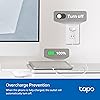
  • Overcharge Prevention & Power Management Automatically cuts off power based on user-set thresholds and durations to prevent overcharging, conserve energy, and protect connected devices from overcurrents by shutting off when power exceeds set limits.
  • Voice & Remote Control With built-in support for both Alexa and Google Assistant, issue simple voice commands to adjust settings, turn devices on or off, or even access specific functions without lifting a finger. Manage Tapo P110M and its connected devices from anywhere with the user-friendly Tapo app.

Description

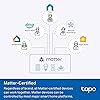
Experience the future of smart home convenience and sustainability with the Tapo P110M Smart Wi-Fi Plug, Matter-certified with energy monitoring. This innovative device empowers you to control your connected devices with ease, using simple voice commands through your favorite assistants like Alexa, Siri, Google Home, or Samsung SmartThings. The Tapo P110M goes beyond just control. It's also an energy efficiency champion. Gain valuable insights into your energy consumption with detailed statistics, and leverage those insights to estimate your bills and potentially save money. Safety is paramount, and the Tapo P110M prioritizes it with customizable power thresholds and a smart charge guard feature, preventing overcharging and ensuring the security of your connected devices. Plus, the P110M boasts a compact design—it fits seamlessly into your existing setup without blocking neighboring outlets. Upgrade your home with the Tapo P110M, and experience the power of smart control, energy efficiency, and ultimate convenience.

Operation Mode: AUTOMATIC


Current Rating: 15 Amps


Contact Type: Normally Open


Connector Type: Plug In


Brand: Tapo


Switch Type: Toggle


Terminal: Plug in


Material: Polycarbonate


Circuit Type: 1-way


Mounting Type: Tabletop


Operation Mode: AUTOMATIC


Current Rating: 15 Amps


Contact Type: Normally Open


Connector Type: Plug In


Switch Type: Toggle


Terminal: Plug in


Circuit Type: 1-way


Mounting Type: Tabletop


Number of Positions: 4


Control Method: App


Connectivity Protocol: Matter, Wi-Fi


Wattage: 1800 watts


Control Type: remote, voice, scheduling


Compatible Devices: Smartphone, Tablet


Smart Home Compatibility: Smart Home Compatible


Color: White


Unit Count: 4.0 Count


Number of Items: 4


Material Type: Polycarbonate


Contact Material: Copper


Specification Met: FCC, RoHS, UL


Brand Name: Tapo


Model: Tapo P110M(4-Pack)


Manufacturer: TP-Link


UPC: 810142821834


Part Number: Tapo P110M(4-Pack)


Included Components: 4 x Tapo P110M; Quick Installation Guide


Frequently asked questions

If you place your order now, the estimated arrival date for this product is: Friday, Jul 31

Yes, absolutely! You may return this product for a full refund within 30 days of receiving it.

To initiate a return, please visit our Returns Center.

View our full returns policy here.

  • Klarna Financing
  • Affirm Pay in 4
  • Affirm Financing
  • Afterpay Financing
  • Zip Pay in 4
  • Financing through Apple Pay
  • Financing through Google Pay
Leasing options through Acima may also be available during checkout.

Learn more about financing & leasing here.

Top Amazon Reviews


  • Reliable Smart Plugs with Great Usability and Energy Monitoring!
Style: Matter + Energy Monitoring Size: 4-Pack
5 stars. These Tapo smart plugs are excellent quality and work flawlessly with Alexa, Google Home, and SmartThings. Setup was quick and easy, showing great usability and compatibility. The compact design offers strong portability and doesn’t block adjacent outlets, which adds practicality. I love the functionality—energy monitoring is a great feature for tracking usage, and the Matter support ensures long-term interoperability. The build feels solid, giving confidence in durability and reliability, and the UL certification adds extra peace of mind. Overall, these plugs combine quality, efficiency, and versatility perfectly. Highly recommend for anyone looking to upgrade their smart home setup! ... show more
Reviewed in the United States on January 6, 2026 by Brandon D.

  • Reliable smart plug with energy monitoring, better via Tapo than Matter (for now) Reliable smart plug with energy monitoring, better via Tapo than Matter (for now)
Style: Matter + Energy Monitoring Size: 4-Pack
I bought these specifically for Matter compatibility and Home Assistant use. After setup, I found that the native TP-Link Tapo integration is currently much more capable than Matter, especially for energy monitoring. Through the Tapo API you get real-time wattage, kWh totals, and usable history, while Matter currently exposes far less. If I had known that beforehand, I might have widened my search to include non-Matter plugs. That said, I am still glad these support Matter so they are reasonably future-proof if the implementation eventually matures. Important note for anyone shopping by protocol: these are Matter over Wi-Fi (2.4 GHz only), not Matter over Thread. There is no Thread radio here, so if your goal is non-Wi-Fi local mesh communication, these will not provide that. From a hardware standpoint they have been solid. They are rated for 15A / 1800W, which covers most household loads within reason. Switching is fast and reliable. There is an audible click when the outlet turns on or off, which is expected behavior due to the mechanical relay and not a defect. The plugs are compact enough that they generally do not block the adjacent outlet on a standard duplex receptacle. The energy monitoring has been genuinely useful for identifying standby draw and higher-consumption devices. Overall these have been stable, reasonably priced in the multi-pack, and work very well today through the Tapo integration, with optional Matter support for future flexibility. ... show more
Reviewed in the United States on February 4, 2026 Reviewed in the United States on February 4, 2026 by grayplace

  • Tapo TP link is great. Wemo Belkin is out
Style: Matter + Energy Monitoring Size: 4-Pack
Good product. Easy intelligent set up. Little problem with linking to Alexa. Did the link. Did not work. Slept on it and linked again the next morning. Works great Amazon Alexa. Get your act together. Looked like I linked from 2 different menus. Difficult to find the right page. Google pages were incorrect Good bye and good riddance Wemo Belkin. You have failed your customers. You wo’nt sell me any more of your products. ... show more
Reviewed in the United States on March 20, 2026 by Gene

  • Power monitoring _and_ control, Matter and HomeAssistant compatible Power monitoring _and_ control, Matter and HomeAssistant compatible
Style: Matter + Energy Monitoring Size: 2-Pack
I was looking to identify the power consumption and on-off duty cycle of a few appliances in the home, all of which plug in to a 120V outlet. Side note: I'd like to find something similar for 240V, but there are so many 240V outlet configurations... Why these - I thought briefly about buying one of the self-contained power monitors (plugs into an outlet, provides an outlet, has its own display, etc.), but what I really wanted was to monitor the power over time, and for some use-cases compare that with other activity in the house. For this I needed to integrate the data (logging) into Home Assistant (HA) - an open-source smart home application I use. This combination brought me to choose the TP-Link Tapo Smart Plug Mini. Out of the boxing - The pair were well protected in the box on arrival, and easy to install. I did install the Tapo app. And connectivity was easy - joining them to the home network, where I next tested out the Tapo features. Control of them was easy, and I could name each one to clearly know what I'm looking at and controlling. Combined with the Tapo app, there is quite a bit of functionality in these things that I need to explore further. Because of their physical size, it is possible to put plug two of them over/under each other (in a typical duplex outlet). I didn't have the need to, but they are too wide to plug them in side-by-side (e.g., in a quad outlet). Home Assistant I next found it was easy to integrate them into Home Assistant, which was easily done using the provided QR codes, my phone, and the HA app on my phone. From HA, I could also turn them on and off, set schedules and so forth. Some of this capability overlaps with the TP-Link app, but that was not my specific interest. I wanted them always on, so I could monitor the behavior of the thing plugged in. In HA, it wasn't long before I had interesting data to look at. The pictures show 3 of the screens from the Tapo application, and you can see from one that it matches that from the time-history graph in Home Assistant, except in HA I could overlay other outlets into a single graph for time-history comparison (which wasn't relevant in this specific case). With these outlets, I learned within about a day that the whole-house dehumidifier draws a lot of power _and_ runs at a nearly 50% duty cycle. The power consumption was in the specifications for the dehumidifier, but the high run-time was more unexpected. The overlaid graph shows power of the network center - multiple PoE switches, Pd end-points, two servers, one of which only comes on to support a backup operation. If you do want to check the power of something like a network or computer system, I'd recommend having the equipment on a UPS, and the UPS plugs into the TP-Link outlet (just to avoid an unplanned shutdown). Control of these outlets was easy (by both the TP-Link app and HA), but again, that was not my objective - so I named the devices with a "DO NOT TURN OFF" label as a reminder. Summary The main functionality of interest was the power monitoring and data logging, and these were a great solution at a reasonable price point. I'm likely to buy a few more. Because of the convenience of using these for power monitoring, I do wish there was a convenient way to "lock out" the ability to turn them off. ... show more
Reviewed in the United States on September 18, 2025 Reviewed in the United States on September 18, 2025 by Amazon Customer

  • Recommended with a few quirks. Long term reliability unknown. Recommended with a few quirks. Long term reliability unknown.
Style: Matter + Energy Monitoring Size: 4-Pack
I have only had these for a few days, so can’t comment on reliability but I wanted to share my experience with setting them up and their capabilities. I bought 12 of these Tapo P110M (3x4-Packs) to replace my smart plugs from Etekcity (aka Vesync) that were 7-8 years old. The Etekcity ones had been fine but had started losing connectivity more frequently and were limited by the technology of the time. The biggest shortcoming of the old ones was the inability to control them if internet went down. Doing the research there was a lot of conflicting information about “Matter” smart devices, and I was concerned that the P110M would not meet my needs. Here are some of my concerns in Q/A form: Q: Can they actually be controlled when the ISP is down? A: Answer: Yes! But only through the Tapo app (not Alexa) and only when connected to the home network. This is a minor concern, but when the internet goes down your smart phone will try to automatically disconnect and use cellular data. This means that if you want to control a plug you have to reconnect to Wi-Fi first. Q: Is IPv6 required? A: No! There was a lot of conflicting information on this one. Many YouTube reviews indicated that all Matter devices require IPv6. I do not have IPv6 configured and didn’t really want to bother as my ISP does not support it yet in my area. Q: What order should I set them up? A: Based on my experience, I think the best approach is to add the Tapo app first, configure it and update firmware, then add to the desired ecosystem. Q: If I add to the Tapo app first do I need to generate a new Matter ID to add to my first ecosystem? A: No. The Tapo app does not use up an ID. I did find a quirk when setting them up. My target “ecosystem” is Alexa, so my plan (based on what I saw in the literature) was to: 1. Add a P110M to the Tapo app, configure it and update firmware. 2. Add the device to the Alexa App. When I did this, step 1 was fine, but in step 2 Alexa would add 2 devices for each plug: A new plug (e.g., First Plug) and a ghost device (e.g. First Device). I did loads of research and could not find anything definitive about this. Chap GPT called this a “known first device bug” and offered solutions but turned out to be hallucinating. When pushed for sources all the linked discussions Chat GPT provided had nothing to do with this apparent issue. I thought maybe the problem was adding to the Tapo app first was “using up” the matter ID and so Alexa was confused, reversed the order and added the device to the Alexa app first. When I did this, sure enough there was no ghost device initially, only the one I intended to app (e.g., My Plug 1). But when I added another device to the Alexa app the previously added device (My Plug 1) would split into 2 devices. My Plug 1 would lose its “pluggyness” in the Alexa app (i.e., lose its on/off button) and a new device with a default name (second plug) would appear, with an on/off button. I ultimately gave in and just added all the devices in my original planned order (Tapo then Alexa) and everything worked fine. I still don’t know the reason for the ghost devices, but they don’t seem to affect performance. I put them all in their own Alexa group to keep them out of the way. See pics. By the way, adding a plug to the Tapo app does not “use up” the matter ID. You can add it to Tapo and then scan the QR to add it the target ecosystem. So far very happy with the P110M. ... show more
Reviewed in the United States on November 22, 2025 Reviewed in the United States on November 22, 2025 by S. Howard

  • Ease of setup and superb connectivity!
Style: Matter + Energy Monitoring Size: 4-Pack
Just got this a couple days ago and I set the first one up within 15 minutes! Wow, that was easy. 15 minutes total. This included downloading the app, updating my password for my account, logging into the app, adding a device, choosing the model, entering wifi password, downloading firmware updates, and then voila, it's done! To give you a perspective, I tried Emporia outlets and I spent MULTIPLE nights trying to get it to work. I first got those and tried connecting to a Spectrum router but the device frequency binding would not let me connect. I needed 2.4Ghz and the router kept broadcasting 5 and 6 Ghz (spectrum says to disable the binding to connect IoT devices, but that was a lie - very frustrating). I ended up using a phone as a hotspot with 2.4Ghz and it worked instantly. When I tried to connect to the spectrum router again, it just could not do it. So I bought a Nighthawk router to configure my own frequencies. I disabled all but 2.4Ghz freqs and was able to connect my Emporia plugs. After I connected the first plug, I unplugged it and plugged it back in and it took a while to reconnect. I then configured the rest of my Emporia plugs and moved them to where I needed them. I have about two 7-inch concrete walls with rebar in between the farthest connection. I tested my signal strength with a wifi analyzer and had decent signal with my new router (Spectrum's would barely reach). Again, connection was spotty and I thought I needed a wifi extender to make this work. I can't live with only 2.4Ghz freqs so I turned on my 5 and 6 GHz freqs on the nighthawk router. After the router power cycled to use the other freqs, the Emporia plugs just lost their minds and forgot how to connect to the 2.4Ghz freqs/network. I tired to be really patient with this and troubleshot for another three hours before I gave up. I did more research on smart plugs and decided to give the TP-Link models a try. I used their routers before and it was intuitive to use unlike Netgear's Nighthawk app/website. I read other's positive reviews of connectivity and ease of setup and made up my mind to buy the TP-Link 4-pack (P110M). TP-Link, whoever the UX design team and engineers are that made this plug, please give them a raise. Like I said before, 15 minutes from unboxing to use compared to multiple nights with Emporia is not even a comparison! After setting up the first plug, I immediately took the second plug to my wireless problem area and plugged it in. The Tapo link immediately recognized there was a new device and prompted me if I wanted to connect to it. So I did. It took a minute and I got worried it wouldn't work through these concrete walls, but it did! I was skeptical as I knew there was a firmware update. But that also went surprisingly smooth too. It was a bit slower due to a weaker connection, but it connected nonetheless. After the update, I tried to toggle it on and off and it was instantaneous. I am not sure if it was the bluetooth or wifi, but it still worked at the end of the day. Keep in mind that my router is also blasting 2.4, 5, and 6 Ghz freqs and I was able to still connect to the 2.4Ghz network. I still have two other plugs to use and I bought these like everyone else who wanted to monitor their energy use. I am using it for a 12,000 BTU portable AC and my e-bike charger. The AC seems power hungry the colder you make it so I'm trying to find a balance of coolness and cost. As for my e-bike, I needed the charger to stop after the battery was fully charged to increase the battery's lifespan and performance over time. Highly recommend these plugs! ... show more
Reviewed in the United States on May 22, 2026 by Wong8521

  • Flexible option for better energy saving
Style: Matter + Energy Monitoring Size: 2-Pack
The Tapo smart plugs are reliable and easy to setup/operate. What's stand out is its power meter function. It's easier to use and better than physical power meters like kill-a-watt, as one can monitor the power consumption info directly from the phone app. 15A capability gives it a lot of flexibility in applications. ... show more
Reviewed in the United States on March 7, 2026 by Steve

  • Very easy to install
Style: Matter + Energy Monitoring Size: 4-Pack
My Wemo smartplugs were being phased out and I needed new plugs for my lights. IAfter reading reviews and trying to find smaller compact ones, I decided to give these a try. They were larger than my Wemos (they stick out from the wall alot further especially with a plug in them) so could only use them in places where I had clearance. Installation was very simple. Had them working in less than 5 mins. No issues with wifi dropping even if power goes out. I like the app interface better than Wemo. I would buy again. Just wish they were a little smaller or they designed a smartplug that plugs in either underneath or on the side for tight spots. ... show more
Reviewed in the United States on February 3, 2026 by Hatch

Can't find a product?

Find it on Amazon first, then paste the link below.
Checking for best price...