Search  for anything...

Texas Instruments Graphing Calculator | Intuitive Icon-based Homescreen, USB-C Charging, Python Programming, Faster Performance, Bigger Graphs than TI-84 Plus CE

  • Based on 43 reviews
Condition: New
Checking for the best price...
$160.00 Why this price?

Buy Now, Pay Later


As low as $26.67 / mo
  • – 6-month term
  • – No impact on credit to apply
  • – Instant approval decision
  • – Secure and straightforward checkout

Ready to go? Add this product to your cart and select a plan during checkout.

Payment plans are offered through our trusted finance partners Klarna, Affirm, Afterpay, Apple Pay, and PayTomorrow. No-credit-needed leasing options through Acima may also be available at checkout.

Learn more about financing & leasing here.

Selected Option

Free shipping on this product

FREE 30-day refund/replacement

To qualify for a full refund, items must be returned in their original, unused condition. If an item is returned in a used, damaged, or materially different state, you may be granted a partial refund.

To initiate a return, please visit our Returns Center.

View our full returns policy here.


Availability: In Stock.
Fulfilled by Amazon

Arrives Saturday, Jul 4
Order within 17 hours and 55 minutes
Available payment plans shown during checkout

Protection Plan Protect Your Purchase
Checking for protection plans...

Color: Green, Mint


Features

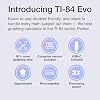
  • TI-84 Evo graphing calculator with enhanced performance featuring a 3x faster processor for quicker calculations and improved graphing speed
  • Large 2.8-inch high-resolution display with 50 percent more graphing area for better visualization of equations and data
  • Rechargeable lithium-ion battery with USB-C charging provides reliable, long-lasting power without needing disposable batteries
  • Approved for major standardized exams including SAT, ACT, AP and IB with intuitive icon-based navigation for easy use

Description

Texas Instruments Graphing Calculator, Rechargeable, Battery Powered, Mint

Brand: Texas Instruments


Color: Green, Mint


Calculator Type: Graphing Calculator


Power Source: Battery Powered


Screen Size: 2.8 Inches


Calculator Type: Graphing Calculator


Power Source: Battery Powered


Screen Size: 2.8 Inches


Number of Batteries: 1 Nonstandard Battery batteries required. (included)


Display Type: LCD


Color: Green, Mint


Item Dimensions L x W: 7.57"L x 3.54"W


Brand: Texas Instruments


Model Name: Graphing Calculator


UPC: 033317209996


Manufacturer: Texas Instruments


Mfr Part Number: 84EVO/FC/1L1/A4


Model Number: 84EVO/FC/1L1/A4


Item Weight: 9.6 ounces


Warranty Description: 1 year Manufacturer


Unit Count: 1.0 Count


Frequently asked questions

If you place your order now, the estimated arrival date for this product is: Saturday, Jul 4

Yes, absolutely! You may return this product for a full refund within 30 days of receiving it.

To initiate a return, please visit our Returns Center.

View our full returns policy here.

  • Klarna Financing
  • Affirm Pay in 4
  • Affirm Financing
  • Afterpay Financing
  • PayTomorrow Financing
  • Financing through Apple Pay
Leasing options through Acima may also be available during checkout.

Learn more about financing & leasing here.

Top Amazon Reviews


  • Not a huge upgrade but honestly, pretty good. Not a huge upgrade but honestly, pretty good.
Color: White
Is it a major change? No. But the little changes they made ,to me make sense. The buttons feel so much better, the screen text and icons make it feel so much more modern and although the graphs are larger now, the text (font) being smaller actually fits more too making the screen just feel right. Also I love the USB C port. Much more convenient. It is a little pricey yes but as someone that uses their calculator on a day to day for work (engineering), it isn't a big deal. I also love the black (dark) case/cover. If you're wondering if you need to upgrade from a TI-84 Plus CE (including the Python version), the answer is more than likely no. But if you are buying your first graphing calculator and you have the money to buy this one, it is a solid choice, it doesn't feel like it will be outdated anytime soon. One thing to note, and maybe its just me. As of today 05/03/2026, the TI Connect CE software does not support the new Evo. The Evo has its own online based software that lets you update and upload files to the calculator and vise versa. You also get a subscription to their online TI-84 Evo (essentially an emulator). It okay. I originally liked the TI connect Ce software because you can write programs (TI Basic code) on your computer and then transfer it over to the calculator but this doesn't work with the new Evo, at least for now. The online tool and emulator also don't let you do this so hopefully it is a change that comes soon but time will tell. Until then if you still use the Basic TI code, you'll have to do it manually on the calculator. Tedious but doable for simple programs. Other than that. Great purchase. I'd definitely recommend. ... show more
Reviewed in the United States on May 4, 2026 Reviewed in the United States on May 4, 2026 by Jose&Ale

  • Buttons I didn't even know I needed.
Color: Green, Mint
Sick calculator, does everything I need it to do and more stuff that I, genuinely, haven't even figured out yet. Does a calculator need this much computing power? Who knows, but I did manage to get an A in my math class, so that's pretty cool. Love that it's USB-C chargeable and the green is so cute. Also, the ability to input fractions now has its own very easy-to-find button (you could do this on earlier versions in the MATH menu). Oh, and graphing inequalities is no longer a mystery because it puts the symbols down in the equation instead of a bunch of weird triangles you have to decipher to determine whether you're >x or <x (unless you're into that sort of thing, I'm more of a direction translation girl myself). Overall, a pretty sick calculator that I guess I'll have for life which, at the price point is probably for the best. ... show more
Reviewed in the United States on June 18, 2026 by Chiggs

  • Overpriced but nice and modern Overpriced but nice and modern
Color: White
Cool calculator after their long streak without releasing a new 84 series calculator. A bit over priced but the colors and quality are good and precise. The usb c charger is good for staying modern with the universal charging and overall it's a good calculator but can't wait for better software updates. a few minor mold defects on my product but its super small and probably something that will get fixed. overall the calculator looks good and has a lot of similar characteristics to the 84 plus ce. some of the buttons got moved around or changed on this calculator and it messes with muscle memory on the key presses. the "APPS" button is just gone sadly and replaced with a useless "function / function" button..... but {math}, {enter} does the same thing.. or just using parenthesis right. i assume the change was made for lower level understandings and comprehensions on division. overall though the design looks sleek and modern much like its predecessors. might use it for my AP physics and Calc BC tests in a few days. really just got the calculator so me and my friends could have first look at a new calc and so we could make jokes about "dropping evo calc at the bridge" (clash royale reference). but so far (1 day after launch is when im reviewing it. overnight delivery coming in clutch lol) its a cool calculator. would rate like 8/10 overall. just super pricey for what it is and much slower than a ti-nspire for the same value or cheaper. the functions are easy and nice to use but some buttons seem unnecessary. cant wait to see further development and updates to it and the modding community for it. ... show more
Reviewed in the United States on April 30, 2026 Reviewed in the United States on April 30, 2026 by Russ Steger

  • Awesome functionality Awesome functionality
Color: White
I love it! I made an investment since I am currently going to school and will be taking a LOT of math, for my desired degree path. It is very similar to the original TI-84, so if you have knowledge on using one it should easily transfer to the Evo. The python functionality allows you to create programs and automate some calculator processes. It's display is bigger and more vivid than the TI-84 and it just has some great colors. I am looking to buy the Raspberry color for my Girlfriend. ... show more
Reviewed in the United States on June 23, 2026 Reviewed in the United States on June 23, 2026 by Armando

  • A great new version of this classic calculator
Color: White
This is an excellent, very powerful calculator. The keys on this version are a huge improvement; now the names of the 2nd-level functions are on the keys themselves. In prior versions, for example, you'd see (in small print) "mem" above the double arrow key. I always found this confusing since the key directly above is the + key. So did the "mem" apply to the key above or the key below? I guess if you used the calculator every day you'd get used to this and it would be no big deal. But for someone starting out or an infrequent user, it was hard to remember that when when you used the 2nd function key, the text above the key applied to the key below At least, it was for me. Also, I got the all-white background version, which makes the text on the keys really stand out. Since my eyesight is failing, this is a critical factor. Last but not least, the builtin support for Python works well. ... show more
Reviewed in the United States on June 22, 2026 by Amazon Customer

  • Not 3x as fast where it counts, actually slower than CE. Not 3x as fast where it counts, actually slower than CE.
Color: White
Want faster graphing? Go buy a TI-84 Plus CE Python instead. TI has intentionally put a speed limit on graphing and other TI-BASIC commands to make it just as slow as the original TI-84 Plus CE. Until this is removed, I see no reason for people to not just buy the CE Python for cheaper. You also lose the CE and 84+’s clock functionality, which is a bummer, though it wasn’t super useful in the first place. Come on TI, I know you can do better than this. That being said, it isn’t a bad piece of hardware The build quality is nice. the screen is still TN just like the CE but the screen tearing is no longer an issue, and the voltage issues resulting in checkerboarding on the more recent CEs seems to have been fixed. The buttons feel nice, and the OS is legitimately faster to navigate when TI isn’t artificially limiting the speed. TI-BASIC has been reimplemented from the ground up for the new ARM processor, and outside of needing a new file format (.8xp2 vs .8xp) and some of the quirks being taken out, it’s largely the same and feels pretty nice to work with outside of the artificial speed limit on graphing commands. Python is a bit better on here than the CE Python, certainly a little bit faster, but still not something I would actually want to use. You can still delete the Python app if you just want the extra space. 5.8/10 - Decent calculator, horrible design decisions on the OS. Why does it have a speed limit when it’s 3x faster??? So many issues could be solved with just a firmware update. Also, 160$ is way too much for this. Wait for it to drop to like 120$ or something if you can, or again, just buy a CE. ... show more
Reviewed in the United States on April 30, 2026 Reviewed in the United States on April 30, 2026 by NinWiidle

  • Students Just Love to Do Math
Color: Purple, Lavender
I received my EVO about a week ago and I am actively using it to study Calculus. As a certified math teacher, I already believed the best overall calculator for math to be the TI-84. TI-Nspire is great for those seeking a degree in Physics or Engineering. My gorgeous lavender device is way faster at graphing and it has some really good modifications to the keys. Go online and see the new features, but if you are seeking a new calculator for 7th through 12th grade math or college courses (get a graphing calculator for homework even if the college refuses to allow one in class-it is a vital learning tool!), then purchase the Evo in your favorite color. ... show more
Reviewed in the United States on May 16, 2026 by Nuke

  • Ti-Basic actually slower or same speed. Not 3x faster.
Color: White
Ti-Basic programs run actually slightly slower than the CE. Also the clock and commands for it have been dropped since the CE.
Reviewed in the United States on May 1, 2026 by The Great Brooksini

Can't find a product?

Find it on Amazon first, then paste the link below.
Checking for best price...