Search  for anything...

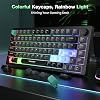
TECKNET 75% Compact Gaming Keyboard, 82-Key RGB Backlit Wired Keyboard with 26-Key Anti-Ghosting, Quiet Responsive Keys, Ergonomic Design, USB Plug & Play Keyboard for PC, Laptop, Gaming & Office

  • Based on 3,143 reviews
Condition: New
Checking for the best price...
$22.88 Why this price?
Save $7.11 was $29.99

Buy Now, Pay Later


As low as $5 / mo
  • – 4-month term
  • – No impact on credit to apply
  • – Instant approval decision
  • – Secure and straightforward checkout

Ready to go? Add this product to your cart and select a plan during checkout.

Payment plans are offered through our trusted finance partners Klarna, Affirm, Afterpay, Zip, Apple Pay, and Google Pay. No-credit-needed leasing options through Acima may also be available at checkout.

Learn more about financing & leasing here.

Free shipping on this product

FREE 30-day refund/replacement

To qualify for a full refund, items must be returned in their original, unused condition. If an item is returned in a used, damaged, or materially different state, you may be granted a partial refund.

To initiate a return, please visit our Returns Center.

View our full returns policy here.


Availability: In Stock.
Fulfilled by Amazon

Arrives Thursday, Oct 22
Order within 16 hours and 26 minutes
Available payment plans shown during checkout

Protection Plan Protect Your Purchase
Checking for protection plans...

Features

  • SPACE-SAVING 75% COMPACT LAYOUTDesigned with an efficient 82-key layout, this compact keyboard frees up valuable desk space while maintaining essential functions. Ideal for gaming setups, home offices, dorm rooms, and small workstations
  • CUSTOMIZABLE RGB BACKLIGHTINGEnhance your setup with vibrant RGB lighting effects, adjustable brightness, and multiple illumination modes. Create the perfect atmosphere for gaming, studying, streaming, or working late at night
  • 26-KEY ANTI-GHOSTING PERFORMANCEBuilt for fast-paced gaming, 26-key anti-ghosting ensures accurate input registration even during complex key combinations. Perfect for FPS, MOBA, MMORPG, and competitive gaming sessions
  • COMFORTABLE & QUIET TYPING EXPERIENCEResponsive low-noise keys provide smooth keystrokes with reduced typing fatigue. Whether gaming, working, studying, or chatting, enjoy reliable comfort throughout extended use
  • PLUG & PLAY UNIVERSAL COMPATIBILITYSimply connect via USB and start instantly without drivers. Compatible with Windows PCs, laptops, desktops, and most mainstream operating systems, making it a versatile choice for gaming and productivity

Description

How loud is this keyboard? This RGB keyboard is relatively quiet than traditional gaming keyboard, whisper quiet gaming switch. Is this keyboard waterproof? Our quiet gaming keyboard is IP32 spill-resistant. How to adjust the brightness and breathing speed? You can hold the "FN+↑ / ↓" to adjust the brightness and hold the "FN+ ← / →" to adjust the breathing speed. Can I turn off the light on this keyboard? Yes, press the "FN+ Del" ey to turn on/ off the backlight. Do the letters on this keyboard light up? No, the bottom of the keyboard is backlit; the keys don't light up.

Brand: TECKNET


Compatible Devices: PC


Connectivity Technology: Wired


Keyboard Description: Gaming


Recommended Uses For Product: Gaming,office


Special Feature: Backlit, Ergonomic


Color: Gradient-Black


Keyboard backlighting color support: RGB


Style: Gaming,office


Product Dimensions: 13"L x 5.55"W x 1.6"H


Compatible Devices: PC


Connectivity Technology: Wired


Additional Features: Backlit, Ergonomic


Keyboard Backlighting Color Support: RGB


Language: English, English


Power Source: Corded Electric


Switch Type: Linear


Keyboard Layout: QWERTY


Hand Orientation: Ambidextrous


Water Resistance Level: Water Resistant


Minimum Required Operating System Version: Windows 10


Compatible Operating System Family: Windows


Number of Keys: 82


Color: Gradient-Black


Style Name: Gaming,office


Theme: Gaming,office


Brand: TECKNET


Keyboard Description: Gaming


Antenna Location: Gaming,office


Built-In Media: Keyboard


Unit Count: 1 Count


Manufacturer: TECKNET


Number of Packs: 1


Number of Items: 1


Warranty Description: 1 year


Item Dimensions L x W x H: 13"L x 5.55"W x 1.6"H


Enclosure Material: Plastic


Frequently asked questions

If you place your order now, the estimated arrival date for this product is: Thursday, Oct 22

Yes, absolutely! You may return this product for a full refund within 30 days of receiving it.

To initiate a return, please visit our Returns Center.

View our full returns policy here.

  • Klarna Financing
  • Affirm Pay in 4
  • Affirm Financing
  • Afterpay Financing
  • Zip Pay in 4
  • Financing through Apple Pay
  • Financing through Google Pay
Leasing options through Acima may also be available during checkout.

Learn more about financing & leasing here.

Top Amazon Reviews


  • Not mushy more a snappy respones
Color: Gradient-Black
Out of the box impressions of the keyboard is... nice. The plastic case is stiff and the build is weighty to give that solid feel. Certainly, not a lightweight construction where hard typing styles could move the keyboard around a table. The feel of the membrane action is more snappy than a usual membrane keyboards... I was expecting a "mushy" feel. I get more feedback than I thought I would compared to a common Dell full keyboard. If you have a harder typing style, this might be fine for you. If you are expecting to have the smooth gentle click-ca-dy feel, then this is not for you as it does seem to rebound more than my most hard cherry type switches... forget the version, but I do have soft, medium with click and a high springy version for my custom keyboard. Getting the key feel out of the way and simply why I didn't go to way of TMKB T68 or RK Royal that are both very similar key layouts is cost. Weak reason, I've considered a mechanical and cheaper one, but the keyboard proved defective or maybe the method for some keys to be utilized was too far from reach due to the function key methods activate the cramped layout. My great disappointment with that purchase pivoted me to layout and use first. If I couldn't get to all needed keys specifically the /, ?, `, arrow keys, and home or end easily, then it is not for me. This will fit the role cheap and small for traveling around and no big loss if stolen or spilled, but feels fine for long typing. To note: keys themselves feel good with a texture that is not too smooth or hard edged, but do not these look like painted on type and I can say for how long that will last. The volume knob... works and I didn't think I needed it, but was nice to reach for it for a quick adjust. RGB lights are fine and easy to adjust. Right shift being small is not too bad for me, but anyone else should look at that if you are full size keyboard person. It is not fully deserving of the five stars as the painted keys, but it is solid feeling and as I'm typing this review, I don't have any big issues as it responds to my sloppy 80 WPM style. If you can go a few bucks more then the above mentioned might be better... I don't know? If this keyboard craps out suddenly, then that's where I'll go? ... show more
Reviewed in the United States on February 7, 2026 by W Y MO

  • Gaming mouse at the fraction of the cost of top contenders!
I am once again genuinely impressed by products that Tecknet produces. This is not an exception! I own both a Corsair M65 RGB and regular M65 along with a Razer Death Adder and Razer Mamba Tournament edition. I can tell you that this mouse is right up there with the rest at nearly a fraction of the price (and with some additional features). The packaging this mouse comes in is frustration free, a plain cardboard box with the name and company name. Inside is the mouse, a warranty card, and a mini CD for driver installation. If you are like most people, you actually don’t own any optical drives anymore for CD installation (lets be honest, USB can do anything a CD can). Upon plugging the mouse it, it will install the necessary drives. Keep in mind that this does not include the utility software. Like Is aid above, there is mini CD for this driver but I suggest skipping it and going directly to the source, Tecknet’s Support website for download (product ID: m009-v2). The utility install is quick and afterwards you are brought up with a menu for configuration. This includes everything from the lights (more on this), keybindings, to macros, and reconfiguring the poll rates. Lighting on this mouse is the only downside that I really found and honestly, that's not anything in my opinion to remove stars for non-functionality items. Tecknet, if you're reading this, an update pushed out to do this would be amazing! While it displays all colors of the spectrum, you cannot explicitly set a color to be solid at. You can set the scroll speed of the colors and such, but not a specific color. The software is very easy to use and sits in your tray. There are more than enough options for anyone using this mouse to find their perfect mouse. My go to settings were to create a new profile and configure this for Playerunknown’s Battlegrounds. On the side of the mouse, I configured M5 through M1 as commonly used settings such as inventory, pickup, reload, bandages, and booster items. The buttons on the side feel natural and M5 is easier to hit with your thumb without getting up to reach the other four, which are still easy. During the time of using the mouse for this review, we received Winner Winner Chicken Dinner. And I believe that to be attributed to both the mouse and the bindings I had setup. My plan was to set additional bindings to macros to use 3 bandages at a time, which would save immense time for me in doing that myself. Overall, this mouse is a full featured gaming mouse at a fraction of a -used- (yes, keyword used considering I bought my Mamba mouse for $50 on Craigslist with only two buttons on the side!). I personally have dropped off using my Corsair M65 that I was using with my second gaming rig and have moved exclusively to this mouse for the performance and game add value I have received. Once again, Tecknet has another stellar product and continues to hold high regards in my book for the products they make (specially mice!). ... show more
Reviewed in the United States on July 31, 2017 by David Howell

  • Good for beginner PC gaming
PROS: -Good amount of sensitivity at lower settings -Texture held hand well -Programmable buttons worked well -Software allowed for changing of LED glow colors Cons: -Cranking up the sensitivity felt buggy and jittery -Mouse felt too small yet simultaneously large at times -Layout of side buttons felt awkward at times -Software did not allow for the complete tweaking of mouse functions Bought this mouse when I got back into PC gaming and have had it for 3-4 months now. For reference, my hand is 18 3/4 centimeters from the tip of my middle finger to the bottom most part of my palm. Width is 9.5 centimeters measured from knuckle to knuckle on the palm and the full span of my hand from tip of thumb to tip of pinky is 21.5cm. Length wise, the mouse was good, however the width left something to be desired since I suffered from pinky drag due to there not being a pinky rest to mirror the thumb rest. I do like the way that this mouse feels in the hand compared to a stock OEM or work mouse, and every click definitely has a crisp break, much like a trigger. The sensitivity arrows on the mouse behind the scroll wheel controls how many DPI the mouse reads. I am unsure of what the stock settings are on the mouse, but the LED's go from having none lit to being able to have all three lit. I usually have the first LED lit for day to day operations and playing MechWarrior Online, dropping it down to zero lit when I start sniping or need to make small fine movements. For CS:GO I usually play with two lit. Anything beyond that and I start to see jitters from mouseclicks. The programmable buttons on the side are OK. That horseshoe in the middle is where your thumb would rest. Clicking the first three from the rearmost to the top middle are ok, but the two buttons towards the front of the mouse are a little too far. So far that every time I have to reposition my hand to click them, which moves the mouse which throws off my aim. The software, while it allows you to change the color of the mouse, has some severe limitations. You can not remap all keys, and the side keys have to be mapped to presets that the software has already. For MechWarrior it was a non issue since the keys oddly enough lined up to where they needed to be in order to fire groups 3-5. For CS:GO I didn't even need those keys. The weights are a pain to store if they are not in the mouse. I personally like all the weights in the mouse to give it a heavier feel, but the only thing to carry or store them in was a small felt bag that I believe came with the mouse. Overall, I believe that this is a good mouse, but not perfect. If you're looking for a good first time gaming mouse that is easy on the wallet, then this is the one. Just keep the limitations of this mouse in mind when you're trying to play ... show more
Reviewed in the United States on June 17, 2016 by Walt Garcia

  • If it's TECKNET, it's bound to be fantastic
I had never used nor owned a gaming mouse before, while I did not not quite what to expect, I was pleasantly surprised with what I found. Here's a few things to make sure of before you purchase this mouse: - This will not work on OS X (Mac) - You need either a built in or external (USB) optical drive disc reader for the setup process - In order to get the most out of this mouse, you will need to know how to program it - but don't be scared! The application is extremely user friendly Upon first inspecting the mouse, I noticed it has a lovely braided cable which allows for excellent durability and portability. It's definitely larger than a typical mouse, and it is extremely comfortable to rest your hand on. It glides very nicely, and fits your hand like a glove. Setup is as follows: - Insert the accompanying disc - Follow the onscreen instructions (this will install necessary drivers and the application you need to program the buttons) - Next, you should be greeted with the handsome application to program your mouse I'm rather tech-savvy, so for me, it was really easy to warm up to the application. I'm adamantly sure that anybody that has ever used a word processing application (such as Microsoft Word) would be able to use this application with ease. I was consistently amazed at this mouse, and what it could do. Abilities: - Change color and patterns - Adjust DPI (dots per inch - which adjusts the sensitivity of the mouse cursor) - Scroll speed, as well as the number of rows to move when turning the scroll wheel by one click - X and Y axis sensitivity (how quickly the cursor will move - for example: you can program it to move quickly left and right, but more slowly up and down) - Double click speed - Angle snap (Just as it sounds - when enabled, it predicts the movements you will make, ensuring a straighter line) - USB report rate (I have to admit - I am not sure what this is exactly, but it looks like it is often also referred to as "polling rate") - Macros* *If you don't know what a macro is, it's basically a set of instructions that will be performed according to the paramaters you set after triggering it in a predetermined manner (in this case, assigning it to a specific button on the mouse) Something I found very interesting, is that by default (and as such, this can be altered) the two arrow keys located directly below the scroll wheel are used to change the DPI setting to one of four assigned values. This can be any number up to a whopping 16,400 DPI. Another nice feature is an indicator light on the bottom left of the mouse that will show you which spot you are at in regard to that. A few notes: - I do not think this is mentioned in the physical manual, but there is a set of weights included inside the mouse that can be removed/rearranged as you wish. If you look at the bottom of the mouse, there is a switch to do so. - This is evident from the pictures above, but I do not see a way to change the lights located on the left side of the mouse. They are a yellowish-orange color, and I believe that is the only option for those. - I see no practical use if you use a mouse left-handed, unfortunately. - The programmable colors may look a little weird in the pictures, however they are beautiful in person. - Multiple button layouts can be made to your preference, and saved as a file within the application. They can be saved and loaded at will. This would be awesome if you are both a gamer and a video editor, for example. You can easily switch "profiles" for the mouse and have totally different programmed features, without manually having to change them every time. - The scroll wheel is especially interesting in that: it can be clicked (as with any usual mouse) AND it can be flicked left or right, each of which act as an additional "button" for the mouse. These are all programmable to your taste. - The picture attached to my review is of the application used to program this mouse. I think that about wraps up my review, and I hope this was useful. If you are still hesitant or unsure about buying, I strongly recommend giving this mouse a go. ... show more
Reviewed in the United States on July 26, 2017 by IamMe

  • PALM GRIP... Good solid mouse!
Solid Gaming Mouse!! Pros: Palm Grip Design Button Placement Software Adjustable Weight RGB Lighting (partial anyway) Cons: None, but why even send a CD with drivers on it? Not many modern computers even have a CD drive... I want to start this review off with this: palm grip. Let me say it again for effect: PALM GRIP. This is a palm grip mouse, despite what the product description says. If you use a claw style grip, stay away. I'm a big guy (6'6"), and I have large hands. This is a large mouse, that is perfect for large hands. It's adjustable weight, which is nice, but what's nicer for my style of play is how heavy it is when all of the weight is installed. I need a mouse that I know isn't going to move unless I want it to move. Weight and Fit? A+ Button placement is good, although I foresee myself using the furthest buttons (M1,M2) only very, very rarely. It's great that they're there, and available, but they're not close enough for twitch reflexes. Honestly though, this is a benefit. It means you also won't accidentally press them, so you can bind them to things you need to do quickly, but not often (hopefully), that often have complex keybindings, like Eject. Speaking of buttons, the only downside to my particular unit (I don't know if it's only mine or not) is that the RMB (Right Mouse Button) seems to have a stiffer resistance than any mouse I've used before. It seems like it's about half again as hard to press as the LMB. I enjoy a bit stiffer response, since I am a palm grip gamer. I often rest my fingers directly on the buttons. I've had mice in the past (that were immediately given away) that will set of at the slightest breeze. Not good when you're formation with your gun out. Tends to lead to some inadvertent team kills. This mouse is stiff enough to handle resting weight but light enough that clicks happen when expected. Again the RMB is a bit stiff, but after a few minutes of playing you adapt to it. The software (which again, why...) came on a CD. I couldn't use that CD, because both my laptop and desktop don't have a CD drive. It was easy to find using the search feature on the company website, and fairly small. Virus scans are clean on it (I always check when it's drivers), and install was quick. The software is intuitive, and easy to use. My one niggle is that although you can set colors to different DPI profiles, it doesn't seem to apply on the fly (using the buttons on the mouse). The DPI changes, but the color doesn't. Macros. This is important enough it deserves to be on it's own. Macros are easy, but limited. There's no way to manually enter a macro, it only records one. One of the things I've always liked to do is setup various macro profiles, one for gaming, and one for systems admin stuff. For instance a macro that opens up the command line... (R_Win+R)+(C M D)+(Enter). Because of how the software detects keystrokes, and Windows self-absorbed nature, there is not an easy quick way to command this macro. If Tecknet is looking at this review, this is something that would be a great update to the software, manual macro creation. Other Thoughts: This is a solid entry-level/mid-level gaming mouse. It's solid, and adjustable to your style of play. The overall quality of the mouse is great, and includes a non-slip finish on the top. One feature I forgot to mention is the convenient little shelf for your thumb to rest on, makes all day use a little more comfortable. This is a very solid mouse, and I'd love to see either an update on the software, or the next revision come with a bit more comprehensive software. If I could deduct a half star I would, but I feel that the quality, and everything else this mouse provides, does too good to only give it a 4. Great work Tecknet, keep it up! ... show more
Reviewed in the United States on August 13, 2017 by bvader

  • lasted half a year.
Color: Gradient-Black
barely lasted half a year, worked great until just two days ago. great build quality, loved the backlight RGB, volume knob and the fact that it is 75% compact KB, but now it just doesnt turn on. used different cables, different ports and it is just completely dead.
Reviewed in the United States on August 17, 2026 by edward bonkato

  • Great mouse, great value.
Great so far. I got this because I am tired of my Logitech devices (2 of the M570 and 1 of the G500) all having issues with the mouse buttons. After a while they would start double clicking on me when I only pressed the button once, or not clicking at all. Super annoying. I decided I was done spending money on their things and bought this instead. This is easily just as smooth and accurate as the G500. This one does not have as much heft to it, even with a fully loaded weight cartridge. I do like my G500 better in that respect but it is not a big deal at all. After a couple weeks I am completely adjusted to using the lighter mouse. I love the 5 side buttons and their arrangement. Using the included driver/software all buttons are easily mappable to single buttons (R for reload in a FPS game), button combos (Alt + Print Screen to take a screenshot or Ctrl + Enter to send an email), or actions (Copy, Paste, Open Windows Explorer, or Show Desktop). You can also do macros, though I have not tried that out, yet. The DPI customization is great, too. You can specify 5 different settings between 1000 and 16400 DPI and toggle through them with ease. You can also set the color of the lights on the mouse to whatever you want or turn it off altogether. 5 different profiles can be saved, so while you can't automatically invoke specific mouse settings based on what game you're playing or program you're working in (I did this with the Logitech G500), it is easy to set up each profile and switch between them. The only thing I don't like about this -- and it really is a minor complaint -- is that it is not as comfortable as the G500 for my hand. This is personal preference of course, but I don't like how the right side of the mouse flares out; I prefer it to "cave in" instead. All in all, I am very happy with my purchase and would definitely recommend trying this out if you are looking for a cheaper alternative for a gaming mouse. I got this one on sale for less than $30 while most of the competition with similar customization options and features go for $50 at minimum. I just hope that the switches on it don't wear out like all the Logitech ones did on me. ... show more
Reviewed in the United States on February 9, 2016 by Greg Garrison

  • First gaming mouse, very satisfied
This is my first review ever and I decided to write it because the manufacturer's customer service sent me a letter after purchase, not an e-mail but a letter! Who does that these days? I felt like that was incredibly professional of them and that is why I decided to write this review. I bought the TeckNet M009 Gaming mouse with the intent of replacing my wireless mouse because I have always hated replacing batteries on my devices, and in my case, it matched the color scheme of my computer case. This is my first gaming mouse that I have ever bought and didn't know what to expect, and since it wasn't as expensive as others, I decided to give it a try. The cable on the mouse is braided, which makes it look a lot better, and the quality feels like that of a more expensive mouse. The mouse also has little weights that you can add or remove to adjust to how you feel it better. The shape of the mouse is incredible as it spreads and adjusts your hand so that there is no fatigue while using it for extended periods of time. The mouse came with a CD which has the software needed for programming the mouse. The software is not needed to use the mouse, but if you want to program the buttons on the mouse you have to install it. I didn't want to install it at first because I thought it was going to run sluggish after installation, but to my surprise, ended up being a very light application that you only have to open if you want to make any changes to the programmed buttons. With the software, you can create several profiles which I really liked because in my case, I use different profiles with different games.The mouse has five buttons on the side where your thumb is and are very easily accessible. It also has the two traditional left and right buttons, another smaller button next to the left button (I think they call it a trigger button?), the wheel click, and two buttons beneath the wheel which are used to set the DPI level. This mouse has a DPI of 16,400, which is very useful to me because I have an ultrawide screen and it makes a huge difference when using it with bigger screens. In conclusion, this is a great mouse for the price with tons of extra features and feels like it should cost double what I paid. ... show more
Reviewed in the United States on February 21, 2015 by Issai

Can't find a product?

Find it on Amazon first, then paste the link below.
Checking for best price...