




Stylus Pen for Microsoft Surface Pro12/11/10/9/8/X/7+/6/5/4/3, Surface Go 4/3/2/1, Surface Laptop1-5/Studio/Book 3/2/1 with Eraser Side Button,Palm Rejection,Tilt Function,1024 Pressure



Buy Now, Pay Later
- – 4-month term
- – No impact on credit to apply
- – Instant approval decision
- – Secure and straightforward checkout
Ready to go? Add this product to your cart and select a plan during checkout.
Payment plans are offered through our trusted finance partners Klarna, Affirm, Afterpay, Zip, Apple Pay, and Google Pay. No-credit-needed leasing options through Acima may also be available at checkout.
Learn more about financing & leasing here.
Selected Option
FREE 30-day refund/replacement
To qualify for a full refund, items must be returned in their original, unused condition. If an item is returned in a used, damaged, or materially different state, you may be granted a partial refund.
To initiate a return, please visit our Returns Center.
View our full returns policy here.
Recently Viewed


Color: Blue
Features
- Fast Charge &Smart StandbyEnjoying Milikilo's leading Type-C fast charge and longer battery life, Stylus F97 only takes 40 minutes to fully charge for 80 hours of battery life.Automatically turn in "Sleep Mode" if idle for 10 minutes to save power.Perfect for students, business professionals, and creators who take notes and draw frequently.
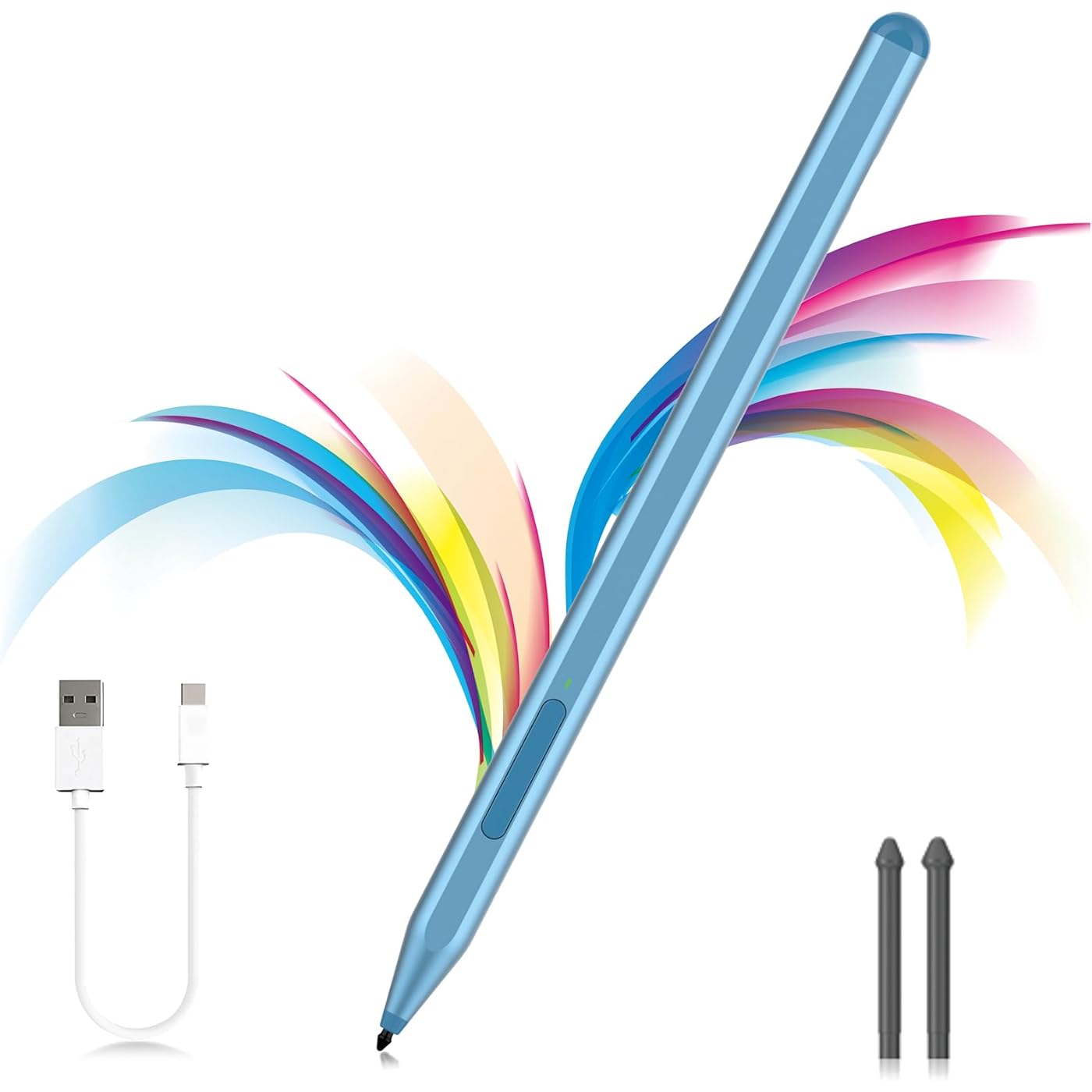
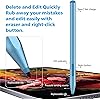
- eraser and right-click functions&2 replaceable pen tipFine control with 1024 pressure points. Milikilo Surface Pen has a CNC and gold-plated nib that provides a smooth, crisp line . The Surface Pen comes with eraser and right-click functions, the lower key is the eraser, and the upper key is the right mouse button.which helps you to improve your work efficiency.Easy to Replace Tip:2 extra nibs for easy replacement at any time.
- Palm Rejection & Magnetic DesignF97 surface pen with palm rejection,allowing you to comfortably rest your hand on the screen while creating. The magnetic design enables the surface pen to be securely attached to the tablet, making it more convenient to store and locate while in use.
- Tilt Function&Premium Feel F97 surface pen has a tilt and thickness feature that enables the line to become thicker as the pen is tilted at a larger angle. This is especially useful for creating precise outlines and shading, making it ideal for drawing purposes. Note: Tilt sensitivity compatibility depends on the application and pen brush.Differ from the old-fashioned styluses,F97 surface pen aluminum-alloy seamless body with a flat surface on both sides makes it more comfortable to grip and more likely to stay put on the desk.
- Wide CompatibilityMilikilo Surface Pen is a Microsoft MPP-certified partner, available for Microsoft MPP protocol devices . [Surface Model List]Surface Pro 12, Surface Pro 11th Edition,Surface Pro 10,Surface Pro 9, Surface Pro 8, Surface Pro 7+/7, Surface Pro 6, Surface Pro 5, Surface Pro 4, Surface Pro 3, Surface Duo/ Duo 2, Surface Pro X, Surface Go/Go 2/Go 3, Surface Book/Book 2/Book 3, Surface Studio 1st Gen, Surface Studio 2, Surface Studio 2+, Surface Laptop 1/Laptop 2/Laptop 3/Laptop 4/Laptop 5, Surface Laptop Studio.NOT COMPATIBLE WITH:Surface Laptop Go/Laptop Go 2/ Laptop Go3/Laptop SE/ Surface Hub 2s/Surface Laptop 6/Surface Laptop 7;
- Whats in the box1x F97 Microsoft pen with tip, 1x USB-C cable,2x Replacement tip, 1x User manual, What's more,quick reply in (24 hours), worry-free (12-month) warranty, friendly customer service. (Contact us to know more information.)
Description
Power on: Press and hold the up button for 1s;Long pressing the up button can perform the color picker function (also equivalent to the right mouse button) Long pressing the down button can perform the eraser function; Microsoft Surface Pen features1024-level pressure sensitivity technology, which helps accurate sketching and coloring, and no lag in writing. When the indicator light is red, it means the battery is low/charging. When the indicator light is green, it means it is fully charged/in use. Comes with 2 additional replaceable nibs. This Microsoft surface pen uses the original tip, which has a long service life and can better protect the screen. With just 40 minutes of charging, you can enjoy a remarkable 80 hours of usage. And the pen automatically powers off after 10 minutes of inactivity to preserves battery life. The Surface Pro stylus has a magnetic design and can be perfectly attached to your Surface Pro/Go/Book magnetically.
Color: Blue
Brand: Milikilo
Material: Aluminum
Number of Batteries: 1 P76 batteries required. (included)
Item Weight: 14 g
Battery Average Life Standby: 365 days
Compatible Devices: Surface Pro 12/11/10/9/8/X/7+/7/6/5/4/3, Surface Laptop 5/4/3/2/1, Surface Book 3/2/1, Surface Go 4/3/2/Go See more
Item dimensions L x W x H: 6.22 x 0.39 x 0.39 inches
Charging Time: 40 minutes
Battery Description: Lithium-Ion
Brand: Milikilo
Model Number: F97
Number of Packs: 1
Unit Count: 1 Count
Manufacturer: Milikilo
Warranty Description: 1 year manufacturer
Color: Blue
Enclosure Material: Aluminum
Number of Batteries: 1 P76 batteries required. (included)
Battery Average Life Standby: 365 days
Compatible Devices: Surface Pro 12/11/10/9/8/X/7+/7/6/5/4/3, Surface Laptop 5/4/3/2/1, Surface Book 3/2/1, Surface Go 4/3/2/Go
Charging Time: 40 minutes
Battery Description: Lithium-Ion
Pressure Sensitivity: 1024 levels
Minimum Required Operating System Version: Windows 10
Compatible Tablet Computer Models: Microsoft Surface Duo, Microsoft Surface Go, Microsoft Surface Go 4, Microsoft Surface Pro 10, Microsoft Surface Pro 11, Microsoft Surface Pro 3, Microsoft Surface Pro 4, Microsoft Surface Pro 5, Microsoft Surface Pro 6, Microsoft Surface Pro 7+, Microsoft Surface Pro 8, Microsoft Surface Pro 9, Microsoft Surface Pro X
Item Weight: 14 g
Item Dimensions: 6.22 x 0.39 x 0.39 inches
Frequently asked questions
To initiate a return, please visit our Returns Center.
View our full returns policy here.
- Klarna Financing
- Affirm Pay in 4
- Affirm Financing
- Afterpay Financing
- Zip Pay in 4
- Financing through Apple Pay
- Financing through Google Pay
Learn more about financing & leasing here.







Top Amazon Reviews


