Search  for anything...

StarTech USB-C to Quad HDMI 4K60 Workstation Dock, 140W PD Passthrough, USB for Keyboard and Mouse, Windows, Mac M1-M5, USB4, Thunderbolt Laptops, DisplayLink DL7400, TAA

  • Based on 66 reviews
Condition: New
Checking for the best price...
$129.59 Why this price?
Save $192.40 was $321.99

Buy Now, Pay Later


As low as $21.60 / mo
  • – 6-month term
  • – No impact on credit to apply
  • – Instant approval decision
  • – Secure and straightforward checkout

Ready to go? Add this product to your cart and select a plan during checkout.

Payment plans are offered through our trusted finance partners Klarna, Affirm, Afterpay, Apple Pay, and PayTomorrow. No-credit-needed leasing options through Acima may also be available at checkout.

Learn more about financing & leasing here.

Free shipping on this product

30-day refund / replacement

To qualify for a full refund, items must be returned in their original, unused condition. If an item is returned in a used, damaged, or materially different state, you may be granted a partial refund.

To initiate a return, please visit our Returns Center.

View our full returns policy here.


Availability: In Stock.
Fulfilled by Amazon

Arrives Friday, Jul 3
Order within 48 minutes
Available payment plans shown during checkout

Protection Plan Protect Your Purchase
Checking for protection plans...

Features

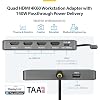
  • QUAD 4K60 WORKSTATION ADAPTER: Transform your laptop into a productivity workstation by connecting four 4K 60Hz HDMI monitors while charging your laptop and connecting a wireless mouse or keyboard dongle, all through a single USB-C host connection
  • EXPAND YOUR SETUP WITHOUT LOSING PORTS: 140W power delivery passthrough lets you charge your laptop through the adapter, while the USB-A 2.0 passthrough port allows you to connect USB peripherals such as a mouse, keyboard, or wireless dongle
  • PLUG-AND-PLAY: DisplayLink drivers automatically install on most Windows and ChromeOS systems, reducing setup time for end users and streamlining enterprise deployments; Manual driver installation is required for macOS devices
  • VERSATILE DEPLOYMENT: Designed for IT, finance, engineering, and education environments where powerful multi-display solutions are required; Compact, travel-ready form factor designed for seamless transitions between home, office, and on-the-go work
  • THE IT PRO'S CHOICE: Our display and video adapters are rigorously tested in our Innovation Lab to ensure enterprise-grade reliability and durability; Built to support large-scale deployments, Windows 11 upgrades, and the shift to AI-enabled PCs

Description

This quad-display USB-C mini-dock expands your visual workspace and streamlines connectivity without sacrificing ports or power. Turn a single USB-C port into a high-performance workstation by connecting up to four 4K 60Hz HDMI monitors. Ideal for multitasking across large desktops, even on systems with limited GPU or native video output capabilities. 140W power delivery passthrough charges your laptop, while the USB-A 2.0 port supports essential peripherals like a mouse, keyboard, or wireless dongle. This helps you stay productive with no compromise on available ports. DisplayLink drivers install automatically on most Windows and ChromeOS systems, reducing setup time and simplifying large scale IT deployments. For macOS devices, a manual driver installation is required. Designed for IT, finance, engineering, and education use, this compact, travel-ready workspace adapter enables easy transitions between home, office, and on-the-go setups. Its durable design and broad compatibility make it the perfect choice for professionals who require consistent performance wherever they work.

Brand:


Color: Space Gray


Hardware Interface: USB Type C


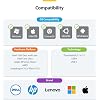
Compatible Devices: Apple M1/M2/M3/M4/M5 MacBooks (Base models and Pro / Max models), Dell XPS / Latitude / Latitude 7280 / Latitude 5310 / Latitude 5590 / Inspiron series / Precision / Precision 7730 / Precision 7750, HP ProBook / EliteBook / Elitebook 840 G5 series / Elitebook X2 / Elitebook x360 1030 G3 / Elitebook 745 G6 / Elitebook 830 G6 / 2018 HP Elite 800 G4Spectre x360 series / Spectre 13-af001TU / Spectre x360 13t / Spectre folio / Specter x369 / Envy / Envy Geforce mx250 / Envy x360 Laptop (15z-ds100) / Zbook 15u G3 / Zbook 17 G4, Intel-based Thunderbolt 3 MacBooks (late 2016+), Lenovo ThinkPad / ThinkPad T-Series / Yoga15 Thinkpad Ultrabook Pro / Thinkpad E590 / Thinkpad P72 / Thinkpad T470 / Thinkpad X1 Carbon / IdeaPad / Yoga / Yoga 720-13IKB/ Yoga 730/ Yoga 900-13ISK / Yoga 910 / Yoga 920 / Yoga 930 / Yoga 940-14IIL / 3rd generation Thinkpad Yoga / V15 Business Laptop / V15 G4 IRU / Legion Y530 / Lenovo C930 / T480s / X390 / 81N8 See more


Total USB Ports: 2


Product Dimensions: 4.7"L x 3.4"W x 0.6"H


Number of Ports: 6


Item Weight: 5.12 ounces


Total HDMI Ports: 4


Wattage: 100


Hardware Interface: USB Type C


Compatible Devices: Apple M1/M2/M3/M4/M5 MacBooks (Base models and Pro / Max models), Dell XPS / Latitude / Latitude 7280 / Latitude 5310 / Latitude 5590 / Inspiron series / Precision / Precision 7730 / Precision 7750, HP ProBook / EliteBook / Elitebook 840 G5 series / Elitebook X2 / Elitebook x360 1030 G3 / Elitebook 745 G6 / Elitebook 830 G6 / 2018 HP Elite 800 G4Spectre x360 series / Spectre 13-af001TU / Spectre x360 13t / Spectre folio / Specter x369 / Envy / Envy Geforce mx250 / Envy x360 Laptop (15z-ds100) / Zbook 15u G3 / Zbook 17 G4, Intel-based Thunderbolt 3 MacBooks (late 2016+), Lenovo ThinkPad / ThinkPad T-Series / Yoga15 Thinkpad Ultrabook Pro / Thinkpad E590 / Thinkpad P72 / Thinkpad T470 / Thinkpad X1 Carbon / IdeaPad / Yoga / Yoga 720-13IKB/ Yoga 730/ Yoga 900-13ISK / Yoga 910 / Yoga 920 / Yoga 930 / Yoga 940-14IIL / 3rd generation Thinkpad Yoga / V15 Business Laptop / V15 G4 IRU / Legion Y530 / Lenovo C930 / T480s / X390 / 81N8


Total Usb Ports: 2


Number of Ports: 6


Total Number of HDMI Ports: 4


Wattage: 100


Minimum Required Operating System Version: Windows 10, Windows 11, Windows 7, Windows 8, Windows 8.1


Item Dimensions L x W x H: 4.7"L x 3.4"W x 0.6"H


Item Weight: 5.12 ounces


Color: Space Gray


Brand: StarTech.com


UPC: 065030915830


Manufacturer: StarTech.com


Model Number: QUAD-USB-HDMI-ADAPT


Mfr Part Number: QUAD-USB-HDMI-ADAPT


Unit Count: 1.0 Count


Warranty Description: 3-Year


Frequently asked questions

If you place your order now, the estimated arrival date for this product is: Friday, Jul 3

Yes, absolutely! You may return this product for a full refund within 30 days of receiving it.

To initiate a return, please visit our Returns Center.

View our full returns policy here.

  • Klarna Financing
  • Affirm Pay in 4
  • Affirm Financing
  • Afterpay Financing
  • PayTomorrow Financing
  • Financing through Apple Pay
Leasing options through Acima may also be available during checkout.

Learn more about financing & leasing here.

Top Amazon Reviews


  • Works
Perfect. Made it possible to connect 4 monitors to my Lenovo T14 when my existing dock couldn't.
Reviewed in the United States on June 13, 2026 by Liz

  • Plug and Play
Easy setup. Plug and play, literally. I use this for work. Having 4 monitors and laptop makes work easy and fast. Pictures are clear I recommend this for working with documents, email and chats.
Reviewed in the United States on May 1, 2026 by Mikey

  • Charging might not work
Much more affordable than the other docks I was looking at, even after adding a little usb hub to get more ports (which works great). Unfortunately the charging doesn't work for my Mac
Reviewed in the United States on June 27, 2026 by chris

  • Great Dock!
I’ve been using this StarTech USB-C to Quad HDMI dock for a bit now, and it’s been a solid addition to my setup. The biggest win is being able to run four 4K monitors off a single USB-C connection. That alone makes a huge difference if you’re juggling a lot of windows or doing anything that benefits from extra screen space. Setup on Windows was pretty painless. DisplayLink installed on its own and everything just worked. I also like that it supports power passthrough, so I can keep my laptop charged without needing another cable. The extra USB port comes in handy for a mouse or keyboard dongle too. Performance has been stable overall. I haven’t run into any major issues—no weird flickering or disconnects—and it keeps up well with everyday work. Build quality feels good and sturdy, not cheap. It seems like something that’ll hold up over time. Only thing to note is if you’re on a Mac, you’ll need to install drivers manually, so it’s not quite as plug-and-play there. Overall, if you need multiple 4K monitors and want to keep your setup clean with a single cable, this gets the job done without a lot of hassle. ... show more
Reviewed in the United States on March 20, 2026 by Jonathan Wilson

  • Works with monitors, not with USB for mouse/keyboard
While the monitors work well of this, the USB port for your mouse/keyboard doesn't seem to work well
Reviewed in the United States on June 12, 2026 by Scott S.

  • Want to quadruple your workspace? This docking adapter will do just that!
This workstation adapter has revolutionized my productivity setup - finally, genuine multi-monitor capability from my laptop without cable chaos! Connecting four 4K 60Hz HDMI monitors through a single USB-C connection seemed almost too good to be true, but it works flawlessly. The display quality at 4K 60Hz remains crisp and smooth across all screens with no lag or degradation that I've experienced with cheaper multi-display solutions. The 140W power delivery passthrough is essential for maintaining laptop charging while using all this display power. My laptop stays charged throughout intensive workdays without needing a separate power connection - one cable truly handles everything. The USB-A 2.0 passthrough port accommodates my wireless mouse dongle, keeping my setup clean without sacrificing peripheral connectivity. The plug-and-play experience on Windows lived up to promises - DisplayLink drivers installed automatically within minutes of first connection, and subsequent uses connect instantly without any setup. My IT department appreciated the streamlined deployment across multiple workstations. Note that macOS does require manual driver installation initially, but once set up, operation is equally smooth. The compact, travel-ready form factor fits easily in my laptop bag for seamless transitions between home office, corporate workspace, and client sites. Despite the powerful multi-display capability, the adapter itself is surprisingly portable and doesn't require bulky external power bricks or complicated cable management. The versatility shines in professional environments - I use this for financial analysis with multiple data dashboards visible simultaneously, while colleagues in engineering leverage it for CAD work with reference materials spread across screens. ... show more
Reviewed in the United States on March 8, 2026 by Twfolio

  • Works well for a multi-screen setup
Got this for my dad so he could run multiple screens for day trading and it handled that without any issues. He went from one ultrawide to four 27" monitors and everything has been smooth and responsive. Setup was pretty straightforward on Windows. Plugged it in, drivers installed, and everything came up. I ended up doing it for him since he’s not really into that stuff anymore, but once it was set up he hasn’t had to touch anything. It passes through enough power to actually keep the laptop charged, which was a big one. I had a cheaper dock before that slowly drained the battery even while plugged in, so this was a noticeable upgrade. Enough connection for a pretty decent setup and the ports area all solid with no wiggle and firm connection. Just make sure your laptop supports it before picking one up. ... show more
Reviewed in the United States on April 3, 2026 by Amazon Customer

  • Fantastic monitor hub
This is an absolutely necessary piece if you work with multiple monitors. I was working with so many cables and other adapters and it just made plugging in my setup an absolute mess every time. I'd say this has excellent compatibility. I've used this dock with a MacBook Pro, a MacBook Neo, and an ASUS Windows laptop, and it has worked flawlessly with every one of them. Portability: I've also taken this on a few trips and used it with a couple of travel monitors and it has worked amazingly. It's incredibly easy to just plug this in, plug the monitors in and go. I really love the accessory port for the keyboard and mouse because I have a few other docks that don't provide this, and I love how I can just leave the receiver in this dock instead of taking up a port on my laptop. The value for the money is really dependent upon personal preference I feel. I absolutely love this piece and it has become a necessary piece in my arsenal. So it's valuable to me in that way. But others may find that they can find other docks that do what they need at a lower price point. ... show more
Reviewed in the United States on April 10, 2026 by Milas Mom

Can't find a product?

Find it on Amazon first, then paste the link below.
Checking for best price...