Search  for anything...

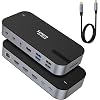
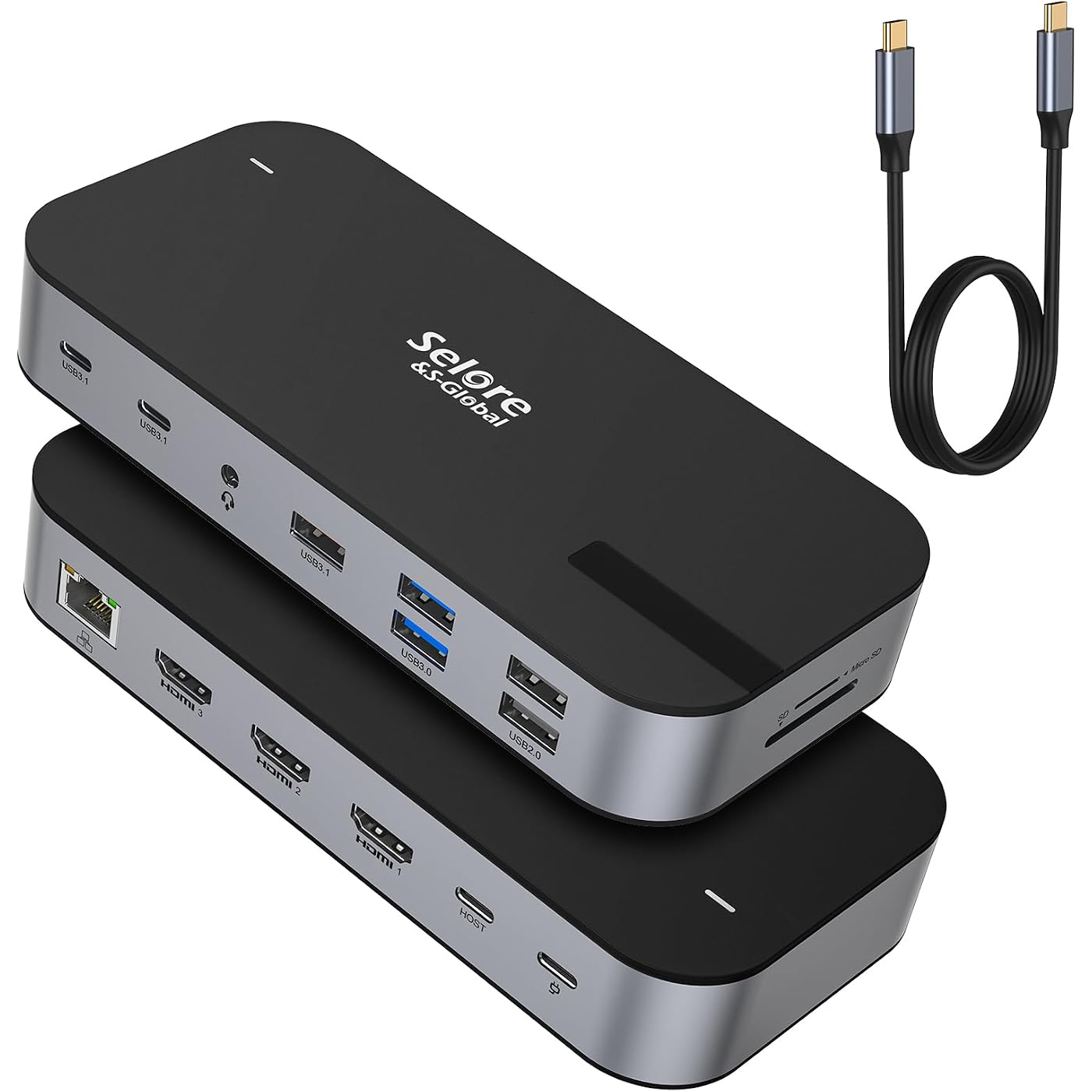
Selore 3 HDMI Docking Station Triple Monitor Docking Station 3 Monitors
Based on 2,934 reviews
Condition: New
Checking for the best price...
$68.39
Save $7.59 was $75.98

Buy Now, Pay Later


As low as $11.40 / mo
  • – 6-month term
  • – No impact on credit to apply
  • – Instant approval decision
  • – Secure and straightforward checkout

Ready to go? Add this product to your cart and select a plan during checkout.

Payment plans are offered through our trusted finance partners Klarna, Affirm, Afterpay, Zip, Apple Pay, and Google Pay. No-credit-needed leasing options through Acima may also be available at checkout.

Learn more about financing & leasing here.

Selected Option

Free shipping on this product

FREE 30-day refund/replacement

To qualify for a full refund, items must be returned in their original, unused condition. If an item is returned in a used, damaged, or materially different state, you may be granted a partial refund.

To initiate a return, please visit our Returns Center.

View our full returns policy here.


Availability: In Stock.
Fulfilled by Amazon

Arrives Sunday, Nov 1
Order within 11 hours and 38 minutes

Available payment plans shown during checkout

Protect Your Purchase

Easy claims online, fast replacements, no fees

Checking for protection plans...

At a glance

Condition
New
Set
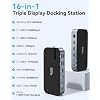
16-in-1 3 HDMI Docking Station
Model
3 HDMI Docking Station
Weight
0.32 kg
Color
Black
Hardware Interface
Ethernet, HDMI, USB
Data Transfer Rate
10000 Mbps
Warranty
2 Years
Works with
Card Readers, Headphones, Keyboards, Laptops, Monitors

Features 7

  • 3 HDMI Docking Station Triple Monitors16 IN 1 laptop docking station triple HDMI monitor as an all-in-one solution, you will get 3xHDMI ports (3*4K@60Hz), 1 x USB A 3.1 port, 2 x USB-C 3.1 ports, 2 x USB A 3.0 ports, 2 x USB A 2.0 ports, 100W PD Charging port, 1 x SD slot, 1 x Micro SD slot, 1 x Ethernet port, 1 x 3.5mm Audio & Mic Jack and 1 x USB-C Host port for your laptop-Simplifying the complexity of life. (Please use an 87W+ charger to ensure all functions work properly.)
  • Selore USB C Docking Station 3 Monitors With triple hdmi on this triple display docking station 3 hdmi for multiple monitors,which can extend 3 monitors at the same time,boost your efficiency 4 times (tRIPLE hdmi+your laptop). Extender 4K@60Hz for one single port max or Triple monitor at 4K@30Hz and dual 1080@60Hz simultaneously.Attention: On Mac devices, ONLY Mirror Mode, CAN NOT extend two different Screen, due to Mac OS limitation
  • USB C Dock with USB-C to USB-C CableThis triple 4K display docking station for multiple monitors comes with an original USB-C to USB-C cable that provides powerful battery charging, high-speed data transfer and 4K video output, 1000Mbps Ethernet. Making your life and work convenient and simple. Note: The product is not equipped with a power adapter
  • Up to 10Gbps data transfer3 HDMI docking station equipped with 10Gbps USB A 3.1 & USB-C port, 3x USB 3.0 (speed up to 5Gbps), USB 2.0 (up to 480Mbps). Meets your needs for all versions of USB ports

Description

Selore 3 HDMI Docking Station Laptop Docking Station 3 Monitors with Triple HDMI 16 in 1 Laptop Docking Station 3 Monitors with Triple HDMI, 10G USB A/C 3.1, 100W PD, SD/microSD Card Slot, Ethernet, USB C Hub, USB C Dongle for Windows Mac 3 HDMI Docking Station USB C/3.0 docking station 8 IN 1 (Dual HDMI) USB C Dual Video Hub USB C Hub with Video 10Gbps USB C Hub 13 IN 1 Docking Station

Specs 19

Brand Selore&S-Global
Color Black
Hardware Interface Ethernet, HDMI, USB
Special Feature Fast Charging, Fast Data Transfer, Plug and Play, Portable
Additional Features Fast Charging, Fast Data Transfer, Plug and Play, Portable
Total Usb Ports 7
Data Transfer Rate 10000 Mbps
Number of Ports 16

Frequently asked questions

If you place your order now, the estimated arrival date for this product is: Sunday, Nov 1

Yes, absolutely! You may return this product for a full refund within 30 days of receiving it.

To initiate a return, please visit our Returns Center.

View our full returns policy here.

  • Klarna Financing
  • Affirm Pay in 4
  • Affirm Financing
  • Afterpay Financing
  • Zip Pay in 4
  • Financing through Apple Pay
  • Financing through Google Pay
Leasing options through Acima may also be available during checkout.

Learn more about financing & leasing here.

Top Amazon Reviews


Solid docking station for expanding ports and dual monitor setup.
Set name: 8-in-1 Dual Displayport Docking Station
Solid docking station for expanding ports and dual monitor setup. 1. Connectivity: adds multiple useful ports and keeps setup clean and organized 2. Display support: handles dual monitors well and can output up to 3840x1440 without issues 3. Speed: fast and responsive for daily use, no noticeable lag 4. Charging: able to charge while displaying, which makes it more practical for long sessions 5. Build: sturdy and has held up well over 6 months of use 6. Portability: easy to take on the go, I bring it with me to every Airbnb and it works consistently 7. Compatibility: works well with my Surface Book 2 Real use: I use this to connect my laptop to a dual monitor setup along with peripherals. It keeps everything organized and saves time since I do not have to plug in multiple cables every time. It has also been reliable while traveling, which is a big plus. Cons: 1. Can get slightly warm with extended use 2. Compatibility depends on your device, so make sure your laptop supports full functionality Bottom line: Great option if you want a reliable, portable docking station that supports multiple displays and keeps your setup simple both at home and while traveling. ... show more
Reviewed in the United States on April 8, 2026 by Parsa

PERFECT If You Want To Leave A USB-A ThumbDrive In All The Time
Omg, this thing is the perfect solution. I'm a professional video editor, and my videos take up a lot of space. I had an older macbook air 2015 model with the two USB-A slots (the bigger usb that basically any thumbdrive uses) I don't want to pay like an extra $500 for the large capacity HD mac, when I can just have a 500gb thumdrive for about $50 or so. But I want the thumb always in, I don't want to mount and dismount it all the time. On my old computer, no issue, just stick it in and leave it. But the new M1 macs don't have any of the bigger USB ports, just the newer USB-C's. I could get a usb C to A adaptor, but then it's sticking out about an inch and a half and will get ripped out at some point. The KILLER feature with this is that there is a USB A Port on one end of it facing DOWN, not facing out. So I leave this adaptor in all the time, and plug my USB micro thumb-drive into the down facing port and leave it in all the time as well. Perfect solution! The other feature I really love is the headpohne jack. I was like - why would they put that there, there's already a headphone jack on the right side of the laptop? But if you are right handed using the standard jack means your mouse area and your headphone cable are fighting for space. This moves the headphone cable to the opposite side of the computer. I also saw some reviews saying this thing runs hot? That's not true. If your computer is runing hot this will get hot because it sort of acts like a heat sink. But it doesn't generate heat by itself just sitting there. I leave it in ALL THE TIME, stick my laptop in my bag, still running and forget about it overnight, and I still have tons of battery the next day and no heat. You can't charge and run an external monitor with just this adaptor, But you CAN do exactly that if you buy the right monitor adaptor that allows you to "charge through". So no worries there either as long as you have the right adaptor. 5 stars, LOVE IT! ... show more
Reviewed in the United States on October 9, 2023 by MattyBoom!

Will it work? … ❤️❤️❤️
I have been looking for a USB monitor splitter for such a long time, when I came across this beautiful and wonderful device. The reason I’m going to rave about this device is because it works. I have two USB-C 32 inch Samsung monitors plugged in, And I use the other ports for USB-C hard drives. I can see that I am maxing out the use for this product. Does it get hot? Absolutely not. Am I happy with the capacity of the ports, since I use all of them, absolutely. This is also very compact and I can easily fit into a laptop bag and take it with me. I recently took it on a trip for my travel usb c monitor, and it worked great. The quality is excellent, the speed is amazing, it does not heat up, and for what I paid for it… I am definitely going to recommend this to you. I have tried six other products, and finally happy. No, no one asked me to write the review but I am raving because I am truly a fan and excited about my purchase. Now… if they want to send me free products after reading my review, I wouldn’t say no😆! ... show more
Reviewed in the United States on September 18, 2024 by Moe

Provided the ports I needed at a reasonable price.
Set name: 8-in-1 Dual Displayport Docking Station
My old docking station failed, so I decided to buy this one as a replacement. It is compact, lightweight, and had the ports I need for a good price. I connected my two external monitors, printer, etc. and turned on my laptop. Everything worked perfectly right away. My only complaint is that the USB-C cord, which goes to my laptop, is rather short, so I cannot easily hide it behind my equipment. The connecting cable is permanent, so I can't switch out the cable for a longer one. Note, this docking station requires a USB-C power cord in order to charge the laptop, and that is not included. I already had a good power cord, so no problem. If anything changes, I will update my review. ... show more
Reviewed in the United States on May 23, 2026 by SusieQ

Good product
Set name: 16-in-1 3 HDMI Docking Station
Great product. My wife can set it up. Did need exterior power supply to run the hub to run the two extra screens for her laptop. Laptop has it's own power, hub has it's own power. She zoom meets on the main, email on the right, and spreadsheets on the lift. She loves it.
Reviewed in the United States on June 14, 2026 by felton

Works with AR glasses!
So, I have been searching for a while now, for a hub to use with my LeGo and Xreal Air 2 Pro glasses that will provide USB c DP alt mode reliably. All of the ones I have been trying dont work with the Xreal glasses but bdid work with my wifes Vitures. Doesnt help me since she only uses hers with her Switch. Finally, the Selore USB splitter is what I have been loioking for. Not only does this provide the proper DP alt to my Xreal glasses it also provides power to both items when plugged in. There is a caveat though, it seems this thing is a little finicky sometimes. WHen plugging tthe glasses into the hub after it is plugged into the LeGo it wont provide output to the glasses properly. If I plug everthing in before connection to the LeGo it works fine. And both displayu outputs work with the glasses. I have not tried to connect multiple screens to see if both provided simultanous outputs but for my purpose, it works. I will try to update later once I get a chance to mess with it more but for now, time to return the other Hubs that dont work. ... show more
Reviewed in the United States on November 2, 2024 by John C

This is not suitable for XR use. It will not even output to the Xreal One.
I could not get this to output to two pairs of XR glasses at all. Even with just the Xreal Ones connected, it would not display anything. This is a deal breaker, especially since I will probably be buying the Xreal One Pro soon, and would want to use both when splitting a 3D movie to 2 outputs, so that both could have 3DoF. Now the Xreal Air 2 did display an image initially when connected, but failed entering SBS mode (which I am unlikely to use a hub like this outside of, since, if I just wanted to share a 2D movie, it would be far more convenient to use a projector). This might be fine for running multiple portable monitors off of a single laptop's USB-C port, but if you want a good splitter for XR, go with the NewQ hub. Yes, that hub does require an extra charge-and-play adapter on the end port, with the PD passthrough being on the same port as one of the Alt DP ports. But it costs $20 less, which is enough to get said charge-and-play adapter. And it works. This may look more convenient with it's dedicated PD port, but, it just didn't work. Maybe I just got a defective one, but I don't feel like finding out the hard way. I have a solution that works. ... show more
Reviewed in the United States on March 8, 2025 by Raistlin Majere

Mostly good, has some “quirks”
Set name: 8-in-1 Dual Displayport Docking Station
Here’s the thing: it works. Sort of. Most of the time, it works. However, if the dock isn’t plugged in when I boot my computer, and I plug it in while it’s on, 95% of the time it crashes my computer. It does the same thing if I unplug it and replug it in while the device is on. Usually the reason I’m unplugging and replugging it is because the one of the monitors will randomly just turn off, and then I can’t get it back on, even if I unplug the monitor from the dock and plug it back in. It’s almost like certain ports will just stop working at random. But when it works, it works great. It is a bummer that it doesn’t supply power, though. ... show more
Reviewed in the United States on October 24, 2025 by Trevor Snyder
Checking for best price...