Search  for anything...

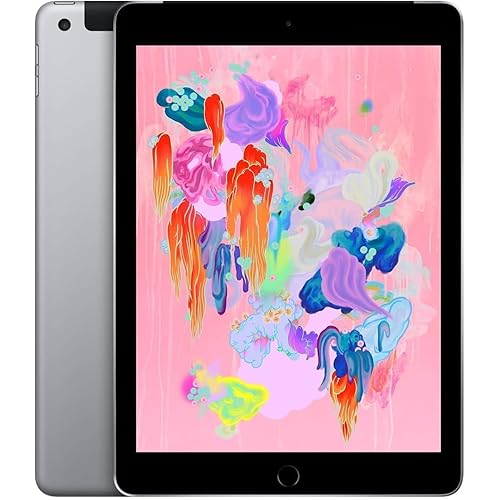
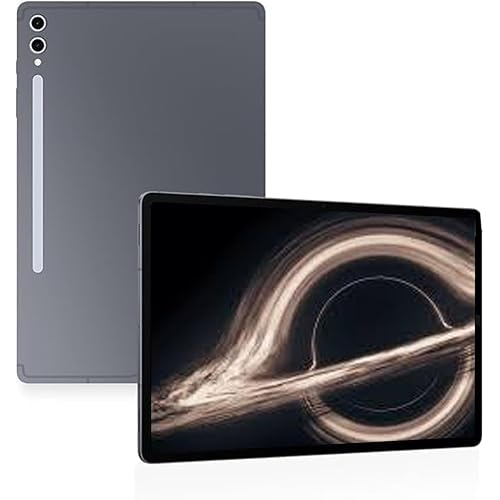
Samsung Galaxy Tab S2 9.7" SM-T810NZDEXAR (32GB, Gold)

  • Based on 303 reviews
Condition: New
Checking for the best price...
$405.25 Why this price?

Buy Now, Pay Later


As low as / mo
  • – Up to 36-month term if approved
  • – No impact on credit
  • – Instant approval decision
  • – Secure and straightforward checkout

Ready to go? Add this product to your cart and select a plan during checkout.

Payment plans are offered through our trusted finance partners Klarna, Affirm, Afterpay, Apple Pay, and PayTomorrow. No-credit-needed leasing options through Acima may also be available at checkout.

Learn more about financing & leasing here.

Selected Option

Free shipping on this product

This item is eligible for return within 30 days of receipt

To qualify for a full refund, items must be returned in their original, unused condition. If an item is returned in a used, damaged, or materially different state, you may be granted a partial refund.

To initiate a return, please visit our Returns Center.

View our full returns policy here.


Availability: Only 1 left in stock, order soon!
Fulfilled by iTech365 (We Record Serial Number)

Arrives Feb 6 – Feb 9
Order within 5 hours and 26 minutes
Available payment plans shown during checkout

Protection Plan Protect Your Purchase
Checking for protection plans...

Size: 9.7


Style: Tablet


Color: Gold


Features

  • Android 5.0 (Lollipop) OS, 9.7 2048x1536 (QXGA) Super AMOLED
  • Quad 1.9GHz + Quad 1.3GHz, Octacore application processor
  • 32 GB FlashMemory, 3 GB RAM Memory
  • 0.85 pounds

Description

Built for ultra-fast performance, the thin and lightweight Samsung Galaxy Tab S2 goes anywhere you go. Photos, movies and documents pop on a crisp, clear Super AMOLED display. Expandable memory lets you enjoy more of your favorite content. And connecting and sharing between all your Samsung devices is easier than ever. Welcome to life with the reimagined Samsung Galaxy Tab S2. Watch the world come to life on your tablet's Super AMOLED display. With deep contrast, rich colors and crisp details, you won't miss a thing. And whether you're in low light or sunlight, photos, videos, books and presentations always look great thanks to adaptive display technology. Dive into the blockbuster movies you can't wait to see. Switch between your favorite apps quickly and easily. The new and improved octa-core processor gives you the power and speed you need to see more and do more. Expand your tablet's memory from 32GB to up to an additional 128GB and enjoy more of your favorite music, photos, movies and games on the go with a micro SD card. With Quick Connect, start a show on your Smart TV and, with the touch of a button, take it with you by moving it to your Galaxy Tab S2. Or send videos and photos from your tablet screen to your TV screen to share with everyone in the room. Work effortlessly between your Samsung tablet and Samsung smartphone with Side Sync. Quickly drag and drop photos between devices. And even respond to a call from your smartphone right on your tablet screen.


Standing screen display size: ‎9.7 Inches


Screen Resolution: ‎2048x1536


Max Screen Resolution: ‎2048 x 1536 Pixels


Processor: ‎1.9 GHz


RAM: ‎3 GB SDRAM


Hard Drive: ‎32 GB


Graphics Coprocessor: ‎Mali-T760 MP6


Wireless Type: ‎802.11abg


Brand: ‎SAMSUNG


Series: ‎Galaxy Tab S2


Item model number: ‎SM-T810NZDEXAR


Hardware Platform: ‎Android


Operating System: ‎Android 5.1 Lollipop


Item Weight: ‎13.6 ounces


Product Dimensions: ‎9.33 x 6.65 x 0.22 inches


Item Dimensions LxWxH: ‎9.33 x 6.65 x 0.22 inches


Color: ‎Gold


Rear Webcam Resolution: ‎8 MP


Processor Brand: ‎Samsung


Number of Processors: ‎4


Flash Memory Size: ‎32 GB


Batteries: ‎2 Lithium Ion batteries required. (included)


Date First Available: June 30, 2015


Frequently asked questions

If you place your order now, the estimated arrival date for this product is: Feb 6 – Feb 9

Yes, absolutely! You may return this product for a full refund within 30 days of receiving it.

To initiate a return, please visit our Returns Center.

View our full returns policy here.

  • Klarna Financing
  • Affirm Pay in 4
  • Affirm Financing
  • Afterpay Financing
  • PayTomorrow Financing
  • Financing through Apple Pay
Leasing options through Acima may also be available during checkout.

Learn more about financing & leasing here.

Top Amazon Reviews


  • Elegant tablet with excellent long battery life, Pro Photographer Adobe RGB screen!
What can be said about this tablet that others have not said many times? It's a fantastic tablet, and it's impossible to explain in words or show in photos just how freakishly thin this tablet is. It feels freakishly thin even with the official Samsung Cover case on it. Few things I like to point out; some good and some not: Fantastic OLED screen, just disappointed that the colors start to shift a bit at after a 45 degree head on view angle. Has great sound, there is some kind of HiRes chip inside that is not advertised as it is capable of playing HiRes Audio at 192 kHz 24bit wav files. When the headphones are in; if I twist the headphone jack the google talk thing starts up and starts playing some song on my tablet. I can't understand how and why it keeps doing this just from a twisting motion of the plugged in headphone jack, it's driving me nuts. It's a big weakness that needs addressed. For now I am just careful to plug in my headphone jack the direction I need as to avoid twisting it. It will not charge fast: If you have a higher amp charger, it will still charge, but not at that amp rating. Many see this as a drawback. I don't see it as a conflict of daily use as the battery lasts super long. I am inclined to believe that Samsung limited the charge amperage rating for safety reasons, if it was able to charge faster with a higher amp charger, I'm going to guess that it would have become so hot that it would become a fire hazard, remember it's astonishing thin, therefore that battery inside is, well..., really thin too. AWESOME battery life: What is with so many reviews claiming such short battery life? I don't think my table happens to be more special than others, I am achieving 18 hours of battery life with good amount of Internet usage, and a little over 10 hours of solid constant high bit rate 1080P mp4 video/movie files. Not to mention I get more battery time if I am just on YouTube than with my high bit rate mp4 files. I am inclined to believe all these many reviews claiming (not referring to Amazon reviews) poor battery life below what is to be considered even for standard for a 2015 premium tablet are all paid reviews to defame the tablet or Samsung, cause I am not getting anywhere near that poor performance they claim. I should note that my "light level" on the screen is approximately at 1/6th of the lever. So many people have their cell, tablets, laptops, and PC screens on way to bright. Too bright actually affects color accuracy too. Sure this saves battery, but it can't possibly be the difference from the poor battery review's I see and my experience. On another note. I personally picked out this tablet in the perspective of a professional photographer. What I can say is that I am beside myself having such a great tablet! I feel like I am now taking my 15k computer set up with me to various clients to show them my work, or the work I am doing for them in accurate color. To have a portable device that is nearly the full Adobe RGB color space in my hands is a true gift! I no longer have to constantly tell anyone seeing my work to remember that they are not seeing the true colors due to the limitations of the tablet. I also found that keeping the "Screen Mode" in Display Settings tab set to Adaptive Display is doing the job just right, so I recommend everyone else setting their tablet to that same setting too, especially if you are a professional photographer. All in all, this certainly feels like a premium tablet in many ways. the aesthetics are what I'd consider as elegant and mature, the OS speed and ability shows absolutely no lag or "playing catch up", and the "briefing" swipe right tab is my new source of information/news and is nicely implemented into the OS. I got the "gold" version; I saw it in Best Buy and thought to myself, it's not "gold" in color, it's more champagne in color. It actually has a formal appeal to it and happens to match my HP Zbook perfectly! ... show more
Reviewed in the United States 🇺🇸 on December 7, 2015 by This guy John!

  • It's Not an iPad
I bought this device to replace an aging, slow, iPAD-2. There's an old adage that you get what you pay for, and that's the case here. On the positive side, the hardware is solid, and the screen is crisp, vibrant and clear. Jumping from app to app is snappy. And the battery issue mentioned in some of the other reviews is true; the batteries are weak, but tolerable. I choose the Android ecosystem to get past some of the infuriating features of iOS. Android you to easily store and access files and navigate through a standard filesystem. I love the ability to snap in a Micro SD datastore with content and get direct access to it on the tab. Although, Android's limits access to the storage from the other direction. Most devices allow tethered access to the storage when the device is plugged into a computer; Andriod does not, or at least I haven't found an app or a way to do that. I'd love to be able to copy MP4 files from my laptop to the Micro SD chip mounted as a filesystem [MAC] or drive [Windows], and not have to find a paper-clip to remove it, put it in a silly little tray, and then plug it into a SD slot on my computer. Come on Google, we left the diskette transport methodology decades ago. My biggest complaint is with Android and the available apps. I've heard war stories of one app or another not being approved by Apple to be sold in their App store. That's not the case with the Galaxy App Store; there's a lot of junk that quite frankly would not have made it past the Apple checking process. That's not to say that iOS apps are perfect or the Apple App store doesn't approve junk; but it seems that they don't even try at the Galaxy App Store. You really have to love Android and put up with all of the technical peculiarities that comes with it. Simple news apps crash several times a day, and both Chrome and the other provided Internet browser freeze for no apparent reason. The app navigation paradigm is inconsistent. You can be reading an article in a news app and if you select a link to check out another article, sometimes return takes you back to your original article, sometimes you go back to the home screen. Security of personal identifying information [PII] is not well respected. To be certain you can say which app can get access to what. But it's a frustrating process of figuring out what app has access to what. I don't mind sharing my location information, when I want to, but not all the time. It's handy to have location sensitive weather and news. But beyond that is an opening for fraud and spyware. I also think it's not safe to give access to my contacts or the file system. I have a lot of personal things in both. I don't mind giving write permission to the filesystem, but only when I need to save something - not carte blanche open access. I also don't want to give camera access to every silly app; if I want to share a picture, I take a photo and explicitly share it. If I want to video chat, I can turn on the camera when I want it on. Android doesn't prompt for all of the security privileges when an app is being installed. When I realized all of the security settings were turned on without my permission, and that I couldn't easily clean it up, in frustration, I've just deleted the app. Chrome and the Internet browser allow bloatware to lock the browser. I have paid subscriptions to several content sources, and every now and then a link at the end of an article looks interesting. Problem is that some of the links are to bloatware sites; and there's no way to figure it out before you go there. The bloatware sites trick you by downloading some content, and then they lock the screen to download advertisements, or pop up an advert and make it difficult to close it down; Facebook links are notorious. Look I get it that advertisements pay for content and I'll check out a reasonable amount, but some sites are 95% advertising. There are some content providers that have a reasonable advertising mechanism; Fortune for example pops up an advert on entry to an article and gives you an option to dismiss it. Since I'm reading their content for free, I'll allow them a few seconds of my eyeball time; that's fair. Bloatware hijacking is a Chrome issue. Chrome should not allow anyone to lock the browser, allow pop-ups without an easily identifiable dismiss button, or to freeze out the back button. Certainly I'm responsible for the links I follow, but Chrome should not be enabling bad behavior. All in all, I'm nuetral. The Galaxy Tab is a lot cheaper than the iPad. But as long as Android, Chrome, and the Galaxy App Store operate like the wild west; I would not buy another one or recommend the device to a non-technical person. The software is not worth the hassle, and Android's cavalier attitude towards PII [personal identifying information] is as scary as the NSA wanting backdoor access. ... show more
Reviewed in the United States 🇺🇸 on January 25, 2016 by David O'

Can't find a product?

Find it on Amazon first, then paste the link below.
Checking for best price...