Search  for anything...

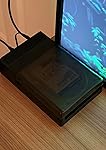
SABRENT USB 3.0 to SATA External Hard Drive Lay-Flat Docking Station for 2.5 or 3.5in HDD, SSD [Support UASP] (EC-DFLT)

  • Based on 38,273 reviews
Condition: New
Checking for the best price...
$24.95 Why this price?
Save $15.04 was $39.99

Buy Now, Pay Later


As low as $6 / mo
  • – 4-month term
  • – No impact on credit
  • – Instant approval decision
  • – Secure and straightforward checkout

Ready to go? Add this product to your cart and select a plan during checkout.

Payment plans are offered through our trusted finance partners Klarna, Affirm, Afterpay, Apple Pay, and PayTomorrow. No-credit-needed leasing options through Acima may also be available at checkout.

Learn more about financing & leasing here.

Selected Option

Free shipping on this product

30-day refund/replacement

To qualify for a full refund, items must be returned in their original, unused condition. If an item is returned in a used, damaged, or materially different state, you may be granted a partial refund.

To initiate a return, please visit our Returns Center.

View our full returns policy here.


Availability: In Stock.
Fulfilled by Amazon

Arrives Tuesday, Feb 17
Order within 10 hours and 13 minutes
Available payment plans shown during checkout

Protection Plan Protect Your Purchase
Checking for protection plans...

Size: ORIGINAL


Pattern Name: Hard Drives


Features

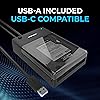
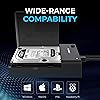
  • Supports all 2.5 and 3.5-inch SATA drives. Make sure you have the latest firmware installed for this dock to work with larger capacities. Firmware updates can be downloaded on our website
  • Connects via SuperSpeed USB 3.0 (up to 10x as fast as USB 2.0).
  • UASP (USB Attached SCSI Protocol) support for even faster performance. UASP requires UASP capable host system
  • Serial ATA bus up to 6Gbps Signal bandwidth for fast storage backups
  • This Docking station comes with a free download of Acronis True Image for Sabrent software for easy cloning

Brand: SABRENT


Color: Black


Hardware Interface: 3.5-Inch Floppy, USB 3.0 Type A, eSATA


Compatible Devices: Desktops, Laptops


Total USB Ports: 1


Product Dimensions: 7.09"L x 4.8"W x 1.6"H


Number of Ports: 2


Item Weight: 7.5 Ounces


Global Trade Identification Number: 72


UPC:


Product Dimensions: 7.09 x 1.6 x 4.8 inches


Item Weight: 7.5 ounces


Item model number: EC-DFLT


Is Discontinued By Manufacturer: No


Date First Available: July 14, 2014


Manufacturer: SABRENT


Language: French


Frequently asked questions

If you place your order now, the estimated arrival date for this product is: Tuesday, Feb 17

Yes, absolutely! You may return this product for a full refund within 30 days of receiving it.

To initiate a return, please visit our Returns Center.

View our full returns policy here.

  • Klarna Financing
  • Affirm Pay in 4
  • Affirm Financing
  • Afterpay Financing
  • PayTomorrow Financing
  • Financing through Apple Pay
Leasing options through Acima may also be available during checkout.

Learn more about financing & leasing here.

Top Amazon Reviews


  • Perfect !
Size: TOOL-FREE Pattern Name: Hard Drives
Very well made enclosure. The one to get if you need one. Make sure what you are plugging it into has USB 3.0 though. The BIOS on my old Dell Optiplex 990 cant ' see ' this unless its plugged into a USB 3.0 Port so I had to buy a USB 3.0 Card to install in my Computer to get this to work right. It depends mostly on YOUR BIOS and CAN WORK on USB 2.x and under but only if your BIOS can pick it up. To ensure your BIOS does, it wants a USB 3.0 Port. Just know that. ... show more
Reviewed in the United States on November 22, 2025 by Wilde Geist

  • Works as intended, but I would not recommend using it my way...
Size: ORIGINAL Pattern Name: Hard Drives
So, the connector to my hard drive broke and, of course, it contains all of my business files. Rather than attempt a feeble repair on a 90-degree pin connector with glue or solder, I bought this box thinking that under the worst of circumstances I could flatten the pins and plug the hard drive in. Hoping that it would work, I realized that it was a Hail Mary throw as the pins are very delicate. I was able to do it with a lighted stand magnifier and some special tools designed for hobbyists. It worked! Even if it is just temporary, I recovered and backed up all of my business files to a larger drive. As a postscript, the drive still works and will serve as a business file back up drive. ... show more
Reviewed in the United States on October 28, 2025 by RPM

  • super sleep nice design; gets warm
Size: TOOL-FREE Pattern Name: Hard Drives
I find this super sleek and easy to assemble. really nice metal outer shell and the insides lock in place, and very easy to disassemble when needed. gets a bit warm. may want to consider standing it on its side if you run it for more than a few hours at a time for better heat dissipation. I run some external drives for backups of my media server that are 24+TB and it's very difficult to find multibay units that support more than 20TB per drive. this single drive bay supports everything I've put in it so far. ... show more
Reviewed in the United States on November 10, 2025 by Richard

  • Inexpensive and easy to use, but doesn't work on all drives.
Size: ORIGINAL Pattern Name: Hard Drives
I needed a place to put my older HDD drives. I bought two of these because I already put one of my older drives in here and I plans on buying a newer bigger drive to replace my current 8tb drive so my 8tb will be going in the 2nd enclosure. These are easy to use, keep the drive fairly cool, can be turn on and off and can move drive to other areas for archieving. I mostly use my large drives to store my Bluray movies I backed up and the 4k movies really take up a lot if space. My 8tb Seagate Barracuda drive is starting to get a little slow so I'd like to remove it and backup those files on another drive. Considering case only has room for 2 3.5 HDD drives these enclosures are great. These are a must buy for home data archiving. Update, I took an 8tb Seagate Barracuda HDDout of my PC and the drive couldn't be reasonable. I try another different enclosure and it worked. I guess this drive isn't too friendly with drives over 4tb. Them again I may have done something wrong, but after trying a few different USB ports and the drive not properly showing I doubt I did since the drive showed up when using another enclosure by a different manufacturer. ... show more
Reviewed in the United States on October 29, 2025 by Steven Tarren

  • Great!
Size: USBC + NVMe SSD Pattern Name: Hard Drives
This is a great product. I was just looking for a HD enclosure when I stumbled upon this. I’m impressed that it can even hold an ssd at the same time. Along with the cloning feature I’m sure this will continue being useful to me for many years to come. Highly recommended. Only problem I have now is that I need to buy another ssd to fill that bonus slot lol. ... show more
Reviewed in the United States on November 21, 2025 by Mohammad F. Mohammad F.

  • Not recommended for drives beyond 4TB
Size: ORIGINAL Pattern Name: Hard Drives
PSA: I would not recommend this drive to anyone who is using it for more than a 4TB drive and has lots of files to store. My rating is based on the following experience, which does not in any way match the expectation I had from using many hard drives with 8TB to 18TB capacity in various use cases. To be clear, in those cases, they were external drives and not this type of docking station. I put in a 14TB HDD in it and tried to copy data over (not using it in a NAS or long-term backup or any such nonsense, connected using their cable to a USB 3.0 port on new laptop from 2025 Jun). Lots of small files including files and documents and tons of pictures and so on from the last 25+ years of my life. It droned to a near standstill in somewhere between 12 and 24 hours (was not standing by to track) after a couple of terabytes. I thought the drive was failing but that wasn't the case from SMART Tests. I tested by copying from 2 Windows PCs and 1 Linux NAS. Same issue. I figured it is the docking station. I reached out to customer support and they tell me it is normal expected behavior. I must be dumb and using it wrong! Forgive me if I missed this information in the detailed description covering all the benefits. I must be the one with the issues since over 38,000 people have mostly found it to be great with an average rating of 4.4. It took me days to copy all my data - I guess since it is mostly backup, I won't use it often and I can live with this but definitely no Sabrent product every again. Here is the full honest and courteous response from customer support: "The behavior you are describing is consistent with extended continuous use of the EC-DFLT docking station. Please note that this model is designed primarily for desktop use and data transfer tasks, but not for continuous 24/7 operation, such as in NAS or long-term backup environments. After extended use, the USB-to-SATA bridge may experience thermal buildup or internal power management throttling, which can lead to reduced performance until the unit is restarted. We recommend the following steps to help improve performance stability: Make sure the dock is placed in a well-ventilated area to help with cooling. Connect it directly to a USB 3.0 port on your computer’s motherboard (avoid USB hubs or front-panel ports). Use the original USB cable provided with the dock. Power-cycle the dock periodically after long data transfers to allow the chipset to reset. At this time, there is no firmware update required or available for the EC-DFLT, as the behavior you’re seeing is normal given the device’s design and usage scope." ... show more
Reviewed in the United States on November 14, 2025 by Murari

Can't find a product?

Find it on Amazon first, then paste the link below.
Checking for best price...