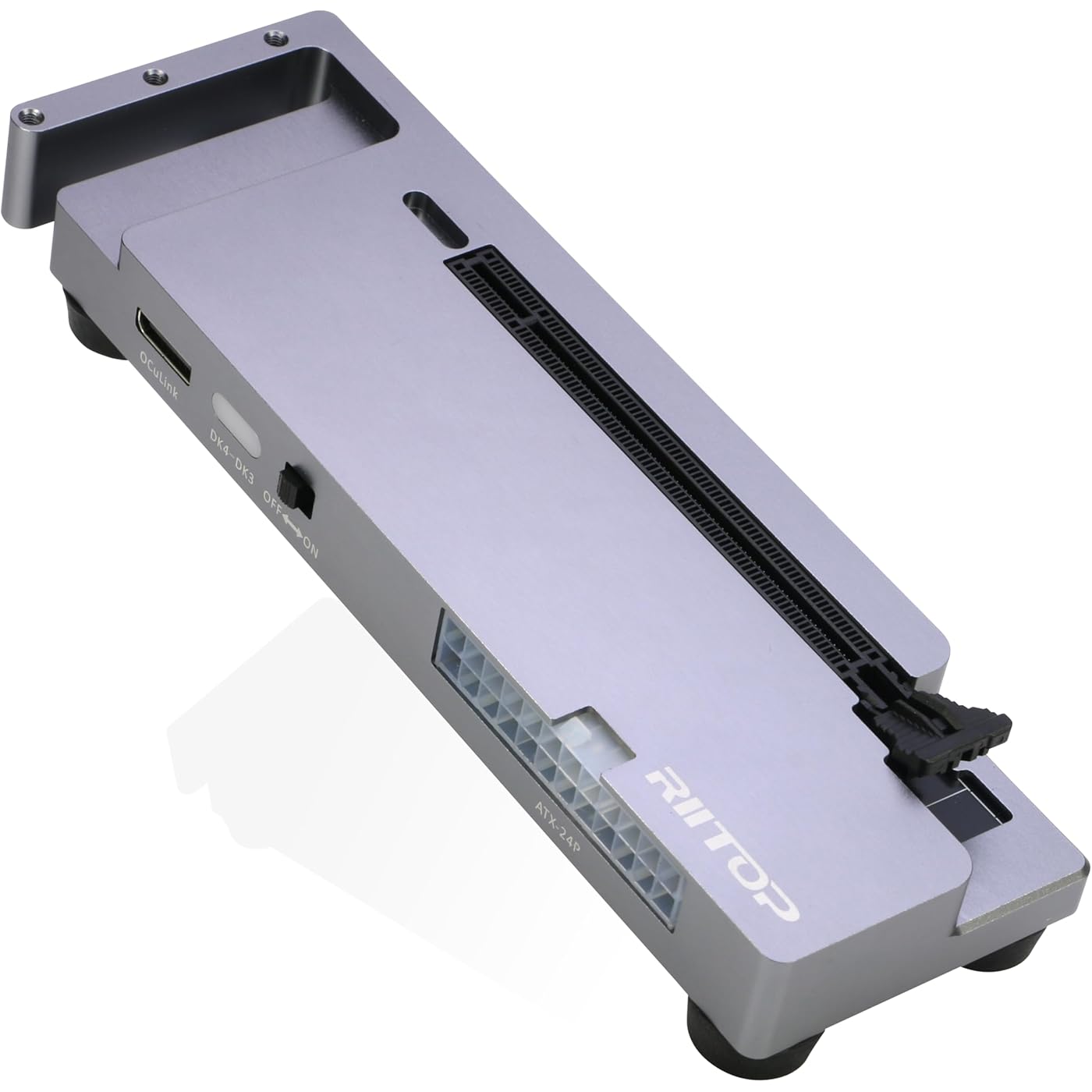
RIITOP OCuLink eGPU Dock 64Gpbs Oculink SFF-8612 External GPU Enclosure for PCIe 4.0 x16 Graphics Cards


Buy Now, Pay Later
- – 6-month term
- – No impact on credit to apply
- – Instant approval decision
- – Secure and straightforward checkout
Ready to go? Add this product to your cart and select a plan during checkout.
Payment plans are offered through our trusted finance partners Klarna, Affirm, Afterpay, Zip, Apple Pay, and Google Pay. No-credit-needed leasing options through Acima may also be available at checkout.
Learn more about financing & leasing here.
FREE 30-day refund/replacement
To qualify for a full refund, items must be returned in their original, unused condition. If an item is returned in a used, damaged, or materially different state, you may be granted a partial refund.
To initiate a return, please visit our Returns Center.
View our full returns policy here.
Recently Viewed


Features
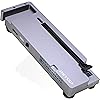
- OCuLink eGPU Dock: RIITOP OCuLink eGPU Docking Station Compensates for the performance limitations of graphics card on thin/ light or older laptops, gaming rigs MINI PC and NUCs, which comes with Oculink SFF-8612 Port . Supports the latest NVIDIA (RTX 50 Series: 5090 D/5080/5070 Ti/5070), AMD (RX 7000 Series) GPUs. Delivering high-performance graphics for AI Computing, cinematic experiences, large-scale rendering, video editing, gaming and creative workloads
- Hardware Requirement: 1x Available Oculink SFF-8612 Port on your laptop, MINI PC or any other device you want to connect, otherwise it can not be used; 1x PCIe 4.0 x16 Graphics card; 1x ATX/SFX Power Supply (It should match the graphics card requirement)
- Wide Compatibility: Open design, No restrictions on graphics card size, Supports the most latest graphics card, such as NVIDIA (RTX 50 Series: 5090 D/5080/5070 Ti/5070) and AMD (RX 7000 Series) GPU; Compatible with Windows 10/11 64-bit, Linux, and Mac OS
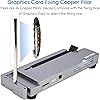
- Simple Installation Guide: Step 1: Fit the graphics card, securing it with the dedicated graphics card support pillar. Step 2: Mount the power supply using the black retention bracket. Step 3: Connect all necessary cables: 8-pin and 24-pin ATX power cable; Oculink cable; Monitor video cable; Step 4: Switch on the power button; Step 5: Install the graphics card drivers
- Please Note: (1) The OCULINK interface does not support hot-plugging. Ensure the power is switched off before unplugging or connecting the cable (2) The OCULINK interface is designed with fixed lock. When disconnecting, you must press the release switch to unlock it first. (3) About Mac OS: Compatible with Mac OS 10.13.4 and above, but can only support AMD Graphics Card, no driver need. Not support NVIDIA on Mac OS
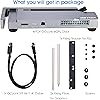
- Packing Including: 1x RIITOP OcuLink GPU Dock (Graphics Card and Power supply not included); 1x OcuLink SF-8611 4i cable; 2x Fixing Cooper Pillar for Graphics; 1x Fixing bracket for power supply; 1 x User Manual; Screws
Brand: RIITOP
Color: Grey
Hardware Interface: PCI Express 4.0, PCI Express x16
Compatible Devices: AMD RX 7900, NVIDIA RTX 4090/5090, GTX1060 and above
Number of Ports: 1
Wattage: 60
Number of Items: 1
Number of Packs: 1
Minimum Required Operating System Version: Windows 10
Manufacturer: RIITOP
Hardware Interface: PCI Express 4.0, PCI Express x16
Compatible Devices: AMD RX 7900, NVIDIA RTX 4090/5090, GTX1060 and above
Number of Ports: 1
Wattage: 60
Minimum Required Operating System Version: Windows 10
Color: Grey
Brand: RIITOP
Number of Items: 1
Number of Packs: 1
Manufacturer: RIITOP
Model Number: SF12GD-GY
Warranty Description: 1 Year Manufacturer
Frequently asked questions
To initiate a return, please visit our Returns Center.
View our full returns policy here.
- Klarna Financing
- Affirm Pay in 4
- Affirm Financing
- Afterpay Financing
- Zip Pay in 4
- Financing through Apple Pay
- Financing through Google Pay
Learn more about financing & leasing here.