Search  for anything...

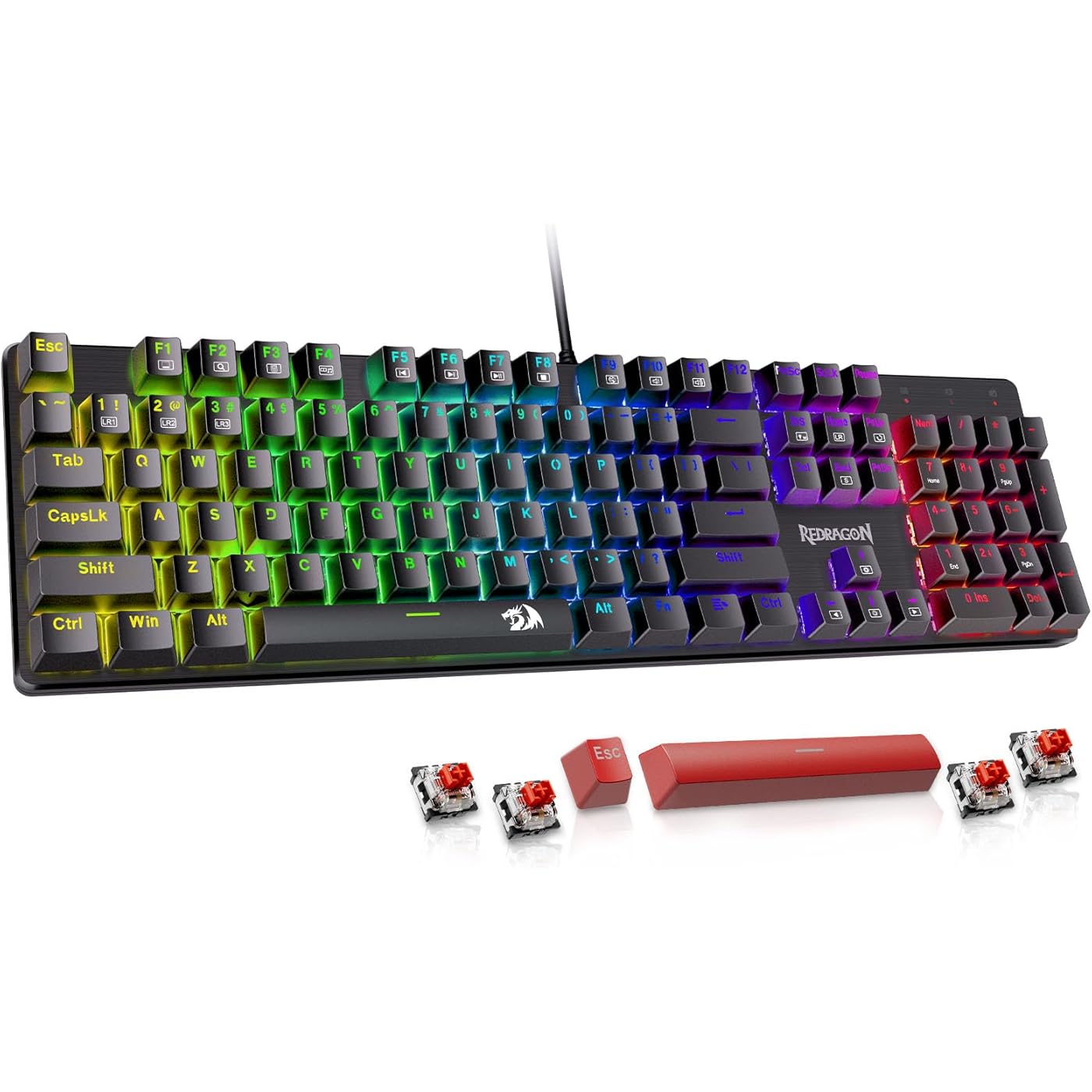
Redragon Mechanical Gaming Keyboard, Wired Mechanical Keyboard with 11 Programmable Backlit Modes, Hot-Swappable Red Switch, Anti-Ghosting, Double-Shot PBT Keycaps, Light Up Keyboard for PC Mac
  • Based on 2,043 reviews
Condition: New
Checking for the best price...
$27.99 Why this price?
Save $7.00 was $34.99

Buy Now, Pay Later


As low as $6 / mo
  • – 4-month term
  • – No impact on credit
  • – Instant approval decision
  • – Secure and straightforward checkout

Ready to go? Add this product to your cart and select a plan during checkout.

Payment plans are offered through our trusted finance partners Klarna, Affirm, Afterpay, Apple Pay, and PayTomorrow. No-credit-needed leasing options through Acima may also be available at checkout.

Learn more about financing & leasing here.

Selected Option

Free shipping on this product

30-day refund/replacement

To qualify for a full refund, items must be returned in their original, unused condition. If an item is returned in a used, damaged, or materially different state, you may be granted a partial refund.

To initiate a return, please visit our Returns Center.

View our full returns policy here.


Availability: Only 10 left in stock, order soon!
Fulfilled by Amazon

Arrives Monday, Feb 16
Order within 14 hours and 27 minutes
Available payment plans shown during checkout

Protection Plan Protect Your Purchase
Checking for protection plans...

Color: RGB LED


Features

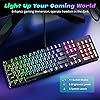
  • Brilliant Color Illumination- With 11 unique backlights, choose the perfect ambiance for any mood. Adjust light speed and brightness among 5 levels for a comfortable environment, day or night. The double injection ABS keycaps ensure clear backlight and precise typing. From late-night tasks to immersive gaming, our mechanical keyboard enhances every experience.
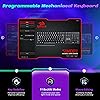
  • Support Macro Editing: The K671 Mechanical Gaming Keyboard can be macro editing, you can remap the keys function, set shortcuts, or combine multiple key functions in one key to get more efficient work and gaming. The LED Backlit Effects also can be adjusted by the software.
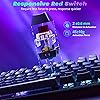
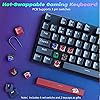
  • Hot-swappable Linear Red Switch- Our K671 gaming keyboard features red switch, which requires less force to press down and the keys feel smoother and easier to use. It's best for rpgs and mmo, imo games. You will get 4 spare switches and two red keycaps as a gift to diy your own keyboard
  • Full keys Anti-ghosting- All keys can work simultaneously, easily complete any combining functions without conflicting keys. 12 multimedia key shortcuts allow you to quickly access to calculator/media/volume control/email.
  • Professional After-Sales Service- We provide every Redragon customer with 24-Month Warranty , Please feel free to contact us when you meet any problem. We will spare no effort to provide the best service to every customer within 24 hours to help you.

Brand: Redragon


Compatible Devices: 🅜🅞🅢🅣 🅦🅘🅢🅗🅔🅓 🅕🅞🅡


Connectivity Technology: USB-C


Keyboard Description: Mechanical


Recommended Uses For Product: Video Editing, Everyday Use, Education, Programming, Photo Editing, Student, Gaming, Business


Special Feature: Ergonomic, Backlit, Customizable Display Keys, Hot-Swappable


Color: RGB LED


Number of Keys: 104


Style: RGB LED


Material: Acrylonitrile Butadiene Styrene


Package Dimensions: 17.95 x 6.14 x 1.73 inches


Item Weight: 2.14 pounds


Manufacturer: Redragon


Item model number: K671


Date First Available: August 9, 2023


Frequently asked questions

If you place your order now, the estimated arrival date for this product is: Monday, Feb 16

Yes, absolutely! You may return this product for a full refund within 30 days of receiving it.

To initiate a return, please visit our Returns Center.

View our full returns policy here.

  • Klarna Financing
  • Affirm Pay in 4
  • Affirm Financing
  • Afterpay Financing
  • PayTomorrow Financing
  • Financing through Apple Pay
Leasing options through Acima may also be available during checkout.

Learn more about financing & leasing here.

Top Amazon Reviews


  • This review is for the Redragon K555 INDRAH RGB LED Backlit Mechanical Gaming Keyboard.
The media could not be loaded. Overall this keyboard was a great buy for the listed price. The brushed black steel gives it a very clean but sophisticated look. The weight of the keyboard coupled with the coated foot pads ensures that they board won't be sliding around as you punch away at the keys - unlike some of the other plastic molded backlit keyboards I've owned. Key presses are medium in weight and are very responsive/tactile in feel - even after just about a year of very heavy (maybe even overzealous) use. Keys have a very crisp and distinct click/clack upon press and release. They keyboard backlighting was in-built (i.e. no additional software or drivers needed to configure) and easy to set up - offering 6 distinct modes of lighting (see below for details and how to adjust lighting). It is important to note that this keyboard only offers 7 distinct colors (plus no lighting) to choose from. You do not have the option to customize specific color variants,but it not unexpected considering there was no additional software required to install. The additional macro and media control buttons along the top work without issue and are rather convenient to have. The included wrist rest suites me just fine, although it is a little difficult to put on and take off - just make sure you take your time attaching/detaching it to avoid the risk of snapping the plastic. While this keyboard does not come with a keycap puller, they keys themselves are easy enough to take off by hand should you need to. PROS: - Easy set-up (plug and play) - Eloquent black brushed aluminum - Tactile and responsive key presses - Easy to adjust lighting - Sturdy and consistent in performance even after a year of heavy use - Easy to detach (and clean) hovering keys - Keys do not become super shiny by oil from hands - Detachable wrist rest CONS: - Keyboard cord, while sturdy, is not nylon braided - Detachable wrist rest can be difficult to put on and take off - Backlight color choice limited to 7 colors (cannot specify unique color variants) TL;DR - A very well crafted, easy to set up, and easy to use mechanical keyboard that is an absolute steal for a price under 100.00 USD. Would recommend. LIGHTING INSTRUCTIONS + DESCRIPTION (Video Included) Lighting modes are changed and further configured using the FN key plus any one of the INS, HOME, PGUP, DEL, END, or PGDN keys. Pressing the FN key plus any one of these buttons will change the lighting pattern. For Modes 1-4, pressing the same FN + mode key (i.e. INS, DEL, etc) will freeze the current color pattern on the keyboard. For Mode 5, pressing the same FN + mode key will lock in your color key selections. For Mode 6, pressing the same FN + mode key will change the fade color. Mode 1: FN key + INS key This mode offers a slow and gradual full keyboard shift between each of the 7 colors, taking approx. 5 seconds to shift from one color to another. Mode 2: FN key + HOME key This mode offers a random flickering of color across all keys at approx. 2 second intervals. Mode 3: FN key + PGUP key This mode offers a slow and gradual full color change across that keyboard that moves from left to right. Mode 4: FN key + DEL key This mode offers a faster rainbow of colors that moves across the keyboard left to right. Mode 5: FN key + END key This mode allows you to individually change the color of each key on your keyboard through repeated key presses. Mode 6: FN key + PGDN key This mode offers a key light-up upon press that fade to black (or "off") after key release. ... show more
Reviewed in the United States on September 6, 2016 by Drew

  • YAAASSSSSSS!!!!
Color: RGB LED
Had to order a couple different models and brands before landing on this one. But this was it! What I wanted: 1.High profile keys with a decent "clack" sound to them. This isn't ridiculously loud but you feel the key depression and you hear it. I don't like soft touch keyboards so this fit the bill. 2. Nice Rainbow coloration with decent illumination. This is by far the best color breakout that I have seen on a keyboard in this price range. The yellow isn't a washed out white, the blue isn't a vague shade of violet... the blue is blue and the purple is purple. Illumination can be adjusted to preference which was a bonus for me. 3. Simple but cool. it's a compact design which is nice for my office but give me some cool color and lit keys. The light modes....WOW so fun and cool!! I probably wouldn't use them for everyday, but so fun!! Added +s This board has feet in case you like to type at and angle. THE LIGHT MODES! LOL trust me they're cool! Additionally included red keys and key removing tool are nice to have. This seems to be a much higher quality product than the price I bought it for. I can see that the price has increased slightly since I made my purchase. this is a good one... and I have tried some bad ones trust me!! ... show more
Reviewed in the United States on March 6, 2024 by GonzoBean

  • Good for its price but inferior to the K552 VATA is better.
I liked my Red Dragon K552 VATA so much that when I saw a "used" listing for a cosmeticly damaged box for for a K555, I snatched it up. I also have one of their low end backlit membrane non-mechanical that was great for its $15 price point. This K555 may be $10 cheaper new compared to the K552, and in listing they're almost the same keyboard. But that extra $10 for the K552 is worth it if you're already going for this board and care about the aesthetics. This K552 is slightly heavier than the K555, both a very solid, metal boards. However the main difference between the two that is very noticeable in a side-by-side comparison are the color quality. The colors on the K552 are glorious. Saturated and bright, the best colors I've ever seen. The K555, in comparison, looks very washed out and lower in saturation. The two boards don't look like they belong near each other due to how noticeable the difference is. The top row of the K555's macro and multimedia buttons may also be limited to just red, but that is much better than the K552's top row that doesn't have any lighting whatsoever. Some people may have a preference for the latter, though, as with the K555, only the usual 104 keys are backlit. Both are plug and play, virtually identical in usage and on-board self-programming. The boards remember their settings like colors and macros all on their own with no software needed. They work with the default keyboard driver, and so they likely work with any device that works with Windows USB keyboards. The macro buttons are the same on the top left on the 552 vs 555, but the media/control button are very different. The K552 has red, backlit, back, play/pause, and forward buttons. Great for controlling media behind games. The last button is the toggle switch for what the neighboring scroll wheel does, either for volume or lighting brightness, both of which have other key commands to toggle as well (like fn+up/down) so the wheel is just extra. In contrast, this K555 is a confusing mess of buttons I can't even tell what they do. They are also not backlit at all, as shown in the product photos. One button randomly opens up explorer, the arrows I assume are supposed to work as back/forward for media. The other 3 (symbol of a lock, monitor, and brightness) don't seem to have any function. I've tried them in combo with other keys and I haven't found a use. At the very least, it's an additional input which can likely be repurposed to do any number of things other than to control the keyboard itself. The macros are easy enough to program and use on the fly, but they execute so quickly, with barely a millisecond between keypresses, and I've found that a lot of games can't handle input coming in that quickly. They may be useful for storing short words/phrases like usernames, but overall are superceded by using better software-based options. The ability to execute short sequences at the hardware level may be useful in niche scenarios, though. The feel of the switches is much tighter than the blue-equivalents on the K555, with all the actuation force required at the top of the press. I was expecting to have to change some switches since I wasn't buying a brand new, undamaged K552, but was pleasantly surprised by every key working as intended 100%. That makes 3 total Red Dragon keyboards I've had that have been 100%/100% for key functioning on arrival. Overall this board is great for its price. I'd recommend the $3-9 more expensive K552 VATA model over this one, but the K555 is perfectly acceptable even if a bit flawed with the noticeably weaker colors. I've tested their full range of Mouses as well and their low cost higher end model pairs very well with either board, although it's color saturation matches the 552 and exceeds the 555 which may not look the best together. Pros: -Very inexpensive and a great value, living up to the quality of even a twice as expensive board. -Good quality control. Every device I've gotten has been 100% and I've been replacing all my big name peripherals with these for half the cost. -The switches and tactile feel are great. Any membrane board feels like a handicap in comparison. -Plug and Play, high compatibility with standard keyboard drivers. No bloatware or internet connectivity for your configurations like with Razer/Corsair. -Great preset color modes for those who don't want to have to spend time setting it up. Just plug it in and fn+ins/del/home/end/pageUp/pageDown to set mode and repeat press to change colors. Individual key customization is available as well for those who want it. -Heavy, metal, durable, and stays in place. Probably can double as a weapon... Cons: -Weak color saturation overall. The K552's colors are stunning, but the K555 are just colors. -No white color back light by default. Every other color, but no white. -USB cord is hard tied into the board and not detachable. Which although is still not a thing most boards have, makes it the weakest single point of failure on the device and couldn't be replaced. -No USB extension ports. I've never seen a board anywhere near this price range with them, though. -Little reason to not get a K552 instead as they are usually almost the same price, especially when the 10% off coupon goes available. I'd still prefer this board over any membrane board, however. ... show more
Reviewed in the United States on October 9, 2021 by L

Can't find a product?

Find it on Amazon first, then paste the link below.
Checking for best price...