Search  for anything...

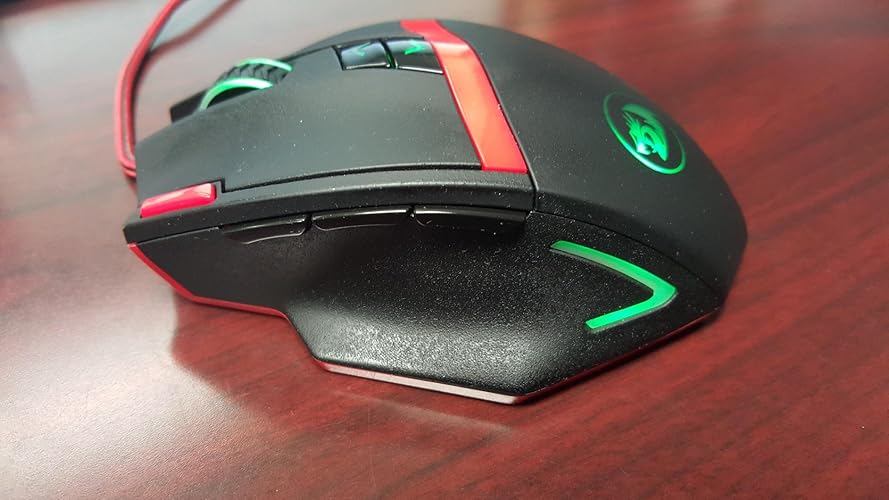
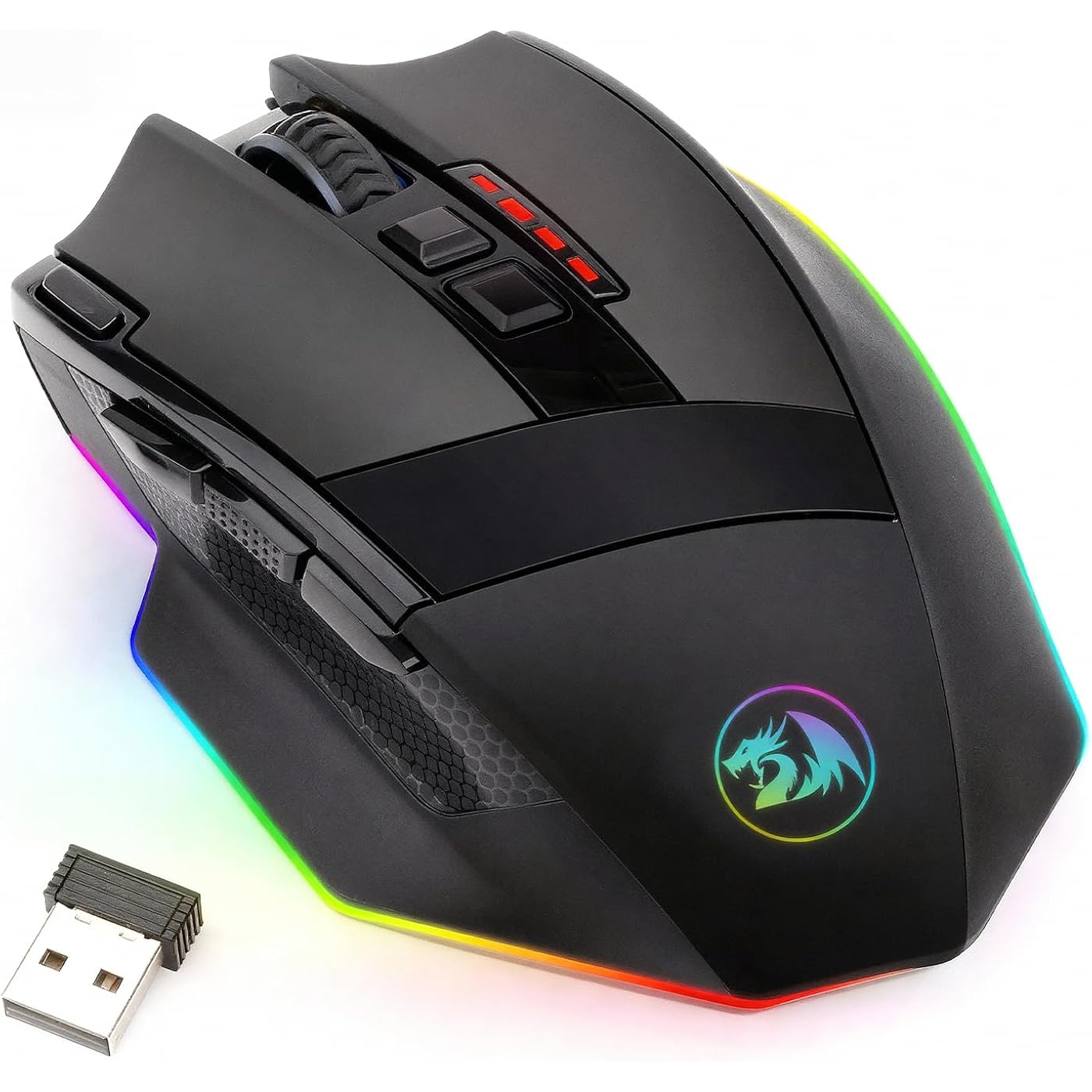
Redragon M801 Wireless Gaming Mouse, RGB Gaming Mouse with MMO 9 Programmable Macro Editing Buttons, UP 16000 Adjustable DPI, Rapid Fire Button for Game, Windows,PC - Wireless, Black
  • Based on 5,999 reviews
Condition: New
Checking for the best price...
$32.29 Why this price?
Save $7.70 was $39.99

Buy Now, Pay Later


As low as $8 / mo
  • – 4-month term
  • – No impact on credit to apply
  • – Instant approval decision
  • – Secure and straightforward checkout

Ready to go? Add this product to your cart and select a plan during checkout.

Payment plans are offered through our trusted finance partners Klarna, Affirm, Afterpay, Apple Pay, and PayTomorrow. No-credit-needed leasing options through Acima may also be available at checkout.

Learn more about financing & leasing here.

Selected Option

Free shipping on this product

FREE 30-day refund/replacement

To qualify for a full refund, items must be returned in their original, unused condition. If an item is returned in a used, damaged, or materially different state, you may be granted a partial refund.

To initiate a return, please visit our Returns Center.

View our full returns policy here.


Availability: In Stock.
Fulfilled by Amazon

Arrives Friday, Jun 12
Order within 18 hours and 57 minutes
Available payment plans shown during checkout

Protection Plan Protect Your Purchase
Checking for protection plans...

Color: Black


Features

  • Professional Wireless Gaming Mouse -- Advanced gaming chips provide ultra-fast lag-free wireless connection, up to 10m. The rechargeable mouse features a battery life of up to 35 hours (RGB LED on) and up to 70 hours (RGB LED off) on a single charge. Always online.
  • Pro Gaming features -- 9 Programmable Buttons can be remapped and equipped with 5 memory profiles. UP to 16000 adjustable DPI and 40G acceleration. The High-Precision Sensor delivers Pinpoint Accuracy and extreme responsiveness during PC Gaming or Computer editing
  • RGB Backlit -- 8 Lighting Effects, 10 Brightness Levels, Breathing Modes, (Backlight can be disabled), delivering an extremely comfortable and precise experience for Computer Games.
  • Comfortable & Durable -- Set Anti-Skid Scroll Wheel, Durable smooth TEFLON feet pads for ultimate gaming control. Comes with a detachable 6-foot, 3mm strong high-speed braided fiber USB-C cable for a durable lifetime.
  • PC GAMING MOUSE COMPATIBILITY -- Windows 10, Windows 8, Windows 7, Windows Vista, or Windows XP, Limited Mac OS support Works well with all major Gaming Computers Brands and Gaming Laptops.

Brand: Redragon


Color: Black


Connectivity Technology: USB


Special Feature: LED Lights, Rechargeable, Wireless


Movement Detection Technology: Optical


Connectivity Technology: USB


Additional Features: LED Lights, Rechargeable, Wireless


Movement Detection: Optical


Button Quantity: 9


Hand Orientation: Right


Compatible Devices: Personal Computer


Operating System: Windows 10


Battery Average Life: 52.5 Hours


Number of Batteries: 1 Lithium Polymer batteries required.


Hardware Platform: Linux, Mac, PC


Power Source: Battery Powered


Mouse Maximum Sensitivity: 16000 Dots per Inch


Minimum Required Operating System Version: Windows 10


Range: 6.0 feet


Embellishment Feature: LED


Item Weight: 0.12 Kilograms


Item Dimensions L x W: 4.78"L x 3.28"W


Unit Count: 1.0 Count


Brand: Redragon


Model Name: M801P-RGB or M801-RGB


Antenna Location: Gaming


Model Number: YF-VHMP-67FY


Built-In Media: Detachable USB-C cable


Are Batteries Included: No


Are Batteries Required: No


Manufacturer: Redragon


Mfr Part Number: YF-VHMP-67FY


Warranty Description: 2 year


Color: Black


Style Name: Wireless


Theme: gaming


Enclosure Material: Plastic


Finish: Glossy


Frequently asked questions

If you place your order now, the estimated arrival date for this product is: Friday, Jun 12

Yes, absolutely! You may return this product for a full refund within 30 days of receiving it.

To initiate a return, please visit our Returns Center.

View our full returns policy here.

  • Klarna Financing
  • Affirm Pay in 4
  • Affirm Financing
  • Afterpay Financing
  • PayTomorrow Financing
  • Financing through Apple Pay
Leasing options through Acima may also be available during checkout.

Learn more about financing & leasing here.

Top Amazon Reviews


  • Amazing Mouse, Despite Confusing Branding. The best. I intend to buy a bulk of these.
Color: Deep Black
Update: Even better. In my original review, I ask for one more button. With the software included for this mouse, you can actually get one more button out of it. Thanks to being able to use the one-click iterate through DPI modes, I can use one button as the DPI toggle, and I can use one of the two DPI toggle buttons. I can have CTRL, Shift, Alt, Page up, and Page down on my mouse. It is insanely productive, ergonomic, and useful. This is my favorite mouse ever. I've bought two now, and I hope to keep buying more in case they ever stop making them. I had a Redragon Lavawolf mouse for approximately six years. I used the device rigorously, daily, and easily achieved hundreds of thousands of clicks with it. If not breaking a million. It took one hell of a beating under my hand, and it stayed intact. Even though pieces of it were starting to wear off from raw mechanical abuse, I still have it tucked away as a backup mouse. That being said, I knew it was time to upgrade. I had originally been looking at other brands for something that could improve my workflow. Upgrading from a barebones logitech mouse to the Lavawulf gave me +2 buttons (not including the variable DPI, which I don't change very often for me, but is super useful for letting other people use my computer on rare occasion.) Those +2 buttons, over time, drastically improved my workflow, and also gave me a great deal of ability to function in games. I've always been dissatisfied with the majority of 10+ button mice on the market, as I'm not a serious MMO player, and very few games seem to make such an arrangement practical. Let alone most working environments. I wanted something with an accessible 2-5 buttons. Upon considering just how well my Lavawolf had served me, I returned to Redragon. And it took some searching, but I eventually found what I wanted. And that was this mouse. And I am very, very glad I did. This mouse features three buttons on the left side, where my lavawolf had two, and it has an additional button to the left of the left-click; this is titled an ACTION BUTTON or something for some reason. It's just another key input. The competing mouse I looked at had five buttons all on the left. And while I'm sure I could've gotten used to it, I think I made the better choice in terms of a practical workflow. Would I have liked to see them try to add one more button to this sort of configuration? Yes, actually, for a reason I'll state below. Am I dissatisfied? Not at all. All of the 9 buttons ont he mouse are programmable, but, you will probably only program four of them. As, the other five are your two clicks, your two dpi buttons, and your middle mouse button's click. PRO: Quality. The build quality is very good. The material has been improved from my original Lavawolf. Smooth in the hand, it doesn't seem to pick up skin-oils as easily, buttons feel firm and solid. The mouse is also larger, which is nice, because my hand completely covered the Lavawolf, almost touching my mat. Thumb placement is comfortable in various places. I can have my thumb on the left buttons when gaming for periods, though eventually it'll drop back down into the groove its intended for. Not a big issue. Perhaps ideally the buttons would be in the groove, somewhat? But then you have increased risk of unintended clicks. The button to the left of the left-click is, in my opinion, super ergonomic. My biggest problem right now is remembering its there, but once I do, it feels very smooth to use. PRO: Ergonomics and Functionality. How I use the mouse for workflow is Page Up, Right Ctrl, and Page down for the side buttons. And my button to the left of left-click is Right Alt. This gives me almost the full spectrum of keyboard shortcut executions from purely my right hand. Which is incredibly convenient. Even better, naturally fiddling with it has taught me keyboard shortcuts in browsers and applications that I wouldn't have known of otherwise. Not only that, but for gaming in games that allow Ctrl+ and Alt+ combinations, I now can use an extreme amount of keyboard inputs without moving my WSAD hand. PERSONAL CRITICISM: +1 More Button. The only improvement my workflow could really take, I believe, is +1 more mouse button, so I could utilize Right Shift in the same way. That's not as entirely necessary, as when I type, I can utilize the shift key very easily. But for shortcuts while I'm running the mouse, or for gaming, especially in games that allow Shift+ combinations, I could streamline my inputs even further. DRAWBACKS: Finding your Model and Associated Driver. The only serious drawback of the mouse is finding your drivers. The drivers themselves, while barebones, work very well. That's not the issue. The issue is, that the packaging for different mice is the same. My mouse came with product placement and advertising for a mouse that I didn't purchase. But, which fit the same packaging. Doubly so, there are no specific instructions to find your drivers. Trying to use that mouse's drivers didn't work, and fiddling through 'similar' drivers had to happen before I decided to just google search the product name off of this amazon sale page. THAT took me where I needed to go, and got me the right driver. I really don't want to have to knock the score for that... But, in the end, it is a pretty decent flaw that they should rectify. I did not have this problem with my Lavawolf, incidentally. ... show more
Reviewed in the United States on April 26, 2020 by Dominic Sero-Asturi

  • Works wonderfully. Full week of gaming on one charge. Fast response.
Color: Black
Up to now, I'd only used big brand name mouses like LogiTech and Microsoft ones. But after my 2nd Logitech mouse giving me the accursed double-click problem, I'd had enough and ventured out. This mouse was highly rated, so I gave it a try. It feels great in hand. It's slightly larger in size than others, but in a good way. I feel like I can get a good grip on it. The Left & Right click buttons have a nice but easy click to them and minimal travel distance. The 3 thumb buttons have a bit more travel and feel a little more mushy, but still good enough for their use. There is a "4th" button next to the Left click button that is also very crisp with low travel, and I'm still getting used to it being in that spot, but it's working out fine. There are 2 buttons on the top that increase/decrease the DPI/speed of the mouse travel, but I don't really use them. They could be set to some other function, but I simply have not done it. You can set the buttons to other keystrokes using the small software driver that you download. It's fast, easy, simple. No complains. I didn't even use the software for the first few days, as I used the mouse right out of the box. Only later did I want to change my buttons to other settings. You can use the mouse plugged into a USB-C cord, or not plugged in at all. So even if your battery runs low during a game you can jam a cable in and keep going, no problem. The side grooves where you hold it are angled. This was new to me. So my thumb rests on a ledge at the button, and as you squeeze inward to hold the mouse you'll find it buries itself into a groove. At first this felt weird, but now I see how it's meant to help your thumb wedge in and hold in place. There is a similar but shallower case on the other side where your pinky & ring finger go, though the 2 fingers rest on different edges of the mouse. Again, different, but I got used to it just fine. The mouse has 2 modes, normal and economy. Normal mode makes the mouse light up with LEDs and look like something from Star Trek. But with a simple flip of a switch you can turn the lights off into "economy" mode and presumably the batter lasts even longer. I use economy exclusively, as I don't care about lights on my mouse. But I'm sure many would think it's super kool. Been using it for about 2 weeks, and I'm loving it! ... show more
Reviewed in the United States on October 26, 2022 by TJR

Can't find a product?

Find it on Amazon first, then paste the link below.
Checking for best price...