


Search  for anything...

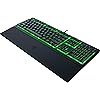
Razer Ornata V3 X Gaming Keyboard: Low Profile Keys - Silent Membrane Switches - Spill Resistant - Chroma RGB Lighting - Ergonomic Wrist Rest - Snap Tap

  • Based on 1,945 reviews
Condition: New
Checking for the best price...
$55.97 Why this price?
Save $50.02 was $105.99

Buy Now, Pay Later


As low as $9.33 / mo
  • – 6-month term
  • – No impact on credit
  • – Instant approval decision
  • – Secure and straightforward checkout

Ready to go? Add this product to your cart and select a plan during checkout.

Payment plans are offered through our trusted finance partners Klarna, Affirm, Afterpay, Apple Pay, and PayTomorrow. No-credit-needed leasing options through Acima may also be available at checkout.

Learn more about financing & leasing here.

Free shipping on this product

This item is eligible for return within 30 days of receipt

To qualify for a full refund, items must be returned in their original, unused condition. If an item is returned in a used, damaged, or materially different state, you may be granted a partial refund.

To initiate a return, please visit our Returns Center.

View our full returns policy here.


Availability: 11 left in stock
Fulfilled by Essence of Quality ™ (S/N Recorded)

Arrives Mar 31 – Apr 2
Order within 23 hours and 17 minutes
Available payment plans shown during checkout

Protection Plan Protect Your Purchase
Checking for protection plans...

Features

  • LOW-PROFILE KEYS With slimmer keycaps and shorter switches, enjoy natural hand positioning that allows for long hours of use with little strain
  • SILENT MEMBRANE SWITCHES Perfect for those who prefer a quieter, more comfortable experience when gaming or typing
  • ERGONOMIC WRIST REST Aligns to the keyboard and provides the perfect place to rest the wrists for support thats vital during long periods of use
  • DURABLE, SPILL-RESISTANT DESIGN Sturdy build is tanky enough for those intense gaming sessions and can shrug off the effects of minor spills
  • CABLE ROUTING OPTIONS Grooves to neatly tuck in the cable and feed it out in any direction to keep the desktop clear of clutter and mess

Description

Take the first step towards next-level performance with the Razer Ornata V3 X—a low-profile ergonomic gaming keyboard designed to elevate your work and play. Featuring a new ultra-slim form factor, more durable keycaps, and Razer Chroma™ RGB, it is the perfect introduction to our unfair advantage.

Brand: Razer


Compatible Devices: PC


Connectivity Technology: wired


Keyboard Description: Gaming


Recommended Uses For Product: Gaming


Special Feature: Chroma RGB Lighting, Low-Profile Key, Silent Membrane Switches, Spill Resistant, Wrist Rest


Color: Black


Keyboard backlighting color support: RGB


Style: V3 X


Product Dimensions: 17.46"L x 5.68"W x 1.23"H


Brand: ‎Razer


Series: ‎Ornata V3 X


Item model number: ‎RZ03-04470200-R3U1


Hardware Platform: ‎PC


Operating System: ‎Microsoft Windows


Item Weight: ‎3 pounds


Product Dimensions: ‎17.46 x 5.68 x 1.23 inches


Item Dimensions LxWxH: ‎17.46 x 5.68 x 1.23 inches


Color: ‎Black


Power Source: ‎USB Powered


Manufacturer: ‎Razer


Language: ‎English


Date First Available: ‎June 23, 2022


Frequently asked questions

If you place your order now, the estimated arrival date for this product is: Mar 31 – Apr 2

Yes, absolutely! You may return this product for a full refund within 30 days of receiving it.

To initiate a return, please visit our Returns Center.

View our full returns policy here.

  • Klarna Financing
  • Affirm Pay in 4
  • Affirm Financing
  • Afterpay Financing
  • PayTomorrow Financing
  • Financing through Apple Pay
Leasing options through Acima may also be available during checkout.

Learn more about financing & leasing here.

Top Amazon Reviews


  • Solid, quiet keyboard with great lighting and comfort
The Razer Ornata V3 X has been an awesome addition to my setup. I love the low-profile keys—they feel smooth and responsive without being too loud, which makes typing and gaming much more comfortable. The RGB lighting looks great and is easy to customize, giving it that signature Razer style. It’s also spill-resistant, which is reassuring, and the wrist rest adds a nice touch for long sessions. Overall, it’s a great keyboard for anyone who wants a balance of comfort, performance, and style without going overboard on price. ... show more
Reviewed in the United States on November 6, 2025 by James Sandoval

  • Normal, Basic, keyboard but works with Razer Synapse
I know that some people are really picky about keyboards. When I started looking into getting a new one for myself, I saw lots of people talking about things like how raised they buttons are, how much noise they make, layout, etc. Personally even though I use my computer a lot, and I'm always typing, I don't care that much. My only preference is (and it is just a preference for me, not a deal breaker) is I like lower, non-raised keys which makes typing more comfortable and less strenuous on the fingers, though it's worth mentioning since this is a gaming keyboard, I don't think it really makes much difference when gaming. My other preference, is I like a "full" keyboard layout. I don't care if the overall keyboard is big because it's a wired keyboard, so obviously it's for a stationary setup (if your not moving it around, why does size matter?) Also I like having the numpad, which I use quite a bit. Anyway, the whole reason I even decided to buy a new keyboard is I have gaming mouse that is also razer and I've really come to appreciate how cool having the ability to rebind and macro commands to different keys. My birthday came up, and I decided to get a cheap razer keyboard just so it would work with Razer Synapse. Honestly if your a keyboard connoisseur and you want to be able to control the RGB lights and have the keys make just the right amount of clicking sound or whatever, I'm sure you'll find something wrong with the keyboard and not like because it is pretty basic. If you are like me however and are just looking for a slight upgrade or something that works with Razer Synapse, this is a great keyboard for a reasonable price! My only complaint is by default the RGB lights are pretty bright, it's kinda jarring at night, even if you are using your computer with a nearby light to keep the room from being dark (which you should be doing if your looking at screen, it's better for your eyes). Also color of the light cycles on its own, which I don't really like. I don't even really care about RGB lights other than just allowing me to see the keys in the dark, so I'd rather they just stay one color. I don't care that much about it to take off a star though, and I've heard there are ways to adjust this either with third party software, or through something provided by Razer. ... show more
Reviewed in the United States on October 22, 2023 by Steve

  • Nice entry keyboard
For the price i feel like you cant go wrong. I PC game with a controller so i dont personally get into the needs of a full mechanical keyboard, this was a nice middle ground of still having something i can type with and set custom macros with Razer software but also priced at the entry level and just be an overall good comfortable keyboard. Used for daily computing, not gaming. ... show more
Reviewed in the United States on November 13, 2025 by Ragz

  • It’s good, but not perfect…for the price
Pros: • Nice, sleek design • Keys feel nice to type on (for membrane keys anyway) as in they have a pleasant feedback and the keys’ surface is pleasantly soft to the touch • The RGB backlighting can get super bright, which I am not used to. I like the option to change it. I’m not used to that option for a keyboard. • Worked right away with Windows 10 without Razer software • The cable routing option underneath the keyboard was an unexpected surprise. Nice touch Razer! Cons: • You apparently need the Razer Synapse software to change the RGB lighting, among other things. • That space bar is much louder compared to all the other keys, and you most definitely will notice it. (Very loud for a membrane keyboard anyway.) • The keys are a bit tough to see without any lighting on, but not too bad. (I am just used to the Logitech K120 keyboard’s highly visible keys.) • The lack of dedicated media buttons, but I knew that before purchase. • The Synapse software is fascinating, yet quite slow. It’s still interesting to use, but not a positive in my book for a keyboard. (Try the Synapse Beta software instead, as it seemed more responsive.) Main review: I am coming from using a typical, no-frills, cheap keyboard called the Logitech K120 that is quite popular and I have had no issues with. I just wanted to try something…new. This is my first gaming keyboard I tried since getting a Saitek Eclipse (series 1) with membrane keys back in 2008. I loved that Eclipse keyboard. I never had a gaming keyboard before that, and I just plugged the USB cable into my new desktop PC at the time and it worked. The Saitek Eclipse had dedicated/separate volume buttons and backlighting button on it other than using the function keys or something. The keys felt great and it never let me down for many years before I sold it for some reason. Also, I don’t recall needing to have downloaded some software unlike this Razer one to get the backlighting to work. No it didn’t have RGB lighting, but a keyboard with backlighting was amazing to me for a new desktop PC. Sure, this Razer keyboard works without downloading Razer’s Synapse software, but I wish there was a way to change the backlight color without it. That’s my main gripe about this Razer keyboard. I still haven’t tried the highly touted mechanical keyboards that I have been reading about for eons, but I have loved membrane keyboards so much that I haven’t felt the need to try mechanical yet. I may change my mind soon. This keyboard evokes a bit of the same feeling as that keyboard, although this Razer keyboard of course doesn’t have dedicate media buttons. Do I need those dedicated media buttons? Not really…but they sure came in handy and I knew where they were and were easily accessible on the keyboard. So, what I did after trying this Razer keyboard for a couple days is order a full-size Corsair K55 RGB gaming membrane keyboard with dedicated media buttons as well to see which one I respond to better. Overall, I think you will enjoy this gaming keyboard (for the price) if you have modest expectations and don’t require lots of features as on many other, more expensive gaming keyboards that I have read about before opting for this one. ... show more
Reviewed in the United States on March 11, 2024 by Mark Z

  • Perfect if you want functionality
If you aren't a total keyboard enthusiast and just want something that works well, this is a great pick. I personally love the low-profile keys, they feel nice to type on and feel soft to the touch. It feels sleek and has a cool cable management trick underneath to keep your desk looking clean. The software was also easy to install. It’s not perfect, though. The RGB lighting can be shockingly bright at night if you have it on the higher settings. The software can be a bit of a pain and runs pretty slow. Also, while most of the keys are quiet, the space bar is weirdly loud compared to the rest. If you’re looking for media buttons this one doesn’t have them. Still, for a budget-friendly keyboard without having something too basic and nothing too fancy, this one is a good buy. ... show more
Reviewed in the United States on February 4, 2026 by darkcosmo

  • great keyboard
clicky but very great cheap keyboard has lasted me a couple of years already even had a friend buy this and they love it
Reviewed in the United States on February 7, 2026 by exohouserocks

Can't find a product?

Find it on Amazon first, then paste the link below.
Checking for best price...

