Search  for anything...

Razer Naga V3 Pro Wireless MMO Gaming Mouse with Swappable Side Plates

  • Based on 101 reviews
Condition: New
Checking for the best price...
$179.99 Why this price?

Buy Now, Pay Later


As low as $30.00 / mo
  • – 6-month term
  • – No impact on credit to apply
  • – Instant approval decision
  • – Secure and straightforward checkout

Ready to go? Add this product to your cart and select a plan during checkout.

Payment plans are offered through our trusted finance partners Klarna, Affirm, Afterpay, Zip, Apple Pay, and Google Pay. No-credit-needed leasing options through Acima may also be available at checkout.

Learn more about financing & leasing here.

Free shipping on this product

FREE 30-day refund/replacement

To qualify for a full refund, items must be returned in their original, unused condition. If an item is returned in a used, damaged, or materially different state, you may be granted a partial refund.

To initiate a return, please visit our Returns Center.

View our full returns policy here.


Availability: In Stock.
Fulfilled by Amazon

Arrives Tuesday, Oct 27
Order within 3 hours and 51 minutes
Available payment plans shown during checkout

Protection Plan Protect Your Purchase
Checking for protection plans...

Features

  • ADAPT TO ANY GAME GENRE Customize your setup with 3 swappable magnetic side plates featuring 12, 6, or 2-button layouts, plus 2 quick-access edge buttons and a lockable ring finger button for MMO, MOBA, FPS, and battle royale gaming
  • CUSTOMIZE YOUR CONTROL WITH RAZER SYNAPSE Remap buttons, create advanced macros, and fine-tune performance settings for gaming and productivity. Full customization available on Windows, while macOS supports core mouse functions and onboard settings
  • TAKE CONTROL OF EVERY SCROLL Razer HyperScroll Tilt Wheel Gen2 delivers dual tactile modes, free-spin scrolling, and Smart-Reel auto switching, ideal for inventory management, spreadsheet navigation, content creation, and gaming
  • PLAY WITH NEXT-LEVEL PRECISION Razer Focus Pro 50K Optical Sensor Gen3 delivers up to 50,000 DPI, 930 IPS, and 90G acceleration with Frame Sync technology for accurate tracking in FPS, battle royale, and competitive esports titles
  • CLICK FASTER AND LONGER Razer Optical Mouse Switches Gen4 offer crisp tactile feedback, 12% lighter actuation, and over 100 million click durability for responsive gameplay during intense gaming sessions
  • VERSATILE CONNECTIVITY FOR GAMING AND EVERYDAY USE Choose Razer HyperSpeed Wireless for low-latency gameplay, Bluetooth for longer battery life, or USB-C wired mode for charging and connected play
  • GAME FOR DAYS ON A SINGLE CHARGE Enjoy up to 155 hours on HyperSpeed Wireless or up to 280 hours on Bluetooth, with USBC charging and compatibility with Razer HyperFlux V2 and Mouse Dock Pro wireless charging systems sold separately

Description

Adapt and Unleash Stay ahead of the game even when it changes. The Razer Naga V3 Pro is a modular wireless gaming mouse built to adapt across genres. Designed for MMO, battle royale, FPS, MOBA, RPG, and productivity use, it combines three swappable side plates with next-generation wireless performance, advanced scrolling technology, and precision tracking to deliver exceptional versatility. Command more, react faster, and customize your gameplay like never before.Swappable Side Plates & Quick-Access Edge Buttons Adapt your controls to match the game. Swap between 12-button, 6-button, and 2-button magnetic side plates to create the ideal layout for every genre. Access up to 23 programmable buttons, including two quick-access edge buttons for on-the-fly DPI adjustments and a lockable ring finger button that provides additional control when you need it most. Whether managing MMO skill rotations, assigning FPS utility commands, or streamlining productivity workflows, every action is within reach.Razer HyperScroll Tilt Wheel Gen-2 Experience precise control and effortless navigation with the next generation of Razer scrolling technology. Choose between two tactile scrolling modes with 24 or 48 steps, switch to free-spin mode for rapid navigation, or enable Smart-Reel mode to automatically transition between tactile and free-spin scrolling based on scroll speed. With four-direction tilt inputs and customization through Razer Synapse, the wheel delivers greater flexibility for gaming and productivity.Razer Optical Mouse Switches Gen-4 Built for speed, durability, and responsiveness. These optical switches deliver crisp tactile feedback, 12% lighter actuation, and a click lifecycle rated for over 100 million clicks. Enjoy fast, consistent execution for MMO ability rotations, rapid-fire commands in competitive shooters, and years of dependable performance.Razer Focus Pro 50K Optical Sensor Gen-3 Track with confidence using Razer's most advanced sensor technology. Featuring up to 50,000 DPI, 930 IPS tracking speed, and 90G acceleration, the sensor is enhanced by Frame Sync technology for reduced latency and highly accurate cursor movement. From precision aiming in FPS titles to detailed cursor control during creative work, every movement is tracked with exceptional accuracy.Multiple Connectivity Options for Every Situation Choose the connection mode that best fits your setup. Razer HyperSpeed Wireless delivers ultra-low-latency performance for competitive gaming, Bluetooth provides extended battery life for everyday use, and USB Type-C wired connectivity enables charging and uninterrupted gameplay. With up to 155 hours of battery life on HyperSpeed Wireless and up to 280 hours on Bluetooth, the Naga V3 Pro is built to keep up with extended gaming sessions.AI Prompt Master and Advanced Macros Gain smarter control through AI-powered tools and advanced macro customization. Surface tailored gaming strategies faster with AI Prompt Master and execute complex chains of actions instantly with custom macros through Razer Synapse. Whether gaming, creating content, or managing productivity shortcuts, you'll have more ways to work and play efficiently.

Brand: Razer


Color: Black


Connectivity Technology: 2.4GHz Wireless, Bluetooth, USB


Special Feature: AI Prompt Master and Macros, Hyperscroll Tilt Wheel Gen-2, Optical Mouse Switches Gen-4, Swappable Side Plates & Quick-Access Edge Buttons See more


Movement Detection Technology: Optical


Connectivity Technology: 2.4GHz Wireless, Bluetooth, USB


Additional Features: AI Prompt Master and Macros, Hyperscroll Tilt Wheel Gen-2, Optical Mouse Switches Gen-4, Swappable Side Plates & Quick-Access Edge Buttons


Movement Detection: Optical


Button Quantity: 23


Hand Orientation: Right


Compatible Devices: Personal Computer


Operating System: Windows 11


Number of Batteries: 1 Nonstandard Battery batteries required. (included)


Hardware Platform: PC


Power Source: Battery Powered


Mouse Maximum Sensitivity: 40000 dots_per_inch


Minimum Required Operating System Version: Windows 11


Color: Black


Brand: Razer


Model Name: Naga V3 Pro


Antenna Location: Gaming, Office, Streaming


Model Number: RZ01-05660100-R3U1


Included Components: 3 Swappable Side Plates (2, 6, 12 Buttons), Important Product Information Guide, Razer HyperSpeed Wireless Dongle, Razer Naga V3 Pro, USB Type A to USB Type C Cable


Manufacturer: Razer


UPC: 840272924099


Mfr Part Number: RZ01-05660100-R3U1


Warranty Description: 2 Year Manufacturer


Item Weight: 4.16 ounces


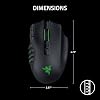
Item Dimensions L x W: 4.7"L x 2.97"W


Unit Count: 1 Count


Frequently asked questions

If you place your order now, the estimated arrival date for this product is: Tuesday, Oct 27

Yes, absolutely! You may return this product for a full refund within 30 days of receiving it.

To initiate a return, please visit our Returns Center.

View our full returns policy here.

  • Klarna Financing
  • Affirm Pay in 4
  • Affirm Financing
  • Afterpay Financing
  • Zip Pay in 4
  • Financing through Apple Pay
  • Financing through Google Pay
Leasing options through Acima may also be available during checkout.

Learn more about financing & leasing here.

Top Amazon Reviews


  • Good mouse so far, but over priced
Best Razer mouse in a while. First, I am a picky buyer, and I have owned many "MMO" mice over the years, starting with Razer's very first naga. The 2014 Naga was the ideal setup in my opinion. It was just missing the optical switches. I have owned many competitor's mice, including the Logitech mouse (didn't fit my hand well), and the Corsair Scimitar series. I want the 12 button side piece, wired connection, ease of setup, and durability. The Pros: * Quality seems fine to me. I'm not sure why people are complaining about the sound of the click on the optical switches. My Razer Naga Trinity made the same sounds. I know the V2 had complaints about the scroll wheel, but this one seems fine so far with the settings that they give you in Synapse. * Optical switches feel great and responsive. * The placement of the keys is the same as previous Naga versions, which is fine with me. * Configurable: You can do everything you want in Synapse. I am able to rebind any keys that I want. * Options: I like that they still give you a wired option, as opposed to making it wireless only. I don't like wireless mice. Also, the hypershift key (ring finger) would never have worked for me as I rest my finger rather heavily on that key, but Razer gives you the option of physically locking that button on the mouse, which was a smart move on their part. If I ever decide I want to try it, it's waiting there for me with one click of a button underneath the mouse to remove that button lock. Cons: * Price: This mouse is expensive, even for the features they are giving you. I think it's over-priced and wished there was something more like the Trinity or setup of the 2014 Naga for a cheaper price. * The wired USB-C cable is short. I need a longer cable to reach my desktop, so I'm using the USB ports on the top of my PC for now until I can test out a longer cable. * The placement of the two buttons on left click are very odd. The old Naga had these buttons, and I thought they were cumbersome back then. They are still cumbersome. I think they are useless and will not use them for anything, but at least they don't get in the way of my left click. * The design of the 2 buttons behind the screen wheel are terrible. I liked the Naga 2014, Trinity, Chroma, etc. which had cleaner, symmetrical, easier to push buttons behind the scroll wheel. * I'm not a big fan of having tons of wireless signals all over, and it's not clear if the mouse is still trying to send out wireless or not when I'm using the mouse with a wired connection. At least I'm not picking anything up on my wireless scanner, so that's promising. Overall, if you're looking for a feature rich mouse, this is it. It has a lot of options and configurability, and the build quality seems good to me. Time will tell how well the mouse stands up. It is, however, over-priced, and a few of the button layout/design are a bit odd, though it still fits my needs overall, and sadly, there just aren't many other MMO mice that fit my hand or won't break in a year, so this is it. ... show more
Reviewed in the United States on September 4, 2026 by Amazon Customer

  • Better than the G600
Finally a mouse to compete with the discontinued Logitech g600! I’ve been using this since release and it’s the closest thing you’ll get to the g600. I mainly use this with the 12 button panel for FFXIV to juggle multiple hotkeys and also for comms within Discord. In comparison to the g600, the Naga V3 pro feels lighter and faster. The scroll wheel is satisfying and can be changed to your needs. It’s got a nice hand feel and grip. The shift button works just as well as the g600. The wireless capability is a huge plus and the battery lasts for several days or even weeks depending on the usage. I don’t go on my PC everyday and I’ve charged it fully once in the past month. This is a cheaper alternative than purchasing the g600 from Ebay. The cons I have with the Naga V3 is that, in comparison to the g600, it has louder, and “hollower” or “twangy” sounding key clicks. It’s also lighter and harder to just lift and move sometimes. This won’t apply to everyone but I do tend to lift my mouse a lot while using a super ultra wide monitor and I have accidentally clicked the side buttons a few times doing this as there’s not much of a grip elsewhere to just hold onto. Never had issues with the g600. Overall, I highly recommend this as an MMO gaming mouse. The shift button is a game changer and it’s hard to go back to one without it. I’ll likely repurchase if my current one needs to be replaced. ... show more
Reviewed in the United States on September 24, 2026 by Becks

  • Fantastic Upgrade!
Still the best MMO mouse to this day. I use this thing for occasional FPS, MMO andwork every day as well, and it works incredibly. I've been with Razer since the V1, and I have loved the Naga since the V1. The V3 is an incredible step up from the V1, whereas the V2 was not my favourite. This new mouse is almost everything you could want out of a mouse. The weight feels great, the shape feels great too me, but I know that's different for everyone, and the extra buttons and functions are nice. I do have a couple suggestions for improvement. 1) The mouse is still not fully removable from Synapse. I love Razer, but the lack of lighting options when not on Synapse does get annoyeling after a while. Sure the breathing pattern is fine, but after half a year of it, it gets frustrating not to be able to have any other options whatsoever. Simple solution: let all five standard lighting modes be selectable for the onboard profile. This would also help to tell which profile you are using. I live Razer, but it's reliance on Synapse has already forced me to switch to Wooting for keyboards. 2) Button mappings for old dpi buttons are severely limited. I'm only okay with this because the new buttons can make use of all options as usual, but why limit the buttons? I don't want to use the AI, so please don't force it. Find other ways to encourage people to use it please. 3) Optical buttons are fantastic for the primary clicks. I realize that these could be more expensive for side buttons potentially, but the side buttons on both of my previous models have had a lifetime of about 2-3 years. What's the point of a mouse like this with primary clicks that would last ten years if the side buttons don't also last ten years. This gives me a lot of caution for long-term livability of this device. Overall, I really love this mouse and recommend it as the current best option! I do wish Razer would position themselves better because there is room for improvement, and I would really like to keep using them. ... show more
Reviewed in the United States on October 7, 2026 by Kurt W.

  • Good MMO Mouse
Been using an MMO mouse for over 10 years now and this is an upgrade from my very used Trinity. Feels great in the hand but only negative is the high-pitched "ting" sound coming from Gen-4 optical switches left click.
Reviewed in the United States on August 28, 2026 by Randy

  • Worth it an MMO powerhouse
The mouse works great. 12 buttons for right thumb is helpful for gaming on mmo, and the 12 button plate can be swapped if less buttons are preferred which is nice. Had trouble logging into razer with Google account and discord account, continued as guest and it worked. Anyways, all the buttons working fine from the get go. In the customize tab on the software it allows you to record what you want when you press the number buttons or other buttons that the mouse has. Hypershift allows you to click hold with your ring finger and press the same number for a completely different action! The software also has lighting you can customize effects colors so on and so fourth. I haven't dived too deep into the software but just enough to get the hang of the basics. With my PC windows 11 it's working fine not complicated to set up.. I don't know about mac. The mouse is fairly comfortable as a palm gripper. I think it works for claw grippers as well. I bought the wireless charger for it so that's going to be a cool item to have to charge it. I researched whether blue tooth or 2.4 would be better, and 2.4 is better it's on the bottom of mouse you switch it to 2.4 and plug the USB in the back of your computer. The mouse is expensive, and it's an adjustment (I usually just spammed buttons with my left-hand on keyboard so switching to this getting used to it). Only con I would say is the mouse clicks are a little on the loud side. Nevertheless, razer did an outstanding job. If you play a lot of mmo this is a solid option, if you play other games and want to still use this mouse you can swap the side plates. Oh yes, one last thing battery life.. insane 280 hours for BT, 155 hours (2.4 GHZ) or wired mode which is unlimited play while charging USB. ... show more
Reviewed in the United States on August 31, 2026 by Erock

  • 12 buttons side panel is a bit questionable in real playing
This mouse is alright, paired up with the hyperflux v2 you don’t really need to worry about the charging, so I can’t really give an opinion on the battery life. This mouse is good, the only questionable thing I have are the buttons 6 side buttons would prob be your go to, though the way it’s organized is a bit weird, it goes like 1 2 3 6 5 4 Which I find a bit odd for the 4 to be at the end and messed me up a lot while playing. I guess you’ll have to use the software to configure it to 123456 instead (especially if your transitioning from a different mmo mouse) It’s almost nearly impossible to use the 12-sided buttons without accidentally clicking the buttons, your butter off with just the 2 button or 6 button side panels unless razor is generous enough to sell a 12-sided button panel that isn’t easily pressable do I think this is a bang for your buck? I mean if your looking for a 12 sided buttons I’d search for something else if you aren’t the type to not want to accidentally press your buttons when in a intense heat of the moment while playing, if your okay with just using 6 buttons, than I guess it’s a good mouse for you (especially if you pair it up with the hyperflux v2 for that juicy infinite battery life) but yea the 2 sided and 6 sided button side panels are good, the 12 sided buttons is questionable, and that’s the summarization of the mouse, just wish razor is generous to sell side panels for the mouse that fits our needs, but oh well I guess you get what you get in this market, I preferred the Sparta mouse buttons over the 12 sided buttons because at least those buttons, where my thumb rest, aren’t so easily and accidentally pressed like razor’s one ... show more
Reviewed in the United States on September 20, 2026 by ooga booga

  • The perfect mouse...if it wasn't for Synapse.
I have the Lamzu Maya X. Logitech MX Master 4. And the Razer Naga V3 Pro. I was testing to see which works best with gaming and AutoCAD. Out of all of them, the Razer is at the top. It has all the features the others don't have: Bluetooth (lamzu doesn't). The Logitech doesn't have Optical Switches, OnBoard Memory, and Tilt scroll wheel like the Razer. And the smart wheel is SO COOL. It's perfect mouse...EXCEPT... Razer Synapse does NOT let my mouse work! I literally cannot get any of the profiles to work! The only way i can get it to work is if i hit 'repair' every single time I switch profiles. And even that works 60% of the time. I left the Razer ecosystem 14 years ago because of Synapse. I am LIVID to see that it's still garbage. I switched to Logitech. They were a better alternative for years...until now. Now, Logitech is now just as horrible. The Master 4 mouse is probably the worst mouse I've ever tried because of the software. They NEED to fire the managers who keep pushing for these needless software! Unironically, the simplest mouse it the most reliable! The Lamzu weighs 33% of the weight of the Naga. Because of that, it's surprisingly more effective for CAD work at precision than the other two. It relies on Onboard memory. The only downside is that it doesn't have Bluetooth, which i need. I highly recommend it over any software heavy mice. Razer, if you ditch Synapse and add Haptics on this mouse you will have gold. You almost made the perfect mouse if it wasn't for your godawful software. Also, please add a "home" indentation for the MMO-plate to help us find the correct key. You're almost there! ... show more
Reviewed in the United States on September 12, 2026 by Denis M.

  • Best Mouse available for MMO
Best decision for gaming ive made aside from moving to Pc from console. This majestic mouse has so many button options and the software for editing is buttery smooth. Im a regular guy and dont get much when it comes to computers etc, but they make it easy to understand and change. Light feel, would recommend some grip tape around it because it is light and soft. This will change your game. ... show more
Reviewed in the United States on September 28, 2026 by Alex

Can't find a product?

Find it on Amazon first, then paste the link below.
Checking for best price...