Search  for anything...

PocketBook InkPad 4 | Eye-Friendly Audio & E-Book Reader | Large 7.8ʺ E-Ink Display | Anti-Scratch Protection | Text-to-Speech Function | Bluetooth® | Built-in Speaker | SMARTlight | IPX8 Waterproof

  • Based on 225 reviews
Condition: New
Checking for the best price...
$299.00 Why this price?

Buy Now, Pay Later


As low as $49.83 / mo
  • – 6-month term
  • – No impact on credit to apply
  • – Instant approval decision
  • – Secure and straightforward checkout

Ready to go? Add this product to your cart and select a plan during checkout.

Payment plans are offered through our trusted finance partners Klarna, Affirm, Afterpay, Zip, Apple Pay, and Google Pay. No-credit-needed leasing options through Acima may also be available at checkout.

Learn more about financing & leasing here.

Free shipping on this product

FREE 30-day refund/replacement

To qualify for a full refund, items must be returned in their original, unused condition. If an item is returned in a used, damaged, or materially different state, you may be granted a partial refund.

To initiate a return, please visit our Returns Center.

View our full returns policy here.


Availability: In Stock.
Fulfilled by Amazon

Arrives Friday, Aug 7
Order within 17 minutes
Available payment plans shown during checkout

Protection Plan Protect Your Purchase
Checking for protection plans...

Features

  • EYE-FRIENDLY & GLARE-FREE TOUCHSCREEN: The latest E-Ink Carta 1200 screen provides a crisp and glare-free reading experience, making it ideal for long reading sessions. Enjoy an eye-friendly 7.8 inch display that comes as close as possible to a page on paper.
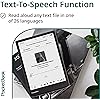
  • LISTEN TO AUDIOBOOKS: Enjoy the convenience of a built-in speaker and Bluetooth connectivity, perfect for listening to your favorite audiobooks on the go. Thanks to Text-to-Speech technology, the device can read any text file aloud with a natural-sounding voice. So you can always choose to read the book or listen to its audio version.
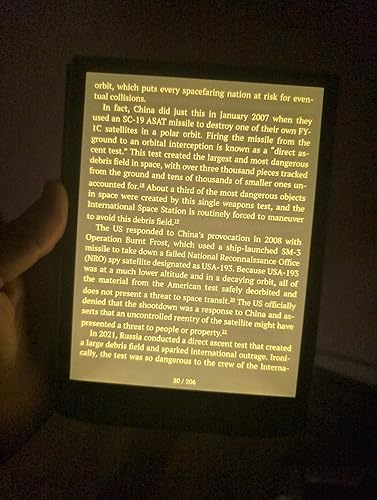
  • ADJUSTABLE SMARTlight: Indulge in eye-safe reading no matter the lighting conditions, even in complete darkness! Thanks to the SMARTlight function, you can adjust not only the brightness of the screen but also the color temperature of the frontlight, choosing a warm or cool tone.
  • WATERPROOF & ANTI-SCRATCH PROTECTION: The reading device is built to withstand water immersion up to 2 meters deep for 60 minutes, complying with the IPX standard. Enjoy an enhanced level of screen protection with the anti-scratch feature, keeping your device looking pristine and free from scratches.
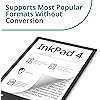
  • SUPPORTS MOST POPULAR FORMATS WITHOUT CONVERSION: The e-reader supports 25 formats, including EPUB, FB2, DOC, DJVU, PDF (DRM), JPEG, CBR, and CBZ. Open a wide range of books, documents and images without wasting time converting files and enjoy the unprecedented freedom of choice.

Description

InkPad 4 InkPad Color 3 InkPad Lite Era Sunset Copper HD 3 Touch Metallic Grey Visit the Store Visit the Store

Brand: PocketBook


Model Name: InkPad 4


Display Technology: Electronic Ink


Connectivity Technology: USB, Wi-Fi


Screen Size: 7.8 inches


Memory Storage Capacity: 32 GB


Display resolution: 1404 × 1872


Included Components: E-reader, USB Type-C cable, quick start guide, documents


Color: Stardust Silver


Item Weight: 0.46 kg


Display Technology: Electronic Ink


Connectivity Technology: USB, Wi-Fi


Screen Size: 7.8 inches


Memory Storage Capacity: 32 GB


Native Resolution: 1404 × 1872


Color: Stardust Silver


File Format: CBR, CBZ, DOC, EPUB, FB2, JPEG, PDF


Other Special Features of the Product: 2000 mAh battery. Light and compact– despite the large screen, the e-reader weighs only 265 g, while its dimensions are 134 × 189.5 × 7.95 mm., 32 GB of internal storage - enough space to collect a huge library that is always on hand;, Dual-core processor. Support for 21 book and 4 graphic formats without conversion;, Support for 6 audio formats;, Wi-Fi and Cloud service - for synchronisation with other devices and convenient library management;


RAM Memory Installed: 1 GB


Human-Interface Input: Touchscreen


Item Weight: 0.46 kg


Brand: PocketBook


Model Name: InkPad 4


Built-In Media: E-reader, USB Type-C cable, quick start guide, documents


Manufacturer: PocketBook


Model Number: PB743G-U-WW


Mfr Part Number: PB743G-U-WW


Unit Count: 1 count


Warranty Description: Two year warranty.


Frequently asked questions

If you place your order now, the estimated arrival date for this product is: Friday, Aug 7

Yes, absolutely! You may return this product for a full refund within 30 days of receiving it.

To initiate a return, please visit our Returns Center.

View our full returns policy here.

  • Klarna Financing
  • Affirm Pay in 4
  • Affirm Financing
  • Afterpay Financing
  • Zip Pay in 4
  • Financing through Apple Pay
  • Financing through Google Pay
Leasing options through Acima may also be available during checkout.

Learn more about financing & leasing here.

Top Amazon Reviews


  • Great eReader for people looking to break free of the Kindle prison
Recently, I purchased and tried several eReaders, including the Kindle Scribe, Paperwhite and Boox Note 4c. I read a mix of technical books, often on PDFs, as well as regular books that come on EPUB or similar. I was tired of the Kindle ecosystem because it is so locked down and walked off that I simply couldn't do what I wanted. The Boox readers that run Android are cool, but the color screens have really poor contrast for reading indoors. Also, the lack of a real privacy policy, OS updates and highly questionable Chinese software are a security deal breaker for me. In addition, I find the 10" sized reader too large and the 6 or 7 inch too small. That narrows down the choices further because only Kobo and PocketBook, plus a couple other lesser known brands, sell a monochrome 8" reader. Overall, I really like the software and hardware design of this device. It is a keeper. Pros: 1. Very high contrast 8" screen that reads like real paper in normal indoor lighting. 300 DPI resolution and 8" size is just big enough to read PDFs or larger format documents, especially in landscape mode. 2. Excellent DropBox cloud storage integration makes it very easy to transfer and sync files and books. This is a killer feature. 3. Works great with Calibre, KOReader, Adobe Digital Editions (e.g. for library books or other purchases). Not locked down to Amazon's ecosystem. 4. Awesome integrated front cover accessory that complements the grippy, protective rear surface for a compact, light weight, low bulk and inexpensive case system 5. The bundled reader app can auto-trim book margins or read through two column papers really well. Makes reading technical books or papers pleasant. 6. Auto-adjusting backlight with dark mode and color temperature is great for night reading. 7. Includes several bundled apps like a calendar, web browser (slow, but surprisingly full featured) and games like Chess. I find this more useful than it would seem at first thought. 8. The user interface and settings are clear and clean, but allow for significant customization. 9. No account registration is required. I didn't register or sign up for any PocketBook services, and yet nothing is crippled or disabled. Truly unlocked. 10. Works great with 3rd party book stores, other than Amazon, of course. But Rakutten has pretty much everything Amazon has. I bought a book from Rakutten, downloaded it my DropBox, and it immediately showed to on the PocketBook. Some purchased books with DRM require going through Adobe Digital Editions first, but that works as well. 11. Company is based in Switzerland, so I don't have concerns about privacy, security and IP theft. I like to support a smaller, Swiss company and not feed the Big Tech monopolies that strangle our lives. 12. Integrated physical buttons for home, power and page turning. Much nicer than touch screen only, especially if you don't want your screen all dirty. Cons: 1. May not connect to WiFi using the latest WPA3 encryption standard. PocketBook should fix this in an update. It does fall back to WPA2, however. 2. The processor/UI is a little slow, but not terrible. Page turns are quick enough. But the tradeoff is better battery life, so it's probably worth it. But it's an area PocketBook could improve. Overall, as an eReader, it's fine, however. 3. Button placement would be more ergonomic on the side, as opposed to on the bottom. In summary, if you are a slightly technical person who doesn't mind taking a few minutes to set things up or transfer your books from a 3rd party store like Rakutten or your library, this is an excellent eReader. Perhaps the best in terms of total hardware and software package. But if all you want to do is use one-click-buy to instantly load books on your device, the Kindle is the lazy person's choice. But Kindle comes with a cost in terms of features, openness and portability. For a technically savvy person like me, the PocketBook is the far better choice. ... show more
Reviewed in the United States on May 23, 2025 by Engineer

  • Excellent overall
I am reviewing both Inkpad 4 and Era as we have both in the household currently, and most of these two reviews will be the same for both devices. You can see both next to each other in my photos for anyone hesitating between the two. An excellent device overall. • SCREEN: I have read on the Internet some people complain about the screen quality - perhaps early units were different, but the current ones I would say do NOT have any screen quality problem. I’ve had Kindles, Boox, etc. The screen on the Pocketbook Inkpad 4 and Pocketbook Era are both top-notch. They compare to Kindle Oasis. There is nothing dim or blurry about them. My Boox Nova Air actually IS blurry so I do know what that looks like. • OPERATING SYSTEM: a bit in between the experience on a Kindle and on a Boox device. More abilities than a Kindle (and VERY importantly for me, the ability to use Bluetooth page turning remotes), a slightly more complex OS, but still much simpler than a Boox device (and more limited because it’s not Android). The OS can be a bit sluggish at times! Closer to a Kindle than a Boox in terms of performance. A bit slower than Kindles when using functionalities that Kindles don’t have. Scrolling through the library can be a little slow at times too. It’s not a racing car, but I’m not finding myself minding that much. In fact I find it helps to prevent the mega fast mega scroll mega mindless mode we get sometimes into with our fast modern devices. I stay in slow, ‘remember to breathe’ reading mode when using this device at all times. • READER APP: a very good reader app, however, while it offers great customization for gestures and tap areas, it lacks customization for font, margins and line gaps. Now there is a trick that lets you customize line gaps, it’s not difficult to do but it’s not on the device. It requires manually editing a text file in the device system files. It is completely safe to do, but I wish there just was more options in the reader app. Same thing for font size, bolding levels, and such. You can sideload your own fonts. I am also really sad that it doesn’t track how much time it takes me to finish a book. That’s a feature I really love in Boox’s default reader, and on Kindles to know how long it will take me to get to the next chapter etc. NOTE: if you are a fan of KOreader, you CAN install it on this device very easily, without ‘jailbreak’ or any such heavy tricks. It is very well supported. * STORE: I haven't tried it, but Pocketbook basically lets you sideload whatever you want. Buy from their store or don't, the device doesn't care - so long as the ebooks are drm free (of course your ebooks must NOT have drm's to work anywhere but their intended device). The device does NOT push its store on you at all (there's a home screen thing to see deals or whatever but it's easy to turn it off). • CONNECTIONS: Bluetooth that is actually useful (ie can connect Bluetooth devices such as page turn remotes) as opposed to Amazon’s implementation of it which lets you do basically nothing. USC-C, no problems or complaints there, it works every time I connect to the computer. • BATTERY LIFE: haven’t gone through a full cycle yet, but seems within what the company advertises so far • DESIGN: beautiful devices, slightly more original designs than most e-readers these days. Reminds me of the Kindle Voyage - what an e-reader that was! • BUTTONS: I love that they’re there. They work very well. Obviously, they are better on the Era due to where they are placed, but they are still useful on the Inkpad 3 too. LONG STORY SHORT: Yays: Excellent, high quality. Beautiful, functional ereader. Intuitive OS still with good customization options on navigation and gestures. Gripes: no “how long it takes to read this chapter/book” feature in the default reader app. The slowness at times might be a dealbreaker for you. The reader app could use more margin and line gaps customization options. Still giving it a 5/5 because there are so few choices for a 7.8” ereader and this is overall a really solid one. ... show more
Reviewed in the United States on December 8, 2024 by S.

  • Very bad reader
Worse reader I ever had. Uncomfortable, difficult to use, really unfriendly. Never in my life I had such a bad reader, and it's expensive!!
Reviewed in the United States on June 30, 2026 by Cliente Amazon

  • Nice physical object but a cumbersome interface, outdated tech, and seriously slow response times.
Cute physical object, nice and light to hold, but so cumbersome to download files. Outdated technology and extremely slow download and connection speed. Maybe if all you want to do is read books from their library it would be okay but the cons and limitations far outweigh the pros. I thought I would love it but after two hours I still can't get it to receive a manuscript. I'm returning it and getting a kindle. ... show more
Reviewed in the United States on February 15, 2025 by Anna

  • 7.8 Greatness
The InkPad 4 hits the sweet spot for serious readers who want premium features without breaking the bank. The 7.8-inch display is the real star here. It strikes the perfect balance—large enough for PDFs and technical documents without being unwieldy, and the size of a paperback novel you'd want to take with you anywhere. The 1872×1404 resolution (300 PPI) delivers crisp text that's easy on the eyes during long reading sessions. The front-light is even across the screen making reading under any light condition easy on the eyes. The device feels solid in your hands. The build quality is reassuring—not plasticky or cheap like some competitors. It's got enough heft to feel premium but remains comfortable for extended reading. The physical page turn buttons are responsive and well-placed, making one-handed reading a breeze. Here's where the InkPad 4 really shines for power users: installing KOReader is refreshingly straightforward—no complex hacking or warranty-voiding procedures needed. Just drag and drop the app into the InkPad's root folder, restart, and you have the best reading app ready to configure and customize for your reading pleasure. Best thing about the Pocketbook? You're not married to ecosystem for your books. The InkPad 4 delivers where it counts: excellent screen, solid construction, and the flexibility to use better software. For readers who want control over their reading experience, this combination of hardware quality and software freedom is hard to beat. ... show more
Reviewed in the United States on June 28, 2025 by iKnitAMan

  • Great 7.8" Ereader, but not o
Love the screen size. A little heavy, but doable. I went from a 6" to 8" and I like extra room. Doesn't pocket like the 6", but fits in a bag fine. Buttons are nice! I would prefer side buttons, but these have a nice tactile click. Speed: I'd say same speed as most ereaders, which isn't fast but you're just reading books. Ease of use: You should be a little tech literate for a US user. The company is European, so the built in shop doesn't have many releases like Amazon or Kobo. However, you can easily add books you download from Kobo or other stores (not Amazon because they disabled downloads). Books can be added by USB or emailed to ereader. ... show more
Reviewed in the United States on December 10, 2025 by Sean R.

  • Excellent device, supports more formats than you probably know
Great device. I really wanted something that could support older formats, and a wide range of formats (I also live in Windows and Linux document worlds). The hard function buttons are another great plus, even if they are on a narrow edge. It starts up in just a few seconds and I'm reading where I left off. Really, the only problem was finding a case that I liked. ... show more
Reviewed in the United States on November 13, 2025 by D. Shultz

  • Unfortunately Can’t Compete with Kindle Paperwhite (11th Gen)
I’ve had a kindle paperwhite that I’ve loved since last year but I was looking for a way to get out of the Amazon ecosystem and upload my Calibre library and use KoReader with an e reader. Here are my thoughts: Screen: - Screen Size: don’t like the larger screen, the kindle paperwhite comes in at 6.8” and it turns out a larger screen felt unnecessary, it added too much bulk. The bezels and weight all feel clunky and it doesn’t feel nearly as portable - Screen Warmth: backlight runs very blue. I prefer backlight warmth all the way up on my kindle, and you’ll see in comparison photos that the screen isn’t nearly as warm - Screen ghosting: it’s a lot more prominent and much more noticeable than the kindle. Whatever Amazon did with their eink kindle software they did it perfectly. The pocketbook screen was distracting how much things would ghost everywhere: Software: - I do appreciate PocketBook for clearly putting in work on their UI. I hope they continue improving it. Specifically: OpenDyslexic implementation. It’s hardly usable. It causes the font spacing to be 2x what it should be and aligns all the font with a justify: space between, element, rather than a left aligned text which I’m used to. I couldn’t use the built in reader for this reason. I switched to KoReader which was easy to install. - Easy to remove PocketBook store & endlessly customize the UI, which I really appreciate. Ultimately, this was a no from me. The price, being basically 3x the Paperwhite, it just makes no sense. I’m trying the Kobo Libra Color next, but I do wish I would have considered more 6” readers. I feel like a smaller screen and more portable device would always be better. This was supposed to be the best eink screen (non color) currently, but, I didn’t find it to be anywhere near the performance of the kindle. So, still locked into Amazon for now. The epub to kindle or mobi uploads all perform weird on kindle so my search continues. ... show more
Reviewed in the United States on July 2, 2024 by David

Can't find a product?

Find it on Amazon first, then paste the link below.
Checking for best price...