


Buy Now, Pay Later
- – 6-month term
- – No impact on credit to apply
- – Instant approval decision
- – Secure and straightforward checkout
Ready to go? Add this product to your cart and select a plan during checkout.
Payment plans are offered through our trusted finance partners Klarna, Affirm, Afterpay, Zip, Apple Pay, and Google Pay. No-credit-needed leasing options through Acima may also be available at checkout.
Learn more about financing & leasing here.
FREE 30-day refund/replacement
To qualify for a full refund, items must be returned in their original, unused condition. If an item is returned in a used, damaged, or materially different state, you may be granted a partial refund.
To initiate a return, please visit our Returns Center.
View our full returns policy here.


Features
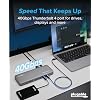
- 13-in-1 Thunderbolt Performance: Need a high-performance Mac docking station? The Plugable TBT-UDM laptop docking station is a space gray aluminum-clad Thunderbolt 4 dock designed for your Mac. It packs 13 ports, dual 4K HDMI, 100W charging, and driverless compatibility into one plug-and-play powerhouse
- Dual 4K Display: Want dual monitors without driver downloads or a dongle mess? This docking station for laptop supports up to two 4K 60Hz HDMI displays on all M4/M5 systems, Pro/Max M-series Macs, and M3 Macs in clamshell mode. No drivers required. The preferred docking station dual monitor combo for video editors, designers, and multitaskers
- Make a Connection: Tired of slow docks and cable chaos? Get 13 streamlined ports, including 1x downstream Thunderbolt 4 (40Gbps), 1x USB-C, 4x USB-A, SD/microSD UHS-II, Ethernet, 3.5mm audio, and 100W host charging to keep your MacBook powered all day. Perfect for hot-desks, home setups, or dev studios
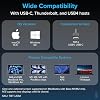
- Works With: Full compatibility with all M4/M5 MacBooks and M1/M2/M3 MacBooks with Pro or Max CPU. Base M1 and M2 MacBooks support only a single external display; base M3 Macs support dual displays in clamshell mode only. Also supports Windows systems with Thunderbolt 4 or USB4. Fully plug-and-play over Thunderbolt or USB4 connections.
- Lifetime Support: This Windows and MacBook docking station has been designed with reliability at its core and was built to meet the deployment demands of IT departments and the ease of use necessary for home offices. Includes lifetime support from our North American team of connectivity experts
Description
Do I need to install software or drivers in order to use the TBT-UDM? No software or driver installation is necessary in order to use the TBT-UDM. This dock is not compatible with DisplayLink. Is this dock compatible with M1 / M2 / M3 / M4 / M5 Macs? Yes, with important qualifications. M4 / M5 Macs, base M3 Macs (with lid closed), and all M-Series Macs with Pro or Max processors support two external displays. Base M1 and M2 processors will support one external display. Why should I choose a dock with extra downstream Thunderbolt ports? Downstream Thunderbolt ports provide flexibility. If the host has a Thunderbolt 4 port, then the downstream Thunderbolt port will work as a Thunderbolt 4 port which allows Thunderbolt 4, 3 and USB-C devices to be connected Are my monitors compatible with the TBT-UDM docking station? HDMI monitors are supported up to 4K 60Hz. For monitors with USB-C ports, up to a single 6K display (8K on Windows) can be connected via the front Thunderbolt port. Note, a total maximum of two displays can only be connected at a single time. TBT-UDM TBT4-UD5 TBT-UDT3 TBT4-UDZ
Brand: Plugable
Color: Space Grey
Hardware Interface: Thunderbolt 4
Compatible Devices: Thunderbolt 4 Macs with macOS 11+ including, M5 / M4 MacBook Pro and MacBook Air, M1 Pro/Max, M2 Pro/Max, M3 Pro/Max, or base M3 (with clamshell mode required for dual displays), Windows 11 Thunderbolt 4 hosts and HP Omnibook / EliteBook / DragonFly / ProBook / Spectre x360 series, Dell Pro Max / Plus / XPS / Latitude / Inspiron, Lenovo ThinkPad / IdeaPad / Yoga , Framework (Intel Processors), Microsoft Surface Pro 11 & 10 for Business, Surface Pro 9,8 / Surface Laptop Studio / Surface Laptop 6 / 5, Acer Swift, Predator, Aspire Vero, ASUS ZenBook, ExpertBook, ROG Zephyrus, ProArt See more
Total USB Ports: 7
Product Dimensions: 3.3"L x 8.9"W x 0.9"H
Number of Ports: 13
Item Weight: 1.3 kg
Total HDMI Ports: 2
Wattage: 134 watts
Hardware Interface: Thunderbolt 4
Compatible Devices: Thunderbolt 4 Macs with macOS 11+ including, M5 / M4 MacBook Pro and MacBook Air, M1 Pro/Max, M2 Pro/Max, M3 Pro/Max, or base M3 (with clamshell mode required for dual displays), Windows 11 Thunderbolt 4 hosts and HP Omnibook / EliteBook / DragonFly / ProBook / Spectre x360 series, Dell Pro Max / Plus / XPS / Latitude / Inspiron, Lenovo ThinkPad / IdeaPad / Yoga , Framework (Intel Processors), Microsoft Surface Pro 11 & 10 for Business, Surface Pro 9,8 / Surface Laptop Studio / Surface Laptop 6 / 5, Acer Swift, Predator, Aspire Vero, ASUS ZenBook, ExpertBook, ROG Zephyrus, ProArt
Total Usb Ports: 7
Number of Ports: 13
Total Number of HDMI Ports: 2
Wattage: 134 watts
Input Voltage: 5 volts
Minimum Required Operating System Version: Mac OS 13 Ventura
Item Dimensions L x W x H: 3.3"L x 8.9"W x 0.9"H
Item Weight: 1.3 kg
Color: Space Grey
Brand: Plugable
Number of Items: 1
Number of Packs: 1
Unit Count: 1 Count
UPC: 819927013587
Item Highlight: Driverless Laptop Docking Station with 4K HDMI Dual Monitor or Single 6K, 6X USB, SD, Ethernet, Thunderbolt Certified TBT-UDM
Manufacturer: Plugable
Model Number: TBT-UDM
Mfr Part Number: TBT-UDM
Warranty Description: 2 Year Limited Parts and Labor
Frequently asked questions
To initiate a return, please visit our Returns Center.
View our full returns policy here.
- Klarna Financing
- Affirm Pay in 4
- Affirm Financing
- Afterpay Financing
- Zip Pay in 4
- Financing through Apple Pay
- Financing through Google Pay
Learn more about financing & leasing here.