Search  for anything...

Plugable USB-C Triple Monitor Docking Station, 13-in-1, 100W Charging

  • Based on 1,602 reviews
Condition: New
Checking for the best price...
$194.99 Why this price?
Save $17.95 was $212.94

Buy Now, Pay Later


As low as $32.50 / mo
  • – 6-month term
  • – No impact on credit to apply
  • – Instant approval decision
  • – Secure and straightforward checkout

Ready to go? Add this product to your cart and select a plan during checkout.

Payment plans are offered through our trusted finance partners Klarna, Affirm, Afterpay, Zip, Apple Pay, and Google Pay. No-credit-needed leasing options through Acima may also be available at checkout.

Learn more about financing & leasing here.

Selected Option

Free shipping on this product

FREE 30-day refund/replacement

To qualify for a full refund, items must be returned in their original, unused condition. If an item is returned in a used, damaged, or materially different state, you may be granted a partial refund.

To initiate a return, please visit our Returns Center.

View our full returns policy here.


Availability: In Stock.
Fulfilled by Amazon

Arrives Sunday, Oct 4
Order within 3 hours and 28 minutes
Available payment plans shown during checkout

Protection Plan Protect Your Purchase
Checking for protection plans...

Number of Items: 1


Features

  • 13-in-1 USB-C Docking Station Fleet Deployment Ready: Standardize your enterprise desktop with a powerful USB-C docking station featuring 13 essential ports. Unified 100W USB-C charging eliminates per-model power adapters, reducing desk complexity and IT support overhead.
  • Triple Monitor Support with DisplayLink: Connect up to three extended HDMI displays for a more productive workspace. Delivers up to 4K 30Hz on HDMI 1 and up to 1920x1200 60Hz on HDMI 2 and 3. Supports M1, M2, M3, M4, M5, and MacBook Neo, enabling multi-monitor expansion even on Macs normally limited to a single external display. Driver install required for HDMI 2 and 3 ports on Mac - see gallery video for setup guidance.
  • 100W Laptop Charging + 20W Device Charging: Charge your laptop through the rear USB-C port with up to 100W. The front USB-C port delivers 20W charging for phones and accessories, making this USB docking station ideal for a complete desk setup.
  • Universal Compatibility: This USB-C docking station is compatible with Windows 10+, macOS 11+, and ChromeOS systems with USB-C, USB4, or Thunderbolt ports. macOS requires DisplayLink Manager installation to enable multiple displays. Note: Does not support protected content (HDCP) playback, such as Netflix, Hulu, etc.
  • Business-Ready Connectivity: Built for office, education, and government deployments, this TAA, NDAA, and Section 889 compliant docking station features 3x HDMI, 4x USB-A 5Gbps, USB-C 20W charging, SD card reader, Gigabit Ethernet, and audio in/out. Includes dock, 1 meter (3.3ft) USB-C host cable, power adapter with AC power cord, and quick start guide.
  • Lifetime Support: This device has been designed with reliability at its core and was built to meet the deployment demands of IT departments and the ease of use necessary for home offices. Includes lifetime support from our North American team of connectivity experts

Brand: Plugable


Color: Black


Hardware Interface: USB Type C


Compatible Devices: Windows 10 / 11, macOS 10.15.x and later (DisplayLink installation required), ChromeOS 100.x and later. Supports full-featured USB-C, USB4, and Thunderbolt 3 / Thunderbolt 4 / Thunderbolt 5 systems, including MacBook Neo / M1 / M2 / M3 / M4 / M5 (M1 Pro/Max, M2 Pro/Max, M3 Pro/Max, M4 Pro/Max); Intel-based Thunderbolt 3 MacBooks (late 2016+), Dell XPS, Latitude, Inspiron series, Microsoft Surface Pro, Go, Book, Laptop, HP ProBook, EliteBook, Spectre x360 series, Lenovo ThinkPad, X1, T series, IdeaPad, and Yoga, LG Gram, ASUS Zenbook, Vivobook, Acer Swift, Aspire, & thousands of other laptops equipped with full-featured, standards-compliant USB-C ports See more


Total USB Ports: 5


Product Dimensions: 12"L x 6.7"W x 17.5"H


Number of Ports: 13


Item Weight: 400 g


Total HDMI Ports: 3


Wattage: 100


Hardware Interface: USB Type C


Compatible Devices: Windows 10 / 11, macOS 10.15.x and later (DisplayLink installation required), ChromeOS 100.x and later. Supports full-featured USB-C, USB4, and Thunderbolt 3 / Thunderbolt 4 / Thunderbolt 5 systems, including MacBook Neo / M1 / M2 / M3 / M4 / M5 (M1 Pro/Max, M2 Pro/Max, M3 Pro/Max, M4 Pro/Max); Intel-based Thunderbolt 3 MacBooks (late 2016+), Dell XPS, Latitude, Inspiron series, Microsoft Surface Pro, Go, Book, Laptop, HP ProBook, EliteBook, Spectre x360 series, Lenovo ThinkPad, X1, T series, IdeaPad, and Yoga, LG Gram, ASUS Zenbook, Vivobook, Acer Swift, Aspire, & thousands of other laptops equipped with full-featured, standards-compliant USB-C ports


Total Usb Ports: 5


Number of Ports: 13


Total Number of HDMI Ports: 3


Wattage: 100


Input Voltage: 20 volts


Minimum Required Operating System Version: Windows 10


Item Dimensions L x W x H: 12"L x 6.7"W x 17.5"H


Item Weight: 400 g


Color: Black


Brand: Plugable


Number of Items: 1


Global Trade Identification Number: 52


Unit Count: 1 Count


UPC: 819927010852


Item Highlight: Laptop Dock for Mac (DisplayLink Driver Required), Windows, Chrome, 3 HDMI, Gigabit Ethernet, SD, USB-C 20W, 4 USB, UD-ULTCDL


Manufacturer: Plugable


Model Number: UD-ULTCDL


Mfr Part Number: UD-ULTCDL


Warranty Description: 2 Year Limited Parts and Labor


Frequently asked questions

If you place your order now, the estimated arrival date for this product is: Sunday, Oct 4

Yes, absolutely! You may return this product for a full refund within 30 days of receiving it.

To initiate a return, please visit our Returns Center.

View our full returns policy here.

  • Klarna Financing
  • Affirm Pay in 4
  • Affirm Financing
  • Afterpay Financing
  • Zip Pay in 4
  • Financing through Apple Pay
  • Financing through Google Pay
Leasing options through Acima may also be available during checkout.

Learn more about financing & leasing here.

Top Amazon Reviews


  • Finally my Macbook is no longer in dongle hell!
I am running a Macbook Pro 2016 with Touchbar. I've been looking for a dock that would ultimately end the "dongle hell" as I've been running off of those dongles for over a year and between them sliding out, poor performance or simply having to disconnect and connect other dongles to accomplish other items, it was a frustrating experience. Enter in when I decided to purchase this item last week, DisplayLink technology which is leveraged in the docking station has had issues with Mac OS 10.13+, however, the latest beta of Mac OS Mojave has re-added support in for DisplayLink allowing these to work properly and I went ahead with the purchase. I have been quite pleased, there is certainly performance differences such that DisplayLink causes some delays and that can be an aggravation factor at times but having the ability to be back to a "normal" setup, I can honestly say, I am more than pleased with the experience thus far. Read below for the full review. Pros: * Multiple Displays * Plethora of Ports * Built-in Ethernet * Headphone and Microphone Jack Cons: * DisplayLink Software Performance * Secondary USB-C port limited to 1.5A * No Memory Card Reader * Third Monitor Port not HDMI/DP Initial Setup: I initially unboxed everything and downloaded the DisplayLink installer, I ended up having to manually configure the DisplayLink agent for the mac as it did not auto-install itself. The installation will require a reboot. After doing this, I then hooked up all of my monitor cables and a couple USB devices. I connected my Mac power adapters USB-C / Thunderbolt cable from the docking station to my Macbook. I could only get a single monitor to display (The 2K one not the 4K which is a direct pass-through). After going through all other options, I used the provided cord instead of the one from my mac power adapter and the 2nd display turned on and ready to use! Therefore, DO NOT use your mac power adapters cord but rather use the provided cord with the unit, otherwise the 4K HDMI/DP WILL NOT WORK. Up and Running: The unit is nice and compact, leaving me with being able to hide it behind my monitor and attach it to the laptop. I can easily switch between more of a "desktop" environment and go mobile quickly without worrying about the 5 dongles that used to be thrown about and worrying about connecting each one (or as it happens, searching for said dongle after it falls off of the desk). I am now using 2 HDMI ports, the Ethernet port, all 3 USB ports. The only port I am not using is the headphone port as there is not a need to do so since I work from my home office and noise is not of a concern. The performance has overall been "good" not "great". This is mainly due to the DisplayLink drivers sometimes causing a bit of a visual lag or causing a lag with the Macbook itself. This is not a consistent problem but does happen from time to time. That's not necessarily a hardware issue but rather a software issue with DisplayLink which will slowly be ironed out (they are not known for their quickness in resolving problems). Future Considerations? * Having a memory card reader. * Having a secondary usb-c / thunderbolt port that is not limited to 1.5A. * Removal of DisplayLink technology * Change the 3rd display port to be the same as the HDMI/DP ... show more
Reviewed in the United States on August 6, 2018 by Mike W.

  • Single-Cable USB Docking - Better Than Before
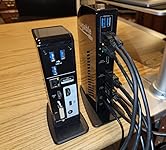
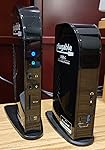
This December 2022 edit replaces a detailed review I did in 2017 for the original version of the UD-ULTCD “Triple Display Docking Station”. That was 5-stars for high performance and great support from Plugable at a time when MS Windows support for USB-C Power Delivery and DisplayPort Alt Mode were still in relative infancy. Those technologies combined to bring USB docking into the current era, and the original unit is still working 6 years later. My new 12th Gen Intel laptop with Thunderbolt 4 requires more power than the original version of this dock was designed to deliver. The updated 2022 model of the UD-ULTCD solves this and has several other improvements, including its own downstream 20W USB-C Power Delivery on the front panel, SD Card Slot, and a streamlined port layout on the back. All 3 video ports are HDMI. The body of the new docs is a bitt taller and thinner than the original. The base plate is slightly larger on the new dock, and it's very stable sitting on the desk. At time of this writing, the original dock is still shown in Amazon's product photos, but 've included pictures of both docks next to each other in this review. The overall performance of the new dock/laptop system is excellent. Windows 11 brings its own improvements to this environment, including the consistently reliable ability to remember window locations across various monitor setups, and “snap assist layouts”. And the latest DisplayLink drivers support Night Light, which I can finally appreciate since it works across all monitors. Although I usually try to avoid, hot un-docking and re-docking have been flawless including with downstream USB hubs, devices, and the 1G Ethernet port. Microsoft Windows includes DisplayLink drivers, but they aren’t the latest version. It’s best to follow Plugable’s procedures for a clean DisplayLink installation. The USB 3.2 Gen2 (10 Gbps) 3’ passive PD/Alt-Mode cable that Plugable ships with the dock is high quality, which of course is critical in a system like this. I would like to see Plugable offer an optional cable with a right-angle connector on one end, effectively adding 6” to the length while taking less desk space. Still 5-stars. ... show more
Reviewed in the United States on December 10, 2022 by GreggC GreggC

  • Home Office Setup
Needed something to take a single screen laptop, and morph into a 2 additional curved screens, keyboard and mouse setup. It was easy enough to setup, functions great and works as I’d hoped. Highly recommend!
Reviewed in the United States on July 2, 2024 by Amazon Customer

Can't find a product?

Find it on Amazon first, then paste the link below.
Checking for best price...