Search  for anything...
OWC

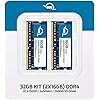
OWC Memory 32GB (2X 16GB) DDR4 PC4-19200 2400MHz RAM

  • Based on 868 reviews
Condition: New
Checking for the best price...
$230.52 Why this price?

Buy Now, Pay Later


As low as $38.42 / mo
  • – 6-month term
  • – No impact on credit to apply
  • – Instant approval decision
  • – Secure and straightforward checkout

Ready to go? Add this product to your cart and select a plan during checkout.

Payment plans are offered through our trusted finance partners Klarna, Affirm, Afterpay, Zip, Apple Pay, and Google Pay. No-credit-needed leasing options through Acima may also be available at checkout.

Learn more about financing & leasing here.

Selected Option

Free shipping on this product

FREE 30-day refund/replacement

To qualify for a full refund, items must be returned in their original, unused condition. If an item is returned in a used, damaged, or materially different state, you may be granted a partial refund.

To initiate a return, please visit our Returns Center.

View our full returns policy here.


Availability: In Stock.
Fulfilled by Amazon

Arrives Thursday, Oct 8
Order within 18 hours and 7 minutes
Available payment plans shown during checkout

Protection Plan Protect Your Purchase
Checking for protection plans...

Size: 32 GB


Style: 2 x 16GB


Features

  • OWC 32.0GB UPGRADE: Consists of Two 16GB pc19200 ddr4 2400 mhz sodimms memory, 260-pin, 1.2 volts, non-registered, non-ecc, fully compliant with jedec specifications, rohs compliant, warranty safe upgrade
  • COMPATIBLE WITH: 2017 iMac: iMac w/Retina 5K display (27 inch mid 2017) Model ID: iMac18,3 (3.4GHz & 3.5GHz & 3.8GHz Core i5 & 4.2GHz Core i7)
  • COMPATIBLE WITH: 2017 iMac 21.5-inch: Model ID: iMac18,2 iMac w/Retina 4K display, 21.5-inch Mid 2017, (3.0GHz & 3.4GHz Core i5 & 3.6GHz Core i7); Model ID: iMac18,1 iMac Mid 2017 2.3GHz Core i5
  • COMPATIBLE WITH: PC Laptop, PC Notebook, All in One Computers, NAS, Synology, POS systems
  • INCREASED PERFORMANCE: Memory Upgrades are the Most Effective and Easy Way to Boost the Performance in Your Mac Pro

Description

64GB (4X16GB) UPGRADE 64GB (2X32GB) UPGRADE 16GB DIMM 32GB (2X16GB) UPGRADE 16GB (2X8GB) UPGRADE

Brand: OWC


Computer Memory Size: 32 GB


RAM Memory Technology: DDR4


Memory Speed: 2400 MHz


Compatible Devices: Laptop


RAM Memory Technology: DDR4


Memory Speed: 2400 MHz


Compatible Devices: Laptop


Additional Features: Lightweight


Voltage: 1.2 volts


Column Address Strobe Latency: CL17 nanoseconds


Form Factor: SO-DIMM


Data Transfer Rate: 2400 MHz


Number of Pins: 260


Memory Form Factor: SODIMM


Memory Generation: DDR4


RAM Size: 32 GB


Brand: OWC


Model Name: OWC2400DDR4S32P


UPC: 812437025453


Number of Items: 2


Manufacturer: Other World Computing


Number of Packs: 2


Item Highlight: 288-Pin Compatible with 27 and 21.5 iMac (Mid 2017), PCs and with MP7N2G/A


Unit Count: 2 Count


Global Trade Identification Number: 53


Model Number: OWC2400DDR4S32P


Mfr Part Number: OWC2400DDR4S32P


Warranty Description: Limited Warranty


Frequently asked questions

If you place your order now, the estimated arrival date for this product is: Thursday, Oct 8

Yes, absolutely! You may return this product for a full refund within 30 days of receiving it.

To initiate a return, please visit our Returns Center.

View our full returns policy here.

  • Klarna Financing
  • Affirm Pay in 4
  • Affirm Financing
  • Afterpay Financing
  • Zip Pay in 4
  • Financing through Apple Pay
  • Financing through Google Pay
Leasing options through Acima may also be available during checkout.

Learn more about financing & leasing here.

Top Amazon Reviews


  • OWC 2*16Gb RAM upgade for iMac 27" 5K retina 2017 - it just works
Size: 32 GB Style: 2 x 16GB
OWC 32GB (2 x 16GB) 2400MHZ DDR4 SO-DIMM PC4-19200 Memory Upgrade For 2017 iMac 27 inch with Retina 5K display I recently bought an iMac 2017 27" 5K retina base model with 8Gb RAM and wanted to add some RAM. After investigating for 32 Gb RAM for iMac 2017 27" from well known brands, I decided to go with OWC. It was a risky process for me because it was an International shipment for me and if something goes wrong returning it would be a hard process and the disappointment would be much higher. The package was scheduled to arrive between 2-12 April 2018 but to my surprise it was delivered to me on March 26th :) I fitted the RAMs in excitement (despite having dealing with hardware for years, I took my time to read and watch OWC and Apple advice first). My process was exactly like this: -Shut down and wait for about 10 mins (I wouldn't but it wouldn't harm I thought). -Placed the iMac on a soft cloth and opened the RAM bay. -Preinstalled 8 Gb RAM was on slots 1 and 3. -Insatlled OWC 16 Gb modules on slots 2 and 4. -Closed the bay, plugged the cables and turned it on. Voila, after 15-20 seconds apple logo was on screen and it booted without no problems. Checking RAM it shows a botal of 40Gb now. Thanks OWC. Wish you had an office in my country or at least I could buy anything from you internationally. After using these RAMs for months, I decided to buy another 32 Gb and upgrade to a total of 64 Gb. Removed the stock 8 Gb and placed the new 32 Gb set. Now working with 64 Gb. :) All went well (bought second set from Newer Galaxy Distribution Company, LLC through Amazon - delivered just on time. Thanks) ... show more
Reviewed in the United States on March 27, 2018 by Cetin Basoz

  • Easy install and boosted iMac RAM from 8 to 40 GB
Size: 32 GB Style: 2 x 16GB
Great memory for 2017 iMac 5K with Apple configured 8 GB of RAM. I added the 32 GB to the two empty slots and rebooted. 40 GB of RAM visible and no issues discovering the RAM and total size. This memory is fully tested with Apple Mac products whereas other typical memory vendors have had compatibility issues with this version of the iMac. I typically only buy Kingston, Crucial, or Corsair memory and hesitated on this product but it worked great out of the box. No issues having to move the memory sticks around to get this to work and all 40 GB visible. If you run VMWare Virtual Machines you will need the RAM and this is the answer. Half the price of Apple RAM. ... show more
Reviewed in the United States on March 24, 2018 by Scotty

  • Good Upgrade for Giving an Older iMac or Laptop More Life
Size: 32 GB Style: 2 x 16GB
I’ve been happy with this OWC 32GB memory upgrade. I used it to upgrade a compatible system that was starting to feel slow, and it made a noticeable difference, especially when having several browser tabs or apps open at the same time. Installation was straightforward, and the memory was recognized properly after startup. I like that it comes as a matched 2 x 16GB kit, which makes it easier than trying to piece together random memory sticks and hoping everything works together. For normal everyday use, web browsing, office work, photos, and multitasking, the extra RAM really helps the computer feel less bogged down. It’s also a lot cheaper than replacing the whole computer if the machine still works fine otherwise. One thing I would definitely mention is to check compatibility carefully before ordering. Apple models in particular can be picky, and you need to make sure your system supports DDR4 2400MHz 260-pin SO-DIMM memory and the 32GB capacity. Overall, I’d give it 5 stars. It worked like it should, was easy to install, and is a good upgrade if your compatible computer needs more memory. ... show more
Reviewed in the United States on May 21, 2026 by A Byrd

  • Instant speed boost
Size: 32 GB Style: 2 x 16GB
Total installation took 10 minutes. Like others have suggested, I just put the new memory cards in slots 2 and 4, and leave the preinstalled ones be. Turn the MacBook back on and it just booted like normal and viola everything opens so fast now. Inserting the cards into the slots takes a bit effort so the card racket can be closed back in. So just be gentle and patient. My only complaint is that the package arrived in a simple Amazon paper envelop with a thin layer of bubble wrap built-in. Thank God the cards weren't damaged. ... show more
Reviewed in the United States on June 4, 2021 by Ou L.

  • the most cost effective upgrade for my old iMAC
Size: 32 GB Style: 2 x 16GB
This was a direct install for a 2017 iMAC 27" (18,3) computer. I had 8GB installed from the factory and i've noticed that the computer has been going slower each year. When i ran the activity monitor on the OS, i saw that the computer was doing memory swapping (having to actively "put data back to the HD to free up space to run current processes) the system said that 6 of the 8 GB were always being consumed. This is an inexpensive upgrade. it still starts up slow (because it still have to pull data from the HD during Startup) but now once its up and running, all my programs perform faster. the system shows that im using about 10GB constantly so it still has plenty of room to keep lots of applications running without having to swap to the slower IO's of a hard drive. ... show more
Reviewed in the United States on January 24, 2025 by Ryan

  • iMac now crashing
Size: 32 GB Style: 2 x 16GB
Since I installed 2 more rams of memory in my iMac (Retina 5K, 27-inch, 2017), it now periodically just crashes. I have the error report but it means nothing to me. I assume my issue is related to this installation. Would anyone have any suggestions? panic(cpu 1 caller 0xffffff801d7198aa): [iokit.IODMACommand]: element modified after free (off:24, val:0x0000010000000000, sz:120, ptr:0xffffffa4c5c14e10) 24: 0x0000010000000000 Panicked task 0xffffffa991ae79f0: 7 threads: pid 2319: com.apple.WebKit Backtrace (CPU 1), panicked thread: 0xffffffae57bf2000, Frame : Return Address 0xffffff80c9a3abd0 : 0xffffff801ce81c8d 0xffffff80c9a3ac20 : 0xffffff801cfe1596 0xffffff80c9a3ac60 : 0xffffff801cfd0963 0xffffff80c9a3acb0 : 0xffffff801ce21a70 0xffffff80c9a3acd0 : 0xffffff801ce8205d 0xffffff80c9a3adf0 : 0xffffff801ce81816 0xffffff80c9a3ae50 : 0xffffff801d715163 0xffffff80c9a3af40 : 0xffffff801d7198aa 0xffffff80c9a3b3b0 : 0xffffff801ceeb8a9 0xffffff80c9a3b410 : 0xffffff801d64f497 0xffffff80c9a3b440 : 0xffffff801d64cc51 0xffffff80c9a3b4a0 : 0xffffff7fb5dea857 0xffffff80c9a3b4c0 : 0xffffff7fb5dfc9fb 0xffffff80c9a3b510 : 0xffffff7fb5da92bd 0xffffff80c9a3b530 : 0xffffff7fb5dfa00b 0xffffff80c9a3b550 : 0xffffff7f9dc66f3f 0xffffff80c9a3b5b0 : 0xffffff7f9dc30d31 0xffffff80c9a3b5e0 : 0xffffff7f9dc434ac 0xffffff80c9a3b630 : 0xffffff7f9dc437e5 0xffffff80c9a3b6d0 : 0xffffff7fb5ded368 0xffffff80c9a3b710 : 0xffffff7fb5ded719 0xffffff80c9a3b9b0 : 0xffffff7f9dc34252 0xffffff80c9a3b9e0 : 0xffffff7fb5dee8f1 0xffffff80c9a3ba70 : 0xffffff7fb5dec94b 0xffffff80c9a3bad0 : 0xffffff7fb5dec741 0xffffff80c9a3bb20 : 0xffffff7fb5deb81d 0xffffff80c9a3bb60 : 0xffffff801d683a8c 0xffffff80c9a3bcc0 : 0xffffff801cf872e6 0xffffff80c9a3bdd0 : 0xffffff801ce5c9ab 0xffffff80c9a3be60 : 0xffffff801ce731f9 0xffffff80c9a3bef0 : 0xffffff801cfb35aa 0xffffff80c9a3bfa0 : 0xffffff801ce22256 Kernel Extensions in backtrace: com.apple.iokit.IOAcceleratorFamily2(462.8)[F0D1B5AF-356A-3F86-8829-8F00218602CB]@0xffffff7fb5da6000->0xffffff7fb5e10fff dependency: com.apple.driver.AppleMobileFileIntegrity(1.0.5)[2B96E04B-E2A5-3296-AF14-6A766880A652]@0xffffff801e5a1000->0xffffff801e5c2fff dependency: com.apple.iokit.IOGraphicsFamily(597)[BBEE13AB-2291-37D9-AAE4-9E565E8950A5]@0xffffff7fb5f3f000->0xffffff7fb5f6dfff dependency: com.apple.iokit.IOPCIFamily(2.9)[654ABF9D-EB24-3B64-AB1C-EC2AC8357192]@0xffffff801fa24000->0xffffff801fa4ffff dependency: com.apple.iokit.IOReportFamily(47)[5578189C-7C1D-3158-B357-F8D6A216DCE1]@0xffffff801fa61000->0xffffff801fa63fff dependency: com.apple.iokit.IOSurface(302.14)[F0BF8EFA-AA35-37B5-B3AB-A8BCF5E62024]@0xffffff801fb94000->0xffffff801fbb0fff com.apple.kext.AMDRadeonX4000(4.0.8)[B7BDCB57-0EF9-37E9-B724-29D96491A4FB]@0xffffff7f9dc2b000->0xffffff7f9e07dfff dependency: com.apple.iokit.IOAcceleratorFamily2(462.8)[F0D1B5AF-356A-3F86-8829-8F00218602CB]@0xffffff7fb5da6000->0xffffff7fb5e10fff dependency: com.apple.iokit.IOGraphicsFamily(597)[BBEE13AB-2291-37D9-AAE4-9E565E8950A5]@0xffffff7fb5f3f000->0xffffff7fb5f6dfff dependency: com.apple.iokit.IOPCIFamily(2.9)[654ABF9D-EB24-3B64-AB1C-EC2AC8357192]@0xffffff801fa24000->0xffffff801fa4ffff dependency: com.apple.iokit.IOSurface(302.14)[F0BF8EFA-AA35-37B5-B3AB-A8BCF5E62024]@0xffffff801fb94000->0xffffff801fbb0fff Process name corresponding to current thread (0xffffffae57bf2000): com.apple.WebKit.WebContent Mac OS version: 21F79 Kernel version: Darwin Kernel Version 21.5.0: Tue Apr 26 21:08:22 PDT 2022; root:xnu-8020.121.3~4/RELEASE_X86_64 Kernel UUID: 3C587984-4004-3C76-8ADF-997822977184 KernelCache slide: 0x000000001cc00000 KernelCache base: 0xffffff801ce00000 Kernel slide: 0x000000001cc10000 Kernel text base: 0xffffff801ce10000 __HIB text base: 0xffffff801cd00000 System model name: iMac18,3 (Mac-BE088AF8C5EB4FA2) System shutdown begun: NO Panic diags file available: YES (0x0) Hibernation exit count: 0 System uptime in nanoseconds: 340686258085148 Last Sleep: absolute base_tsc base_nano Uptime : 0x000135da33649f64 Sleep : 0x0000000000000000 0x0000000000000000 0x0000000000000000 Wake : 0x0000000000000000 0x000000107080ddae 0x0000000000000000 Compressor Info: 5% of compressed pages limit (OK) and 18% of segments limit (OK) with 16 swapfiles and OK swap space Zone info: Zone map: 0xffffff99901f0000 - 0xffffffb9901f0000 . PGZ : 0xffffff99901f0000 - 0xffffff99951f1000 . VM : 0xffffff99951f1000 - 0xffffff9e612bd000 . RO : 0xffffff9e612bd000 - 0xffffff9ffa856000 . GEN0 : 0xffffff9ffa856000 - 0xffffffa4c6922000 . GEN1 : 0xffffffa4c6922000 - 0xffffffa9929ef000 . GEN2 : 0xffffffa9929ef000 - 0xffffffae5eabc000 . GEN3 : 0xffffffae5eabc000 - 0xffffffb32ab89000 . DATA : 0xffffffb32ab89000 - 0xffffffb9901f0000 Metadata: 0xffffff805b6df000 - 0xffffff807b6df000 Bitmaps : 0xffffff807b6df000 - 0xffffff808a6df000 last started kext at 217245416091: @filesystems.smbfs 4.0 (addr 0xffffff7fb6338000, size 483328) last stopped kext at 335917090967: >!AThunderboltEDMSink 5.0.3 (addr 0xffffff7fb5bc7000, size 32768) loaded kexts: @filesystems.smbfs 4.0 >!ATopCaseHIDEventDriver 5450.8 >AudioAUUC 1.70 >!APlatformEnabler 2.7.0d0 >X86PlatformShim 1.0.0 >AGPM 129 >!AUpstreamUserClient 3.6.9 @kext.AMDFramebuffer 4.0.8 @filesystems.autofs 3.0 @kext.AMDRadeonX4000 4.0.8 >!AHDA 340.2 @kext.AMDRadeonServiceManager 4.0.8 >!AGraphicsDevicePolicy 6.5.7 >eficheck 1 >!A!IKBLGraphics 18.0.7 @AGDCPluginDisplayMetrics 6.5.7 >!A!IKBLGraphicsFramebuffer 18.0.7 >pmtelemetry 1 |IOUserEthernet 1.0.1 >usb.!UUserHCI 1 >!AHV 1 >!ADiskImages2 126.100.13 @kext.AMD9500!C 4.0.8 >!A!ISlowAdaptiveClocking 4.0.0 >!ASMCLMU 212 >!A!IPCHPMC 2.0.1 >!AGFXHDA 140.3 >!AThunderboltIP 4.0.3 >!AMCCSControl 1.16 >!AFileSystemDriver 3.0.1 @filesystems.tmpfs 1 @filesystems.lifs 1 @filesystems.hfs.kext 583.100.10 @BootCache 40 @!AFSCompression.!AFSCompressionTypeZlib 1.0.0 @!AFSCompression.!AFSCompressionTypeDataless 1.0.0d1 @filesystems.apfs 1934.121.2 >AirPort.BrcmNIC 1400.1.1 >!ASDXC 3.2.1 |!ABCM5701Ethernet 11.0.0 >!AAHCIPort 351.100.4 @private.KextAudit 1.0 >!AACPIButtons 6.1 >!ARTC 2.0.1 >!ASMBIOS 2.1 >!AACPIEC 6.1 >!AAPIC 1.7 @!ASystemPolicy 2.0.0 @nke.applicationfirewall 402 |IOKitRegistryCompatibility 1 |EndpointSecurity 1 @Dont_Steal_Mac_OS_X 7.0.0 @kec.!AEncryptedArchive 1 >driverkit.serial 6.0.0 |IOSerial!F 11 >!AHIDKeyboard 228.2 >!AMultitouchDriver 5450.14 >!AInputDeviceSupport 5450.4 >!AHS!BDriver 5450.8 >IO!BHIDDriver 9.0.0 @kext.triggers 1.0 @kext.AMDRadeonX4200HWLibs 1.0 >DspFuncLib 340.2 @kext.OSvKernDSPLib 529 @kext.AMDRadeonX4000HWServices 4.0.8 >!AGraphicsControl 6.5.7 >!ASMBusPCI 1.0.14d1 |IOAccelerator!F2 462.8 |IO!BSerialManager 9.0.0 |IO!BPacketLogger 9.0.0 |IO!BHost!CUSBTransport 9.0.0 |IO!BHost!CUARTTransport 9.0.0 |IO!BHost!CTransport 9.0.0 >IO!BHost!CPCIeTransport 9.0.0 |IOAVB!F 1040.6 @plugin.IOgPTPPlugin 1040.3 |IOEthernetAVB!C 1.1.0 |CSR!BHost!CUSBTransport 9.0.0 |Broadcom!BHost!CUSBTransport 9.0.0 |Broadcom!B20703USBTransport 9.0.0 >!AIPAppender 1.0 @kext.AMDSupport 4.0.8 @!AGPUWrangler 6.5.7 |IOSlowAdaptiveClocking!F 1.0.0 @!AGraphicsDeviceControl 6.5.7 >X86PlatformPlugin 1.0.0 >IOPlatformPlugin!F 6.0.0d8 >!AHDA!C 340.2 |IOHDA!F 340.2 |IONDRVSupport 597 |IOAudio!F 340.2 @vecLib.kext 1.2.0 >!AThunderboltDPOutAdapter 8.5.1 |IOGraphics!F 597 >!ASMBus!C 1.0.18d1 |IOAHCIBlock!S 333.100.3 >usb.IOUSBHostHIDDevice 1.2 >usb.cdc 5.0.0 >usb.networking 5.0.0 >usb.!UHostCompositeDevice 1.2 >!AThunderboltPCIUpAdapter 4.1.1 >!AThunderboltPCIDownAdapter 4.1.1 >!AThunderboltDPInAdapter 8.5.1 >!AThunderboltDPAdapter!F 8.5.1 >!AHPM 3.4.4 >!A!ILpssI2C!C 3.0.60 >!A!ILpssDmac 3.0.60 >!ABSDKextStarter 3 |IOSurface 302.14 @filesystems.hfs.encodings.kext 1 >!AXsanScheme 3 >!AThunderboltNHI 7.2.81 |IOThunderbolt!F 9.3.3 |IO80211!FLegacy 1200.12.2b1 |IOSkywalk!F 1.0 >corecapture 1.0.4 |IONVMe!F 2.1.0 >mDNSOffloadUserClient 1.0.1b8 >!A!ILpssI2C 3.0.60 >!A!ILpssGspi 3.0.60 >usb.!UXHCIPCI 1.2 >usb.!UXHCI 1.2 |IOAHCI!F 297 >usb.!UHostPacketFilter 1.0 |IOUSB!F 900.4.2 >!AEFINVRAM 2.1 >!AEFIRuntime 2.1 |IOSMBus!F 1.1 |IOHID!F 2.0.0 |IOTimeSync!F 1040.3 |IONetworking!F 3.4 >DiskImages 493.0.0 |IO!B!F 9.0.0 |IOReport!F 47 $quarantine 4 $sandbox 300.0 @kext.!AMatch 1.0.0d1 |CoreAnalytics!F 1 >!ASSE 1.0 >!AKeyStore 2 >!UTDM 533.120.2 |IOUSBMass!SDriver 210.120.3 |IOSCSIBlockCommandsDevice 456.121.3 |IO!S!F 2.1 |IOSCSIArchitectureModel!F 456.121.3 >!AMobileFileIntegrity 1.0.5 $!AImage4 4.2.0 @kext.CoreTrust 1 >!AFDEKeyStore 28.30 >!AEffaceable!S 1.0 >!ACredentialManager 1.0 >KernelRelayHost 1 |IOUSBHost!F 1.2 >!UHostMergeProperties 1.2 >usb.!UCommon 1.0 >!ABusPower!C 1.0 >!ASEPManager 1.0.1 >IOSlaveProcessor 1 >!AACPIPlatform 6.1 >!ASMC 3.1.9 |IOPCI!F 2.9 |IOACPI!F 1.4 >watchdog 1 @kec.pthread 1 @kec.Libm 1 @kec.corecrypto 12.0 ... show more
Reviewed in the United States on July 19, 2022 by MM

  • Works with 2017 iMac
Size: 32 GB Style: 2 x 16GB
This 2 x 16GB memory worked in my mid-2017 iMac (with 8GB memory), was easy to install (I put it into the two unused slots - I didn't move the existing modules) and it booted up showing 40GB available.
Reviewed in the United States on August 16, 2023 by Ian B.

  • Easy Upgrade
Size: 32 GB Style: 2 x 16GB
Installing on my 27" 5K iMac is quick and easy. Took no more than 5 minutes to unplug, remove the cover and install. Some people lay the iMac flat on screen to install, but i was able to install with the iMac standing up. I kept the original 8GB of RAM that came with the iMac and installed the new RAM in the new slots. Compatibility has not been an issue and there's an immediate difference with performance. My only issue is that when i'm browsing some streaming sites (Disney+ and Youtube) I'll get the "this website is using significant energy," message in Safari. Despite the message, my apps and videos still performance without issues. I've been tempted on replacing the 8GB to completely max out my iMac, but 40BG has been plenty. ... show more
Reviewed in the United States on April 21, 2021 by Danilo Dingle

Can't find a product?

Find it on Amazon first, then paste the link below.
Checking for best price...