Prime Day deals are live! View Deals
Search  for anything...

Osee GoStream Deck HDMI Pro Live Streaming Multi Camera Video Mixer Switcher with NDI Updatable

  • Based on 371 reviews
Condition: New
Checking for the best price...
$295.00 Why this price?

Buy Now, Pay Later


As low as $49.17 / mo
  • – 6-month term
  • – No impact on credit to apply
  • – Instant approval decision
  • – Secure and straightforward checkout

Ready to go? Add this product to your cart and select a plan during checkout.

Payment plans are offered through our trusted finance partners Klarna, Affirm, Afterpay, Apple Pay, and PayTomorrow. No-credit-needed leasing options through Acima may also be available at checkout.

Learn more about financing & leasing here.

Selected Option

Free shipping on this product

FREE 30-day refund/replacement

To qualify for a full refund, items must be returned in their original, unused condition. If an item is returned in a used, damaged, or materially different state, you may be granted a partial refund.

To initiate a return, please visit our Returns Center.

View our full returns policy here.


Availability: Only 10 left in stock, order soon!
Fulfilled by Amazon

Arrives Thursday, Jun 25
Order within 3 hours and 32 minutes
Available payment plans shown during checkout

Protection Plan Protect Your Purchase
Checking for protection plans...

Color: Go Stream Deck


Features

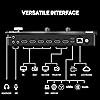
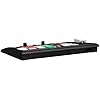
  • Rich Connection Ports The Osee GoStream Deck video switcher comes with 4 HDMI inputs and 2 HDMI outputs, allowing you to connect four different media sources and two displays for MultiView and monitoring. It also includes 2 Type-C ports (input/output) for webcam input/output, SSD connection, and PC connectivity, 1 Ethernet port for live streaming and NDI HX input, 2 audio inputs and 1 headphone output for monitoring audio quality or recording, and 1 SD card slot for recording or playing files directly.
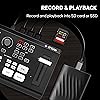
  • Audio Control, Recording and Playback The Osee GoStream Deck video switcher features various audio control buttons and adjustable knobs. It comes with headphone and microphone input for your live-streaming audio system. Additionally, it provides professional audio effects, including EQ, Limiter, Fader, etc. The GoStream Deck can record your PGM to an SD card or USB SSD while simultaneously playing back MP4 files for intros, breaks, etc.
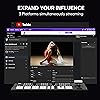
  • 3 Streaming & Landscape / Portrait streaming This live streaming video switcher can simultaneously stream to 3 platforms like YouTube, Facebook, Zoom, or any RTMP server via the Ethernet port. Alternatively, you can use the USB output to stream through PC software like OBS or vMix. In addition, it supports both landscape and portrait modes to suit your various needs.
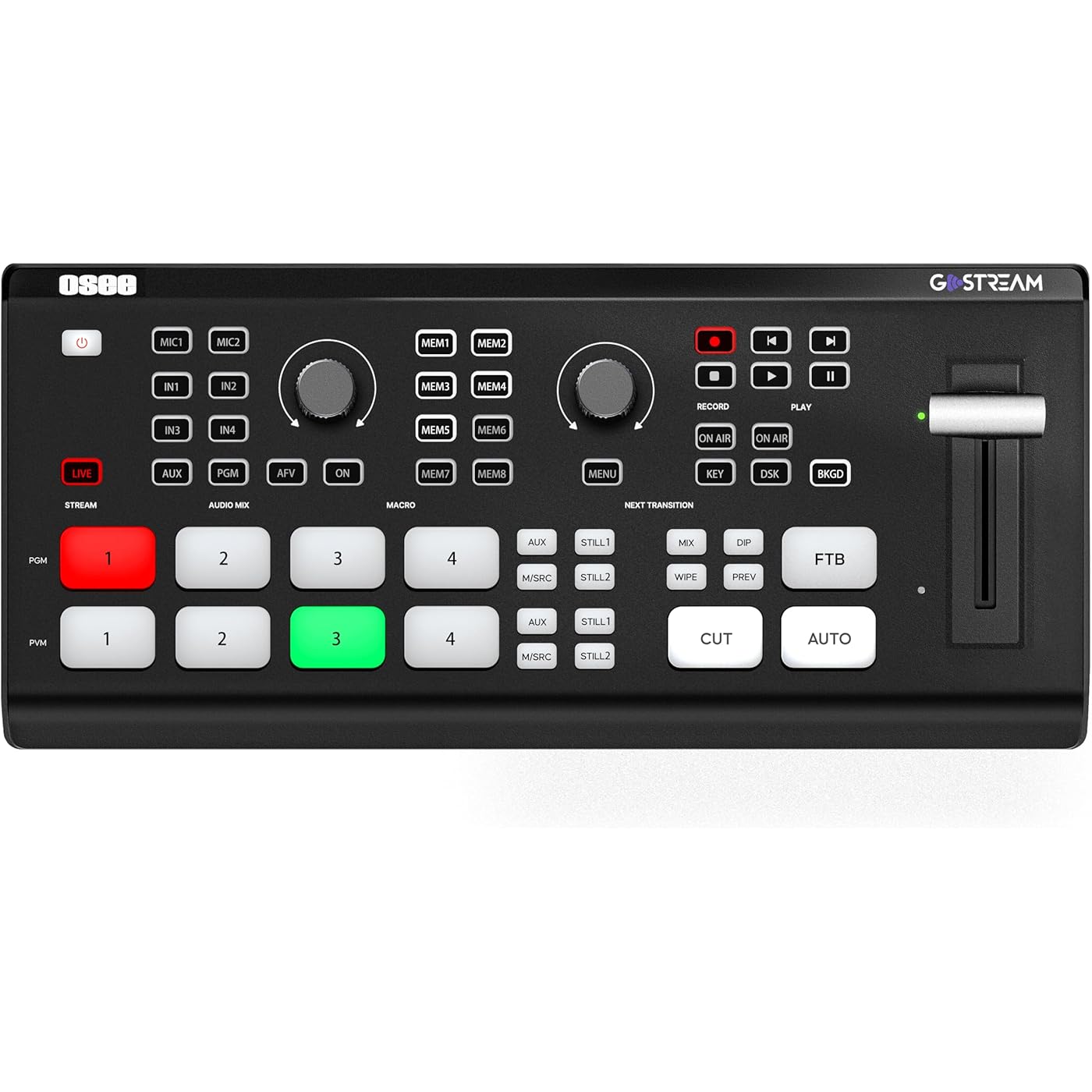
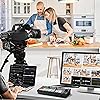
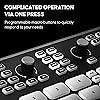
  • Efficient Control The GoStream Deck features a hard control panel with PVW/PGM buses, T-Bar, and Macros - perfect for broadcast-quality streaming in education, conferences, worship, live events, and weddings. With its built-in menu system, you can control your live production without a PC. Additionally, we provide free PC control software and a companion control module for expanded functionality.
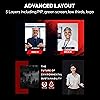
  • Convenient Graphics Overlay This video mixer supports MultiSource functionality with dual video windows, background options, and graphics overlay - ideal for church broadcasts, podcasts, online meetings, panel discussions, and TV-quality live productions. Downstream keyer for logo and lower-third overlays. Upstream keyer supporting green screen, chroma key, PIP (Picture-in-Picture), and pattern effects.
  • Excellent ExperienceAuto-switching takes care of shooting angle switching without manual control, keeps smooth talking in a podcast. Osee video mixer professional multilingual customer service team to solve various after-sales problems, please feel free to contact us if you have any questions.

Color: Go Stream Deck


Connector Type: 3.5mm Jack, Ethernet, HDMI, USB Type-C


Brand: osee


Compatible Devices: Camera, Monitor, Laptop, Personal Computer


Cable Type: HDMI, USB


Connector Type Used on Cable: 3.5mm Jack, Ethernet, HDMI, USB Type-C


Compatible Devices: Camera, Monitor, Laptop, Personal Computer


Cable Type: HDMI, USB


Number of Ports: 8


Color: Go Stream Deck


Item Dimensions D x W x H: 4.2"D x 9.9"W x 1.9"H


Brand: osee


Manufacturer: osee


UPC: 769293552114


Mfr Part Number: Go Stream Deck -CA


Model Number: GoStream Deck


Item Weight: 1.1 Pounds


Warranty Description: 1 year manufacturer


Unit Count: 1.0 Count


Frequently asked questions

If you place your order now, the estimated arrival date for this product is: Thursday, Jun 25

Yes, absolutely! You may return this product for a full refund within 30 days of receiving it.

To initiate a return, please visit our Returns Center.

View our full returns policy here.
  • Klarna Financing
  • Affirm Pay in 4
  • Affirm Financing
  • Afterpay Financing
  • PayTomorrow Financing
  • Financing through Apple Pay
Leasing options through Acima may also be available during checkout.

Learn more about financing & leasing here.

Top Amazon Reviews


  • PACKS A WALLOP! Embarrasses the competition! PACKS A WALLOP! Embarrasses the competition!
Right out of the box and with hardly a glance at the instructions, this tiny but powerful switcher just works! And, boy, does it work! With tons of features that blow the competition (you know who) right out of the water at a price that's incredible, the Osee StreamDeck has raised the bar for multi-camera switchers. Imagine, built-in SD card slot for recording on-board, and playing back pre-recorded material... AT THE SAME TIME!?!?!?! That alone will blow anyone's mind! Two rows of buttons for previewing before going on air, T-bar, both on-board menus and ethernet streaming capability with no need for a computer... wha??? Yeah! Did I mention two HDMI outputs, one for multi view, the other for program? Webcam output via USB-C and... wait for it... NDI in capability!!! Oh, did I mention, superview? Having three sources live on screen at the same time? The competition does this - for 3X the price!!! Upstream and downstream keyers, including green screen, PIP, you name it! I haven't dumped the competition's switcher yet because, you know what, I can connect that switcher's USB-C webcam out to the StreamDecks's webcam IN USB-C thus extending my capabilities by adding 4 more HDMI switchable sources... (I'm breathless). There's too much to tell, with tons of customization, audio mixing with levels visible in multi-view, and so on... and, oh, an on and off switch to boot! LOL THE BAD (just so nobody accuses me of being a fan-boy)... It will only accept 1080p sources so you have to downscale your 4K cameras before the switcher can see them. The competition's switchers downscale anything you throw at them no matter what... And, it gets really hot... so maybe get a laptop desk fan. Some operations are more intuitive than others. Besides those small details, I have no problem saying this thing is a powerhouse for anything short of broadcast work and if your local TV channel doesn't broadcast in 2K or 4K, you can get away with that as well! Stop reading this and get one... or two! ... show more
Reviewed in the United States on November 28, 2023 Reviewed in the United States on November 28, 2023 by Ernesto Morales Ramos

  • Works with Zoom! Better than the ATEM Mini
I've been using an ATEM Mini Pro for the last couple of years for my home office. I work in events and during COVID we were all producing livestreams from our home so that was the original need. I'm doing less of those now, but I've gotten used to the workflow of having a switcher at my desk. The one big drawback to the ATEM Mini was that the USB output was mjpeg which Zoom did not handle very well. The blacks were crushed, the highlights were blown out. The image just looked oversaturated / over contrast. In OBS you could solve for this by switching betwee full / partial color profile. But Zoom has no such toggles. I use Zoom for all my meetings at work, so I got tired of this look for my camera and eventually started using an Elgato Camlink instead. Fast forward to receiving the OSEE switcher a couple months ago. I bought it on a whim to see if it would solve this one big problem I have and it did! The output looks fantastic in Zoom without any adjustments needed. The image does look slightly more grainy than the CamLink but its leaps and bounds better than the ATEM. This switcher also improves over the ATEM by having two HDMI outputs so you can have a multiview + something else. And that something else is configurable via macros, so I have it setup to switch between a multiview and preview and program fullscreen. I hook up two cameras and two computers into the OSEE switcher, so with the macros I can toggle between a multiview which I use most of the time and full screen computer output on my secondary monitor when I want that instead. It also supports onboard recording via SD card. It has a secondary USB function which I have a webcam plugged in, just in case my main video call camera overheats during a meeting. It's definitely cheaply built plastic so it's likely not going to be as durable at the ATEM Minis but for desk use it's perfectly fine. One note is that it does run VERY hot. I thought the ATEM Mini ran hot, but this thing literally hurts to touch the bottom of it. So far it hasn't had any impact on my real wood desk, but buyer beware if you have this on a mat or a cheap surface, it could eventually lead to issues. In a Version 2 I would love for a fan to be added. The last thing I'll say is that the on screen menu is OK and works fine (it's got a bit of input lag when scrolling through things). On the one hand, I appreciate the on screen menu since you don't have to have a computer hooked up to change settings like on the ATEM. On the other hand, it's less intuitive and tedious than using Blackmagic's fantastic software. And it makes things like adding in rtmp stream keys very clunky (have to add it in a text file on the SD card). There are pros and cons to both approaches. The ideal would be to have both, so maybe we'll see OSEE release control software sometime in the future. I know they are working on NDI which would be a real game changer in a device this price. ... show more
Reviewed in the United States on November 6, 2023 by John S.

  • The best small video switcher I've used.
I wasn't sure what I was getting myself into with this new Chinese switcher. Let me say that I am not the kind of person who likes reading user manuals and I didn't start by opening the manual that comes with the Osee GoStream Deck either. But after ten hours of testing I am very impressed. Osee has a reputation for a line of very good field video monitors but this is their first venture into production switchers. What's so good you ask...First of all the very low price...Second, when I hooked up my cameras and a laptop for inputs and a couple of monitors for program and multiview outputs, it's surprisingly stable...plugging and unplugging cameras and computers and switching resolutions did not phase it when streaming and recording. Second, it's very accommodating and much more flexible than other compact video switchers I have used. The microphone inputs are actually switchable as either mic or line inputs. There are four dedicated HDMI inputs and one USB input which can be used for a USB camera or phone or practically anything that has a USB output. It has a streaming ready USB output as well as two HDMI outputs that are programable and can be used for program out, preview out or the built in multiview out. The built-in multiviewer is well designed and also has graphic audio meters... The switcher is comprehensive...it has a linear keyer, downstream keyer and chroma keyer....and these keyers look great. These are not the typical inexpensive keyers often found in budget switchers. It has a built in recorder with three levels of H.264 recording quality. Honestly...it's about time somebody handed us a video switcher that has built in recording capability. Thank you! If you don't want to record, you can use the SD card recorder as a media player for your production. Physically the switcher is compact and conveniently laid out with groupings of buttons for keyers and audio switches just where you'd expect them to be. The menu system is straight forward but also wildly extensive, as you would expect, with a device that can be programmed to meet so many needs. So what's the downside...the only rough element I find worth mentioning is the "feel" of the main switcher buttons. They have a "cheap" feel...the result of a crunchy membrane cover over a physical switch. That's the most objectionable element of this device I can point out...Perhaps not a very big deal... In my opinion this switcher is phenomenal. I'm looking forward to taking it out on the road very soon. ... show more
Reviewed in the United States on September 28, 2023 by Dal

  • Great switcher and a great replacement for an ATEM. Great switcher and a great replacement for an ATEM.
This is a power packed video switcher. Great input options. The ability to stream to 3 different services is great. Also doubles as a video capture device. I would definitely recommend and will buy other products from them as the need arises. No connectivity issues to date. I use this weekly for different projects. ... show more
Reviewed in the United States on May 3, 2026 Reviewed in the United States on May 3, 2026 by DSMITHWBGV

  • Great A/V Unit
Great video and audio mixer but IMO there’s a learning curve. 👍🏻
Reviewed in the United States on April 27, 2026 by Denny R. Ayala Jr.

  • Great Product - Atem Mini Extreme features at a non-extreme price
I've been using the GoStream Deck for a little while now and I'm really liking it. I am an Atem Mini Pro user and this product competes directly with it at the same price point. I do love my Atem Mini Pro but I wish it had a few more features that require me to move up to the Extreme. The GoStream has some of those features I'm looking for, especially as it relates to super source and media playback. It is super easy to use out of the box, but the main thing missing is a companion desktop software. Osee says they are working on it. Once they do, I will update this review accordingly. What I like: - Easy to use out of the box - Supersource - Ability to record and playback media from a SD Card - Flexible ports - two HDMI ports and two USB-C Ports - Ability to stream to 3 different sources simultaneously - Bring in a webcam as one of your inputs. What I don't like: - No desktop software (as of 10/18/2023) - Some default settings - button brightness is set to high and multi-view layout (these can be changed in the settings) - No video scalers - This will not accept 4k (or higher) inputs. You need to make sure your inputs are set to 1080p (or 720p). - No audio processing for audio. Make sure to update to the latest firmware. One of the issues I had with the original firmware is that by default it output to 1080p 30. The external monitor I used didn't support 30 fps. I had to change the output to 60fps. The new firmware addresses this issue along with a number of other things. See release note below. V1.0.3 Release Note: 1. Fixed the issue of occasional out of synchronization problems between video and audio in long-duration recorded video material to the SD card. 2. Fixed the issue of occasional abnormal audio in recorded video materials. 3. Enhanced the video recording capability that allows the frame rate of recorded videos to match the output frame-rate set by the GoStream Deck. 4. Fixed the issue of out-of-sync streaming. ... show more
Reviewed in the United States on October 18, 2023 by Patrick C.

  • Punches way above with supersource, 3 simultaneous streams, and rotor buttons for quick control!
Hard pressed to find something better for the price, and better than many switchers costing much more. Supersource with simultaneous keying, two usb ports for webcam input/pc webcam output and disk recording simultaneously, plus sd card reader / recording, network access for uploading media files via the app...this thing is still impressing me after a month of daily use. Built in screen with menu button means you can setup / make changes using the on-board controls without software control even though it has that as well. I did find one time where it rebooted while in after I tried to do too many things at once, but my multiple Atems has done the same thing several times over the past 4 years. It's highly configurable on the routing side, and keyer options, but I have yet to see if it can do flying key which is something Atems can do. Very few cons with this, and many, many pros. ... show more
Reviewed in the United States on April 18, 2025 by Oliver

  • The best!
The best purchase for live streaming. We run a church team and we use 3 cameras for live streaming, is a lot easier to control using the interface. The app that you can we can download is great for stills and to control the systems. The video quality is great, sound input and output is awesome. Super portable and there is no lag when connecting the cameras. Make sure to have a USBC to USBC cable to connect the interface to your computer and an external monitor so you can watch the feed directly from the interface. ... show more
Reviewed in the United States on July 24, 2025 by Julissa Hernandez Morales

Can't find a product?

Find it on Amazon first, then paste the link below.
Checking for best price...