Search  for anything...

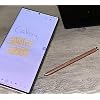
Note 20 Ultra S Pen WithBluetooth Replacement for Samsung Galaxy Note 20, Note 20 Ultra 5G Stylus Pen with 5*Tips/Nibs (Bronze)

  • Based on 616 reviews
Condition: New
Checking for the best price...

Buy Now, Pay Later


As low as $6 / mo
  • – 4-month term
  • – No impact on credit
  • – Instant approval decision
  • – Secure and straightforward checkout

Ready to go? Add this product to your cart and select a plan during checkout.

Payment plans are offered through our trusted finance partners Klarna, Affirm, Afterpay, Apple Pay, and PayTomorrow. No-credit-needed leasing options through Acima may also be available at checkout.

Learn more about financing & leasing here.

Selected Option

Free shipping on this product

FREE 30-day refund/replacement

To qualify for a full refund, items must be returned in their original, unused condition. If an item is returned in a used, damaged, or materially different state, you may be granted a partial refund.

To initiate a return, please visit our Returns Center.

View our full returns policy here.


Availability: Only 1 left in stock, order soon!
Fulfilled by Amazon

Arrives Friday, Jan 30
Order within 1 hour and 39 minutes
Available payment plans shown during checkout

Protection Plan Protect Your Purchase
Checking for protection plans...

Color: Bronze


Features

  • Compatible:Compatible with Samsung Galaxy Note 20 ,Note 20 Ultra 5G
  • Functionality: 4096 levels of pressure sensitivity,WithBluetooth Connect you Phone
  • Package include: 1-Stylus Pen (WithBluetooth) + 1 Tweezer + 5 PCS Replacement Tips
  • Product Quality: Test well one by one before shipment, Make sure the product is delivered to you in good condition
  • After-sales: If there are any non-human factors quality problems, the warranty period is 180 days.

Description

Note 20 Ultra S Pen WithBluetooth Replacement for Samsung Galaxy Note 20, Note 20 Ultra 5G Stylus Pen with 5Tips/Nibs

Color: Bronze


Brand: Generic


Material: Plastic


Item Weight: 5 Grams


Compatible Devices: Galaxy Note 20, Galaxy Note 20 Ultra 5G


Are Batteries Included: Yes


Batteries Required?: No


UPC:


Minimum Required Operating System Version: Android 10.0


Unit Count: 1.0 Count


Package Dimensions: 5.79 x 1.65 x 0.47 inches


Item Weight: 0.176 ounces


Item model number: ['Galaxy Note 20', 'Galaxy 20 Ultra 5G']


Date First Available: October 31, 2022


Manufacturer: jiujiajiu


Frequently asked questions

If you place your order now, the estimated arrival date for this product is: Friday, Jan 30

Yes, absolutely! You may return this product for a full refund within 30 days of receiving it.

To initiate a return, please visit our Returns Center.

View our full returns policy here.

  • Klarna Financing
  • Affirm Pay in 4
  • Affirm Financing
  • Afterpay Financing
  • PayTomorrow Financing
  • Financing through Apple Pay
Leasing options through Acima may also be available during checkout.

Learn more about financing & leasing here.

Top Amazon Reviews


  • Works great and connects to phone easily
Color: Bronze
Got it to match my rose gold phone. Looks great and works great despite being second hand. It connects to my phone just fine. I think its a good value.
Reviewed in the United States on August 20, 2025 by T. Hecita

  • Works well with my phone
Color: Black
Amazing little s pen works great so easy to use, just simply put it in the phone and it does the rest on its own. No need to worry about connecting it. Just make sure you get one that says Bluetooth
Reviewed in the United States on January 29, 2025 by Richie Petty

  • This is a BT pen
Latest and greatest pen for my Note 20. Works exactly as original. Just make sure you buy a Bluetooth pen in order to get all functionality. Been using this pen for couple months now and worries flawlessly.
Reviewed in the United States on April 10, 2025 by Cindel

  • The real deal. Will address some comments with those having problems.
Color: Black
This S-Pen is 100% the real deal. Not a fake S-Pen and does everything the Note 20 Ultra original S-Pen is supposed to do. I will use this review to address some of the problems others seem to be having. S-Pen didn't fit the slot. - Mine didn't either, but before I lost my last S-Pen it began getting tight going in and taking out of the slot. The fix was simple based on a video I watched. I took a Q-Tip and coated one end with spray hand sanitizer and cleaned out the slot then used the other end to run it through and dry. It took six Q-Tips before I finally stopped getting dirt out of the sides of the slot. Afterward the S-Pen slid in and out like a new phone. It was filthy inside of that slot. S-Pen is not Bluetooth. - This S-Pen is Bluetooth and comes 20% charged. You will likely have to reconnect the S-Pen even if you tapped on "Got it" when asked if you had your S-Pen. The phone charges the S-Pen to 100% as it reconnects all functions to Bluetooth. From 20% to 100% and reconnecting took less than five minutes. Which leads to the third complaint. No instructions. Here is how to do it. 1. Turn off your phone. 2. Insert new S-Pen 3. Reboot phone Note: At this point the S-Pen will work as a basic S-Pen but Bluetooth is not connected because is a different S-Pen. Continue for connecting Bluetooth. 4. Remove S-Pen and tap the "Settings" Icon. 5. Go to S-Pen settings or tap the small search Icon up top and type in S-Pen then click on S-Pen "Advanced Settings". 6. Tap "S-Pen" 7. Turn on "Air Actions", "Air Command:, and click on "When S Pen is Removed" under the "When S -Pen is removed" click on "Open Air Command". These are Bluetooth required settings. A box will pop up stating the Bluetooth is disconnected and click to reconnect. 8. Once you click to reconnect the box instructs you to insert the S-Pen. 9. Box pops up gains "Reconnecting-This could take a while". "A while" is under five minutes. 10. Now you can just watch the S-Pen screen as it reconnects and shows the S-Pen charging level. 11. Box pops up saying "Done". Click on that and now you can use your S-Pen as normal for photo's, audio or whatever you use it for. Summarizing This is a real S-Pen with Bluetooth. If it sticks clean out the S-Pen slot. Well worth the money. Hard to see but this S-Pen, like all original S-Pens does have a serial number on the side up by the button. To reconnect Bluetooth follow above instructions. Definite buy if looking for a Bluetooth S-Pen Quick update. I set my S-Pen down on the army of the recliner and walked away to grab something. Came back, no S-Pen. Found it by the back door, one of my three dogs decided to use it for chew toy. Ordered another, it came and works just as well as the first one I ordered. If you need an S-Pen replacement, go with this one. ... show more
Reviewed in the United States on June 27, 2023 by Soldat_1958

  • Stylus pen
Color: Black
The pen works fine and definitely is a fit for the phone. my only complaint which I still need to go to my phone Carrier to see if it's something that I'm not doing but my old stylus. You could press the button and use it as remote for your camera. And this one so far won't to do that feature.
Reviewed in the United States on November 20, 2023 by Winzallot

  • Easy to connect
Color: Black
It was very easy to connect with my phone
Reviewed in the United States on January 9, 2026 by Keyunta Bostic

  • Good Replacement - Very Pleased
Color: Bronze
Very pleased with this purchase. Nice that additional tips were included. Several color choices available. Will buy again if I need to.
Reviewed in the United States on November 4, 2025 by Cheequa

  • Quick and easy
Color: Black
Ain't pretty but it works.
Reviewed in the United States on December 9, 2025 by Aurora Boyd

Can't find a product?

Find it on Amazon first, then paste the link below.
Checking for best price...