Search  for anything...

MT-VIKI 8 Port KVM Switch HDMI, 4K@30Hz 1U Rack Mount KVM Switch w/IR Remote & Wire-Desktop Controller & 8 HDMI KVM Cables & Rack Ears & Power Adapter

  • Based on 146 reviews
Condition: New
Checking for the best price...
$99.00 Why this price?
Save $15.00 was $114.00

Buy Now, Pay Later


As low as $16.50 / mo
  • – 6-month term
  • – No impact on credit to apply
  • – Instant approval decision
  • – Secure and straightforward checkout

Ready to go? Add this product to your cart and select a plan during checkout.

Payment plans are offered through our trusted finance partners Klarna, Affirm, Afterpay, Zip, Apple Pay, and Google Pay. No-credit-needed leasing options through Acima may also be available at checkout.

Learn more about financing & leasing here.

Selected Option

Free shipping on this product

FREE 30-day refund/replacement

To qualify for a full refund, items must be returned in their original, unused condition. If an item is returned in a used, damaged, or materially different state, you may be granted a partial refund.

To initiate a return, please visit our Returns Center.

View our full returns policy here.


Availability: In Stock.
Fulfilled by Amazon

Arrives Friday, Sep 18
Order within 21 hours and 43 minutes
Available payment plans shown during checkout

Protection Plan Protect Your Purchase
Checking for protection plans...

Size: 8 port KVM HDMI


Features

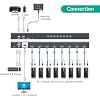
  • MT-VIKI 801HK-C, this 8 port kvm switch hdmi allows you to manage up to 8 computers by 1 monitor, keyboard and mouse at 4k 30hz HD quality. Come with 4 USB 2.0 hub, support wireless keyboard and mouse. Fit 1U 19'' Rack.
  • Includes 8 packs Professional USB HDMI KVM Cables: With 8pcs 2-in-1 HDMI & USB KVM Cables.Pls plug the hdmi head into kvm switch,the hdmi & usb pigtail into devices for data transmission and power supply.
  • 3 ways for switching: 1.Panel button switch 2.Wire-desktop selector 3.IR remote control. Plug and play, no software required.
  • Wide Compatibity: 8 port 1U rack mount kvm hdmi switch widely compatible with Windows 10/8/8.1/7/Vista/XP and Mac OS, Linux,etc.
  • Package Includes: 1* 8 port KVM HDMI Switch, 1* Desktop selector, 1* IR Remote Control, 8*HDMI KVM Cables, 1* user manual, 1* set rackmount ears & screw, 1* Power Adapter

Description

MT-VIKI MT-801HK-C is a 8-port HDMI KVM switch that can control 8 desktop computers, laptops and servers. It can manage 8 computers or servers by 1 set of monitor, keyboard and mouse. Features Compatible with: Dos, Win3.X/ Win98/ 98SE/ 2000/ ME/ 2003/ 2008/ XP/ IOS/ MAC, Win7/ Win8/ WinNT/ Netware/ Unix/ Linux, applicable to XBox 360, XBox One, PS3 / PS4, Blu-Ray DVD player, TV, Route Roku. This 8 port rack mount kvm hdmi switch comes with 8pcs professional HDMI KVM Cables (2in 1), save your space and minimize cables mess. If you need 10ft/16ft hdmi kvm cable, pls search ASIN:B099NC6YY9 MT-VIKI Exhibiting in all around the world

Operation Mode: ON-OFF-ON


Contact Type: Normally Open


Connector Type: Plug In


Brand: MT-VIKI


Switch Type: Push Button


Material: Metal


Item dimensions L x W x H: 4.25 x 7.01 x 18.43 inches


Circuit Type: 8-way


Mounting Type: Rack Mount


Actuator Type: Push Button


Operation Mode: ON-OFF-ON


Contact Type: Normally Open


Connector Type: Plug In


Switch Type: Push Button


Circuit Type: 8-way


Mounting Type: Rack Mount


Actuator Type: Push Button


Number of Positions: 8


Controller Type: Push Button, iOS


Control Method: Remote


Connectivity Protocol: Hdmi


Wattage: 10 watts


Control Type: remote, panel, desktop controller


Compatible Devices: Windows 10/8/8.1/7/Vista/XP, Mac OS, Linux, USB 2.0 devices


Color: black


Item Dimensions: 4.25 x 7.01 x 18.43 inches


Unit Count: 1 Count


Number of Items: 1


Material Type: Metal


Contact Material: Metal


International Protection Rating: IP56


Specification Met: Ip44, Plug and Play


Brand Name: MT-VIKI


Model: MT-801HK-C


Manufacturer: MT-VIKI


Warranty Description: 1 Year warranty


Item Weight: 16 ounces


Part Number: 801HK-US


Frequently asked questions

If you place your order now, the estimated arrival date for this product is: Friday, Sep 18

Yes, absolutely! You may return this product for a full refund within 30 days of receiving it.

To initiate a return, please visit our Returns Center.

View our full returns policy here.

  • Klarna Financing
  • Affirm Pay in 4
  • Affirm Financing
  • Afterpay Financing
  • Zip Pay in 4
  • Financing through Apple Pay
  • Financing through Google Pay
Leasing options through Acima may also be available during checkout.

Learn more about financing & leasing here.

Top Amazon Reviews


  • Fast KVM switch with plenty of IO ports, mounting options, and wired/wireless remote control options
Size: 8 port KVM HDMI
I purchased the MT-VIKI 8 Ports HDMI KVM Switch to manage 5 laptops, after experiencing poor performance results with more costlier solutions or multiple individual solutions connected together that were more economical but with a slow performance. Set Up 5 Laptops - 3 Apple MacBook Pro (2015, 2016, 2018 models) - 2 HP ProBooks (2019, 2020 models) - Keyboard: Keychron C2 Mechanical USB C Keyboard connected to KVM Switch - Video: Dell P3421W Ultra Wide 34 inch 4K display - Mouse: Logictech MX Master Wireless Mouse with wireless USB transmitter connected to KVM switch - OWC Thunderbolt 3 Dock (connected to 2016 Apple MacBook Pro using USB C) - Logitech HD USB Web Cam connected to KVM Switch - Aukey USB Hub connected to KVM Switch === Note: Using with USB C laptops. To use this switch with my 2018 Apple MacBook Pro, I did need to get a USB C to HDMI and USB dongle to connect the KVM's HDMI/USB cables. Connectivity This provide has plenty of IO ports to connect up to 8 computers using the provided HDMI/USB cables to the ports on the back of the switch. On the front of the switch, I use the two front-facing USB Type A ports to connect my keyboard and transmitter for my Logitech wireless mouse. The 3 USB port, a USB Type B micro, is used to connect the provided wired remote control. The front panel also has the infrared (IR) signal receiver for use with the provided battery-operated, wireless remote control. === Switching Speed and Video Performance Switch speed between channels is pretty quick averaging about 3-8 seconds for signal scan to complete. The speed will vary based on the computer settings (sleep, energy saving mode, etc… for the connected computer channel you are switching to. I haven't experienced any video issues using this product with my 5 laptops. === Wired/Wireless Remote Controls The wired and wireless remotes are very nice to have allowing you to position the switch just about anywhere you want on top, under or adjacent to your desk and computers, as long as the KVM switch can reach all connected devices (computers, keyboards, display, etc…) using the provided HDMI/USB cables and any other cable length restrictions. The LED switches are pretty bright which can be a good or bad thing. I do wish there was a setting to adjust the LED brightness to low, med or high. The buttons on the wired remote are slightly raised above the surface of the remote box and may require additional pressure to activate the switch. The mechanical buttons on the actual KVM device itself protrude a little more and oddest require as much pressure to activate the switch. There is the slight occasion that I wish I could use the switch to display the video signal from one computer on the external display, while using the keyboard and mouse to control a different computer. This was something I could do with a previous hack of using individual USB and HDMI switches. But this is such an edge case scenario that out doesn't bother me. === Final Thoughts Other than these minor details, I haven't had to think or do much with the MT-VIKI 8 Ports HDMI KVM Switch, which to me is a good sign. The experience is almost transparent, and seamlessly works with my workflow process. ... show more
Reviewed in the United States on August 29, 2021 by BDD

  • Seller replaced the defective unit AFTER the Amazon return window closed!
Size: 8 port KVM HDMI
After 2 months, 2 of the inputs stopped passing video. Junk. DO NOT BUY THIS THING! Only giving it 1 star because for 6 weeks it worked. Purchased on the 10th of January, installed on the 14th. Amazon return window closed Feb. 9th. By Feb. 20th, input 3 stopped passing 4K video. The next day, input 6 stopped recognizing any video input at all. I have reached out to the company for assistance and am waiting for a reply. I will revise this review if I get a reply. But, to have this failure after shch a short period of time is really poor. I WOULD NOT RECOMMEND BUYING THIS. UPDATE: After leaving this review, the seller reached out to me and sent a replacement KVM. It was installed a few days ago and so far it works fine. I have to say, the seller did the right thing. ending a replacement unit AFTER the Amazon return window was closed! Hopefully this was just a defective unit. We will see in 2 months! But for now I have to upgrade my rating because the seller was eager to make things right. ... show more
Reviewed in the United States on March 8, 2025 by Brendan K.

  • You get what you pay for... and that's good.
Size: 8 port KVM HDMI
A few other reviews state "You get what you pay for" and that is 100% true. This is an affordable KVM, WAY cheaper than "enterprise grade", but decent. I've used this in my home lab for the past 18 months or so with no complaints. It is mounted in a 1/2 height rack in my closet, connected to a variety of systems - multiple Mac mini test machines, a rPI, my home server, occasionally a spare laptop when I need a bigger screen, etc. Switches just fine from either the front panel or the wired remote, or I can use the wireless remote from my desk on the other side of the room if I need to check progress on something quickly. The cables are long enough for my needs in my 1/2 height rack, if I were using this in a full-sized network rack I'd probably have to mount it in the middle of the rack as others have done, or buy additional cables - the vendor sells extra cables all the way up to 5m on Amazon if you search. Again, this isn't a fancy, enterprise KVM that I'd find in a datacenter, but for SOHO type usage, it fits the bill perfectly. ... show more
Reviewed in the United States on March 24, 2023 by W. T. Armstrong

  • Nice KVM switch
Size: 8 port KVM HDMI
Its a nice switch. Worked flawlessly. Easy to set up. Comes with a remote which is attached to the unit by wire, AND a wireless remote control plus the buttons on the front of the KVM. The only problem I had was that the screws for the wings for the rack mounting ears did not come with it. I'm giving them a pass because this unit was not rack mounted. ... show more
Reviewed in the United States on July 1, 2025 by NYCPC.US

  • In Hindsight: Ports fail consistently, I should have just returned it!
Size: 8 port KVM HDMI
The KVM worked great for about 8 months and then a couple of the ports went out. They just would not display. I reached out to support and they asked me a couple questions and gave me a couple things to try. When those solutions did not work, they sent me a brand new unit, complete with cables and all under warranty. They were very helpful. I would recommend this product, and their support. Follow up another 6 months later: 1/13/25, I moved the KVM to clean, replugged all the cables back in to the same ports and three of them will not light up. Tried to reset the unit, but the same issue occurred as last year when all I did was move cables around. Tried replacing cables, but that did not resolve the issues. The unit is now out of warranty and basically unusable to me. I tried reaching out to support but have gotten no response. I suspect since it's out of warranty, there will be no further support and I will have to just buy a replacement unit. I will not be purchasing this brand ever again. It has been nothing but flakey trouble since purchase. Unfortunately, I guess I got what I paid for? ... show more
Reviewed in the United States on March 12, 2025 by DaBaer's

  • You get what you pay for
Size: 8 port KVM HDMI
Bottom line up front: this KVM has very poor support for very common video resolutions - you get what you pay for! I just received this brand-new MT-VIKI KVM today. I hooked it up to my primary computer, and... blank screen (no video signal detected), not even during boot. The USB keyboard seemed to be working (caps-lock and num-lock lights worked, and computer looked to be booted with the hard drive light blinking). Rebooted the computer several times, checked connections and swapped ports, to no avail. Rebooted again with the monitor directly connected to the computer and it booted up fine. Went to update the screen resolution to the lowest I could set it to (640x480), shut down, connected the KVM again, reboot, and got 640x480 video to log in. After fiddling quite a bit, it turns out this KVM is VERY finicky with what screen resolutions and refresh rates your display is set to. Using Windows Display Settings from the control panel, the KVM would ONLY supported 640x480 and 800x600 at 60 Hz. I had to go to advanced settings and set the refresh rate to 30 Hz for ANY resolution higher than 800x600, which included 720p and 1080p at 30 Hz. Then I tried using the Nvidia control panel. Oddly enough, when I set the screen resolution using the Nvidia control panel, I was able to set all but the very highest resolution supported by my monitor at a 60 Hz refresh rate. Even at the highest resolution, I was able to set a custom refresh rate (3840x1600 at 50 Hz), which isn't bad. Next, I connected another port to a server, boot up the server, which has a very long boot process, and saw nothing... again... even during the boot sequence. Went through the process to set a low resolution on the server, and got a log-in screen, but saw nothing else during the boot process on reboot. Tried entering a BIOS setup screen too, and could not view that screen with the KVM, but could see it fine with the monitor directly connected. In a nutshell, each computer that I connected to this KVM had to be configured carefully to a windows screen resolution that's supported by the KVM, and none of the computers I connected would show a BIOS setup screen through the KVM. From my breef experience with this KVM, here are some pros and cons: Pros: - Excellent cost for an 8-port KVM - When the KVM works, the image displayed is crisp and clear - No trouble at all with USB switching - Clean cabling between the KVM and the computer (just one wire) - I really liked the wired remote - the wired remote cable was long enough to put it under the monitor on my desk - Using the Nvidia control panel (only), was able to set all but the highest resolution to 60 Hz refresh rate - It gets its power from the connected HDMI port(s) - no power adapter required Cons: - Using default video settings, this KVM did not work out-of-the-box for all 3 computers I tested with - Had to jump through hoops to set low refresh rates and/or screen resolutions - The KVM absolutely refuses to display BIOS setup screens and command-line (boot sequence) screens The real deal-killer for me is the inability to view boot-up and BIOS setup screens, and I've decided to return this KVM. If you don't care so much about that, and don't mind fussing around with screen resolutions, it may work for you. Note: I also did not test with any gaming. Some games set very specific screen resolutions, so this KVM will likely be problematic with any amount of gaming. I'm bummed to have to return this KVM. It shows a lot of promise, but the lack of support for basic screen resolutions is just too much for me. A little more engineering and validation testing is all it would take to make this a great KVM. Oh well! ... show more
Reviewed in the United States on April 13, 2022 by VJS

  • Works great...a few annoyances for my preferences
Size: 8 port KVM HDMI
This works quite well and comes with all eight HDMI cables you will need to use the eight ports. I am taking one star off for the following reasons: (1) they use custom cables that also have a USB cable splitting off at the computer end. This is great as you do not need an extra USB cable for sharing keyboard and mouse. However the USB cable is quite short and is problematic if you are using a laptop that had the HDMI and USB ports on opposite sides (2) it makes a loud beep when switching and I do not see any way to turn this off (3) the KVM automatically switches to a newly connected computer on a previously unused port. I don't see a way to disable this (4) switching between ports is rather slow. ... show more
Reviewed in the United States on February 28, 2026 by MPP

  • Conmutador
Size: 8 port KVM HDMI
Excelente
Reviewed in the United States on July 24, 2026 by Martha María Milián López

Can't find a product?

Find it on Amazon first, then paste the link below.
Checking for best price...