


Search  for anything...
msi

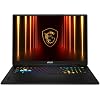
msi Vector A18 HX 18” 240Hz QHD+ Gaming Laptop: AMD Ryzen 9-9955HX, NVIDIA Geforce RTX 5080, 32GB DDR5, 1TB NVMe SSD, Type C, Wi-Fi 7, Win 11 Home: Cosmo Gray A9WIG-065US

  • Based on 22 reviews
Condition: New
Checking for the best price...
$2,699.99 Why this price?

Buy Now, Pay Later


As low as / mo
  • – Up to 36-month term if approved
  • – No impact on credit to apply
  • – Instant approval decision
  • – Secure and straightforward checkout

Ready to go? Add this product to your cart and select a plan during checkout.

Payment plans are offered through our trusted finance partners Klarna, Affirm, Afterpay, Zip, Apple Pay, and Google Pay. No-credit-needed leasing options through Acima may also be available at checkout.

Learn more about financing & leasing here.

Selected Option

Free shipping on this product

FREE 30-day refund/replacement

To qualify for a full refund, items must be returned in their original, unused condition. If an item is returned in a used, damaged, or materially different state, you may be granted a partial refund.

To initiate a return, please visit our Returns Center.

View our full returns policy here.


Availability: In Stock.
Fulfilled by Amazon

Arrives Monday, Aug 3
Order within 20 hours and 20 minutes
Available payment plans shown during checkout

Protection Plan Protect Your Purchase
Checking for protection plans...

CPU: Ryzen 9 9955HX


RAM Size: 32 GB


Hard Disk Size: 1 TB


Graphics Description: RTX 5080


Style: 18" QHD+ 240Hz


Features

  • AMD Ryzen 9-9955HX
  • Simplistic Design: Enjoy the latest generation of Windows 11 Home for your everyday needs. *MSI recommends Windows 11 Pro for business use.
  • NVIDIA GeForce RTX 5080 Laptop GPU
  • QHD+ Display: The 18 240Hz 100% DCI-P3 display delivers abundant color gamut, more vivid colors and details for gaming.
  • Wireless Reimagined: Stream high-quality video, or downloading large files in less time with the latest Wi-Fi 7 network speed. Accomplish your tasks at breathtaking speeds.

Description

MSI Vector A18 HX 18” 240Hz QHD+ Gaming Laptop: AMD Ryzen 9-9955HX, NVIDIA Geforce RTX 5080, 32GB DDR5, 1TB NVMe SSD, Type C, Wi-Fi 7, Win 11 Home: Cosmo Gray A9WIG-065US

Brand: msi


Model Name: Vector A18 HX A9WIG-065US


Screen Size: 18 inches


Color: Gray


Hard Disk Size: 1 TB


CPU Model: Ryzen 9


Ram Memory Installed Size: 32 GB


Operating System: Windows 11 Home


Special Feature: Backlit Keyboard, Fingerprint Reader


Graphics Card Description: RTX 5080


Color: Gray


Hard-Drive Size: 1 TB


Operating System: Windows 11 Home


Other Special Features of the Product: Backlit Keyboard, Fingerprint Reader


Graphics Description: RTX 5080


Graphics Coprocessor: NVIDIA GeForce RTX 4080


Hard Disk Description: SSD


Item Weight: 7.9 pounds


Video Processor: NVIDIA


Specific Uses For Product: Developer, Gaming, Student


Graphics Card Ram: 16 GB


Form Factor: Laptop


Camera Description: Front


Graphics Ram Type: GDDR7


Compatible Devices: External displays, keyboards, mice, storage devices, printers, and other accessories via USB, HDMI, Thunderbolt, Bluetooth, or Wi-Fi


Warranty Type: Limited


Item Dimensions L x W x Thickness: 15.91"L x 1.26"W x 12.09"Th


Video Output: HDMI


Screen Size: 18 inches


Resolution: 2560 x 1600 pixels


Native Resolution: 2560 x 1600 pixels


Display Type: LCD


Display Resolution Maximum: 2560x1600 pixels


Display Technology: LCD


Touch Screen Type: Non-Touchscreen


Screen Finish: Matte


Connectivity Technology: Bluetooth, Wi-Fi


Wireless Technology: Bluetooth, Wi-Fi


Wireless Compability: 802.11ax, Bluetooth


Bluetooth Version: 5.4


Wi-Fi Generation: Wi-Fi 7


Human-Interface Input: Touch Pad


Keyboard Description: Backlit


Audio Output Type: Headphones, Speakers


Speaker Description: Speakers 4x 2W


Microphone Form Factor: Built-In


Audio features: Speaker, Microphone


Processor Series: Ryzen 9


Processor Speed: 2.5 GHz


Processor Count: 1


Processor Brand: AMD


CPU Model Number: Ryzen 9-9955HX


CPU Model Generation: 6th Gen


CPU Model Speed Maximum: 5.4 GHz


Brand: msi


Model Name: Vector A18 HX A9WIG-065US


Model Year: 2025


Model Number: VECTORA18HX065


Built-In Media: Webcam


Manufacturer: MSI


Unit Count: 1 Count


UPC: 824142408100


Warranty Description: 1 Year Manufacturer Limited


RAM Memory Installed: 32 GB


RAM Memory Technology: DDR5


Ram Memory Maximum Size: 64 GB


Memory Speed: 5600 MHz


RAM Type: DDR5 RAM


Battery Cell Type: Lithium Polymer


Lithium-Battery Energy Content: 99.9 watt-hours


Total Usb Ports: 5


Hardware Interface: Bluetooth 5, USB 3.2 Gen 2


Number of Ports: 7


Number of Ethernet Ports: 1


Total Number of HDMI Ports: 1


Frequently asked questions

If you place your order now, the estimated arrival date for this product is: Monday, Aug 3

Yes, absolutely! You may return this product for a full refund within 30 days of receiving it.

To initiate a return, please visit our Returns Center.

View our full returns policy here.

  • Klarna Financing
  • Affirm Pay in 4
  • Affirm Financing
  • Afterpay Financing
  • Zip Pay in 4
  • Financing through Apple Pay
  • Financing through Google Pay
Leasing options through Acima may also be available during checkout.

Learn more about financing & leasing here.

Top Amazon Reviews


  • Very good performance and excellent temperatures if you know how to configure it.
CPU: Ryzen 9 9955HX RAM Size: 32 GB Hard Disk Size: 1 TB Graphics Description: RTX 5080 Style: 18" QHD+ 240Hz
The MSI Vector A18 HX A9WIG-065US is an excellent gaming laptop. As soon as I received it, I upgraded it to 64GB of RAM and 4TB of storage. One thing that surprised me was that MSI includes heatsinks for both M.2 SSDs. That's something I don't often see on other laptops, and it's a nice touch because M.2 drives tend to run quite hot. Chassis and Weight This laptop is large and heavy. It is definitely not a machine you should carry around every day. Personally, I think if you're buying a laptop like this, it's because you want to replace a desktop but, for some specific reason, you can't own one—which is exactly my case. Otherwise, I would have bought a desktop tower instead. If you're someone who complains about weight, you're probably better off looking at a 15- or 16-inch portable gaming laptop like the MSI Stealth, ASUS ROG Zephyrus, or Acer Predator Helios Neo/Helios S series. Those models are designed with portability in mind. The MSI Vector, on the other hand, is built for maximum performance. Although the chassis is mostly plastic, it feels very solid and well-built. I currently own an ASUS TUF A16, and despite its good build quality, the Vector 18 actually feels even sturdier. Keyboard The keyboard feels smooth and comfortable to type on. The RGB lighting effects look great. I would have preferred per-key RGB lighting, but that's usually reserved for more premium models. Overall, it's a perfectly decent keyboard. Touchpad The touchpad is fairly average. It looks small in pictures, but remember that this is a very large laptop, so in practice the touchpad is a normal size and works well. Display The display is excellent. My model comes with the 2560×1600 (1600p) 240Hz panel. The colors are vibrant and noticeably better than those on my previous ASUS TUF. The higher resolution also makes everything look very sharp. Although this display does not support G-SYNC, I honestly don't miss it. I've played at different frame rates with and without DLSS Frame Generation enabled, and I haven't noticed any stuttering or screen tearing. So don't worry too much about the lack of G-SYNC—the display performs extremely well. Battery Life I haven't bothered measuring the battery life precisely, but I don't expect it to last more than about two hours. To be honest, anyone who has owned a gaming laptop knows that battery life has never been their strong point. These machines are designed to be plugged in most of the time. If long battery life is your priority, you're probably better off buying an ultrabook with a Qualcomm processor or an Intel U-series CPU instead. Connectivity The 2.5Gb Ethernet port is more than enough for me. My internet provider only gives me a 500 Mbps connection, so even a standard Gigabit Ethernet port would be sufficient. The wired connection has been stable and fast. I haven't experienced any issues, and online gaming latency has been exactly what my internet provider delivers. Wi-Fi The Wi-Fi performance is the weakest part of this laptop, but there's an important detail here. I work as an IT technician, and in my company we manage many AMD and Intel laptops equipped with both Intel and MediaTek wireless adapters. This laptop uses a MediaTek Wi-Fi adapter, and unfortunately I've seen reliability issues with MediaTek wireless cards regardless of laptop brand or CPU platform. Before blaming the motherboard, BIOS, drivers, or the laptop itself, it's worth knowing that the problem is often the MediaTek Wi-Fi card. In my experience, many MediaTek Wi-Fi 6 and Wi-Fi 7 adapters have similar issues. Fortunately, the fix is usually simple: Open Device Manager. Uninstall both the MediaTek Wi-Fi adapter and the Bluetooth adapter. Reboot the laptop so Windows reinstalls them. The problem usually appears after Windows Update installs a newer driver. If you want a permanent solution, replacing the MediaTek adapter with an Intel or Realtek card is probably the best option. Since I mainly use Ethernet, this hasn't been a major issue for me. Gaming Performance Performance is outstanding. You can play virtually any modern AAA game at maximum settings with Ray Tracing, DLSS Quality, and 2x Frame Generation, while still maintaining well over 70 FPS. I've tested Cyberpunk 2077, and it looks incredible. Personally, I don't like using 4x Frame Generation because the added latency becomes too noticeable. I think 3x is acceptable, but 2x provides the best balance between responsiveness and higher frame rates. For competitive games, you can simply lower a few graphics settings and easily take full advantage of the 240Hz display. Temperatures and Noise Out of the box, the laptop behaves as follows during gaming: GPU: around 170W (±5W) at approximately 78°C CPU: around 80W at approximately 90°C, boosting between 4.8GHz and 5.3GHz Enabling Cooler Boost (Turbo Fans) changes the behavior: GPU drops to around 72°C while still consuming about 170W CPU remains close to 90°C, but maintains much more stable frequencies between 5.1GHz and 5.3GHz For people worried about these temperatures, it's important to understand something: Almost every gaming laptop runs very hot. I've seen this on Dell, Lenovo, Acer, ASUS, and MSI systems. Packing desktop-class hardware into such a compact chassis inevitably produces high temperatures, especially on thinner gaming laptops. Many thinner laptops even reduce GPU power limits (TDP) and still run hot. I learned this the hard way: a laptop RTX 5080 running at 80W is nowhere near as fast as one running at 175W. This MSI actually allows the GPU to operate at around 175W, while the CPU can consume approximately 80W simultaneously. That's a combined power draw exceeding 250W, which also explains why the included 400W power adapter is so large. Speakers The speakers are nothing special. Like most gaming laptops, they're simply average. Bonus: Advanced BIOS Features One feature I absolutely love is the Advanced BIOS. It's essentially a desktop-class BIOS, although you should be careful because changing the wrong settings could make the system unstable. I performed a CPU undervolt using AMD Precision Boost Overdrive. My settings are: CPU Boost Override: -350 MHz Curve Optimizer: Negative 20 These settings reduced temperatures and fan noise dramatically. With these tweaks (without Turbo Fans enabled), I now get: GPU: 72°C at around 172W CPU: 79°C Stable CPU frequency: 5.1GHz Even during long gaming sessions, the CPU no longer constantly boosts up and down. The fans usually stay below 50% speed and only increase briefly when needed. With Turbo Fans enabled, the results are even more impressive: GPU: 62°C CPU: 72°C That's over 20°C lower on the CPU compared to the stock configuration. The trade-off is that the Ryzen 9 9955HX now stays locked at 5.1GHz instead of occasionally boosting to 5.4GHz. For me, this is an excellent compromise because the CPU maintains a stable frequency throughout long gaming sessions, temperatures remain consistently low, fan noise is significantly reduced, and these lower operating temperatures should also help improve the long-term lifespan of the internal components. I'll attach some photos as evidence of these results. If you're interested in flashing this computer with UltraVolt, there's a reel on YouTube that explains it using an MSI Raider, but the process is the same since it's the same BIOS.: "How to undervolt CPU AMD laptop. MSI Raider A18 9955HX3D" I should mention that I used the Llano V12 without RGB base during all the tests, at 700rpm the whole time, since I had it with me beforehand; I recommend it, by the way. ... show more
Reviewed in the United States on July 21, 2026 by Evaine

  • So far so good :) until now :(
CPU: Ryzen 9 9955HX RAM Size: 32 GB Hard Disk Size: 1 TB Graphics Description: RTX 5080 Style: 18" QHD+ 240Hz
So the box arrived in great condition with no previous signs of being opened and it did have the brand new feel. It’s an extremely well made and solid looking laptop and so far it’s running as intended. With the rtx 5080 and ryzen 9 this laptop takes on pax dei and dune awakening as if they were older games. Absolutely no issue playing current games out there it has 1 terabyte hard drive which is perfect for 2025 and all gamers have external storage anyways. This laptop makes me feel confident in future games yet to come so for the price I feel so far it’s worth every penny. And the screen on the laptop is amazing I feel it’s 2x better than the Alienware screen I have it plugged into lol. I wish it had more HDMI And USB ports but I made it work none the less. Just to keep it running at peak condition I bought a cooling pad. I love MSI and have yet to have any issues with any of their products they are always of great quality. Update: I had high hopes until I noticed glitching and flickering and then an audio electronic feed back coming from my speakers. After attempting to update every thing and nothing worked I finally gave up and I haven’t had the laptop long at all so sadly I’m returning it and hopefully I’ll have better luck finding another laptop. I had high hopes but this is the first time I’ve had any issues with Msi computers. So as it stands I would not recommend this specific laptop now. ... show more
Reviewed in the United States on June 26, 2025 by Nicholas Shaw

  • THE ONLY REVIEW YOU NEED TO READ.
CPU: Ryzen 9 9955HX RAM Size: 32 GB Hard Disk Size: 1 TB Graphics Description: RTX 5080 Style: 18" QHD+ 240Hz
Laptop is a beast for gaming and production work. I was skeptical at first buying this laptop after reading about the flickering issues with the screen and the heating too. Ive gotten use to using the fan boost built in the laptop while using Headphones while gaming and it does the job well enough to drop temps in intense game's. For example cyberpunk maxed out on path tracing playing with MFG of course aka frame generation. To get the absolute power out of this laptop is to always have it plugged in on a outlet like always. Finally, Probably the most important part is the screen flickering, that issue was solved by updating the bios to the recent release since this laptop comes with the old bios from last year. After updating the bios the screen stop flickering and hasn't happened ever since. Overall this laptop is great for the read speed and graphics. Sure the noise level with the max fan speed can be a little annoying. I do reccomend those who tend to use this as a main gaming pc to get a laptop cooler that can seal the bottom to help woth temps for full time use otherwise of its just for travel gaming or work the base cooler should be fine if you can handle a small warmth to your left hand. And a small problem that I've run into on my laptop was my track pad not clicking or registering the mouse 1 and 2. For that fixed I Uninstalled the Drivers for the track pad and restarted my pc to force windows to reinstall the drivers again and that fixed that problem. I couldn't reccomend a decent laptop that can run almost anything you throw at it to modern games to this day. Only problems are the bios update and heating but those are easy to avoid if you know what you are doing. ... show more
Reviewed in the United States on March 25, 2026 by Richard romero

  • Disappointed
CPU: Ryzen 9 9955HX RAM Size: 32 GB Hard Disk Size: 1 TB Graphics Description: RTX 5080 Style: 18" QHD+ 240Hz
Got this laptop today and immediately started using it. It came out of the box looking brand new with a fresh windows that went through setup easily enough. I haven't stress tested it too badly yet but I do game development in Unity as well as AI interactions and YouTube streaming at the same time. This laptop is fast! Update: 1 month in, this laptopnstarted randomly crashing. Contacted MSI customer support who asked me to return it (at my cost) for repairs. MSI replaced the mormtherboard and shipped the laptop back to me. The fix did not work and the laptop kept crashing. I returned it to MSI again and they decided to offer me a refurbished replacement. I turned it down and asked for a new laptop at or above the one I bought. They offered the upgraded 1 with 64 gigs of ram and I accepted it. I've been using it now for about a week and no issues. Customer support was S-Tier. ... show more
Reviewed in the United States on February 12, 2026 by ronald r capalungan

  • Maybe I got a dud???
CPU: Ryzen 9 9955HX RAM Size: 32 GB Hard Disk Size: 1 TB Graphics Description: RTX 5080 Style: 18" QHD+ 240Hz
Edit: (update) the item was returned and refunded. Glad amazon is very buyer friendly. Not sure if it was just unlucky or what, but it was a beast while it worked! Well, I loved it obviously because it's a beast of a laptop for gaming. Blazes through escape from Tarkov with very high fps. It doesn't let you use the full power of the mobile 5080 while on battery though. So be near a wall outlet because it does run out of battery fast. Small 1TB ssd is very lame for the money... After a few days of owning it (and using it very little because I'm so busy working) it wouldn't power on. Doing an "EC" reset fixed it, but here I am a few days later and I tried to power it on to play, and ofcourse it doesn't work.. I opened a ticket after letting it charge for an hour with different outlets and I opened a ticket with MSI. May have to send it in because I'm great with technology and I can't get it to show any signs of life. Before it died on me I had to reinstall the drivers a few times because of random black screens, and grey blocks everywhere. I think this is Blackwell GPUs showing it's bad side.. Lots of money spent on a big headache.. hopefully it's resolved soon. Kinda worried about any MSI branded desktop parts I have in various desktops I've built that are around the house... ... show more
Reviewed in the United States on June 23, 2025 by J.

  • It's a beast that needs respect. Set it to max and just hit play.
CPU: Ryzen 9 9955HX RAM Size: 32 GB Hard Disk Size: 1 TB Graphics Description: RTX 5080 Style: 18" QHD+ 240Hz
So, the Hello Face Scanner is pretty awesome. Add in this thing, it is a super beast. I mean, it's fast, fast, and you don't even have to do anything to it. I myself had 64GB of KF556S40IBK2-64 and had to get a Samsung SSD 9100 PRO 2TB. This thing was a beast before, but now it's a UFO across the board lol. So I guess it's worth the price. I followed the usual NVIDIA Control Panel settings for power and favoring the GPU, then edited the power plans to make it run at maximum when plugged in. Finally, I used the MSI Center software—I’ve read that keeping it on performance mode helps keep it cooler, so I did that. I got a good cooling pad because, Lord, does it get hot. Normal gaming temps are 80-90°C, and for those of us who know, spending money like this and having this kind of power means it needs extra help staying cool. If it burns up, eh, it seems like a personal problem. The 2.5K 18-inch display is beautiful. I have only played a few games on it, but I’ve literally just set it to max settings, getting 240Hz easily. More realistic was 90-160Hz. I mostly play on my 65-inch TCL that runs at 144Hz, usually getting 80-120 FPS in 4K depending on what I’m playing—just throwing everything and anything at it lol. Regarding the NVIDIA driver, I use 580.88. I’ve noticed issues with the newer drivers; it’s not bad, just odd things happen when using multiple monitors at high resolution. My TVs had started acting strangely with higher drivers—could be the TV? Yeah, it could lol, just throwing that out there. As for battery life, LMFAO—even when I put it into maximum power-saving mode, it lasts 2 hours max—but seriously, why would you not always have it on power? It's soOOOO big. Like, where are you taking it, and are you bringing a table and chairs? LOL. Anyway, if you are looking for portability, look elsewhere hahaha. The value is hands down worth it. I was considering the 275HX version of this, but I am way more into AMD and a 9955HX—hahaha, bro, Threadripper. So, yes, the 2800, with taxes, was well worth it. I even used the Prime payment plan with no interest. If you’re willing to invest the money, know how to care for a high-end machine, and are realistic—knowing it’s a mini desktop computer—go for it. I have yet to find any issues I didn’t expect, like it being huge and not fitting just anywhere, and lol, having to get a cooling pad just for a beast like this. ... show more
Reviewed in the United States on April 22, 2026 by Brad

  • Take the bad reviews with a grain of salt! This thing SLAPS.
CPU: Ryzen 9 9955HX RAM Size: 32 GB Hard Disk Size: 1 TB Graphics Description: RTX 5080 Style: 18" QHD+ 240Hz
I would highly recommend this laptop! You get what you pay for, assuming you get the right thing. I've seen that some people received faulty units or a used one after buying it new, and those are real problems--they're not problems with what this product is, though; they're separate issues. I expect that, once more people buy this thing, the quality control and shipping issues will be smoothed out. Maybe give it time and buy this later, but definitely buy this! Several of the bad reviews this laptop has gotten have been about the laptop's design, like its weight or noise level. This is a gaming laptop; this device's nature is like that of a gaming laptop. Both attributes are within a normal range for what gaming laptops are meant to be; you're buying portable desktop power. I've played games on this thing with max video settings and I don't think the fans were at even half their maximum speed, and the games ran flawlessly, well above the screen's refresh rate. Noise should not be an issue, unless you'd set the fans to max and complain. Everything I've thrown at this rig hasn't even come close to turning the fans to max, so I'm not sure what you'd do that would need it🤷 I haven't tested the battery life, but...come on. This is a gaming laptop; you're not buying it for battery life. Take the charger with you, and a full desktop-level battlestation is yours to take anywhere. I'm a student and want to do my work(game development and 3d asset pipelines) in multiple places, and this rig will let me do it with ease. Students- you should tell your parents a "decent everyday laptop for casual office use" costs $3k! The screen is easily the best screen I've had! 1440p with a few extra pixels on the bottom to make it a 16:10 aspect ratio give me a huge amount of screen space, and I feel much more comfortable doing art, games and dev work on this rig than on my previous 15" gaming laptop. The color accuracy is also amazing; everything looks more vibrant! ... show more
Reviewed in the United States on July 26, 2025 by Clay Aelasi

  • Computer crashes and overheats
CPU: Ryzen 9 9955HX RAM Size: 32 GB Hard Disk Size: 1 TB Graphics Description: RTX 5080 Style: 18" QHD+ 240Hz
The computers performance is quite nice it runs everything i could want.... but it gets very warm on the keyboard. You have to have the fan turbo on all the time. The biggest problem with this computer is that whenever its under heavy load it randomly shuts off and spends 20 minutes rebooting then says there was a problem and wants me to reboot in safe mode. I have everything updated and nothing I do fixes this issue. Honestly I should have spent the extra 300 dollars and bought the rog strix g18 like I bought my wife. She has had zero problems with her computer. Very sorry I bought this ... show more
Reviewed in the United States on May 26, 2026 by Brett

Can't find a product?

Find it on Amazon first, then paste the link below.
Checking for best price...