


Search  for anything...
MSI

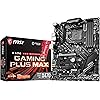
MSI Performance Gaming AMD X470 Ryzen 2ND and 3rd Gen AM4 DDR4 DVI HDMI Onboard Graphics CFX ATX Motherboard (X470 Gaming Plus Max)

  • Based on 3,236 reviews
Condition: Used - Good
Checking for the best price...
$139.99 Why this price?
4th of July Sale · 26% off was $189.99

Buy Now, Pay Later


As low as $23.33 / mo
  • – 6-month term
  • – No impact on credit to apply
  • – Instant approval decision
  • – Secure and straightforward checkout

Ready to go? Add this product to your cart and select a plan during checkout.

Payment plans are offered through our trusted finance partners Klarna, Affirm, Afterpay, Apple Pay, and PayTomorrow. No-credit-needed leasing options through Acima may also be available at checkout.

Learn more about financing & leasing here.

Selected Option

Free shipping on this product

This item is eligible for return within 30 days of receipt

To qualify for a full refund, items must be returned in their original, unused condition. If an item is returned in a used, damaged, or materially different state, you may be granted a partial refund.

To initiate a return, please visit our Returns Center.

View our full returns policy here.


Availability: Only 10 left in stock, order soon!
Fulfilled by Amazon

Arrives Saturday, Jul 11
Order within 18 hours and 4 minutes
Available payment plans shown during checkout

Protection Plan Protect Your Purchase
Checking for protection plans...

Style: X470 GAMING PLUS MAX


Pattern: Motherboard


Features

  • Supports 1st, 2nd and 3rd Gen AMD Ryzen/ Ryzen with Radeon Vega Graphics and 2nd Gen AMD Ryzen with Radeon graphics/ Athlon with Radeon Vega Graphics desktop processors for Socket AM4
  • Supports DDR4 Memory, up to 4133(OC) MHz
  • Lightning Fast Game experience: Turbo M. 2, AMD storemi technology, AMD Turbo USB 3.2 Gen2
  • Core boost: with premium layout and optimized power design to support more Cores and provide better performance
  • Mystic Light and Mystic Light Sync: 7 Colors/ 7 effects in one click. Synchronize other RGB solutions for customization
  • ram memory installed size: 64
  • memory storage capacity: 64

Description

Unlimited customization options and packed with exclusive gaming features, MSI performance Gaming motherboards offer the best possible gaming experience. Customize and set up your own color scheme with MSI Mystic Light utility. Select the available colors from the palette to match your system style. Bored of the same colors? Simply change the complete look of your system in 1 second! Cooling your PC is essential for reliable performance. We've made sure to include enough fan Headers with full control to allow you to cool your system any way you want.

Brand: msi


CPU Socket: Socket AM4


Compatible Devices: Personal Computer


RAM Memory Technology: DDR4


Compatible Processors: AMD 2nd Gerenration Ryzen, AMD 3rd Generation Ryzen, AMD Athlon


Chipset Type: AMD X470


Memory Clock Speed: 2133 MHz


Platform: Windows 10


Model Name: X470GPLMAX


CPU Model: Athlon


Processor Socket: Socket AM4


Compatible Devices: Personal Computer


RAM Memory Technology: DDR4


Compatible Processors: AMD 2nd Gerenration Ryzen, AMD 3rd Generation Ryzen, AMD Athlon


Chipset Type: AMD X470


Memory Clock Speed: 2133 MHz


Platform: Windows 10


CPU Model: Athlon


Memory Storage Capacity: 64 GB


Ram Memory Maximum Size: 64 GB


Main Power Connector Type: 24-Pin


Graphics Card Interface: Integrated


Memory Slots Available: 4


Number of Ports: 1


S/PDIF Connector Type: Optical


System Bus Standard Supported: SATA 3


Total SATA Ports: 6


Total Usb Ports: 12


Total PCIe Ports: 2


Brand: msi


Model Name: X470GPLMAX


Model Number: X470 GAMING PLUS MAX


Manufacturer: MSI


UPC: 824142194799


Global Trade Identification Number: 99


Mfr Part Number: X470GAMINGPLUSMAX


Item Type Name: MSI Performance Gaming AMD X470 Ryzen 2ND and 3rd Gen AM4 DDR4 DVI HDMI Onboard Graphics CFX ATX Motherboard (X470GPLMAX)


Warranty Description: 3 Years


Item Dimensions L x W x H: 9.6"L x 2"W x 12"H


Frequently asked questions

If you place your order now, the estimated arrival date for this product is: Saturday, Jul 11

Yes, absolutely! You may return this product for a full refund within 30 days of receiving it.

To initiate a return, please visit our Returns Center.

View our full returns policy here.

  • Klarna Financing
  • Affirm Pay in 4
  • Affirm Financing
  • Afterpay Financing
  • PayTomorrow Financing
  • Financing through Apple Pay
Leasing options through Acima may also be available during checkout.

Learn more about financing & leasing here.

Top Amazon Reviews


  • Looking for AMD Virtualization settings in the firmware? It exists. Read on.
Style: X470 GAMING PLUS Pattern: Motherboard
Let me begin by saying this mainboard has impressed and delighted me. I would not get another one for any reason. You should probably get this too. But MSI? Are you reading this? First, thank you for taking the care to build an excellent product and making it look good. Sincerely. Lovely job overall and I am very, very grateful for it. That having been said. . . . If you want a bit of constructive criticism, I've got some. Don't worry: it's quite minor. In an otherwise just-about flawless board with stunningly good firmware, I am dumbfounded and utterly perplexed by the following: 1) AMD virtualization extensions are considered an "overclocking setting". I expected this in the advanced option section, or maybe security (thought that would have been weird too.) But overclocking? Did that entire menu begin existence as the "Way too complicated for the casual user" menu? Because that would make sense. I'm not aware of virtualization extensions being in any way useful to an overclocker. Maybe I'm naieve? One could expect to find virtualization extensions in the CPU settings menu. It's not there. It's an overclocking setting. Huh. So -- with an otherwise flawless menu system with a degree of control I'm frankly astounded and delighted by, this utterly stumps me. It could well be one of the only less-than-perfect decisions made in the design of the firmware for this board. The other one is: 2) The AMD virtualization extensions were labeled: "SVM" without any real clarification in the menu. Using the search function for "Virtual" did not find "SVM". There was not any apparent documentation or hints to lead to this option. Search in firmware is a luxury and a very, very good idea. If I could humbly make a crituque, I'd suggest making sure that "Virtualization", "Virtual", "AMD-V", and similar terms all point to SVM. Please. Adding to this, Google will only help if you mention the mainboard model / chipset, manufacturer, and desired function together. And that because people have posted related information on forums. SVM, if you google it, is an AI / machine learning algorithm. Sure, there is "VM" in there, but I was looking for "AMD-V" like VirtualBox or VMWare call it. So, SVM is supposed to stand for "Secure Virtual Machine." That's fine. And I should have thought of that. But if one is already not expecting to find this in the overclocking settings menu, then seeing this zip past on the screen will not excite recognition immediately. It took me a little while and one good google querry to figure this out. And I feel like I should have figured this out without even that. It took all of, what, 10 minutes from me going to knowing I had a problem to being delighted again. So, really, that is not a reason not to get this mainboard. It is absolutely wonderful, from layout to performance to stability to configuration -- at least so far. The workmanship is excellent and it is priced very competitively. I love it. Let's be clear: this motherboard has made me happier than any other I've ever owned. Except for the above very small, easily resolved things, I so far think this thing is perfect. I'm writing about this because: A) somebody might read this and realize they really DO NOT NEED TO RETURN A PERFECTLY GOOD MAINBOARD, and B) With all the very, very good decisions made and the overall terrific job done on this product, this one strange placement of this option is rather amusing. But yes, if you're wondering: with SVM enabled, this thing does the job admirably. The performance is flawless as far as I have found so far. This board may be gamer-centric -- especially in marketing -- but general productivity and programming are supported just as well. If you want a solid, quality platform to process just about anything, the value and flexibility this board offers is most welcome. Get this board. You won't regret it. Just remember to Google wisely if you can't find what you're looking for in setup. ... show more
Reviewed in the United States on April 26, 2019 by Paul Bishop

  • Great budget gaming board for Ryzen 2 processors. Great budget gaming board for Ryzen 2 processors.
Style: X470 GAMING PLUS Pattern: Motherboard
I purchased this after the announcement of the Ryzen 3 processors, Ryzen 2 2700 dropping in price almost $100.00, and doing some research into different boards that appear to support the 2nd and 3rd generation. I was sold on it when I saw dual m.2 slots for adding faster drives to the case without taking up space. The same software and features that they include on the higher spec boards, and a plethora of USB slots so I can use it for my Oculus Rift. The specs on this board are comparable to the $200.00+ boards sold by other companies. I went with MSI in this case as I own a VR series titan pro gaming laptop that the one time I sent it in they repaired quickly and got it right back to me. (Graphics card fan had a whine to it that got progressively worse as time went on.) So MSI is my typical goto for computer parts. Pros: Relatively low cost to purchase. Gets you into a gaming level system with a great processor with future Ryzen 3 support in bios inferred. If you have dual channel memory it tells you if you have it in non optimized slots. Built in overclocking ability built in UEFI, allowing beginners and pro's to squeeze every Mhz out of your processor and memory. RGB LED lights on board, plus red lights showing memory. Several headers to hook up board to case LED strips. Dual m.2 sockets. Water cooling settings for pumps on several fan headers. Adjustable in bios and software in windows. Easy easy setup. Install it in case, add processor, cooling device, memory and hook up cables. add m.2 drives if applicable. boot into UEFI and see what is available. Lots of USB ports and connectors to hook up front USB in case. Support for Ryzen processors with Vega graphics via the HDMI port and DVI on back panel. Cons: The update software downloads newer versions of everything but didn't install until I chose download and install, then it worked fine. The only down side is that most boards use the same controller for SATA and m.2. So, if you use the 1st m.2 socket it disables SATA 1. If you add the second it disables SATA 6. not a big deal as prices drop for the drives. You can get a 1tb m.2 drive for $100-130 if you do not mind the last generation which is fast enough for most people. Final thoughts: I have owned this for less than a week, and basically hooked up my Oculus Rift to play Elite Dangerous and assorted other games in VR. IT feels like it does as well if not better than my gaming laptop and there are more things to tweak in this motherboard than I know what to do with. IF you want a great featured motherboard to pair with your Ryzen then this motherboard is for you. ... show more
Reviewed in the United States on April 1, 2019 Reviewed in the United States on April 1, 2019 by devnulled

  • Excellent motherboard!!!
Style: X470 GAMING PLUS MAX Pattern: Motherboard
En I've had this motherboard for years and haven't had any problems; it's very good 👍 Es Tengo años con esta placa y sin ningún problema, es muy buena 👍
Reviewed in the United States on June 2, 2026 by Sebastian

  • So far so good, and impressed but read the rest to understand why
Style: X470 GAMING PLUS MAX Pattern: Motherboard
I run a pc shop and back when the first X470's first got on the market I had built what I would consider a mid-grade system for my workshop mainly to test hard drives and usb and pcie devices with a prime x470 pro from a different maker along with a 1700X and a 250gb nvme and 16gb of ram. A year-ish later the board up and died for no reason, one day it just didn't post and after checking and taking some board readings the southbridge chip had died. When this happened the other brands I usually use were not available in anything but refurbs and since I wasn't building this to be a hardcore machine I wanted something similar as all the other parts in the system were dialed in for a pcie 3.0, X470 machine and this one had great reviews and was one of the only "new" X470s available at that point that was not a refurb or priced out of range for what I was going to use it for so I bought this one to replace the other bad board. Now back when MSI first came on the market in 2005-6-ish I had tried a few of their boards on some builds and had issues with every one of them so I stopped using them and never looked back. Since then I have serviced some of their newer laptops and other systems and they have really stepped up their game and have come a long ways since the early years so I decided to give it a try as it was better than the other optional brands available and priced right. Keep in mind I use this machine to test customers devices on the workbench so it's not in a typical pc case and has dozens of different devices plugged in and connected to it daily so this is not a normal life for any pc but here we are a year and a half later and its still running like new and handles everything I throw at it in windows or linux. I am not crazy about how they did the bios in these but they are targeting people that do not know anything about bios settings which makes sense and the built in secure erase feature is a plus for me since I use this to secure erase other drives constantly. Lately MSI has some of the best made machines around and this one takes a beating and it has done extremely well. Everyone gets a lemon every now and then and that (A) company is still my first choice depending on what a system is going to be used for but MSI is definitely back on my go-to list again. Solid, stable and dependable and fast and Ive missed more days of work than this board has, and in this business that's all you can ask for from a machine that takes nothing but abuse and the biggest thing, occasionally I will be testing devices that may be bad, some could even damage this system I test them on. The fault system in this has always protected it from the occasional fried devices I have connected to it and that's HUGE considering its had hundreds of graphics cards, soundcards and storage drives, motor, ssd, flash and sd devices connected to it. And if you wondered even on the 1700x, I've tried it on several games when testing graphics cards to see if they were ok and its done everything the cpu and ram is capable of doing. Hits every benchmark right where it should be. At this point its very late in the times for an X470 board and now most of what I build are PCIE 4.0 systems but when the new socket that replaces the AM4 comes out in 2022 I will be taking a hard look at MSI for my personal AMD machine at home. This one has been amazing. ... show more
Reviewed in the United States on June 29, 2021 by John W.

  • Great Budget Board for a 2700x
Style: X470 GAMING PLUS Pattern: Motherboard
I bought a 2700x and originally chose a b450 tomahawk because I did not realize you ideally needed a x470 motherboard. The reason to choose a x470 for a 2700x is mainly attributed to the VRM structure. These motherboards are made to handle an 8 core 16 thread processor. Most motherboards for a 2700x are going to be more pricey because you bought a top dog processor, it is to be expected. However, this motherboard offers a fantastic price comparatively speaking to any other x470 motherboards. So whats catch? Why would you buy a more expensive motherboard? The MSI x470 Gaming Plus does cut corners in certain areas that may or may not matter to you. 1. It is a 4 phase VRM, that means it is the same VRM structure as the B450 Tomahawk that is made for the 2600x(6 core 12 thread processor). Ideally you would want more then 4 phases for an 8 core processor like the 2700x - Although this VRM structure will work fine for the 2700x, you will lose some overclocking ability. - To make up for the lack of phases, the motherboard has 2 mosfets per phase versus 1 mosfet per phase. In theory this is more effective at power management and cooling. - "Big" phases means that the little round transistors/resistors are over-sized, allowing more cooling efficiency. - Personally everything works great for me and I do not overclock very much. I do believe this motherboard can handle a small amount of overclocking anyways. 2. There isn't can IO cover. A more expensive motherboard will indeed have an IO Cover. - IO covers can help with cooling and dust. They are also aesthetically pleasing to the human eye. - I didn't even realize there wasn't a cover until I had already bought it and installed the motherboard. - An alternative would be the MSI Gaming Pro, this motherboard is exactly the same in every way except it has different colors and an IO Cover. I bought the Gaming Plus and I had a friend get the Gaming Pro. We both agreed that it looks better, to us, without an IO Cover. Plus(pun intended), an IO cover wouldn't have fit in my case. 3. Various things such as heat sinks will be smaller and/or not on this motherboard. Such as m.2 slot and RAM controller. Like I said before, I am not an overclocking kind of person so those little extras are not worth the extra $80 or so for me to have. I have probably missed some important difference but I feel like these are the big ones. If you want extreme overclocking then you may want to look elsewhere. Although, this motherboard can handle some overclocking. Also, this motherboard wont have all the pretty heat sinks and RGB lightning that a better motherboard would have. Pros: - Good build quality - Easy to use bios - Good instruction and easy to install - Great price to performance - Nice little RGB lighting on the side Cons: - VRM is kind of disappointing. Actually it is miss advertised on the MSI Website. - A red matching IO Cover would have been nice. ... show more
Reviewed in the United States on December 28, 2018 by James

  • Great value in a budget board.
Style: X470 GAMING PLUS Pattern: Motherboard
I chose the MSI Gaming Plus to upgrade my PC with an AMD Ryzen 5 2600X after 5 years with an AMD FX 8350 Black Edition (which, unfortunately, had been badly hobbled by a lemon of a Gigabyte board). I didn't want to spend an arm and a leg, as I was trying to upgrade on a budget, but I needed solid performance--especially for VR. The Gaming Plus, so far, has worked out perfectly. Everything is working flawlessly, and installation was a breeze after I figured out I didn't need the extra 4-pin power connector for the CPU Power, just the 8-pin (my power supply only had the 8, not the 8+4). The BIOS is terrific--easy to configure, and the XMP profile was convenient for setting up my 16GB (2x8) of G.Skill RipJaws DDR4 3000 RAM. The USB so far appears solid--a problem I faced with the Gigabyte board, which had a flaky USB bus (among other problems). Also, my Samsung Evo 960 (250GB) is blazing fast, as is everything else. No overheating at stock or boosted core speeds, and the heatsinks are all very firmly seated on this board (my Gigabyte had badly-seated heatsinks which meant the board heated up too much with even minor overclocking attempts). The "Armored" PCIE port is a great idea, and works well with my ASUS GeForce 1080Ti ROG Strix in there--a heavy board that doesn't bend the armored port at all. The MSI also easily accommodated my Corsair H60 liquid cooler, which I repurposed for the 2600X as I did not want to go with the stock (fan) Wraith cooler. The Corsair attached easily, and even at peak effort with all cores firing at over 4GHz, the highest temperature I've seen is 72C; I'm getting between 36C-44C at idle, and around 56C under moderate loads. Absolutely no overheating issues with this board (unlike the Gigabyte). If I had one criticism, it would be the lack of color-coding for the audio jacks in back, but I eventually figured out what goes where (the diagram in the manual didn't really help), so I'm not taking points off for that. Everything else with this board has been terrific so far. Anyway, very pleased. ... show more
Reviewed in the United States on May 2, 2018 by Will Gray

  • Beginner Purchase for Self Build/Upgradable PC Beginner Purchase for Self Build/Upgradable PC
Style: X470 GAMING PLUS Pattern: Motherboard
I've never built my own PC before. I knew I wanted something like an x470 so I could continue to upgrade it over time. I researched on Reddit and various youtube channels, and the x470 gives me what I need. Mainly, it will support AMD processor upgrades for about as long as I could ever want. If I ever want to overclock anything, it will also be able to handle that, thanks to solid heat management built into the board. Again, I've never built a PC. Even so, installation was very straightforward. It fit into my case well, the processor was easy to install, and the ram went in nicely. The stock cooler that came with my CPU went in well. And to my surprise, my red Ballistix ram looks totally sick with the red board. I'm not really an RGB guy, but even my wife thought that it looked killer (see included picture, pardon my yellow lights and cable management). I was nervous I'd break something during installation, but all the screws went in well. Everything is labeled so you don't mess anything up. The RAM required some pressure to get in, which i was afraid of, but it went in fine. The only tricky thing was the case's front panel cables, but that's not on MSI. Helpfully, MSI included a diagram on how to install those in the Manual. If there was anything tricky for a beginner on this motherboard, I didn't run into it. Once I got to updates, the MSI Live software basically did everything for me. I did flash the new BIOS, but I don't think I had to do that. I just wanted to see if I could do it on my own. I could! And I've never touched anything like that before. In any case, the software keeps everything up to date and made updating everything easy. It'll even auto-detect your board and help you register it so you don't have to plug in those long serial numbers on your own. I'm currently running an AMD 2400g, which has integrated graphics so I don't yet need a graphics card. It can run all the modern games at decent settings. It's not going to blow anything away, but I'm mainly producing music, so it's not a huge deal. Once I save up enough for, say an AMD 3700x and a decent graphics card, this thing will chug away at anything on great settings. I also knew I wanted to boost my Crucial Ballistix RAM a bit, and from what I researched, this board was a solid option at a good pricepoint to do so. Something about the way it's built handles heat well, I guess. It's not like, super pro enthusiast level, but I'm not pushing any envelopes here. I was considering the x570 boards, but those are bleeding edge. Going with the x470 gaming plus, I saved about $100. I then played around with overclocking, because I like fiddling with technology. The BIOS makes it super easy. Literally, you can just click the boost button, and it will do it for you. The included ram settings are some of the coolest things for a beginner. The board comes pre-loaded with settings that are researched to be stable. I'm currently running 16gb of 3200mhz RAM. With the included BIOS, I clicked a recommended setting to run it at 3466mhz. Completely cool and stable at that setting. That little tweak made a large difference in the stress test (I used Cinebench, which many youtubers use for their videos). I'm going to leave it there, because...I ran into trouble trying to stray beyond my knowledge. I tweaked some more advanced settings with AMD's Master utility and pushed things too far. My computer wouldn't come on. I panicked a bit, but fortunately, MSI thought ahead about people like me and included a "reset CMOS" button. You just unplug your PC from the wall, hold that for 5-10 seconds, and it resets the board back to default settings. Came on again right away, perfectly. Saved my beginner butt pretty well. So, I'm currently running my processer at 3.9ghz and my DDR4 RAM at 3466mhz. Super stable. If I'm playing a game, I'm playing Apex Legends and Path of Exile. Both look great on my crappy monitor (part of the eventual upgrade list) and run smooth. So far, audio production hasn't seen any issues, though I've not gotten into anything heavy. To answer some basic questions: Best features: Included overclock settings (see included picture) and CMOS reset. Bumped my Cinebench score from 850ish to 1500. When I pushed further outside of the BIOS and messed everything up, I just reset it and everything was peachy keen. Why this board?: I wanted advanced and upgradable. I read MSI treats its customers well compared to other manufacturers, and I knew I'd get updates on this guy. So I got the x470 gaming plus, which is upgradeable, and a really solid pricepoint. It definitely exceeds my expectations, but I'm a beginner, so I don't really know what to expect. But if you're a beginner, know that my experience was great, and they even kept me from messing stuff up with the CMOS feature. If there's any weakness to the product, I'd love for MSI to include a piece in which to put your case's cables, then plug that piece into the motherboard. The diagram is fine, but I've got big hands and those are really small pieces and pins. A labeled plastic guide would have made that brilliant, but some cases have that, some don't. Other than that, the x470 board has been great for me, having never built a computer before. I mean, they basically update everything for you (see MSI live screenshot), which really helped me out. ... show more
Reviewed in the United States on August 18, 2019 Reviewed in the United States on August 18, 2019 by Seth

  • This motherboard was such a steal.
Style: X470 GAMING PLUS Pattern: Motherboard
Lemme start with how i had an msi X99 sli plus before my liquid cooler pump leaked and fried both my cpu and my motherboard. But when i called the support for the board, they helped me troubleshoot it and overall was a pleasant experience amidst my disaster so when i bought the new AMD ryzen 7 2700x CPU, i was looking for some budget options for motherboard, that would not cost me an arm and a leg. Lemme tell you right now, this board is a steal. It is loaded with feature that are generally only available on 150 + boards. the gaming boost in the bios is such great and efficient way to overclock with just a click. My favorite feature of the motherboard is clear CMOS button on the board. Alright here are the pros and cons for the board Pros comes with onboard OC and XMP profiles Clear CMOS button, makes it so much hassle free to manually OC more fan connectors than any board i know supports multiple array of fan controllers stable and affordable BIOS will support ryzen 3rd gen cpus when they launch Solid built quality CONS cpu mount support is not the best quality No power button on the board the case connectors is at the edge of the board which makes it a bit annoying to cable manage LED light on the board is decent at best Other thoughts Well The power button is my biggest turn off for the board but for the price and the features, this is a steal and would highly recommend it for any ryzen build. ... show more
Reviewed in the United States on April 11, 2019 by kinshuk

Can't find a product?

Find it on Amazon first, then paste the link below.
Checking for best price...