Search  for anything...
msi

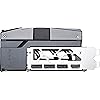
msi Gaming RTX 5090 32G SUPRIM SOC Graphics Card (32GB GDDR7, 512-bit, Extreme Performance: 2580 MHz, DisplayPort x3 2.1a, HDMI 2.1b, NVIDIA Blackwell Architecture)

  • Based on 20 reviews
Condition: New
Checking for the best price...
$4,899.97 Why this price?

Buy Now, Pay Later


As low as / mo
  • – Up to 36-month term if approved
  • – No impact on credit to apply
  • – Instant approval decision
  • – Secure and straightforward checkout

Ready to go? Add this product to your cart and select a plan during checkout.

Payment plans are offered through our trusted finance partners Klarna, Affirm, Afterpay, Apple Pay, and PayTomorrow. No-credit-needed leasing options through Acima may also be available at checkout.

Learn more about financing & leasing here.

Free shipping on this product

This item is eligible for return within 30 days of receipt

To qualify for a full refund, items must be returned in their original, unused condition. If an item is returned in a used, damaged, or materially different state, you may be granted a partial refund.

To initiate a return, please visit our Returns Center.

View our full returns policy here.


Availability: Only 1 left in stock, order soon!
Fulfilled by MrReliable-USA

Arrives Tuesday, Mar 31
Order within 8 hours and 23 minutes
Available payment plans shown during checkout

Protection Plan Protect Your Purchase
Checking for protection plans...

Features

  • Chipset: NVIDIA GeForce RTX 5090
  • Video Memory: 32 GB GDDR7
  • Memory Interface: 512-bit
  • Output: DisplayPort x 3 (v2.1a) / HDMI 2.1b x 1
  • Digital maximum resolution: 7680 x 4320

Description

Unleash extraordinary performance with the MSI SUPRIM graphics card—crafted with premium design and materials. Push the boundaries with stunning aesthetics and exceptional cooling. Take your gaming to the next level with unparalleled precision and sophistication.

Graphics Coprocessor: NVIDIA GeForce RTX 5090


Brand: msi


Graphics Ram Size: 32 GB


GPU Clock Speed: 2580 MHz


Video Output Interface: DisplayPort


Max Screen Resolution: ‎7680x4320


Memory Speed: ‎2.41 GHz


Graphics Coprocessor: ‎NVIDIA GeForce RTX 5090


Chipset Brand: ‎NVIDIA


Card Description: ‎MSI Gaming RTX 5090 32G SUPRIM SOC Graphics Card with 32GB GDDR7, 512-bit memory interface, DisplayPort x3, HDMI 2.1, and NVIDIA Blackwell Architecture


Graphics Card Ram Size: ‎32 GB


Brand: ‎msi


Series: ‎GeForce RTX 5090


Item Weight: ‎8.36 pounds


Product Dimensions: ‎17.75 x 10.79 x 4.8 inches


Item Dimensions LxWxH: ‎17.75 x 10.79 x 4.8 inches


Manufacturer: ‎MSI


Date First Available: ‎January 30, 2025


Frequently asked questions

If you place your order now, the estimated arrival date for this product is: Tuesday, Mar 31

Yes, absolutely! You may return this product for a full refund within 30 days of receiving it.

To initiate a return, please visit our Returns Center.

View our full returns policy here.

  • Klarna Financing
  • Affirm Pay in 4
  • Affirm Financing
  • Afterpay Financing
  • PayTomorrow Financing
  • Financing through Apple Pay
Leasing options through Acima may also be available during checkout.

Learn more about financing & leasing here.

Top Amazon Reviews


  • Giant card but pleased with performance.
Paired this with a MSI 1250W power supply and was able to bring AI generation time way down compared to my 3060Ti. Super nice quality card! Low temps and low noise. Drives fast gaming on a 32” monitor with ease. The card is huge and heavy but comes with a stabilizing bracket.
Reviewed in the United States on January 3, 2026 by Justin

  • TITAN OF 5090S! read bottom of review addressing real issue with wire melting
ordered on sep 4th 2025 received oct 3rd 2025 that's prime day shipping in 2025 -_- #1 the clock speeds stated on the box are way off, this card went as high as 3155 mhz with an average of 2887 mhz under load, and the memory usually at 1400 mhz can jump to 1750 mhz the temps without modding are 40c idle and 82-88c at 100% load. ever since i bought the EVGA 980 classified 2015 that came with a metal back plate ive been custom moding my GPUs for better cooling with my moding i was able to get 29c idle and incredible 69c with 100% load on 2160p gaming these are the following items i used in the cooling mod 1. ELUTENG M.2 SSD Heatsink 4PCS 2280 SSD Heat Sink with NVMe SSD Thermal Pad NVMe Heat Sink with 8 Black Rubber Straps for PC/PS5 M.2 PCIE NVMe SSD or M.2 SATA SSD 2. MHQJRH M.2 2280 SSD heatsink, Double-Sided Heat Sink, with Thermal Silicone pad for PC / PS5 M.2 PCIE NVMe SSD or M.2 SATA SSD 3. Thermal Tape, 22mm x25m (0.9in x 82ft) Non Conductive Double Sided Thermal Adhesive Tape for Heatsink LED M2 SSD, Northbridge GPU Memory IC LED Chipset Cooling 4. ARCTIC TP-3: Premium Performance Thermal Pad, 100 x 100 x 1.0 mm (Stackable to 2.0 mm Without Performance Loss), 1 Piece - High Performance, Particularly Soft, Ideal Gap Filler, Bridging Gaps 5. Thermalright TL-8015 CPU Fan Computer case Fan Quiet 4pin PWM PC Fan, 15mm Slimline Cooler Fan, 2200RPM Speed, 80mm CPU Cooling Fan i removed the back plate and used 2mm (double stacking the 1mm pads) heat pads and put them everywhere over the memory, and back of the gpu and i noticed they put thermal pads over the power connector (so there is a worry over melting wires) so i removed that pad and added 10x the surface area with new thermal pads i found artic pads are the best pads closing up the back plate i then used heat tape and nvme heat sinks as shown in pictures making sure not to cover up the area to push on the pcie release pin from the mother board. this is a very tight fit and i see people use screw drivers to hit the release pin which is dangerous cause if you miss and hit the mother board you can scratch or damage the boards. instead i use some bamboo chop stick which is soft and won't hurt or scratch the mobo and are non conductive. i then use an 80mm low profile fan zip tied, on the back to push more hot air away from the gpu, note this small fan add on dropped the temps by 8c with all the cooling mods the temps went from 72c load to 62c load, 40 idle to 29c idle max power draw for me was 513 watts but i am using an 2016 EVGA 1600w T2 PSU; was designed to power 4 GPUs in sli at 1300 watt draw and 133 amps. my PSU has no problem powering the 5090 WIRE MELTING ISSUE so doing my own testing i found out the REAL problem with the melting wires issue and why NVIDIA can't address the problem. the real problem is not having a psu with 12vhpwr or not plugin the power cable deep enough the real issue is 3rd party companies like zotac, msi, asus and gigabyte design heatsink flaw. unlike the founder edition the triple fan heatsink design is blowing a ton of hot air into the power plug, this is not an issue for the founders edition, cause the plug is shielded from the fans blowing hot air over the cables. but i still think the founders edition is terrible; 2x fans is not enough to cool the card to get best performance this is why a founder edition can't reach speed over special oc custom heatsink cards. to fix this issue im zip tying some heavy duty fans with an air ducks to blow hot air away from the cables this will keep hot spot air away from the cables and resolve any melting issue i measured around 120 Fahrenheit of hot air being blown over the power cables by the cards own fan design. That and the wires getting hot after 500 watts of usage puts it over what the wires can handle. blowing cold air over the cables keeps them from over heating. i never thought i would have to worry over cooling wires but it is an issue until they can design a plug in out of the way of hot air flow. right now its fall but once we get into summer unaddressed, its going to show problems. my 3080 the 5090 is replacing also had crashing issues this summer, as launching games causes the screen to go black and windows restarting. i discovered its an overheating issue and zotac 3080ti using horrible heat pads. I did the same to the 3080 with pads and heatsinks on the back plat even laping to a mirror polish on the gpu heatsink contact, and temps went from 100c to 71c under load (i used flitz metal polish for laping in one direction to get a mirror polish) the upgrade from 3080ti to an 5090 oc i got a 130% jump in performance, but moving forward you have to plan out your cooling design. pc gaming is no longer a plug and play sport. im adding a thermal cam and amp clamp meter to my tools now for future builds as the liability of higher prices components means i can't just simple shell out another $3000 if the gpu burns up and don't expect these companies to ever admit fault. doing all these changes for the 5090 when benching i went from 386fps performance to a 410 fps average performance with 701fps peak and 80fps low on heaven bench with all settings maxed out. i am never trusting you tube fake techs again like gamers nexus and jays no cents; they are the two worst so called tech experts on you tube. i remember when they defended NVIDA by gas lighting customers,. saying its their fault why their 4090s overheated cause they were too low iq to know how to plug in the power cables -_- i have included some pics on my mods and testing results from heaven, hw monitor and furmark 2.9 notes the pic from the melted wire IS NOT FROM ME but someone who posted an msi 5090 suprim with burnt wires so its still an issue no matter what they tell you and you should take steps to cool the wires from hot spots. UPDATE: i bought a thermal camera amazon listing 2 in 1 Thermal Imaging with 20000 Counts Multimeter Function Infrared Camera Pixels ISR256x192 Image Resolution 427x320 3.5 inch LCD -20℃ to 550℃ Temperature Range 15 Color Modes Brand: FIXCHIGO cost $230 a middle of the road thermal camera its been really helpful in finding hot spots ive included some thermal pics and temp differences before and after adding a 50mm fan you can see the temps under load you have 59c or 140f heat around the power plug, when i turn on the fan the temps in that area fell to 31-37c basically removing a threatening hot spot in burning out the plug. also playing modern games with settings turned full i was seeing a 478 watt power draw with 505 watt using Tessellation maxed however testing on furmark 2.9 it pulled in as much as 613 watts the danger zone for this card. even though this is an apex game card you should not power draw above 500 watts for long periods of time, the heat and power over time can warp the plugs wires and plastic. ... show more
Reviewed in the United States on October 5, 2025 by JZ the reviewer JZ the reviewer

  • It's a flagship MSI 5090 Monster!
Really happy with my purchase, the price is really stupid and at this point I am seriously rethinking the gaming PC market - things are out of control and its simply greed and FOMO driving it. But the product performs fantastically, especially for VR. I replaced a 4090 and at 4K there's really not much of an uplift to support the price, but I got it for VR which is where the new GDDR7X truly shines. ... show more
Reviewed in the United States on November 9, 2025 by Flemo

  • Performance straight out the box.
Getting really good fps card stays cool never goes above 60c got ultra settings activated on every game I play. Not over clocking plays far beyond what I came from no need to overclock works great right out of the box. My gripe was the cost at the time of purchase was 600$ over msrp but its been a few months and they are no longer available and scalpers on ebay are selling these at 6k now. So I added a star from 4 to 5 price seems reasonable now that a few months ha e passed. Great performance right out the box couldn't be happier. ... show more
Reviewed in the United States on January 21, 2026 by william

  • It Exploded
I powered on my PC after inserting this GPU into it, and within 1-2 seconds of the power being turned on, something inside the GPU literally BLEW UP and smoke was coming out of the back at the I/O bracket. The GPU still smells like smoke hours later. Thankfully, the PC seems to be fine. I immediately powered off and unplugged the PSU when this happened, removed the 5090, and then tested it with integrated graphics and two other GPUs. But seeing this brand new $3,000 GPU blow up 1 second after turning the power on is absolutely unacceptable. Edit: I also noticed the box didn't didn't have a factory seal. I didn't think of it at the time, because 1) It was new. 2) It was sold AND shipped dirtectly from Amazon. But despite that, it looks like I may have possibly got a used GPU that Amazon themselves sold to me as new. Buyers beware. ... show more
Reviewed in the United States on November 29, 2025 by Joey

  • Looks great with low temps
It’s a 5090, amazing piece of technology. Temps are chill and the power connector is solidly built.
Reviewed in the United States on December 11, 2025 by D

  • A Beast of a Graphics Card
This is a monster of a graphics card and much larger than the Liquid Cooled MSI 4090 Suprim that I upgraded from. This required an upgrade of my PSU to the beQuiet Dark Power Pro 13 1600 W, and I used the PSU's supplied GPU cable rather than MSI's octopus. So far, nothing has melted, everything works, though my computer becomes a space heater when under load. All cores were enabled, and there is zero coil whine, and it runs entirely silent, which is amazing. Every setting is maxed out in anything I throw at it, and it runs beautifully. This is still hundreds of dollars over MSRP, though no one realistically believes we will ever see it at initial MSRP. ... show more
Reviewed in the United States on August 18, 2025 by Arcturus

  • Amazing Performance
Amazing card. I have a Zotac 5090 in my other PC, both perform similar tasks and this SUPRIM absolutely blows the Zotac out of the water when it comes to thermals. During sustained have workloads (550-600W) The Zotac will reach about 73 degrees while I have yet to see the SUPRIM go over 62 degrees on the same job. Mind you, this was the exact same case too. I moved the Zotac to a new case, replaced it with the SUPRIM, so the airflow was the same in both tests The extra money for this model is absolutely worth it if good thermals matter to you. ... show more
Reviewed in the United States on August 22, 2025 by P. Frisbie

Can't find a product?

Find it on Amazon first, then paste the link below.
Checking for best price...