Search  for anything...

Monport 50W Fiber Laser Engraver, Fiber Laser Marking Machine with Red Dot Pointer, LightBurn Compatible 5.9"x5.9" Metal Etching Machine for Metal Marking with 100000 Hour Lifespan BSLcad Included

  • Based on 14 reviews
Condition: New
Checking for the best price...
$2,399.98 Why this price?
Save $4,799.02 was $7,199.00

Buy Now, Pay Later


As low as / mo
  • – Up to 36-month term if approved
  • – No impact on credit to apply
  • – Instant approval decision
  • – Secure and straightforward checkout

Ready to go? Add this product to your cart and select a plan during checkout.

Payment plans are offered through our trusted finance partners Klarna, Affirm, Afterpay, Apple Pay, and PayTomorrow. No-credit-needed leasing options through Acima may also be available at checkout.

Learn more about financing & leasing here.

Selected Option

Free shipping on this product

30-day refund / replacement

To qualify for a full refund, items must be returned in their original, unused condition. If an item is returned in a used, damaged, or materially different state, you may be granted a partial refund.

To initiate a return, please visit our Returns Center.

View our full returns policy here.


Availability: Only 1 left in stock, order soon!
Fulfilled by Amazon

Arrives Sunday, Mar 29
Order within 3 hours and 53 minutes
Available payment plans shown during checkout

Protection Plan Protect Your Purchase
Checking for protection plans...

Size: 50W


Features

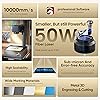
  • Brand New Integrated Mini Fiber Laser: The brand new Monport fiber marking machine has a smaller size and lighter weight; Simultaneously maintaining the original high performance and a lifespan of up to 100000 hours.The fiber laser can engrave all metals. (gold, silver, copper, stainless steel, brass, titanium, etc.)
  • Faster and More Accurate: The newly customized galvanometer system is equipped with more expensive silicon material reflectors, allowing for a maximum speed of 10000mm/s. Monport has also customized an F-theta field mirror, which, together with the entire marking system, can achieve a carving accuracy of 0.01mm.
  • Just Right Working Area: For a 50W Fiber Laser, an area of 150*150mm is optimal, as excessive engraving area may result in poor engraving effect or even distortion.After special tuning by Monport, even when carving at the edges, there will be no weak light.
  • Lightburn Compatible: All Monport fiber marking machines can be operated using Lightburn, but if you don't want to use Lightburn, we also provide free and easy-to-use software (Free software and backup parameters are saved on a USB drive and included in the packaging).
  • Laser Class 4 ,50W output power. Model:YXF50

Brand: Monport


Material: Aluminum


Color: Grey


Product Dimensions: 5.9"L x 5.9"W


Style: Laser


Brand Name: Monport


Manufacturer: Monport


Included Components: 50W Fiber Laser Engraver


Unit Count: 1.0 Count


Color: Grey


Style Name: Laser


Item Dimensions L x W: 5.9"L x 5.9"W


Material Type: Aluminum


Operation Mode: Manual


Frequently asked questions

If you place your order now, the estimated arrival date for this product is: Sunday, Mar 29

Yes, absolutely! You may return this product for a full refund within 30 days of receiving it.

To initiate a return, please visit our Returns Center.

View our full returns policy here.

  • Klarna Financing
  • Affirm Pay in 4
  • Affirm Financing
  • Afterpay Financing
  • PayTomorrow Financing
  • Financing through Apple Pay
Leasing options through Acima may also be available during checkout.

Learn more about financing & leasing here.

Top Amazon Reviews


  • Works Well, Some "Limitations"
This laser works well, BUT. . . it does not have a "through the lens" red dot laser for framing. It uses the fiber laser beam to frame and even at a very low power it can leave marks on materials. This is not a big deal since I mostly fixture things, not just put them on the bed and move them around until they "look right". I use this laser with LightBurn and it all works seamlessly. So, if you are doing mostly one offs, I would recommend a laser that has a better framing capability. That is not a deal breaker for my usage. ... show more
Reviewed in the United States on August 6, 2025 by Kindle Customer

  • Happy Engraver
should had bought this sooner. this is technically my 3rd laser. but first fiber from this company. easy to but together. show learning curve with lightburn and experimenting. Will have fun with this machine .
Reviewed in the United States on October 21, 2025 by Alex A. Alfonso Alex A. Alfonso

  • It's ok for beginners, nothing to brag about
Not a bad machine. Slightly over priced for a non-mopa laser and therefore limited to what you can do with it. Good for people just starting out and learning
Reviewed in the United States on October 16, 2025 by Christopher Sharer

  • Very easy to use, but remember the lens cap
It was nice to have a friend that has one, but I engraved 107 Damascus knife blades with a logo, numbers and my logo all in one day. Lightburn matches up flawlessly. JUST REMEMBER TO TAKE OFF THE LENS CAP!!!
Reviewed in the United States on April 11, 2025 by Amazon Customer

  • Unless you just want power, get the 5W/15W dual at the same price from X-****
The media could not be loaded. Became erratic just days after the return window. Focus 'was' close, but calibration off by >1mm, so the work looked second rate despite time taken to align. This is my 4th laser (2x higher power UV, 1xCO2, and this), so it is a little different, but not my first rodeo. When it did 'work', I could get the precise spot advertised (.01m), but no longer .... and that is without moving it, except once (and then carefully and long before it decided to go delinquent), so that is not the cause. You will get much more success and use from the dual 15wUV / 5wIR for actually less because their more-capable software is included so that you won't need to buy the 'OK' Light-burn version and get to go through their process of registering a generic system and coming up with settings through experimentation. I didn't mind the learning experience of determining settings ... it was like going back in time over 5 years, except for wasting semi-$$ stock in the process. It became worse as I got the settings in the ballpark but then found that the calibration (red aiming beam vs. reality) was off enough to make precision jobs look pretty embarrassingly elementary school level. The last straw was when I went to make some nice gifts for a family birthday, and it totally failed (except fake leather (which needs minimal power), wasting a lot of time and leaving me with nothing to show. 2 stars because Monoport is a good company and the laser is very industrial sturdy ... just somehow lost some sort of internal calibration, which will likely involve taking it apart (more time lost). If you are OK with futzing and have time, it appress to be built well, but if you are looking for a laser that you can use to create with, you won't get as much time for that as you will with the X-####, and you will spend more time and waste stock trying to get the level of print that might be slower with the other laser in the same $$ category, but faster in the long run due to fewer re-dos. In the pictures you see that is is possible to get OK results, but the difficulty in getting consistent results (I bought a new computer to dedicate to it, so not that, but maybe a poor circuit board that escaped QC), and how the power abruptly faded to barely making even at full power. ... show more
Reviewed in the United States on January 23, 2026 by ALFdoc1 ALFdoc1

  • Very good laser engraver
Size: 50W+D70 Rotary
The media could not be loaded. It was packed very well. The instructions could be better. Use the one on the Monport website. I had it running that night of getting it. It arrived a day earlier than expected. I haven’t had any issues with it. It has been a very well built unit.
Reviewed in the United States on March 17, 2025 by Tim Wright

  • Good packaging prevented f orklift damage
Size: 50W+D70 Rotary
Package damaged, but product ok. Setup and calibration was fine,
Reviewed in the United States on February 1, 2025 by Gary

  • Worth the money
Works great. Easy to setup
Reviewed in the United States on March 1, 2025 by Addison Kincaid Harms

Can't find a product?

Find it on Amazon first, then paste the link below.
Checking for best price...