


Search  for anything...

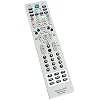
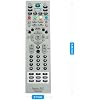
MKJ39170828 Replacement Service Remote Control fit for LG LCD LED TV

  • Based on 1,208 reviews
Condition: New
Checking for the best price...
$6.56 Why this price?
Save $17.43 was $23.99

Buy Now, Pay Later


As low as $1 / mo
  • – 4-month term
  • – No impact on credit to apply
  • – Instant approval decision
  • – Secure and straightforward checkout

Ready to go? Add this product to your cart and select a plan during checkout.

Payment plans are offered through our trusted finance partners Klarna, Affirm, Afterpay, Zip, Apple Pay, and Google Pay. No-credit-needed leasing options through Acima may also be available at checkout.

Learn more about financing & leasing here.

Free shipping on this product

FREE 30-day refund/replacement

To qualify for a full refund, items must be returned in their original, unused condition. If an item is returned in a used, damaged, or materially different state, you may be granted a partial refund.

To initiate a return, please visit our Returns Center.

View our full returns policy here.


Availability: In Stock.
Fulfilled by Amazon

Arrives Monday, Aug 31
Order within 16 hours and 34 minutes
Available payment plans shown during checkout

Protection Plan Protect Your Purchase
Checking for protection plans...

Features

  • MKJ39170828 Replacement Remote Control fit for LG LCD LED TV
  • No programming or paring is needed. Just insert new batteries and it is ready for use.
  • Power Supply: 2X 1.5V AA alkaline battery. Batteries and User Manual Not Included
  • Please feel free to contact us if you have any query, thanks!

Description

MKJ39170828 Replacement Remote Control fit for LG LCD LED TV Condition: New No programming or paring is needed. Just insert new batteries and it is ready for use. Power Supply: 2X 1.5V AA alkaline battery Package Content: 1X Remote Control(Batteries and User Manual Not Included)

Brand: ZdalaMit


Special Feature: Ergonomic


Color: gray


Max Number of Supported Devices: 1


Compatible Devices: Television


Additional Features: Ergonomic


Maximum Number of Supported Devices: 1


Compatible Devices: Television


Connectivity Technology: Infrared


Button Quantity: 18


Controller Type: Button Control


Maximum Range: 33 feet


Number of Batteries: 2 AAA batteries required.


Battery Type: Alkaline


Color: gray


Item Weight: 2 ounces


Item Dimensions L x W x H: 8.8"L x 2.1"W x 0.55"H


Brand: ZdalaMit


Model Name: 8541714652


Model Number: 8541714652


Warranty Description: 1 year


Number of Items: 1


UPC: 764560995267 764560990798


Unit Count: 1 Count


Number of Packs: 1


Manufacturer: ZdalaMit Factory


Mfr Part Number: 43223-1666


Frequently asked questions

If you place your order now, the estimated arrival date for this product is: Monday, Aug 31

Yes, absolutely! You may return this product for a full refund within 30 days of receiving it.

To initiate a return, please visit our Returns Center.

View our full returns policy here.

  • Klarna Financing
  • Affirm Pay in 4
  • Affirm Financing
  • Afterpay Financing
  • Zip Pay in 4
  • Financing through Apple Pay
  • Financing through Google Pay
Leasing options through Acima may also be available during checkout.

Learn more about financing & leasing here.

Top Amazon Reviews


  • WORKS PERFECTLY BUT OLDER INSTRUCTIONS DON'T WORK ON NEWER MODELS - I FIGURED IT OUT THOUGH
EDIT: The Instructions below work but there is either another setting that needs to be changed or it's a firmware issue with Newer models. Pretty sure LG knows people are doing this and with newer models the change doesn't last and the procedure with the remote has changed, at least with my Model. There's something else in the firmware that turns all the settings you turned OFF back ON after a period of time. The 1st time i successfully changed the setting it lasted for about 24 hours. Then i tried it 2 more times and the changes stuck for about 6-8 hours and then the horror show of Dark to Bright over and over again started happening. When the settings are turned off the picture looks excellent. I use mine as a monitor, didn't have problems with youtube, or Facebook, its just when the page is left still for a couple of minutes it will dim. Like an Amazon page for example, it would dim by 70%, then i'd scroll the page, and it'd go back to full brightness. I did everything i could to try and make this work. I just want a 48'' - 50'' TV to act as a Monitor and this TV WILL NOT DO IT. DO NOT BUY THE "LG B5 OLED -2025 MODEL" and Possibly any Newer Model LG TO USE AS A MONITOR For 2 Reasons: 1. The Auto Dimming CANNOT BE TURNED OFF PERMANENTLY 2. This LG B5 TV will not go so Sleep/Standby like a Monitor does. All It is capable of is to Turn OFF. Google confirmed that's how this TV is. A Monitor will go Blank, Enter into Sleep/Stand by mode which makes the Monitor appear to be OFF, and have a Dark screen that is OFF but it's just Sleeping. When you move, click the mouse, or touch a button on the keyboard, the Monitor Turns back and you can see your desktop. This is apparently standard for LG TV's bc there's programs out there like "LG COMAPANION" and "COLOR CONTROL" that make the TV behave like a monitor. So Great! another issue. Well, LG Companion works, i read reddit posts on it and saw a Demonstration of it on Youtube. Again, just like making changes with the remote the problem wouldn't stay permanently fixed. With LG Companion i set it up which is easy and then there's a test button you run to make sure the program works. I clicked the button and the TV went to Sleep WITHOUT turning OFF, Score! or so i thought. Well, when it was show time it half way worked. The TV would go into its own version of sleep: It would wouldn't go OFF like it's programmed to do but it would Stay On forever with a Painting Background. Just way too much hassle which is a shame bc i got a great deal on the LG B5 OLED 48'' (2025 Model) for $600. Fed up after a week of trying to make this Tv work, I went today and got a Samsung S90F OLED 48'' for $1,000. They both score HIGH, pretty much the SAME but according to Rtings.Com, which is a thorough and respectable Testing Site has the LG at 8.3 and the Samsung at 8.7 and the Samsung is DEFINITELY Brighter as it's a QD-OLED (Quantum Dot) which are brighter than the LG B5 which is WOLED and best of all, the Samsung works just like a regular Monitor would. I mostly buy TCL's and they all function just like a monitor as well. I mean, even if all the extra things i had to do to get this LG to function correctly (Buy a Technicians Remote and add Software to my computer) it's just too much extra hoops to jump through just to get the monitor to function like just about every other TV on the market but if what i experienced isn't isolated to just my model and is the norm for new LG Monitors then this is a Huge problem. I wouldn't even buy an LG for a TV as i have a pc hooked up to my 85'' TCL Living Room Room TV too. Just too many limitations that LG puts on it's TVs, very odd and i will warn everyone to stay away from LG! __________________________________________________________________________________ Works on LG B5 Series OLED 48'' Model: OLED48B5PUA - This is a 2025 MODEL Purchased March 2026 from Best Buy. BUT there's a catch. The instructions are a bit different for newer models or at least mine anyways. The Main Menu and 2 Settings you're trying to turn off TPC and GSR are the same but getting to them are totally different. Pushing the "IN START" button and putting in code 0413 brings up the totally wrong and worthless menu. I played around with the remote and got lucky For newer models you have to push the "P-ONLY" Button in the very top left. This will bring up a message saying something like if you're not a technician you need to back out of here. It's basically giving you a warning. Ignore it and put it the code its asking for which is the same, 0413. This brings you to a screen with a floating box with a message. Just follow the directions . It says to Press "EXIT & INSTOP" Well there is no "INSTOP" Button but there is an "IN START" Button that the older models use to get into the menu. SO, Press EXIT first then IN START and It'll bring up a big blank screen with a floating box and directions. After you Press EXIT and IN START put in the 0413 Code. Now you're into the Menu you want. Select #12 OLED and Then Turn off TPC and GSR. Then another problem arose. Everytime i'd do that and hit the Green Button 7 times like the Floating Box directions said. The Settings would got back to on after i turned them off. What you do is once you set everything you need to hit the "MENU" Button which will save the settings and back you out of the Menu. THen you hit the Green Button 7 times and you're done. All of your settings for the TV will be erased and you'll have to set your tv up again tho BUT My TV is working perfectly now. I use my TV as a Monitor and going from Super Bright to Dark was not working for me. So, NO MOre DARK, LIGHT, DARK, LIGHT, DARK LIGHT driving me up the wall. I was about to return this thing to Best Buy. __________________________________________________________________________________ DIRECTIONS: 1. Press the "P-ONLY" Button in very top left of remote 2. Enter 0413 Code 3. Select #12 OLED in Menu 4. Turn off "TPC and GSR" 5. Press the "EXIT" Button to save your settings. If you don't press "EXIT" your settings will go back to ON for TPC and GSR 6. Hit the GREEN BUTTON 7 Times OR on the Remote that came with your TV you can Press the "USER GUIDE" button SEVEN TIMES. I've used both and both work 7. You Will Then Have To Set Up Your TV Again like you initially did the 1st time you plugged it up 8. ENJOY! Bc the Nightmare is now over. _________________________________________________________________________________ AMAZON HAS BEEN HAVING A PROBLEM UPLOADING PICTURES THE LAST COUPLE OF DAYS. I"LL TRY & REMEMBER TO COME ________________________________________________________________________ - 1st Pic is of the Worthless Menu that pops up when you use the instructions for older models by pressing IN START and entering Code 0413 - 2nd Pic is the Screen with the floating message box that pops up after pressing P-ONLY and entering code 0413 (It's Basically the same Pic as another person posted with a light or baby blue screen with a square black box with text inside and at the top it says "POWER ONLY") - 3rd Pic is the Exact Same Menu as the older models and the Menu you want. - 4th is a VIDEO Showing How To Turn Off TPC & GSR ... show more
Reviewed in the United States on March 19, 2026 by Glenn C. Harrison

  • If you need to access an LG service menu, buy this
This has the correct buttons to access and use the service menus easily. It appears to be a quality product with the same design as OEM. I checked it with all 3 LG TVs we own and it connects to all three of them. Good price with full functionality.
Reviewed in the United States on September 11, 2024 by Inverse

  • Works as advertised.
Works as advertised..don't update.
Reviewed in the United States on August 7, 2026 by bmaps

  • Accesses the service menu on LG OLED TV
Worked perfectly to access the service menu on our LG OLED TV. We were having trouble with the automatic dimming protection on static image in the TV. We'd pause a stream from an app and the TV would dim after a time as it was supposed to do. But on some apps the TV would not always brighten up when we resumed watching and the picture would stay very dark. We could always find some way to get the TV to brighten again but it was disruptive. There is a setting in the service menu that disables the automatic dimming function, and this fixed it for all our apps that were having trouble. We use a 100% black screensaver that takes over after 10 minutes of inactivity, so there is no danger for us of burn in by disabling the dimming. Very inexpensive and easy workaround that increased our enjoyment of this TV immensely. ... show more
Reviewed in the United States on May 11, 2025 by appyface

  • This remote saved me $1000 dollars.
So pawnshop had a giant LG OLED. And they were only asking 350$ for it. The display seemed fine but I was wondering why it was so cheap. It had an error message that scrolled across. Upon googling it I found that it was stuck in diagnostic mode. So I asked the pawn shop employee what the deal was and they said oh you just need a remote but we don't have one. Well... A normal remote wouldn't have gotten the TV out of diagnostic mode. But I didn't tell them that. So I went home and I had a universal LG remote. Went back and said I have a remote. The remote turned it on and off but wouldn't do much else. If I hit volume up or down the TV would turn different colors. So the pawn shop employee was confused and I said yeah I dunno man. I asked Maybe it's something I can have a technician fix? So in order to sell it they took another 100$ off it and I took it home. Ordered the technicians remote from Amazon and followed instructions I found online to get it out of diagnosticode and walaaaa. TV booted up like a charm. So I got a collosal OLED TV for next to nothing all thanks to this little device. I also followed instructions online that said once your done take out the batteries and put the remote away and don't use it unless absolutely necessary because this device can ruin your TV if you don't know what your doing. And I did just that. It stays in my sock drawer until the day it is needed again. ... show more
Reviewed in the United States on April 22, 2024 by R33K

  • Auto Brightness and Service Menu review
OVERALL: I got this to help me adjust my Service Menu settings...... PLEASE UNDERSTAND.... this may or may not void your warranty. I fully understood this risk when buying this remote and I understand that.... That said the sets I took to fix my own Auto Brightness and Dimming settings are as follows : """-Press the In Start and enter 0413 -Go to OLED menu -Select TPC and turn it off -Select GSR and turn it off -Press exit""" The Auto Brightness settings I've adjusted WORKED SOMEWHAT for me so far. I STILL NOTICE my screen lighting will adjust if I zoom into a photo and move along the image however if I leave the image alone the screen will not dim or the brightness doesn't seem to darken. The overall images I get seem to be fine and so far I haven't seen a dimming effect. REMOTE USAGE: The remote is complex and to some that may be ok, but to me I'll keep using the standard remote I have with the C1 I own it's a simple menu layout and I don't intend to learn or get used to the Service Remote. I simply bought it to adjust the settings I couldn't access without it. I don't think it's a totally bad layout I just don't want to learn how to use it when I have a more simple remote that I can use with my C1. ... show more
Reviewed in the United States on January 3, 2022 by EvilMadness

  • Value priced, meets or exceeds description, works as advertized and is a value.
I purchase several things on Amazon, and was giving pretty in-depth reviews. From this point on, here's the new agenda…. if it works as advertised, is well made, meets or exceeds the description, is a value, and arrives in a fair amount of time, it will get a "star rating" equal to what my expectations were/are. If it doesn't meet these criteria, then I will most definitely and descriptively tell the short comings of the products and you as a consumer will not have to go through the trouble of buying the product without some background knowledge. If the sell pulls that item and relists under another description I will put the exact same review on the seller's feedback page. Seller's have done this a couple of times in the past, and I was true to my word then as well as now. DR ... show more
Reviewed in the United States on January 19, 2020 by Darin R.

  • must have!
must have
Reviewed in the United States on April 16, 2026 by Pit

Can't find a product?

Find it on Amazon first, then paste the link below.
Checking for best price...

